
Best IPLeak Alternatives in 2026
IPLeak has long been the go-to for testing VPN and proxy reliability, but its outdated design and lack of connection quality checks leave a lot to be desired. This guide breaks down 7 modern alternatives — from Iphey's beginner-friendly risk scores to CreepJS's deep fingerprint entropy analysis — comparing what each tool actually detects and who it's best suited for.

Many users who desire anonymity often turn to tools like VPN or proxies. Since they need to test the reliability of these services, they land on sites like IPLeak. The primary purpose of IPLeak is to determine IP, DNS, and browser finger exposure among other parameters.
However, this is not the only option as there are several IPLeak competitors that you could consider, depending on your need.
This article will briefly examine IPLeak, consider top IPLeak alternatives, as well as their unique strengths and weaknesses.
What is IPLeak and How Does It Work?
Before diving into alternatives, let us do a quick IPLeak review.
IPLeak is a prominent legacy IP leak testing tool that checks if your real IP address and other parameters are visible when using a VPN or proxy to browse. IP leak testing is very important to verify the authenticity of intermediary connections. If your network data is exposed to websites you visit, they can track your activities. As a result, this brings your anonymity and security to zero.
IPLeak works by checking your HTTP requests to determine if your real IP address is visible to the internet. It also leverages STUN protocol to verify if there is any WebRTC leak in your connection.
IPLeak is a common reference point for the privacy community, VPN providers, and security guides. Although it is a free software that does not require sign-up, the platform supports several ads.
Some of the limitations with IPLeak are that the design has not been updated in several years. It also falls behind in terms of performance. This tool does not check the performance or quality of your VPN/Proxy connection. More so, the layout is cluttered, which may make it quite confusing for beginners.
With these limitations, it is only fair to seek IPLeak alternatives that address these concerns.
Choosing IPLeak Alternatives
Sites like IPLeak have the same core function, however, with unique strengths and limitations. Therefore, to make this comparison, I evaluated each tool based on some criteria. They include:
Fingerprint Analysis Depth
One of the major factors I considered is the depth of fingerprint analysis. Different IPLeak alternatives analyze parameters like Canvas, WebGL, time zone, fonts, and hardware components.
Leak Detection Coverage
Another criterion to look out for is leak detection coverage. The tool should check for IP leaks, WebRTC leaks, DNS leaks, and IPv6 leaks as they are crucial to online anonymity.
Reliability
Reliability is a factor of credibility from users’ review based on real life applications. I considered tools with a strong track record as well as how useful they were in solving everyday privacy tasks.
Ease of Use
One of the limitations of IPLeak is that it is not the most beginner-friendly option. As a result, I focused on tools that were accessible and easy to use by technical experts and beginners.
Comparison Table
Provider | Key Features | Risk Score | Leak Detection | Best For |
Iphey | Bot detection, WebGL detection, show risk score | Yes | IP, WebRTC, DNS | All-round simple and actionable browser visibility feedback. |
BrowserLeaks | Geolocation API, Canvas fingerprinting, Chrome extension detection, DNS leak test | No | Yes | Deep technical fingerprint analysis |
BrowserScan | Bot detection, shows IP mismatch, WebGL test | Yes | Yes | Risk-focused check |
Whoer.net | Blacklist detection, WebRTC detection, JavaScript detection | Yes | IP, WebRTC, DNS | Quick privacy scan |
PixelScan | DNS leak test, WebRTC leak test, proxy and bot checker | Yes | IP, WebRTC, DNS | Antidetect browser profile validation |
CreepJS | Canvas, WebGL, WebRTC fingerprint, IP risk checker | Yes | No | Advanced fingerprint and entropy analysis |
Top IPLeak Alternatives in 2026
Whether you are verifying the effectiveness of a VPN or learning how to prevent browser fingerprinting and protect your online privacy, this list helps you stay ahead.
Here are 7 IPLeak alternatives you can use in 2026:
Iphey
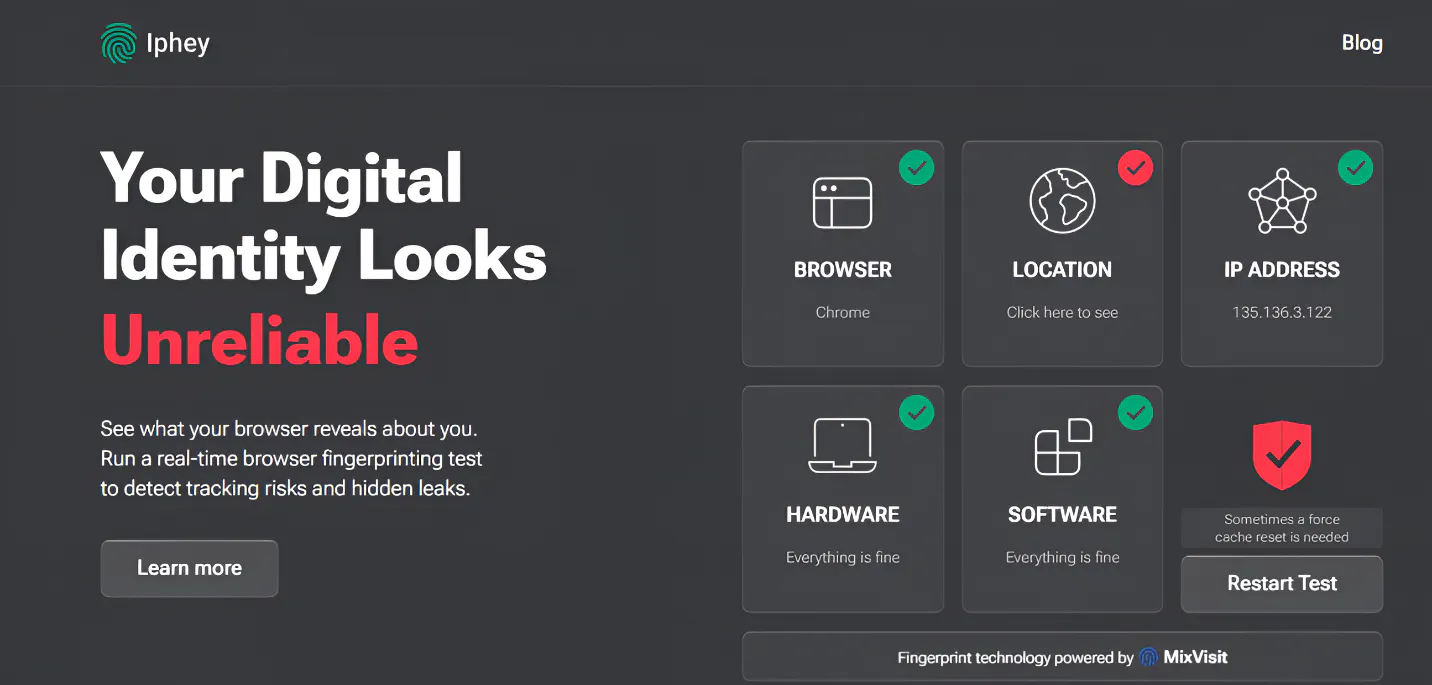
After testing several tools, Iphey easily takes the crown as the best IPLeak alternative in 2026. One thing that stands out is that it provides a more comprehensive analysis of parameters regarding online anonymity.
Iphey does not leave you to second-guess the implications of the result. It gives you a direct explanation of any source of leaks. For example, you're using a VPN and there is a variation in the time zone. Iphey will directly tell you this, so you can promptly fix it before visiting other websites. More so, it displays a full bot test. Iphey tests and provides results on parameters such as:
- Signal strength
- Software details
- Location
- Hardware specification
- Browser details
Pros | Cons |
Highly intuitive platform | Less granular raw data for technical analysis |
Provides an easy-to-understand risk score | |
Great for quick visibility tests | |
Excellent for anti-detect browsers |
BrowserLeaks
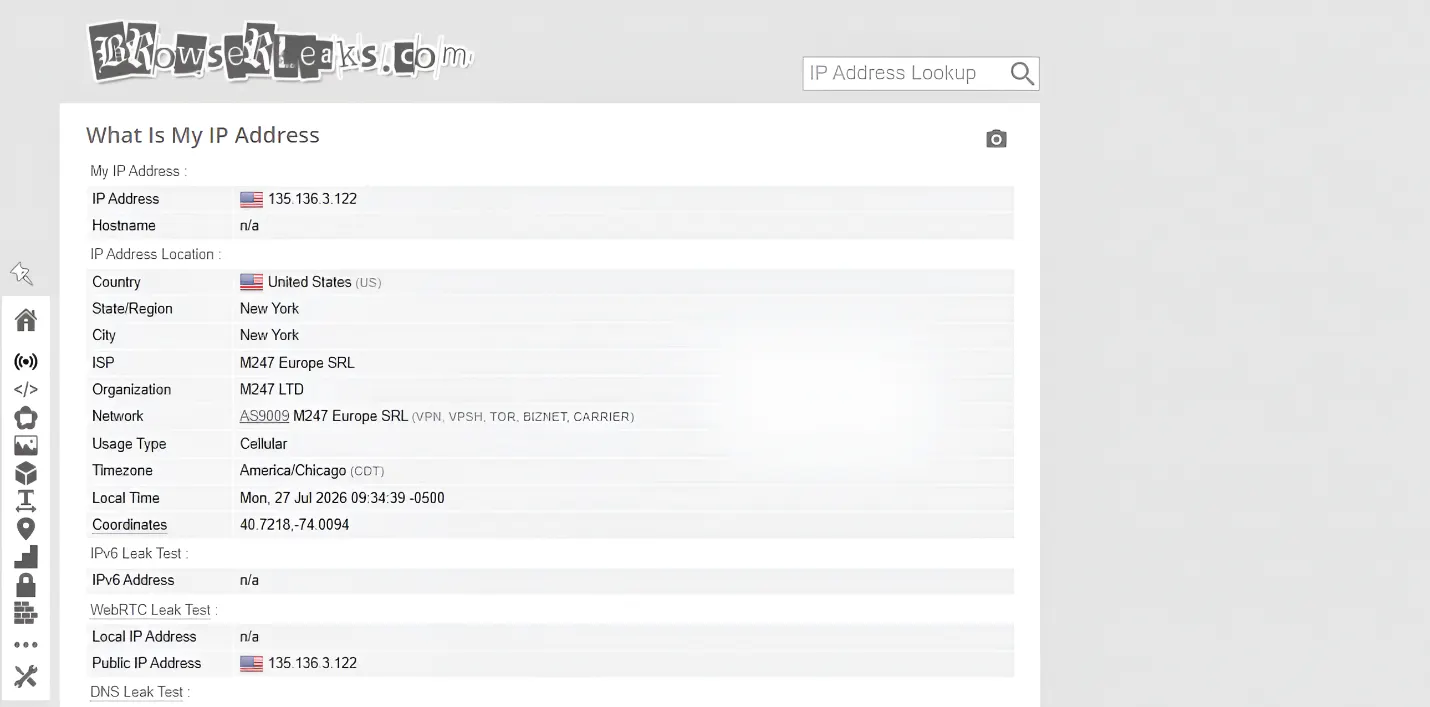
BrowserLeaks is another reliable IPLeak alternative that is commonly used by privacy professionals. One thing that sets this service aside from others is its modular testing approach. In simpler terms, it does not present privacy testing results on one page. Instead, it provides separate result pages for each detection category. As a result, it delivers raw data that privacy experts can leverage to make important decisions.
BrowserLeaks delivers extensively in terms of technical depth. Here are some crucial parameters it covers:
- Detailed HTTP headers
- Canvas fingerprint analysis
- WebRTC local IP address
However, I noticed that it does not actually provide a risk score. Instead, users get raw data, which requires interpretation. Although the interface is a bit technical, it is intuitive so users with basic knowledge can easily use it.
Pros | Cons |
Covers advanced fingerprint details | Steep learning curve for users who are not tech-savvy |
Great reputation among the privacy community | No direct risk scoring |
Modular testing, which is great for precise analysis | Understanding the results may be difficult for non-technical users |
BrowserScan
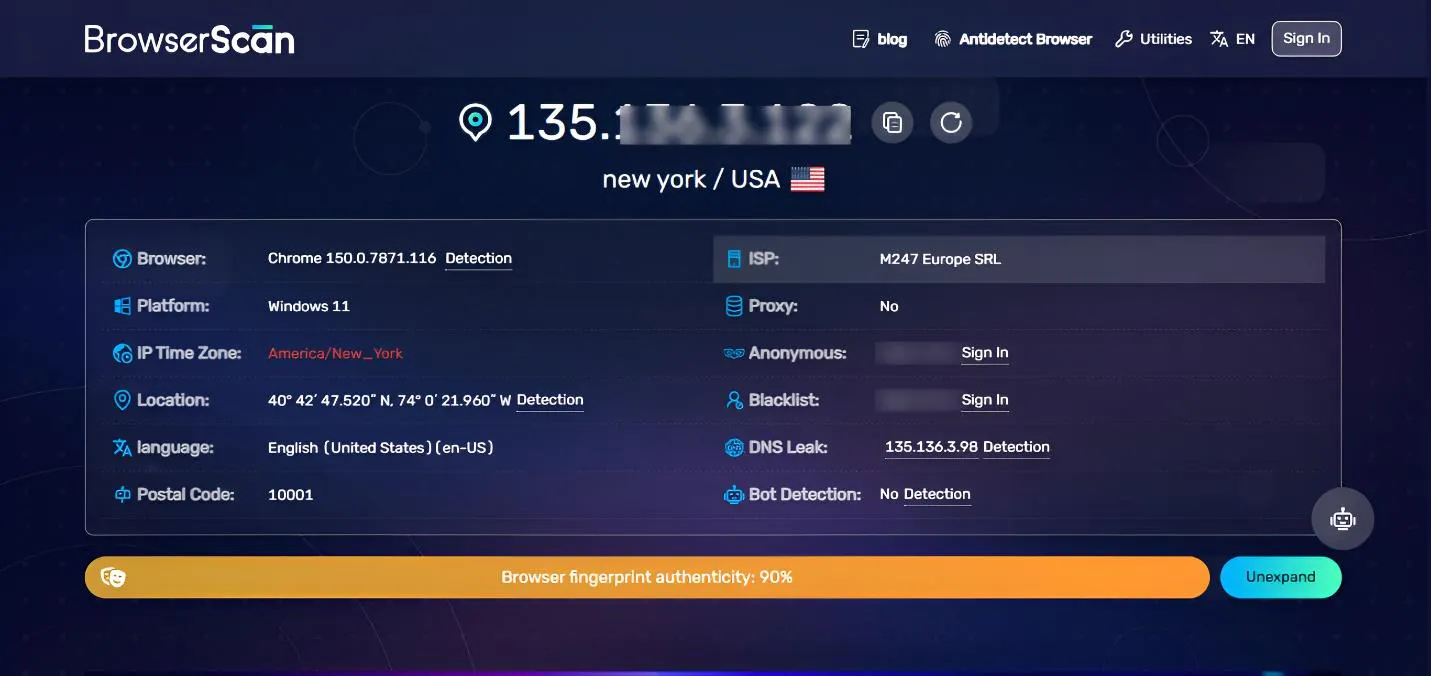
BrowserScan is a testing tool aimed at testing how browser environments will perform against anti-bot and anti-fraud systems. It focuses on risk assessment, which uncovers parameters that may be flagged as suspicious by website detection systems.
Its stand-out feature, the Browser fingerprint authenticity, is one of the reasons I recommend this tool, especially to those who use antidetect browsers. BrowserScan functions well as a validation tool to confirm that antidetect profiles are natural. Some of the parameters it checks are:
- Anonymity
- IP blacklist
- Fingerprint authenticity score
- DNS Leak
- Bot detection
Pros | Cons |
Risk focused approach | Not suitable for enterprise-level detection |
Clear visualization of results | Less detailed raw material |
Great for anti-detect browsers |
Whoer
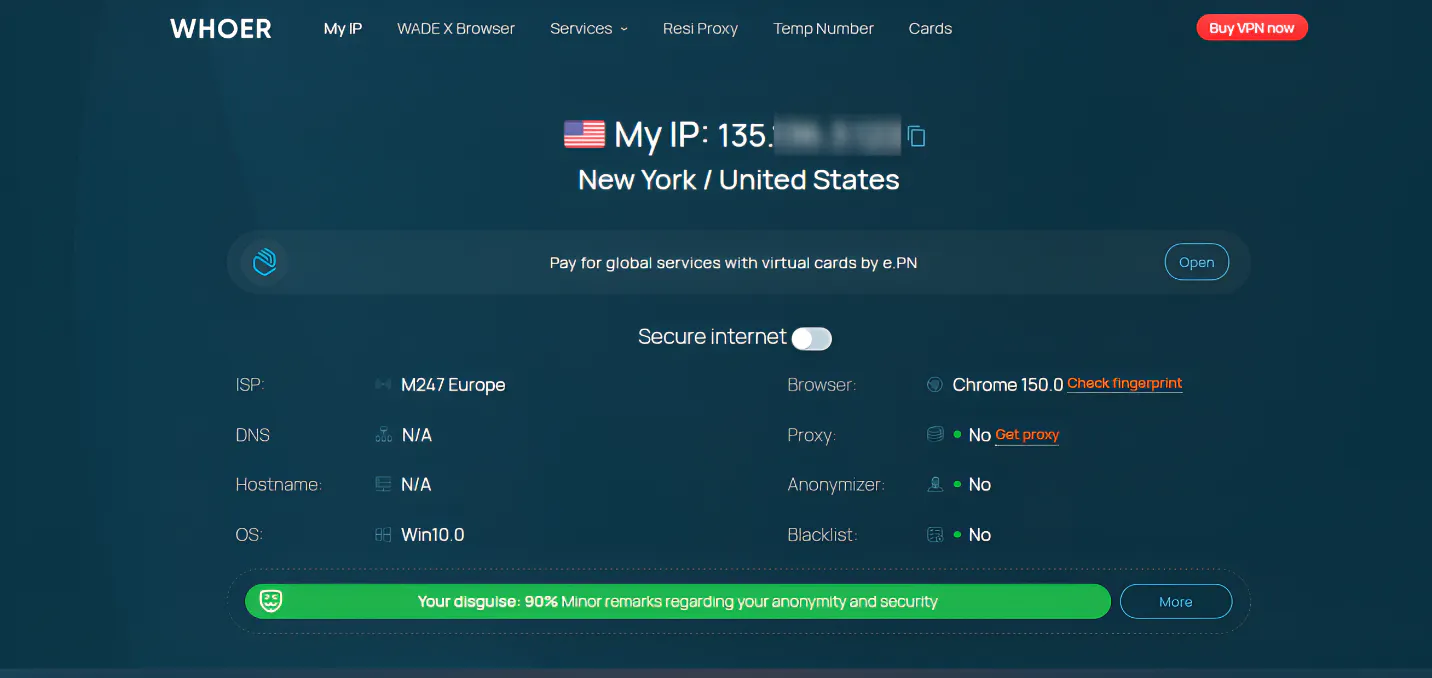
Whoer made this list because it is arguably one of the fastest anonymity check services. It gives a quick anonymity score ranging from 0 to 100, so that users can grasp the level of privacy offered by their current settings.
Whoer works by scanning your browser and connection settings including OS, location, IP, ISP, DNS leaks, and whether you're using an intermediary server. It then delivers a simple one-page report that is easy to understand even by non-technical users.
I would recommend Whoer for a quick check before going live with your VPN or proxy. However, Iphey is still a better choice for detailed analysis.
Pros | Cons |
Quick anonymity score | Not suitable for antidetect browsers |
Simple and fast | Limited fingerprint depth |
Shows IP, ISP, and location |
PixelScan
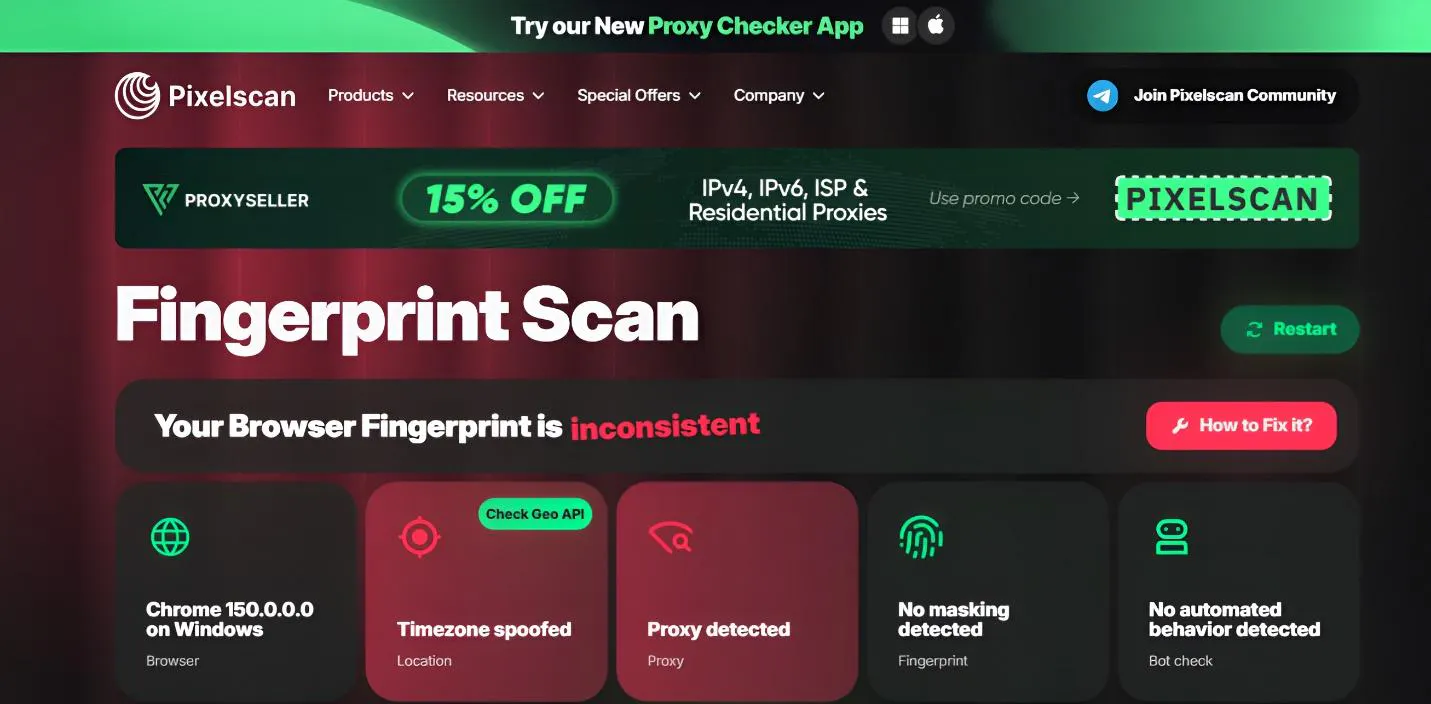
PixelScan has a long-standing reputation for being a reliable fraud detection and security verification tool. It is beginner-friendly and great for users that want a quick and easy to read overview of their anonymity status.
It uses a scoring system that allows users to immediately see which areas they are exposed. Subsequently, this reduces the time needed to analyze and interpret technical data. One thing that caught my attention was how well it was able to reveal inconsistencies in browser parameters.
PixelScan has a highly intuitive interface, which translates complex data into actionable privacy indicators.
Pros | Cons |
Dashboard with clear privacy scoring | Advanced reports often require a subscription |
Includes IP blacklist checks | Less granular data |
Great for non-technical users | |
Comprehensive fingerprint verification |
CreepJS
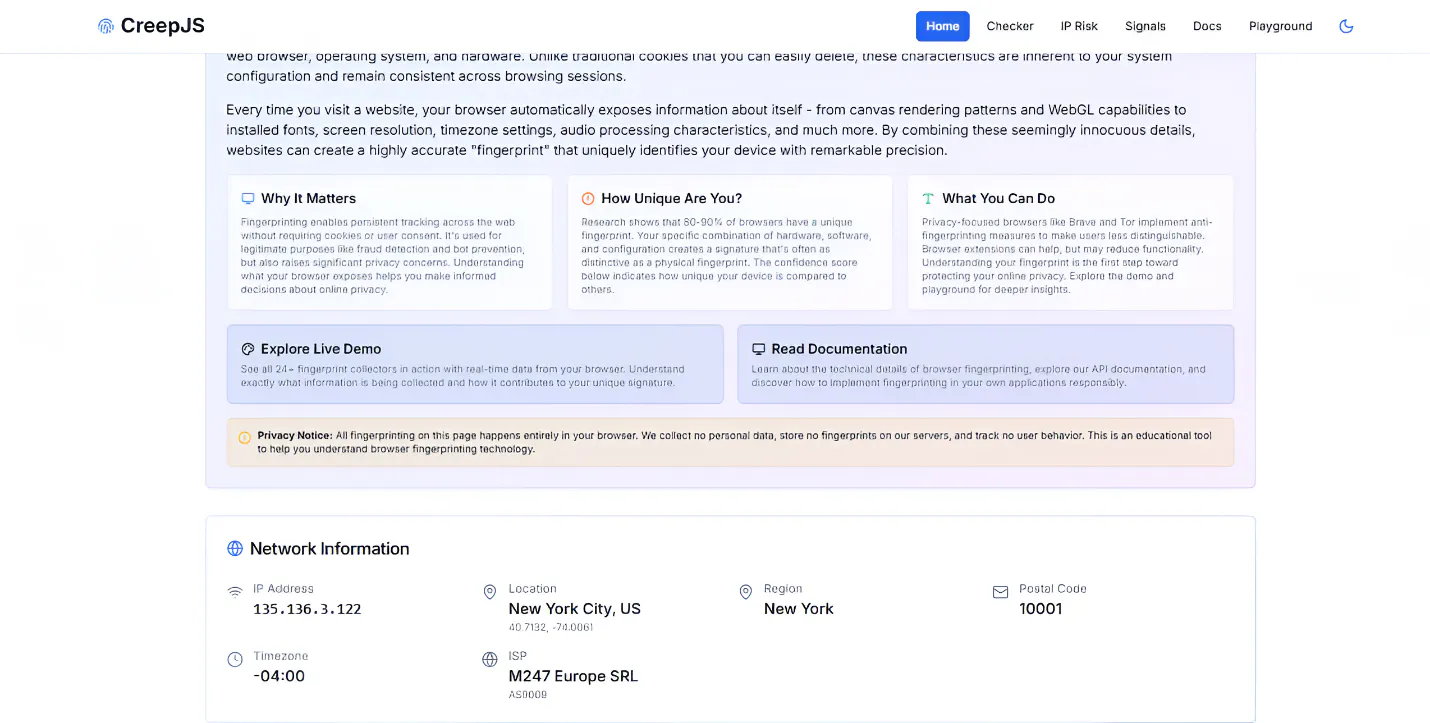
CreepJS is an open-source browser fingerprint research platform. It is designed as an experimental and educational privacy-check system that simulates how modern websites can identify suspicious parameters.
Testing this tool revealed that it has extreme fingerprint depth. It does not particularly cater to users who want a simplified result. One of its unique strengths as a diagnostic tool is its ability to show how even tiny variations in randomized parameters can affect the fingerprint.
Another thing I noticed was that CreepJS focuses on entropy analysis. It shows how websites can still track browser fingerprints despite spoofing. On the downside, the interface is highly technical and data-heavy. As a result, it is best for technical users with strong research backgrounds.
Pros | Cons |
Extremely deep fingerprint analysis | No risk score |
Research-oriented | Not suitable for beginners |
Focuses on fingerprint entropy |
Conclusion
Although IPLeak is a good tool, there are several other browser fingerprinting tools available. Choosing the best one ultimately depends on the depth of fingerprint analysis best suited to your activities.
If you are looking for something quick and straight to the point, then Whoer and PixelScan are great. On the other hand, if you need something that offers more depth, BrowserLeaks and BrowserScan are top options. For those with a focus on research and fingerprint entropy, CreepJS offers extremely deep analysis and raw data.
Iphey stands out because it offers a balance between depth and accessibility. In other words, it delivers deep analysis in a format that even non-technical users can understand.