What is a Browser Fingerprint?
Discover what a browser fingerprint is, how it's compiled from your device and browser data, and why it matters for your online privacy and security.

A browser fingerprint is generated automatically during every visit to a website, where scripts collect various data:
- operating system type;
- browser version;
- screen resolution;
- list of device fonts;
- device language settings;
- device hardware characteristics (GPU, CPU, audio card, etc.).
From this data, algorithms generate a hash - a short string by which a website recognizes a user during subsequent visits. Hash combinations are so highly variable that even in Incognito mode, about 99% of users get a unique fingerprint.
https://www.youtube.com/watch?v=H2rDz1jvlig
To briefly describe the procedure of a website recognizing a user by their browser fingerprint, it looks like this: every time you visit a site, a unique hash is generated, and its value is compared with the platform's database. This is similar to cookies, but with one critical difference: cookies are stored on the user's device and can be easily deleted. However, a fingerprint hash is generated by the browser "on the fly" and is stored on the site's own servers, making it simply impossible to erase from your computer.
As a result, we end up in a situation where even if a user clears their cookies and uses Incognito mode, it does not prevent the website from recognizing them by the combination of their characteristics. It is enough for the browser to provide at least a minimal set of "system" information. Ultimately, a browser fingerprint remains a robust identification tool against any attempts to hide - be it changing a profile, using a VPN, or a proxy.
Browser Fingerprint Anatomy: What Parameters Are Measured?
A browser fingerprint is formed by a multitude of "signals" that can be broadly divided into groups. The more such groups there are, the more uniqueness the final profile acquires.
Hardware Browser Fingerprint Parameters
- GPU and Canvas/WebGL: Modern browsers can draw graphics on a hidden canvas (Canvas API) and retrieve information from WebGL. Different video cards and drivers produce different rendering results, which are then used for the fingerprint. Additionally, the exact GPU name can be extracted from a WebGL report. Techniques like Canvas fingerprinting are particularly informative when combined with WebGL: it captures minute differences in the device's graphics stack.
Changes in the image rendered by different video cards are imperceptible to the human eye, but a machine will see them.
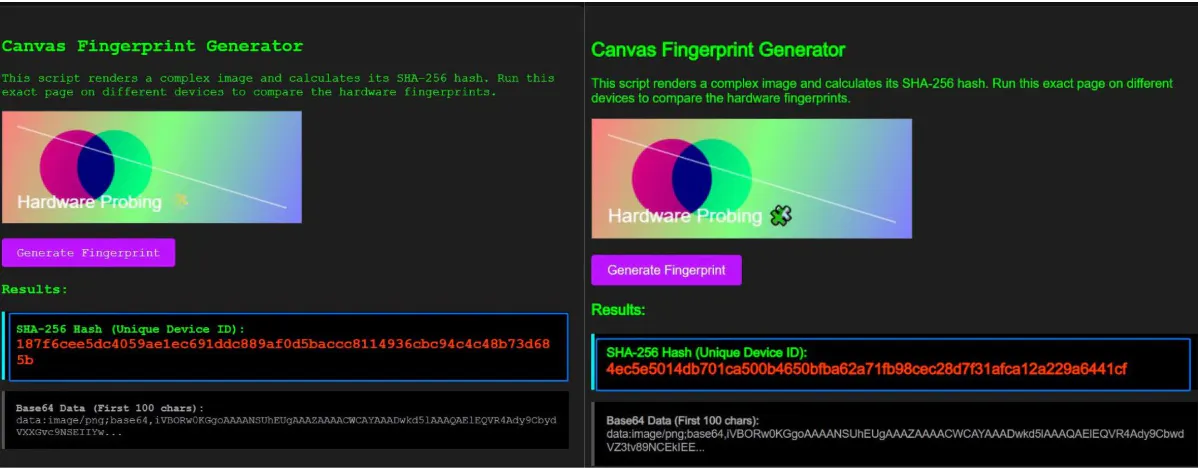
The hashes are different, while the visual differences are minimal.
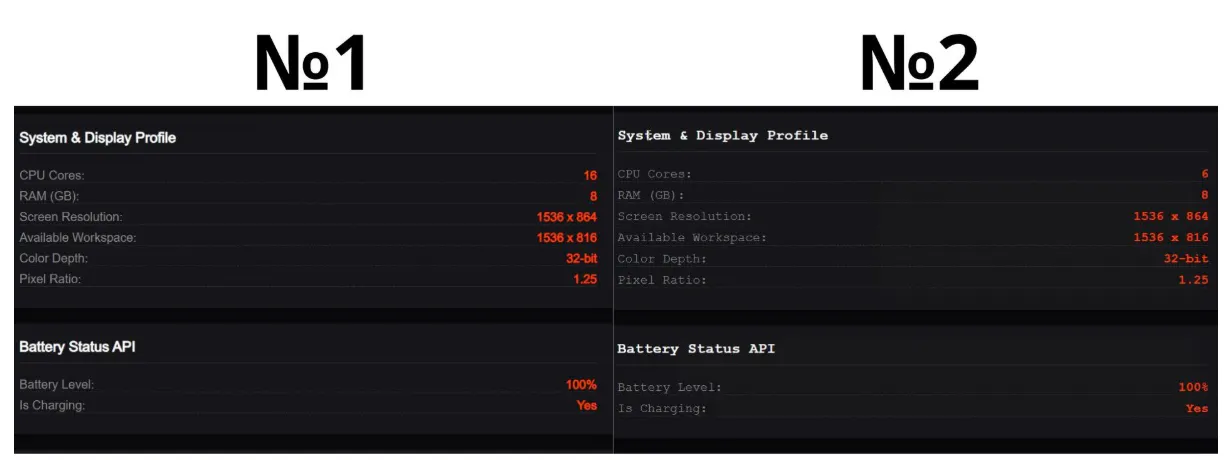
- Processor and Memory: The number of logical CPU cores (navigator.hardwareConcurrency) and available RAM (navigator.deviceMemory) are frequently used when generating a fingerprint. Unique combinations of core counts and GBs of memory are not very common, especially their atypical values (6 or 10 cores, whereas 8 and 16 are more prevalent).
- Screen Resolution and Battery Charge: Websites read window.screen.width/height and screen.colorDepth to obtain screen resolution and color depth. Combinations of these values differ across devices (1920×1080×24 and 1366×768×24 are different configurations). Previously, the Battery Status API (charge level and remaining time) was also commonly used to create unique combinations; however, this data is now either unavailable or requires special permissions for privacy reasons.
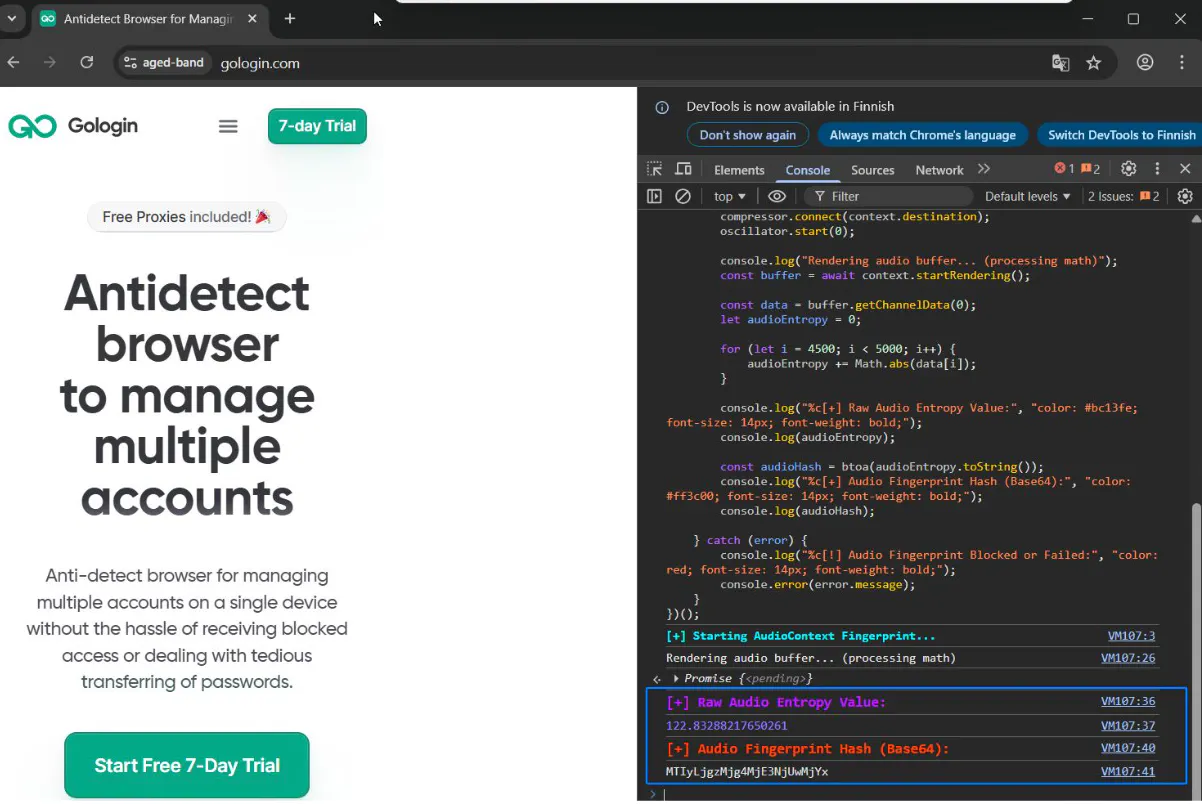
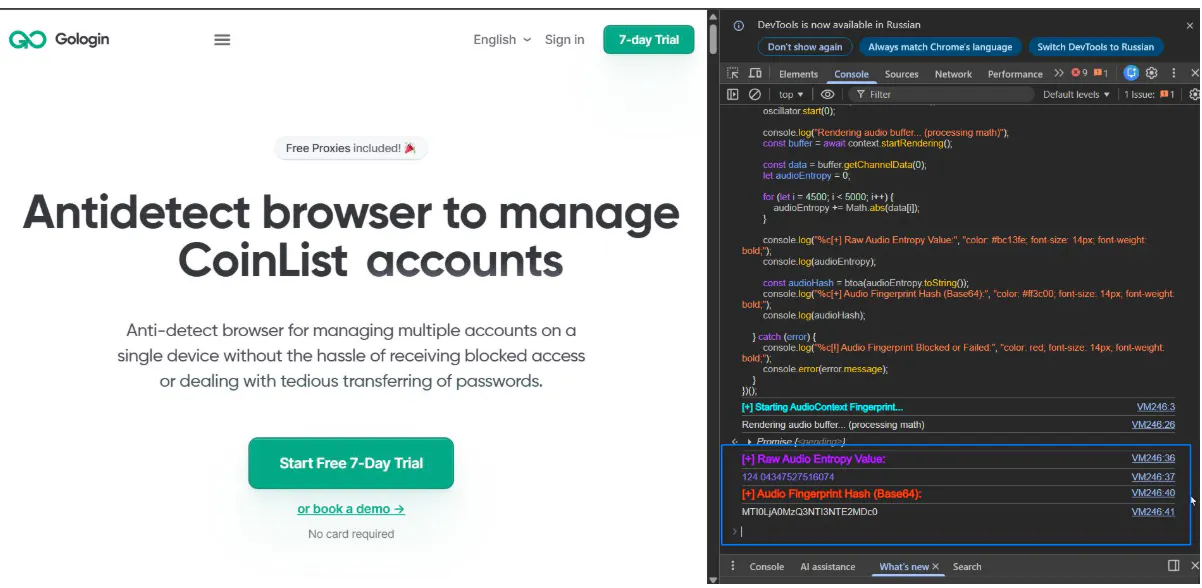
- Audio Card: Through the Web Audio API, an audio context (AudioContext) can be created to analyze the frequency spectrum of a generated sound. On different systems and browsers, the sound varies due to the specifics of drivers and hardware libraries. Such distortions serve as an additional fingerprint - even if Canvas and WebGL match, the audio can yield differences.
Software Browser Fingerprint Parameters
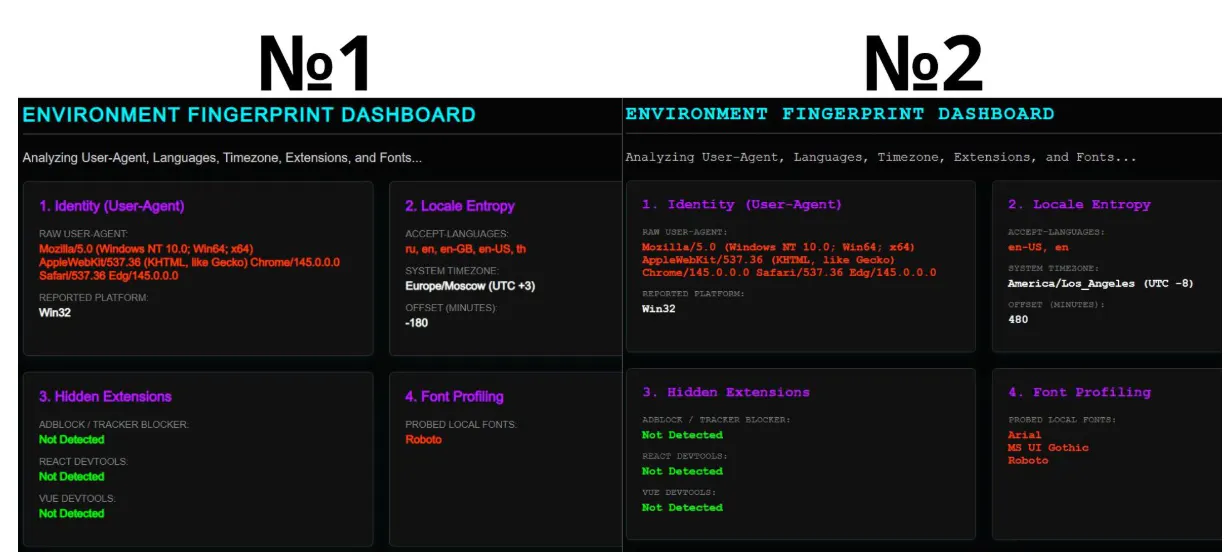
- User-Agent: The User-Agent string contains information about the browser type and version, OS, and architecture (e.g., Chrome/96 on Windows 10 or Safari on iOS). Although it can be easily spoofed, the combination of browser version and operating system is very often unique.
- Installed Fonts: The list of locally installed system fonts is highly variable. Minor differences arise due to the operating system type, the installed office software suite, and language localization. For instance, Chinese fonts are rarely found on European machines. A website can sequentially "try on" known fonts (via hidden DOM elements or via Canvas) and determine which ones you have. The random presence of a rare font makes a profile unique - there are very few people with an absolutely identical set of fonts.
- Extensions: A browser will not directly provide a list of plugins and extensions, but a website can detect them indirectly. For example, some blockers reveal themselves when attempting to load a blocked URL, while dev-tools instruments inject their own global objects (window.__REACT_DEVTOOLS_GLOBAL_HOOK__). The presence or absence of popular extensions (AdBlock, VPN plugins, password managers) noticeably alters the environment, adding entropy to the fingerprint.
Language Settings and Time Zone: The browser transmits the Accept-Language header (ru-RU or en-US) to the server and can also read the interface language. A unique combination of languages and regions (e.g., an ru-RU interface on a uk-UA system) provides additional bits of entropy. Likewise, the time zone (GMT offset or direct output from Intl.DateTimeFormat) is almost always retained by the user - the exact same GMT difference reliably distinguishes between different regions.
Network and Behavioral Browser Fingerprint Parameters
- WebRTC IP: If WebRTC is enabled in the browser, a script can send a STUN request and discover your real IP address hidden behind a proxy or VPN. Even if the external IP changes, the mere presence or absence of a WebRTC leak can exacerbate the uniqueness of the fingerprint.
- TCP/IP Fingerprint: At the network level, the operating system "assembles" packets differently (TTL, TCP window size, option order, etc.). Specialized systems can determine which operating system or proxy is being used even before the page loads. Moreover, sites verify consistency - if the HTTP headers indicate an iPhone browser User-Agent, but the TCP/IP fingerprint looks like a Linux server, this will expose an anomaly.
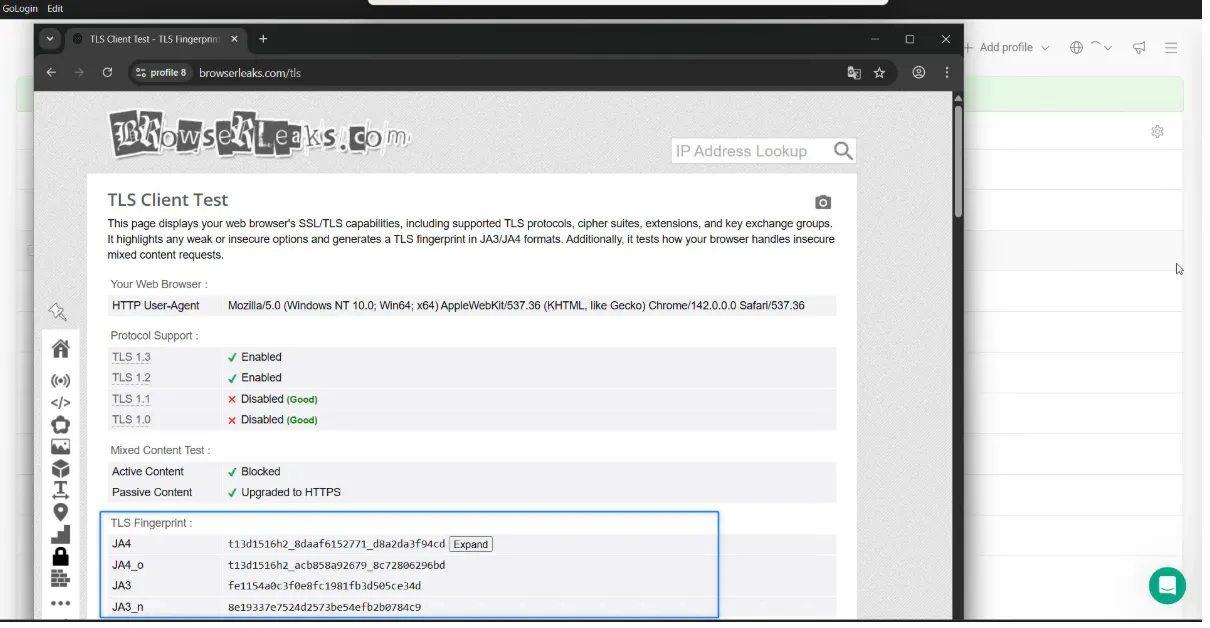
JA3/TLS Fingerprint: This method, heavily relying on TLS fingerprinting, analyzes the SSL/TLS cryptographic handshake. The JA3 method takes the set of supported ciphers and extensions from the ClientHello message and generates a hash from them. Previously, this provided a unique client signature. Modern browsers (e.g., Chrome since 2023) have started to shuffle the order of extensions in the TLS request, rendering the standard JA3 unstable. A new JA4 scheme has emerged, which operates stably under parameter randomization. Nevertheless, the analysis of the TLS handshake remains an additional indicator of the client software.
For What Businesses is Browser Fingerprint Control Important?
Browser fingerprinting is critical in fields that utilize multi-accounting and large-scale automated operations:
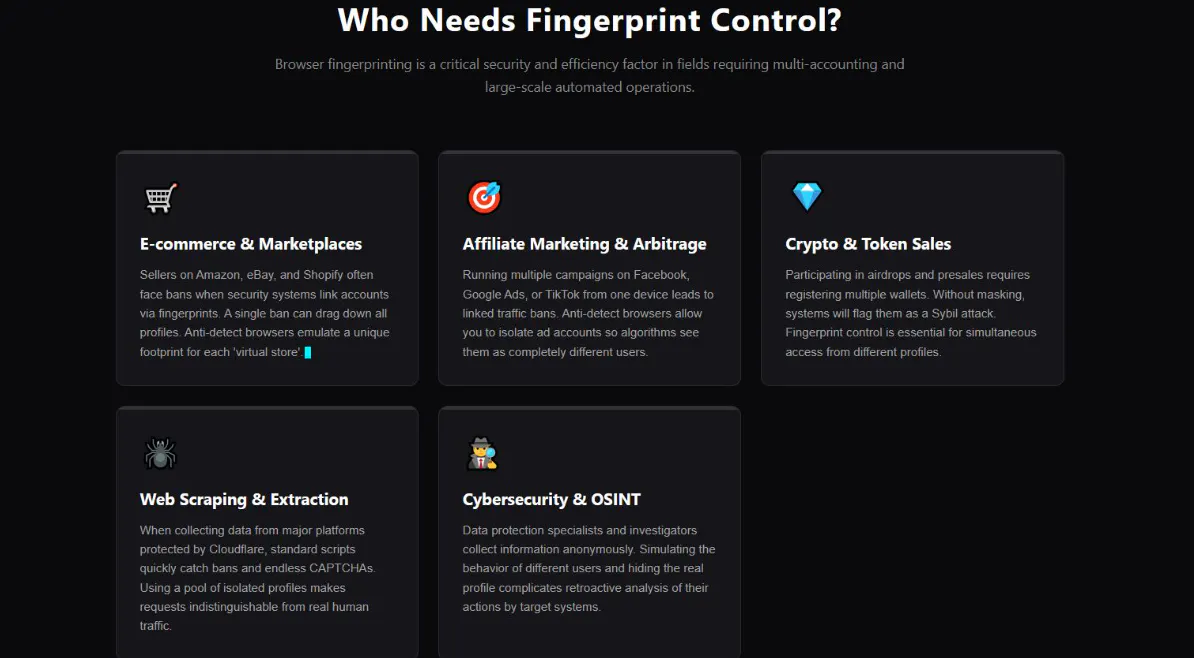
- E-commerce and Marketplaces: Sellers managing multiple stores on Amazon, eBay, Wildberries, etc., frequently face bans, and in most cases, this happens when security systems link accounts via browser fingerprint. A single blocked store can harm all the others and trigger a chain reaction that drags down all profiles. To avoid this, every "virtual store" must have a unique fingerprint. This is exactly why an anti fingerprint browser is used: they emulate a different fingerprint for each profile.
- Traffic Arbitrage and Marketing: Agencies working with contextual and targeted advertising (Facebook, Google Ads, TikTok, etc.) launch multiple ad campaigns across different accounts. If multiple advertising profiles are managed from the exact same device (and consequently, the same browser fingerprint), platforms will quickly suspect multi-accounting and ban the associated traffic. Anti-detect browsers allow advertising accounts to be "compartmentalized": each profile appears to the system as a distinct user.
- Cryptocurrencies and Token Sales: Participating in airdrops and token presales requires the registration of multiple wallets or profiles. Without fingerprint management, these accounts and wallets will quickly be linked together and flagged by the system as belonging to a single person. Therefore, it is also necessary to use browser - masking tools here to gain access to airdrops or presales from different profiles simultaneously.
- Data Scraping (Parsing): When scraping prices and product characteristics from major websites (especially those protected by Cloudflare and similar systems), a standard script will quickly start consuming additional resources on CAPTCHA solving and will catch bans, as the target resource will detect repeated fingerprints and begin to defend itself. Using multiple profiles makes it possible to bypass such blocks: each profile maintains its own fingerprint and proxy, making it appear to the website as though requests are coming from different devices.
- Cybersecurity and OSINT: Data protection specialists, testers, and intelligence analysts gather information anonymously, searching for vulnerabilities and collecting intelligence. An anti fingerprint browser allows them to simulate the behavior of various users and hide their real profile - each task is performed under the guise of a unique user, which complicates the retro-analysis of their actions.
How Does Gologin Bypass Browser Fingerprint Checks?
GoLogin is a professional anti-detect browser built on the principle of spoofing. Instead of blocking data collection - meaning all APIs and headers remain fully active - it seamlessly replaces your actual parameters with authentic, real-world values.
Because GoLogin runs on its own custom engine called Orbita (a Chromium fork), this spoofing takes place at the core engine level. This ensures the fingerprint looks incredibly natural and raises absolutely no red flags with anti-bot systems. As a side note, if you rely on superficial value replacement rather than kernel-level spoofing like GoLogin does, anti-fraud algorithms will detect it almost instantly, and profiles built that way simply won't survive for long.
Beyond just swapping values, GoLogin creates a dedicated, isolated container with individual settings for every single profile. Essentially, each profile acts as a completely separate browser instance with its own "real" and unique fingerprint.
Even if you run multiple profiles at the exact same time on the same machine, they will never cross-pollinate or leak data. Each profile operates with its own specific parameter folder and a separate instance of the engine.
Furthermore, GoLogin supports automatic parameter synchronization with your proxy. When setting up a profile, you can simply check the "Based on IP" box. The system will then automatically configure the profile's language, timezone, and geolocation to perfectly match the location of your chosen proxy.
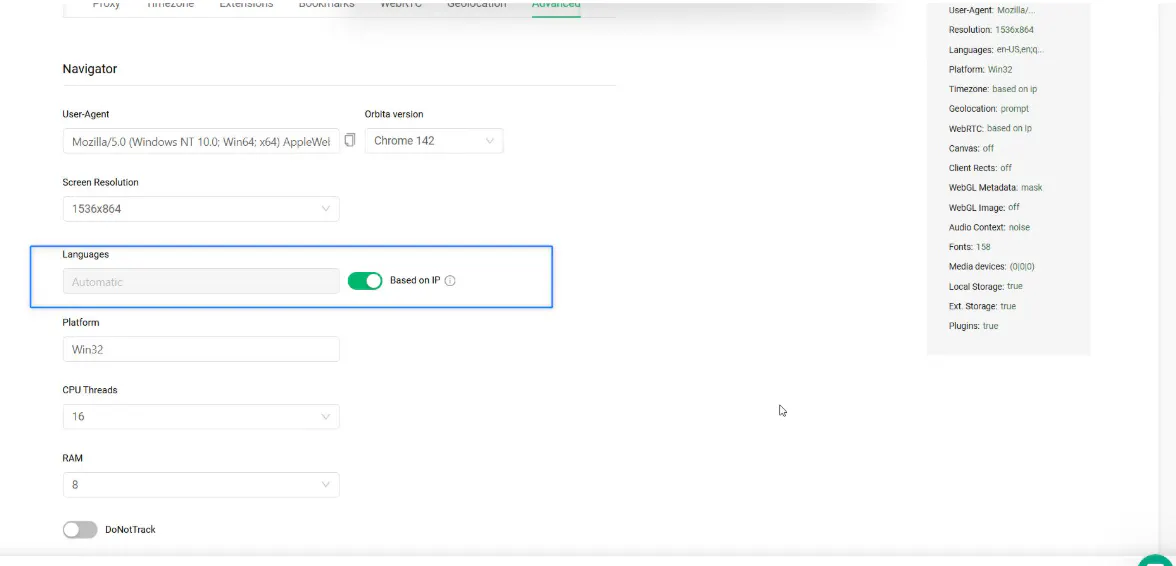
The system will automatically substitute the current time and language. This eliminates data desynchronization (e.g., an English interface and an Asia time zone while using a proxy from Europe).
Case Study: "Regular Browser" vs "GoLogin" Browser Fingerprint Comparison
For clarity, we propose comparing a regular browser and a profile generated in the GoLogin anti-detect browser. To do this, we will run a browser fingerprint test using PixelScan (a checker that shows what websites see). It collects entropy just like the anti-fraud systems of major marketplaces or advertising networks do.
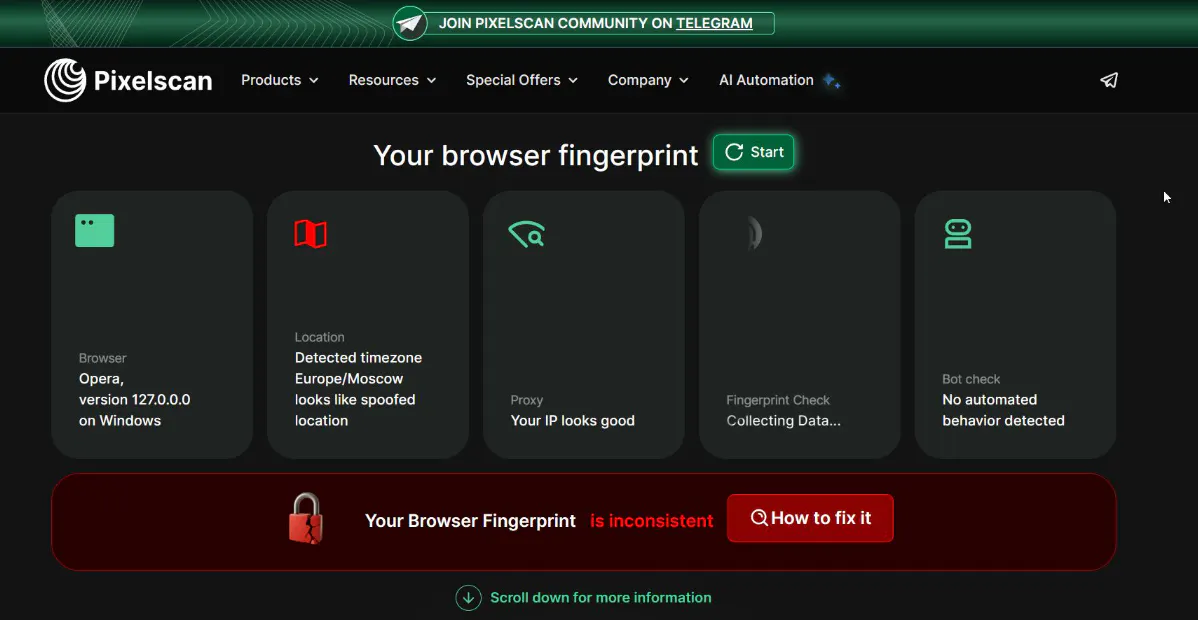
In our case, the main problem is that the device is set to a European time zone, while physically located in another region, leading to a desynchronization. It would seem like a real device with real data - but anti-fraud systems constantly react to this, and we have to use an anti-detect browser on this device to break through to the necessary websites, as we continually encounter CAPTCHAs.
PixelScan itself saw the exact problem - it detected a Timezone that did not correspond to the device's GEO.
However, if you run a standard profile created in GoLogin through this browser fingerprint test, there will be no problems; PixelScan found nothing suspicious. Even on standard settings, everything works perfectly.
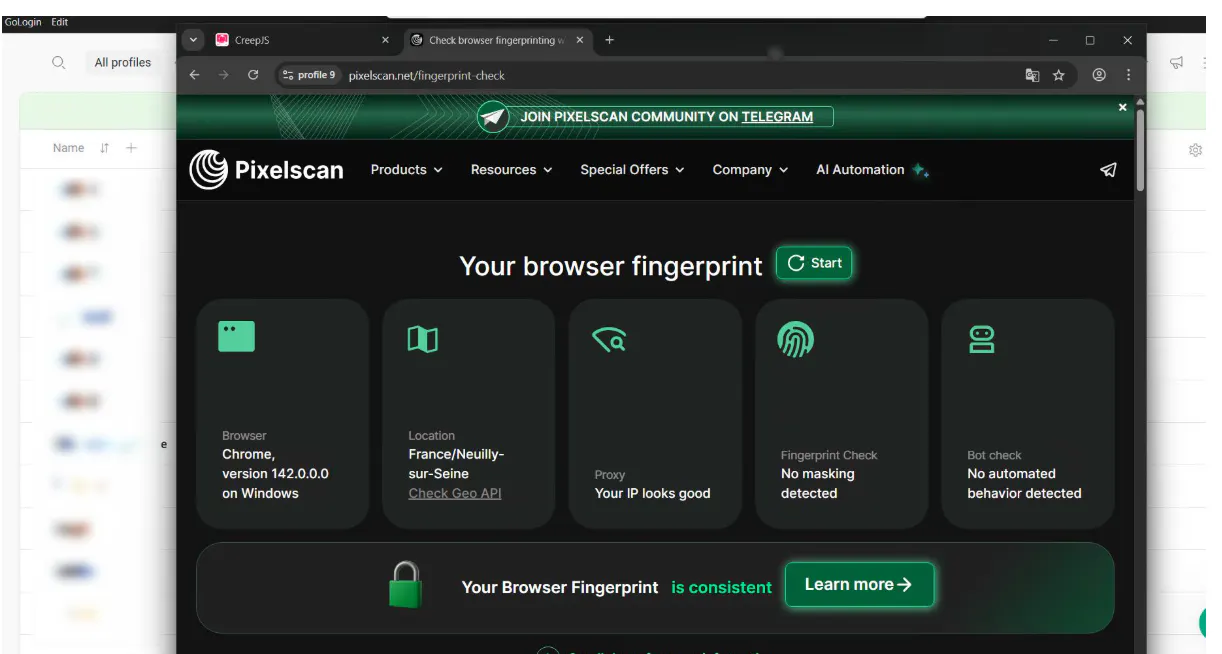
This encapsulates the core philosophy of a high-quality anti-detect tool. Attempting to completely block access to hardware or hide data works against you - websites might block even the most legitimate profile on suspicion that it is a bot.
GoLogin operates differently: it does not try to make you invisible; it blends you into the crowd. The system presents scanners with a truthful combination of parameters. To security algorithms, you look like a normal, average internet user whose actions arouse no suspicion. This is precisely what allows you to safely scale a business, manage dozens of ad campaigns, and run stores without the risk of getting shadowbanned.