
8 BrowserScan Alternatives in 2026
BrowserScan has a high false positive rate and lacks a clear trust score. Here are 8 alternatives that give more reliable fingerprint scans, from Iphey to CreepJS
TL;DR
- Browser fingerprint detection tools help verify how trustworthy your browser session is. They check multiple data points and give you the results.
- BrowserScan is a popular browser fingerprint website that shows you detailed scans. However, it lacks deep information, or a reliable trust score metric so we turn to alternatives.
- Iphey is the best BrowserScan alternative (and even better) in terms of fingerprint scan, data collection, and verifying if there is any leak in your browser fingerprint.
- PixelScan is a strong 2nd option with excellent UI and quick scan options with CreepJS showing the most technical results.
- The rest of the reviews are discussed in the blog below.
Browser fingerprint detection tools help verify how secure and trustworthy your browser session is. A safe and real looking browser session means lower chances of CAPTCHA verifications, decreased chances of getting your account banned, or being barred from accessing a website. In 2026, websites track how authentic a browser’s fingerprint looks before letting it use their platform. A low authenticity score means that the session is likely a bot one and tampered with.
Browser fingerprints are the best way to verify the trustworthiness and authenticity of any web session. Tools like BrowserScan and its alternatives like Iphey help us verify how real our browser fingerprints look.
BrowserScan Review: Is It Still Worth Using?
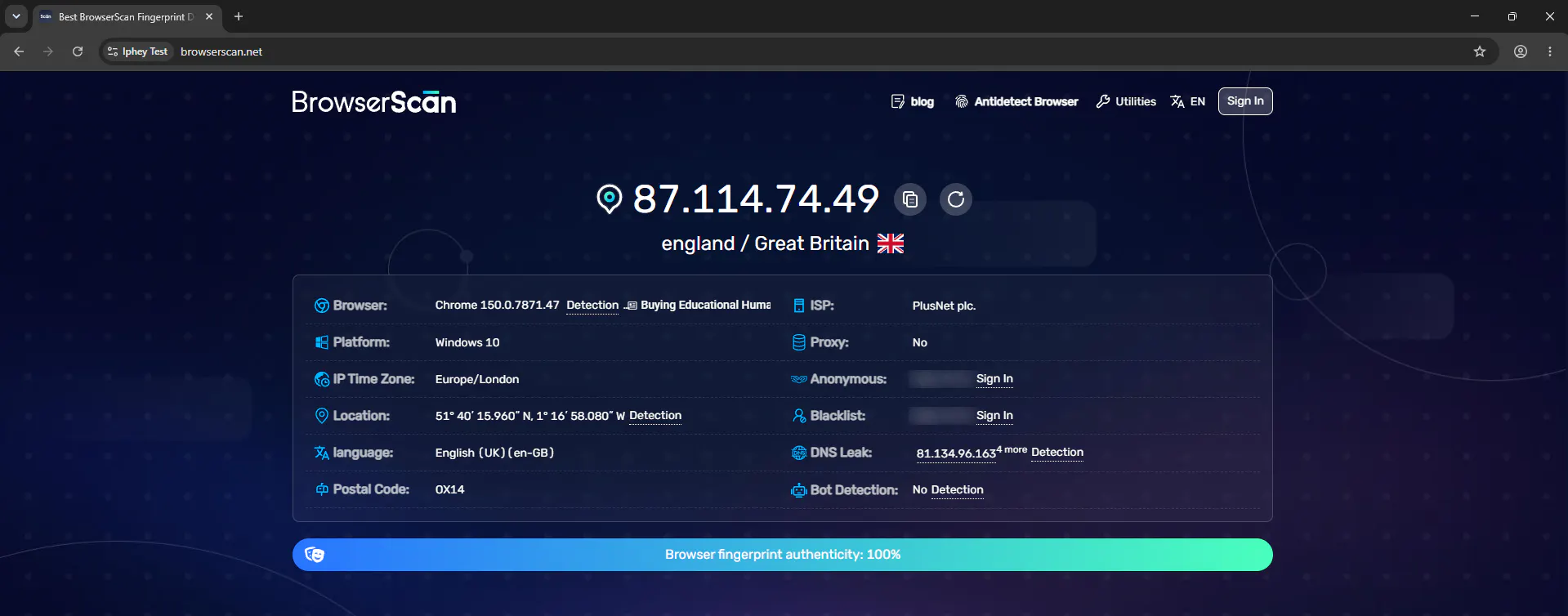
BrowserScan is a browser fingerprint detection tool that analyses how trustworthy and real your browser fingerprint looks to websites. It checks your browser fingerprint which includes IP, location, DNS leak, WebGL, WebRTC, Audio fingerprint, hardware specs, driver versions, and other metrics to identify how real your browser fingerprint is.
Since the popularity of antidetect browsers, fingerprint detection tools like BrowserScan come in handy to verify if the masked profile antidetect browser created is consistent and trustworthy. Whenever I create an antidetect browser profile in tools like Gologin, I instantly go to check its trust score by running a quick scan. You open the website, click the scan button and it scans within a minute.
What I like and dislike about BrowserScan
BrowserScan puts the most useful fingerprint identifiers right in front of you. Browser fingerprint reports are usually very detailed and filled with things you have no idea about. It gives you your IP location, country, browser type, timezone and proxy in a glance. It also shows if any bot activity was detected in the test session. You can access other info like WebGL, WebRTC, DNS leak, and other metrics by scrolling down.
The reason I don’t prefer BrowserScan is that it has a high false positive rate. It regularly marks untrustworthy fingerprints as safe, and even sometimes marks authentic profiles as spoofed. This is expected since there are several factors which decide the authenticity of a browser session but these tools can sometimes detect the wrong patterns. This is why I have prepared a list of alternatives for you so you can run fingerprint scans on different platforms to confirm the verdict.
Quick Comparison of BrowserScan Alternatives
Based on my experience, here is a glance of the best BrowserScan alternatives ranked in order.
Tool | Best for | Fingerprint depth | Network and leak checks | Clear overall verdict | Editorial score |
#1 Iphey | Complete identity consistency checks | High | Strong | Yes | 9.3/10 |
#2 Pixelscan | All-in-one fingerprint and proxy testing | High | Strong | Yes | 9.0/10 |
#3 BrowserLeaks | Deep inspection of individual browser APIs | Very high | Strong | No | 8.8/10 |
#4 CreepJS | Advanced anti-fingerprinting stress tests | Very high | Limited | Technical rather than simple | 8.5/10 |
#5 Cover Your Tracks | Tracker blocking and uniqueness testing | Medium | Limited | Yes | 8.2/10 |
#6 AmIUnique | Research and fingerprint history | High | Limited | Partial | 8.0/10 |
#7 IPLeak.net | VPN, DNS, WebRTC, and torrent leak testing | Basic | Very strong | No | 7.7/10 |
#8 Whoer | Quick IP and anonymity diagnosis | Medium | Strong | Yes | 7.5/10 |
The Best BrowserScan Alternatives
I tested multiple BrowserScan alternatives for reliability, and consistency and logged the results. I created multiple antidetect browser profiles using Gologin, and then ran each browser scan in every profile to get data. Here are my top picks.
#1 Iphey: Best BrowserScan Alternative
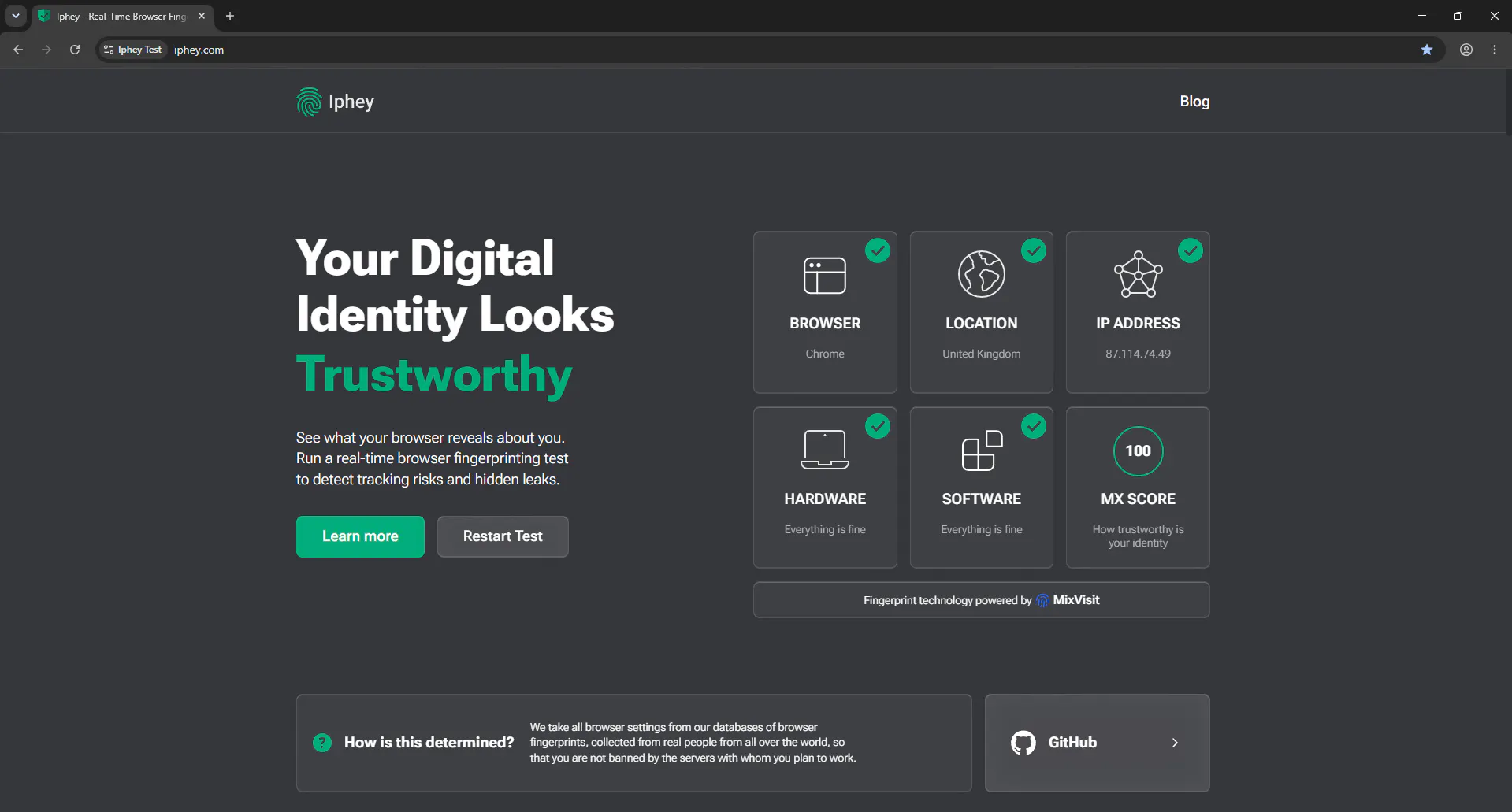
Iphey is the best BrowserScan alternative because it scans all 10 profiles correctly. It marked all of these profiles as trustworthy (which they were). I changed the timezone and geolocation manually once and Iphey instantly figured out that the geolocation parameters were spoofed since the timezone did not match the geolocation.
Iphey has a clean, readable result. Main information is organized into browser, location, IP address, hardware, software and MX categories. It also provides separate fingerprint, IP, VPN or proxy, bot, DNS leak, and IP blacklist checks. Iphey’s fingerprint coverage includes User-Agent data, Canvas, WebRTC, AudioContext, fonts, and plugins. Iphey’s trust assessment can also flag factors such as low-quality proxies, timezone and IP mismatches, or visible automation indicators.
#2 Pixelscan: Best Direct BrowserScan Competitor
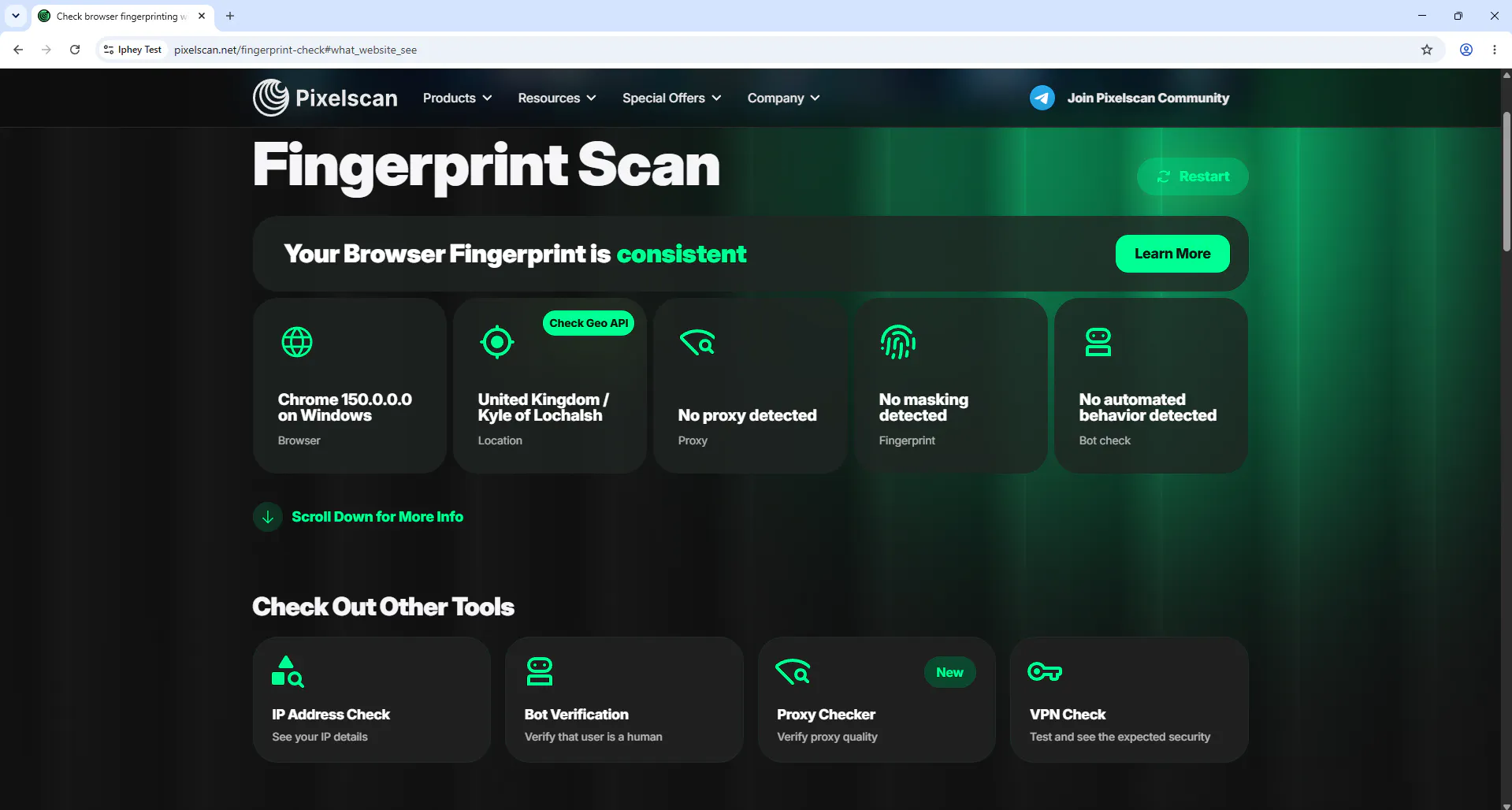
Pixelscan is the closest competitor to BrowserScan in this list. It comes with browser fingerprint analysis with bot checks, DNS leaks, WebRTC, etc (almost the same stuff as other websites). I would rate Pixelscan on #2 because I trust it as much as Iphey. Pixelscan misdetected one of my profiles as untrusted which it was not (all scanners marked it as safe).
Pixelscan is useful when I want a quick answer about profile consistency. It checks whether the visible identity appears coherent rather than only printing individual values. Does the timezone match the location? Does the hardware match the software? It passed 9/10 tests and I would rate its ease of use and UI 10/10 as well. You should always simultaneously run scans on both Pixelscan and Iphey to be sure.
#3 CreepJS: Best for Advanced Fingerprint Stress Testing
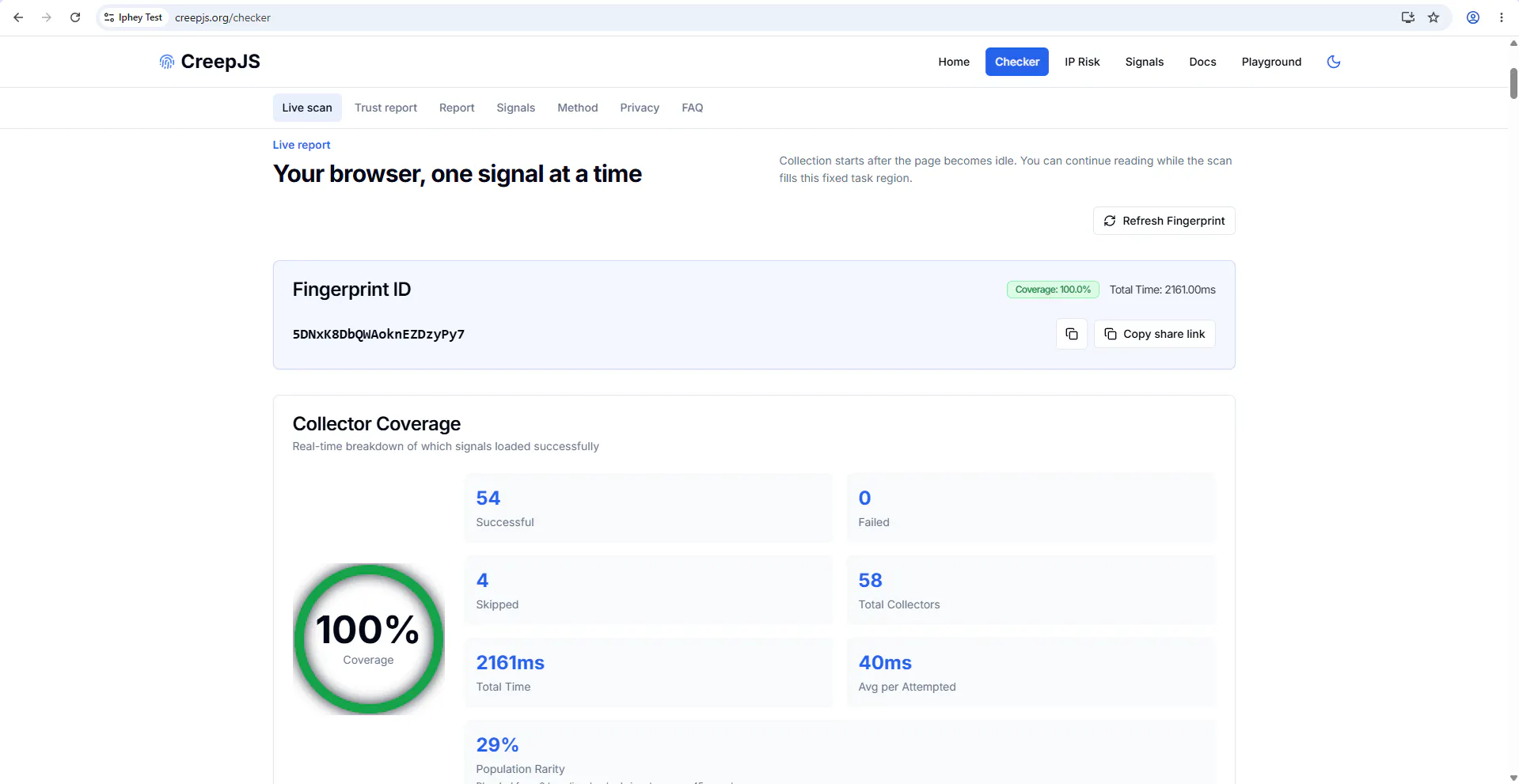
CreepJS is the most demanding technical option in my ranking.
Its report covers WebRTC, headless and stealth indicators, privacy resistance, workers, language, timezone, GPU, User-Agent data, WebGL, screen properties, Canvas, fonts, DOMRect, SVG, audio, speech, media devices, CSS queries, computed styles, navigator properties, and other JavaScript surfaces.
The project’s stated purpose is to expose privacy weaknesses in modern browsers and anti-fingerprinting extensions. That makes it more of a research stress test than a beginner-friendly privacy checker.
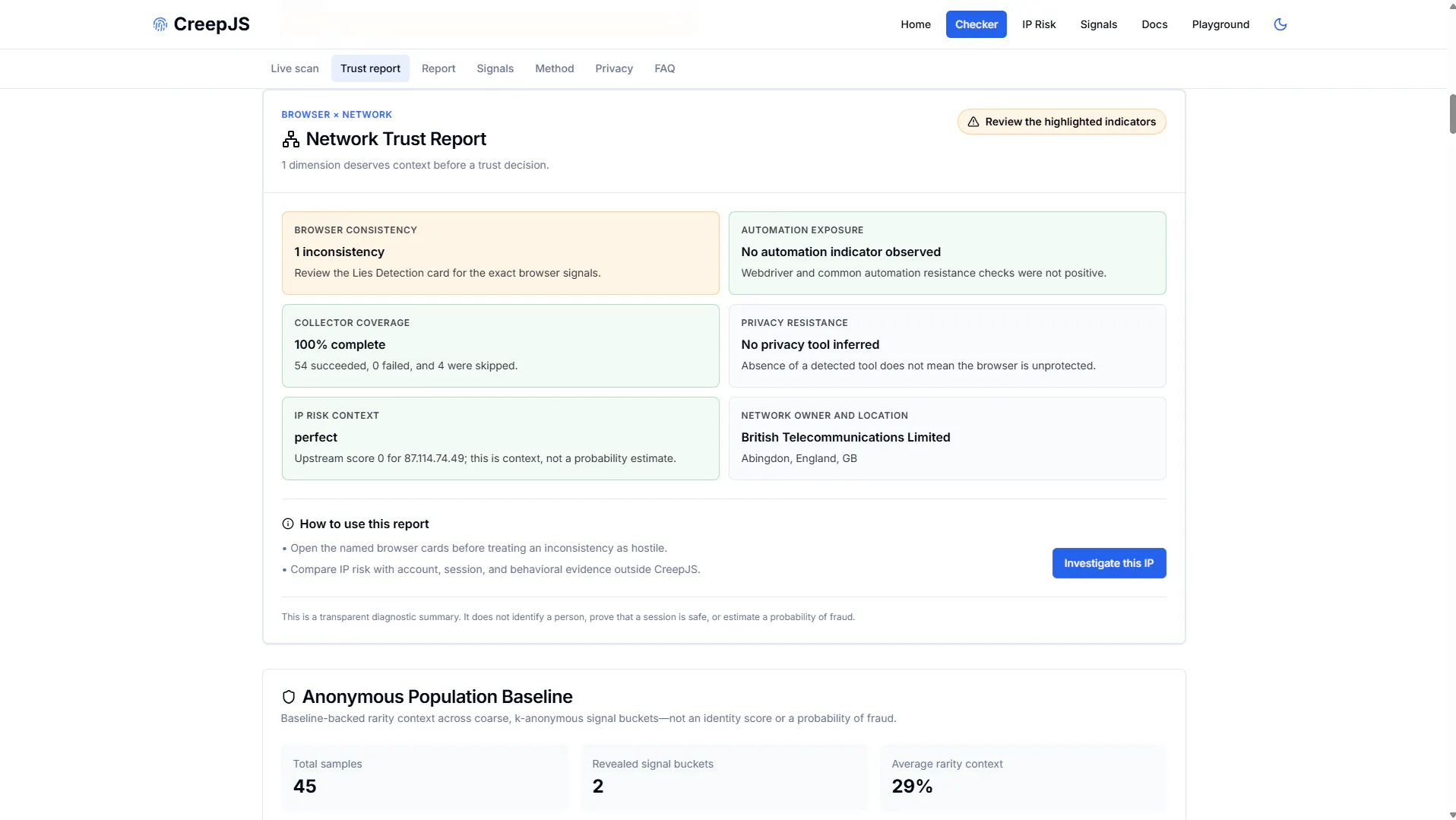
A critical safety note: the project repository says the only official live deployment is its GitHub Pages address. It warns that external custom-domain copies are unauthorized and may collect fingerprint data.
Best for: Antidetect-browser developers, advanced privacy testing, headless-browser analysis, and detecting contradictory JavaScript values.
Main limitation: The interface is dense, and many results require technical knowledge to interpret.
#4 BrowserLeaks: Best for Detailed Technical Reports
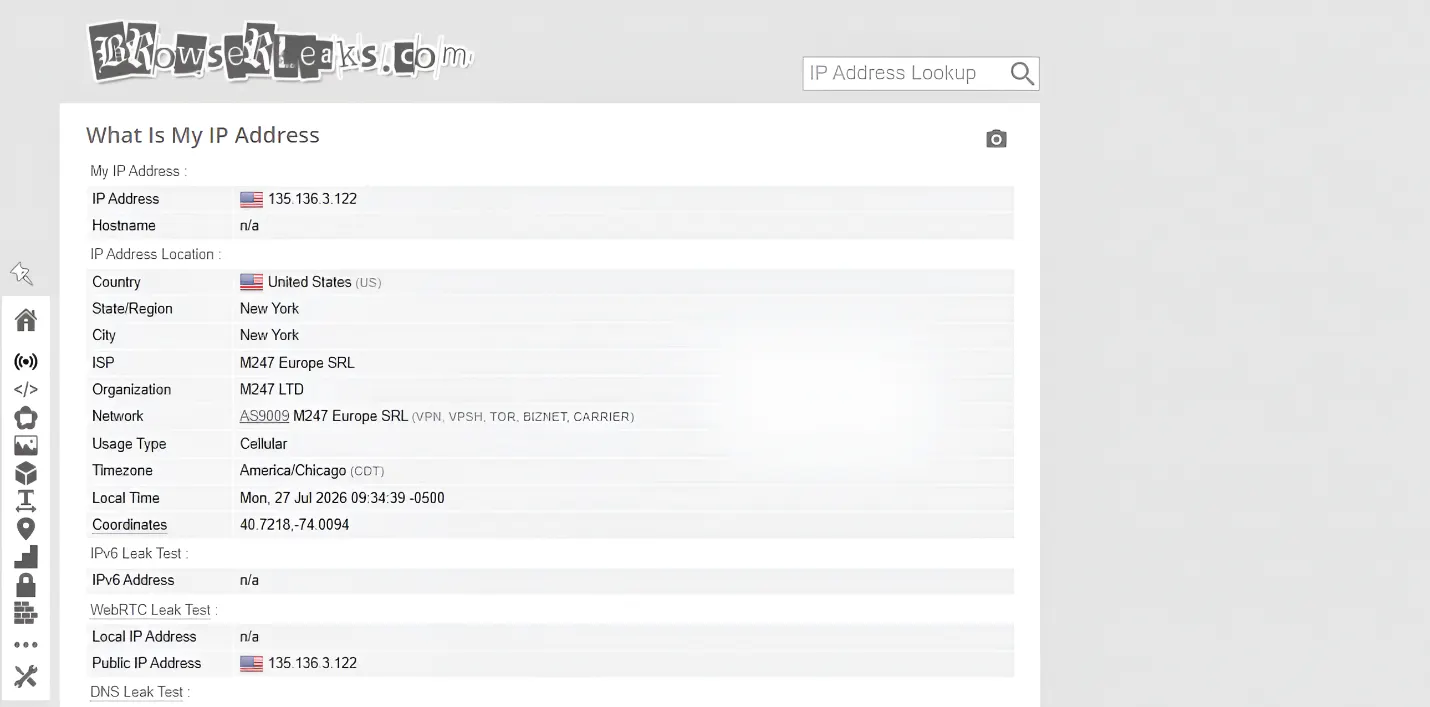
Browserleaks provides a technical report for fingerprint detection. It isn’t a one-tap fingerprint detector. You have to run each test manually as seen in the image above. It provides detailed technical information collected from your network and browser. It doesn’t give you an overall trustscore but it is a great way to study your browser fingerprint.
You can get detailed analysis of IP, WebRTC, Canvas, WebGL, fonts, geolocation, TLS, WebGPU, DNS, Client Hints, HTTP/2, TCP/IP characteristics, Client Rects, and extension or content-filter detection.
When you run the Canvas and WebGL hashes, it even shows you the rendered image it ran for the test and generated signature to capture your hardware and GPU information. Results are divided across pages so it is not a quick scan tool, but for research and development.
#5 AmIUnique: Best for Fingerprint Research and History
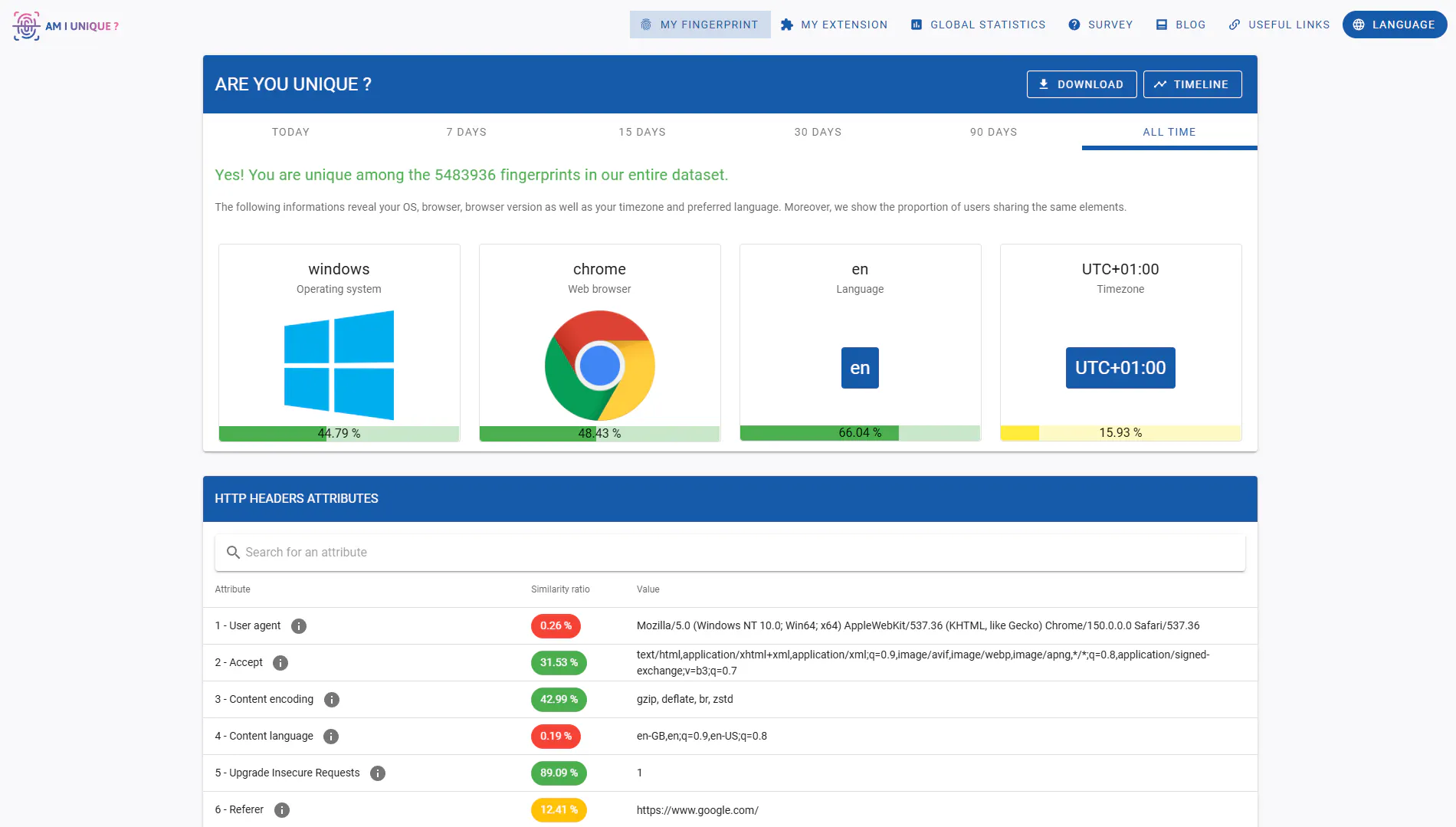
AmIUnique approaches browser fingerprinting from a research perspective, and uses its huge set of scans to figure out how real your profile is. It has public and private data it benchmarks your scan against to show how unique or common every aspect of your browser fingerprint is. I love this information if someone is geeky about fingerprinting masking.
It collects information such as browser and operating-system versions, screen resolution, architecture, fonts, plugins, microphone, camera, and other device properties. Users can compare their fingerprints with a wider research dataset. The standout feature is fingerprint history. AmIUnique offers Chrome and Firefox extensions that check the fingerprint regularly, letting users study how it changes over time.
#6 Whoer: Basic Fingerprint Detection
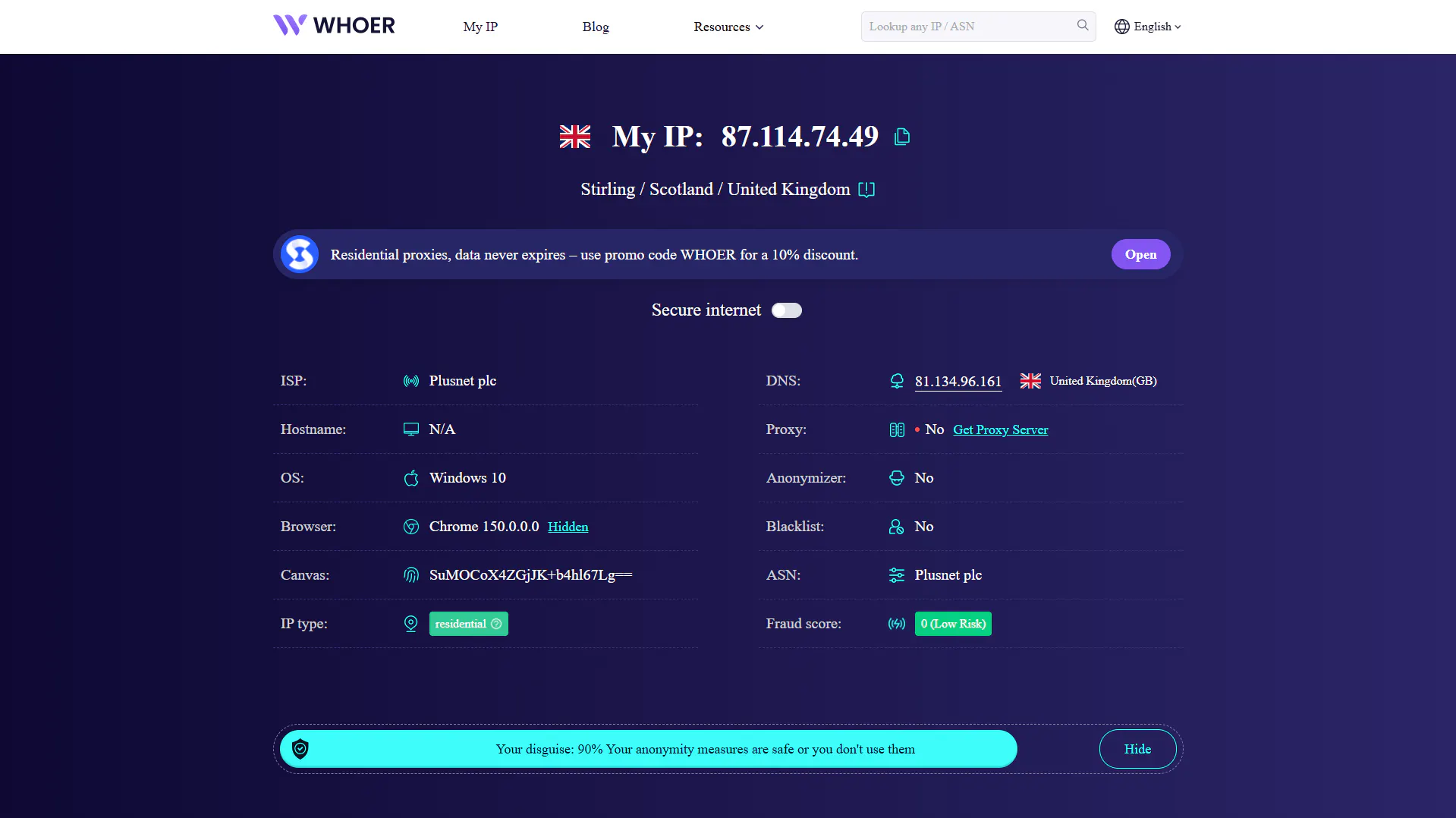
Whoer is a decent browser fingerprint tester but I would not highly rate it. The data it generates isn’t detailed enough and the core focus is on IP address which is not even the main bottleneck in profile masking in 2026. The most important part of browser fingerprint masking is generating a consistent, and coherent fingerprint that looks authentic.
Whoer’s UI feels outdated, and slow. The scan took considerably a long time compared to other websites. Although Whoer tracks the usual user-Agent, HTTP headers, screen info, resolution, timezone, etc. that all others do, I believe that more reliable and easier to use scanners exist.
#7 Cover Your Tracks: Good For Understanding Fingerprints
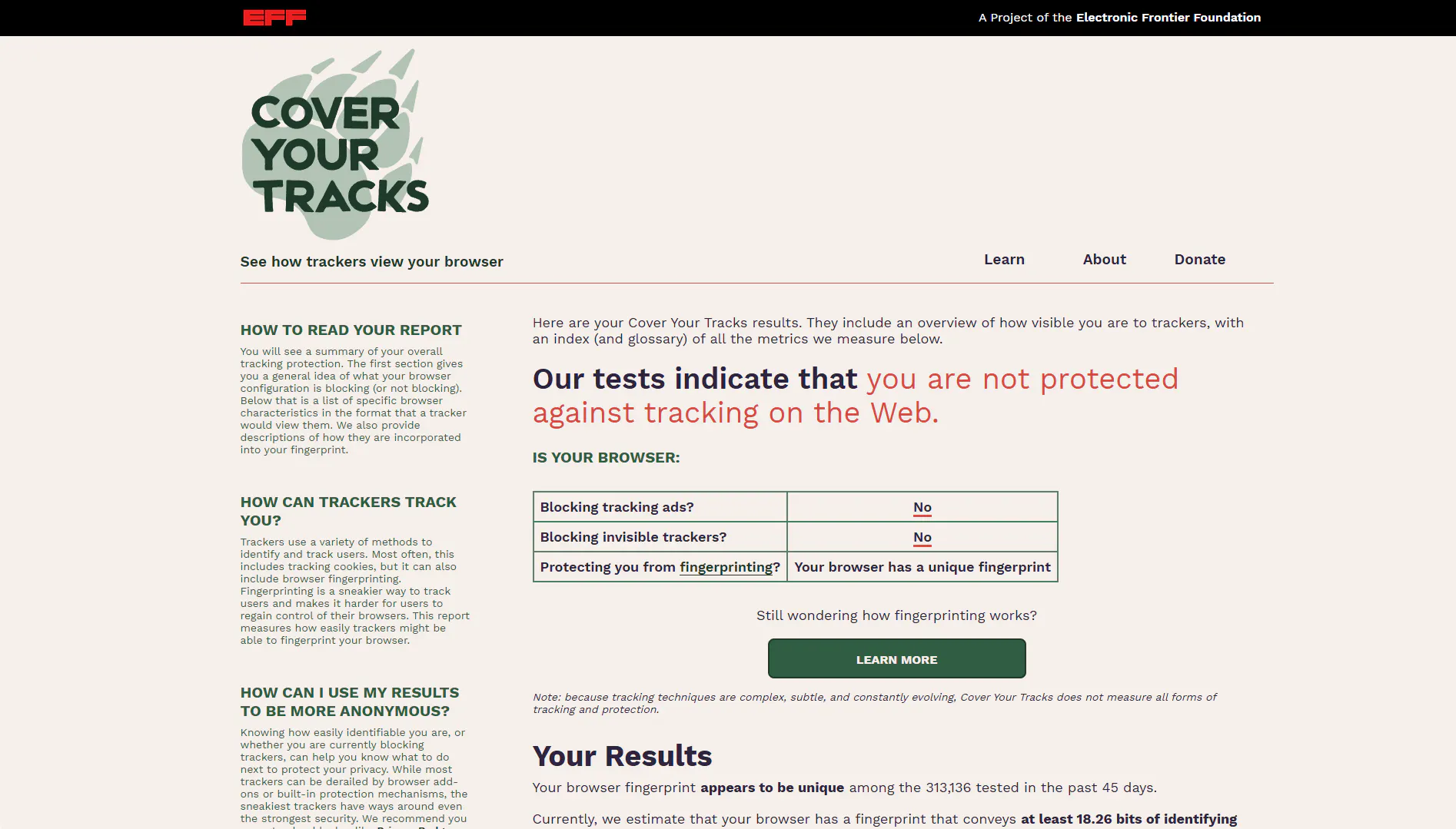
Cover Your Tracks is operated by the Electronic Frontier Foundation (EFF) and is designed to show you a research-focused scan of your browser. It doesn’t give you a trust score or quick summary of all the information of your browser, it lets you read through what happens, why it happens, and how a browser responds to it. It is more of a learning resource for fingerprints instead of a quick scan for your antidetect profile.
Rather than acting as a complete proxy or hardware consistency checker, it tests how trackers see the browser. It evaluates fingerprint uniqueness and whether the browser blocks tracking ads and invisible trackers.
#8 IPLeak.net: Best for VPN and DNS Leak Testing
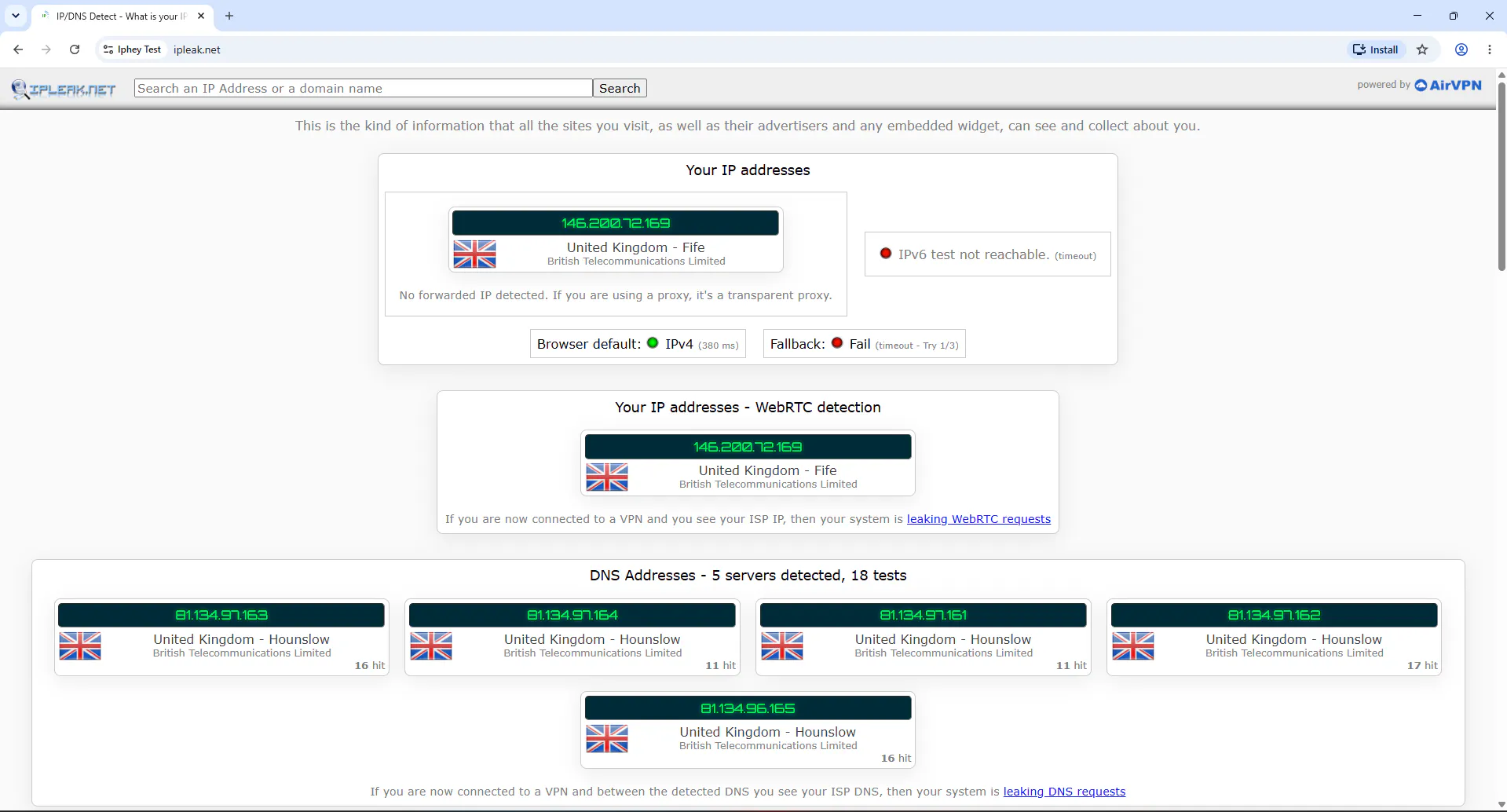
IPLeak is not a fingerprint checker, it is a network exposure tester that checks multiple network and IP related data points, and geolocation. It checks WebRTC, DNS server info, and some other user agent information provided by the browser.
This is the type of tool that cares more about IP than Canvas hash. It is particularly helpful after connecting a VPN. If the page still shows the original ISP address through WebRTC or the original ISP’s DNS infrastructure, the network setup may be leaking.
If you want a deep inspection of your IP, you can consider this but overall, it's a weak alternative to BrowserScan.
Final Verdict
BrowserScan is a useful tool because it collects a wide set of browser, hardware, location, IP, DNS, WebRTC, and bot signals in one place. Its main weaknesses are a dense interface, advertising, mixed-purpose utilities, and an authenticity score that can look more conclusive than it really is.
Among the BrowserScan alternatives I compared, Iphey is the best overall option in 2026. It gives me the right balance between a simple result and enough detail to investigate browser, location, IP, hardware, software, DNS, proxy, blacklist, and bot issues. Pixelscan is the strongest direct rival. BrowserLeaks wins on individual test depth, while CreepJS is the strictest technical option.