
TOP 7 Antidetect Browsers in 2026: Testing Digital Fingerprinting
Simple User-Agent spoofing is dead. By 2026, anti-fraud systems check TLS handshakes, GPU parameters, and behavior patterns. The goal isn't to be unique — it's to blend in as a real user. That's why the right anti-detect browser is now half the battle.

Introduction: The Evolution of Fingerprinting in 2026
Anonymity, in the everyday sense most people are used to, no longer exists. The days when turning on a VPN or switching to Incognito made you “invisible” to websites are long gone - and let’s be honest, they never really existed in the first place. Incognito mode or a VPN has never fully protected a user’s digital anonymity.
As this became clear, we went through plenty of stages: from rotating User-Agents and installing all sorts of extensions promising to “make you invisible,” all the way to heavy artillery - disabling WebRTC and standardizing the device fingerprint. But a new era sets new rules. Especially in automation and multi-accounting.
A regular VPN and “Incognito” mode only solve surface-level tasks:
- a VPN changes your IP address;
- “Incognito” is limited to local traces (cookies and browser history) on a specific device.
By 2026, the digital anonymity landscape has changed fundamentally. As stated above, the time when it was enough to rotate a User-Agent and disable WebRTC to get past serious anti-fraud controls - if it hasn’t fully become history yet, it’s already at the door.
A digital fingerprint is no longer a set of static parameters; it’s more like a dynamic matrix that includes behavioral factors, low-level network signatures, and hardware entropy.

Modern anti-fraud systems look much deeper than it seems and increasingly rely on a bundle of independent signals, including:
- capturing TLS fingerprints at the network level via JA3 or JA4 (a more advanced fingerprinting method);
- collecting WebGL 2.0 signals at the graphics layer (GPU parameters, rendering specifics, etc.), forming a stable “hardware” trace of the device.
JA4+ is a method for analyzing the structure of the ClientHello packet during the SSL handshake. The system checks the order of extensions, supported ciphers, and ALPN protocols. If you use a Chromium-130-based browser but spoof your User-Agent to Chrome 144, a mismatch in the TLS packet structure will expose the inconsistency instantly. This is an important part of the fingerprint that even some advanced users don’t realize exists.
On top of that, the cherry on the cake is behavioral AI (behavioral biometrics): mouse dynamics, scrolling, typing, and other interaction patterns that can be analyzed quietly in the background.
That’s why the key task for multi-accounting today is not to “hide,” but to build an independent and consistent environment for each account or scenario. The tools that generate these consistent, isolated virtual identities are anti-detect browsers.
They create isolated profiles with separate storages, stable fingerprints, and controllable environment parameters - profiles that don’t conflict with each other and look like a complete, self-contained user. But, as in any niche, there are nuances.
Testing Methodology (How We Tested)
Let’s figure out which anti-detect browser to choose so you don’t end up left behind. Because what’s at stake is not just blocked accounts - it’s budgets in the tens and hundreds of thousands of dollars, agency reputations, and infrastructure stability.
We took the TOP-7 anti-detect browsers of 2026 (Gologin, AdsPower, Dolphin{anty}, Multilogin, Octo Browser, Incogniton, and Browser.Vision) and tested the strengths their developers claim. We also ran baseline measurements for each product using Whoer.net and CreepJS and derived an overall Trust Score.
We also consider it important to add a touch of subjectivity and test the admin panel usability - because that’s a key criterion for scaling teams. Why subjectivity? Tastes differ: for some, having the “Buy proxy” button buried in the website footer is totally fine.
Why did this top list end up exactly like this? Simple: it was built based on preliminary candidate filtering using https://iphey.com/. We used Iphey.com as a reference checker that evaluates profile “trustworthiness,” and this group of seven performed better than the other contenders.
Review of the Top-7 Anti-Detect Browsers
1. Gologin (Orbita) - The Most User-Friendly UI and Reliable Anti-Detection
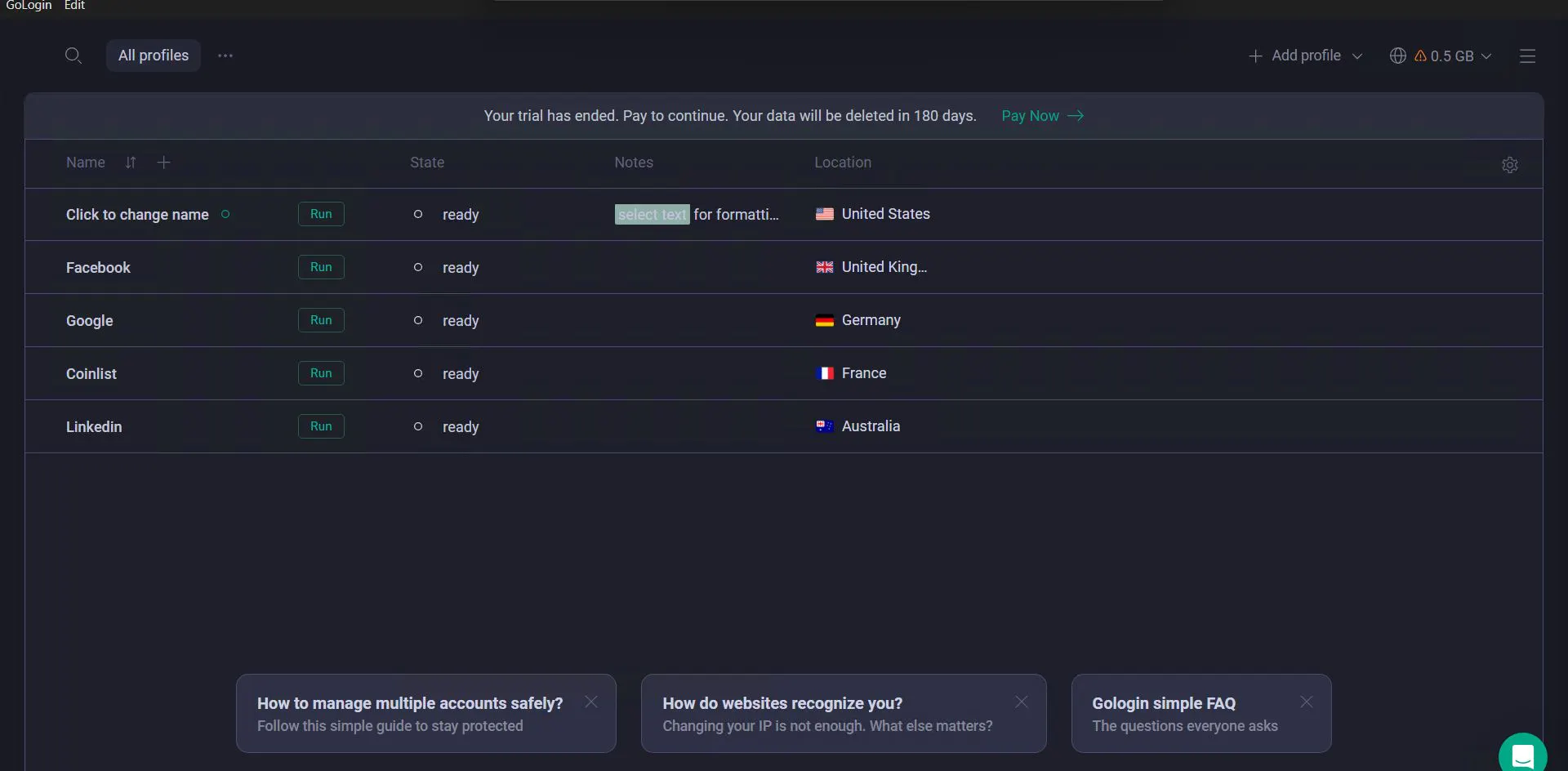
Gologin’s main feature is that it uses its own Orbita browser (a Chromium fork). The developers disabled Google telemetry and focused on browser fingerprinting: Orbita runs stably on both Windows and macOS. In the anti-detect panel, it’s easy to create hundreds of isolated profiles, each with a unique fingerprint.
Gologin Cloud Technologies
Gologin stands out with a unique architecture focused on cloud computing and cross-platform access. It’s not just a Windows browser - it’s an ecosystem available from any device, including a web interface. And this is where details matter.
Gologin’s unique feature is the ability to launch a profile in the cloud with the interface streamed into the user’s browser. In other words, you run your profiles on cloud infrastructure and offload your own hardware. This looks like exactly the direction the industry will move in the near future: gradually moving away from renting powerful servers and shifting toward anti-detect browsers’ cloud infrastructure (assuming they provide it).
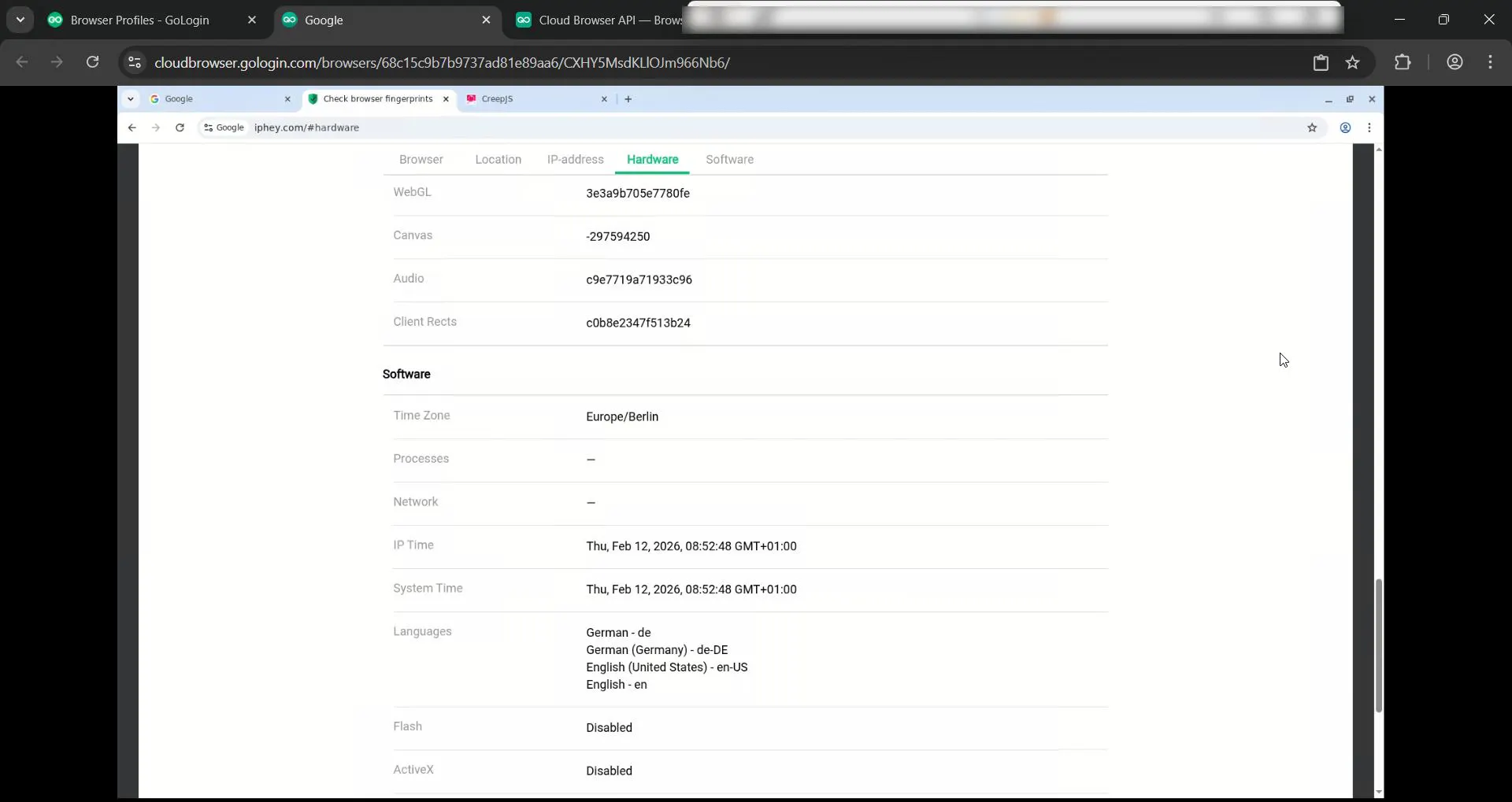
The key advantage of cloud infrastructure is a full decoupling from the user’s hardware. A website doesn’t see your old laptop - it sees a high-performance server with a “clean” fingerprint. This also mitigates the issue of local port scanning, since the website’s code runs in an isolated container.
Another undeniable plus: session data syncs in real time. Even if your computer shuts down, the session remains active in the cloud.
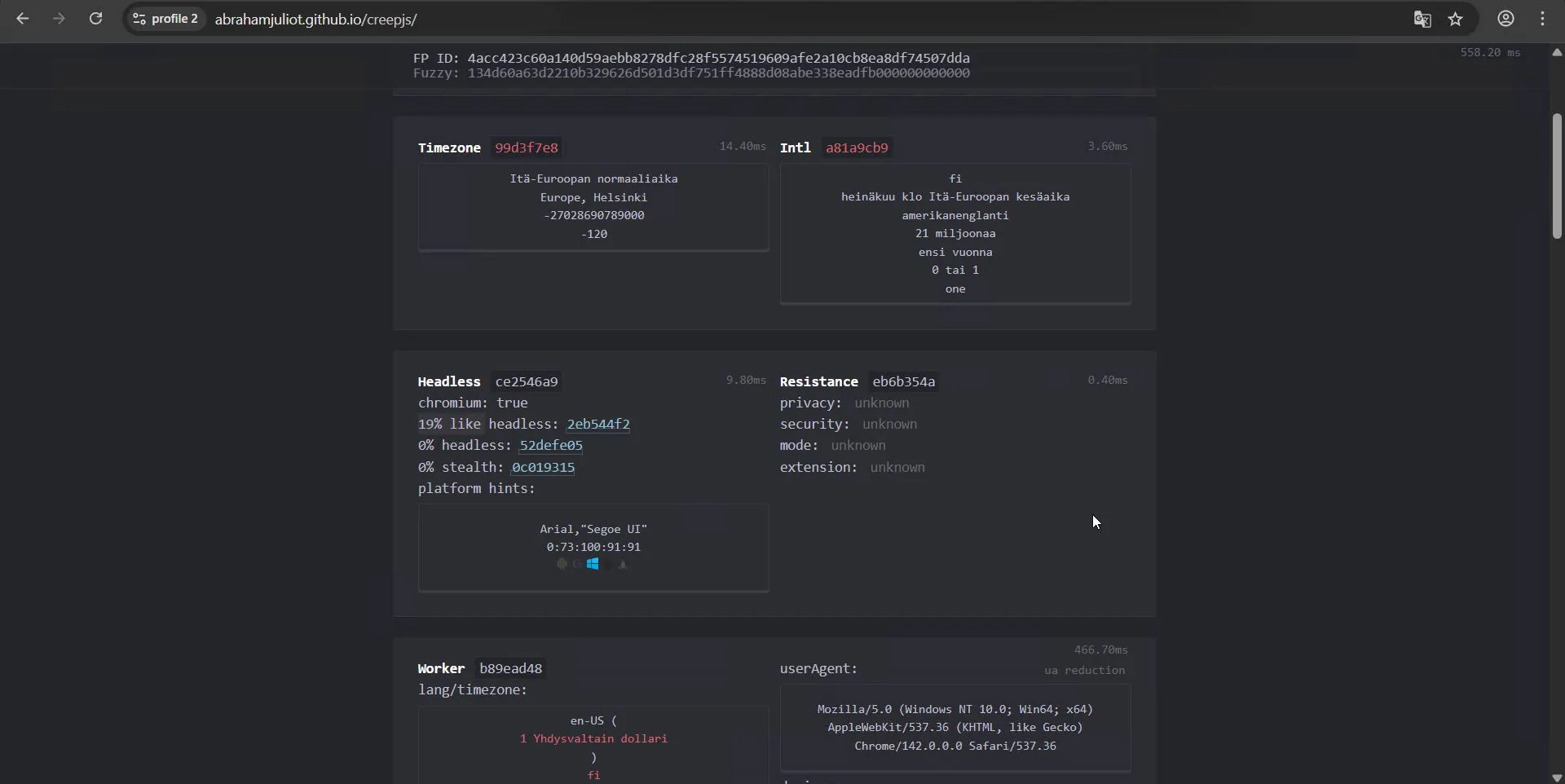
There are downsides too, though not critical. When checking a cloud profile via CreepJS, the service highlighted a “like headless” score of 44%. That’s not huge, but it’s noticeable compared to local launches.
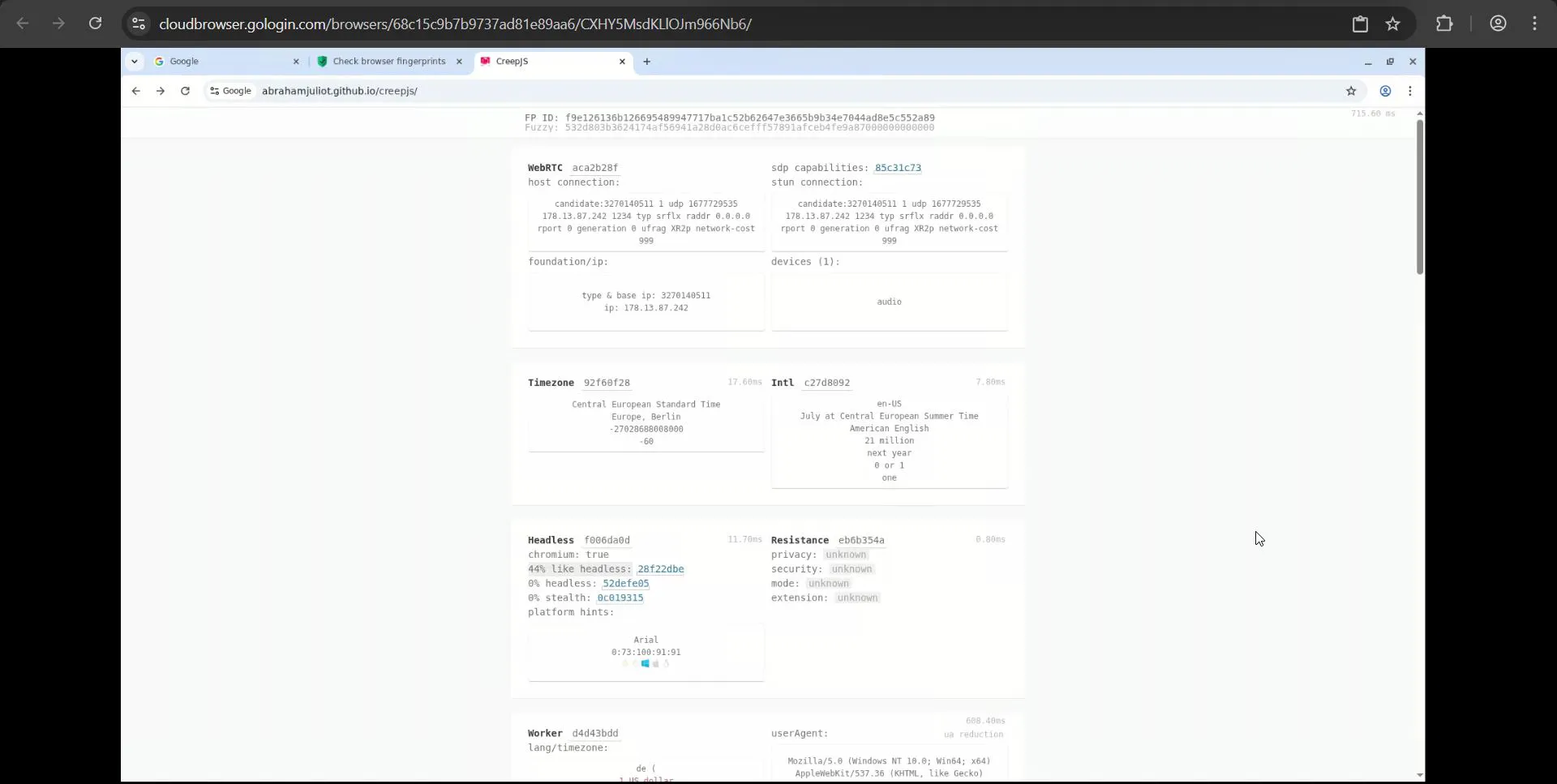
On a local device, this issue doesn’t appear - the profile passes checks decently.
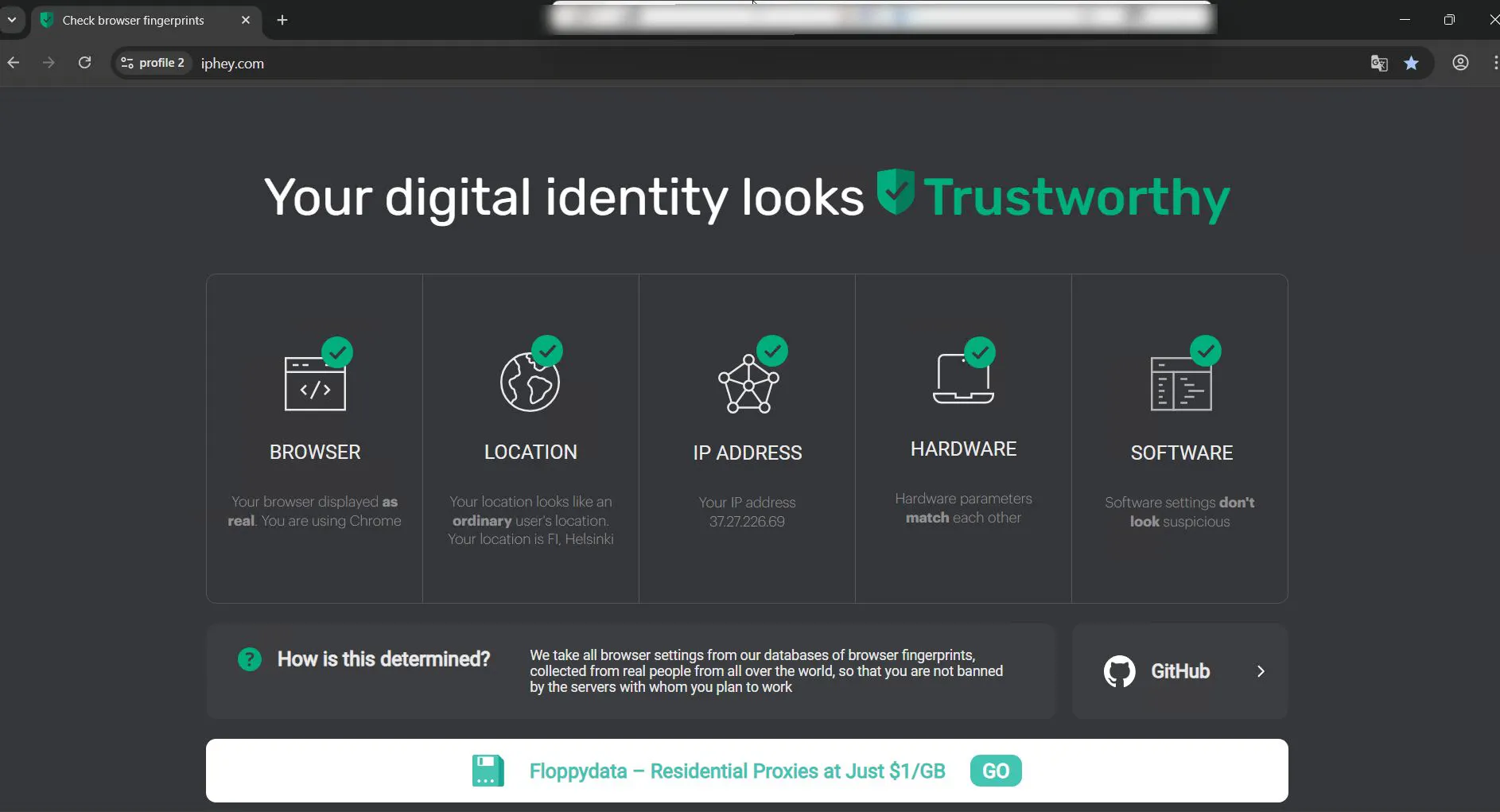
The “like headless” score for a local profile was 19%, which is quite solid.
Mobile Profiles - Gologin’s Signature Feature
The second big feature is full Android device emulation - and it goes beyond simply spoofing a User-Agent.
- Hardware APIs: the browser emulates mobile-specific APIs (ontouchstart for touch input, DeviceOrientation for gyroscope, Battery API), helping pass anti-fraud checks.
- Fonts and Media: Gologin loads font packs matching real Android versions and masks WebGL parameters so they match mobile chipsets (Adreno, Mali).
This is especially valuable as major platforms (TikTok, Instagram, Facebook) increasingly trust mobile traffic more than desktop traffic.
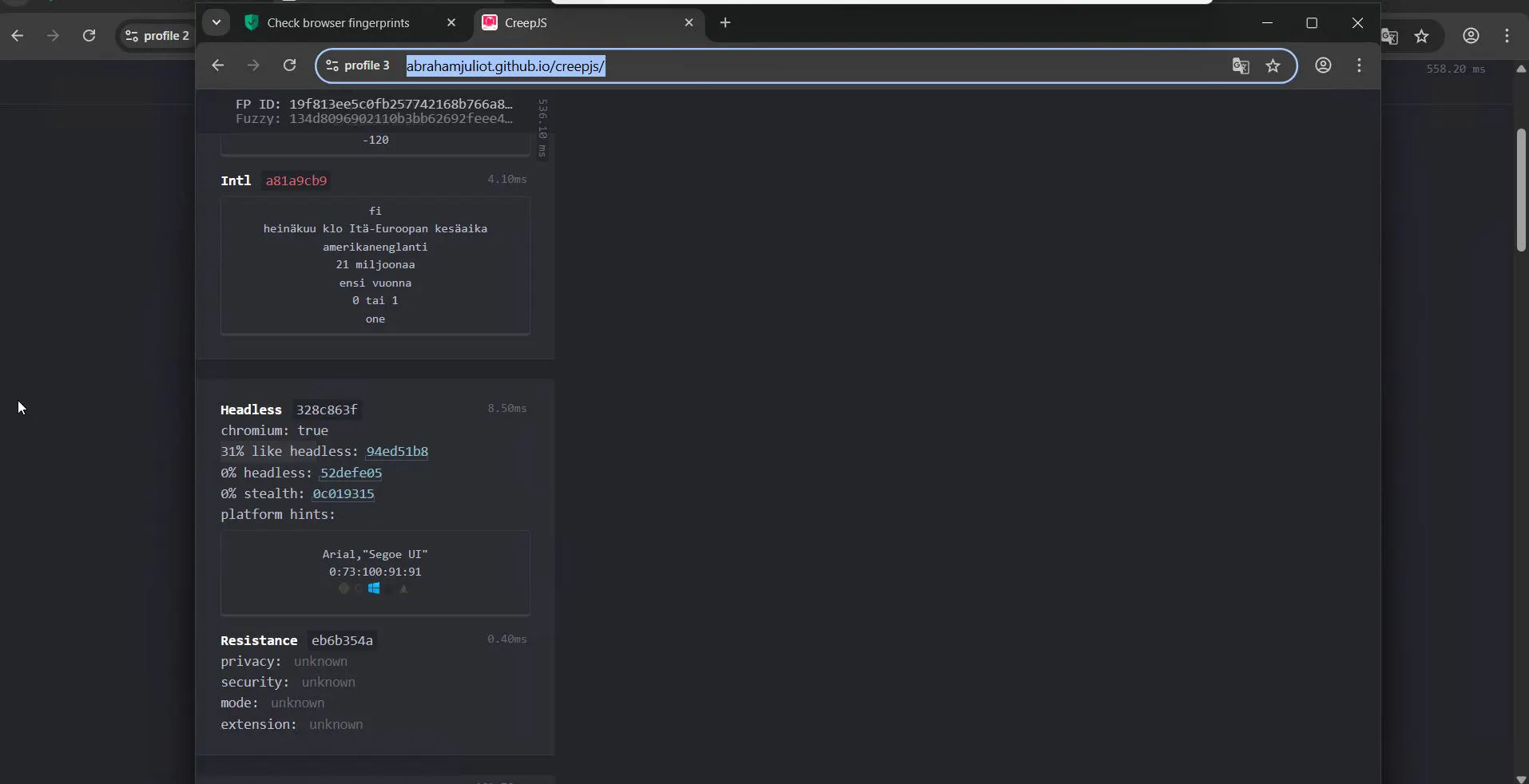
In testing, it shows: CreepJS metrics are comparable to desktop profiles, and the checks were passed.
Pricing
Balanced pricing (from $4/month) plus a 7-day trial makes Gologin a strong option for mid-size businesses and solo media buyers.
2. AdsPower - The Automation Leader
AdsPower offers two engines: SunBrowser (Chromium-based) and FlowerBrowser (Firefox-based). This “dual-core” approach lets you switch engines to meet specific site requirements or to vary fingerprint parameters. There’s also mobile browser emulation (Android and iOS). Judging by our top list, this is no longer a unique feature - it’s market reality. More and more anti-detect tools offer mobile profiles. The real question is their quality.
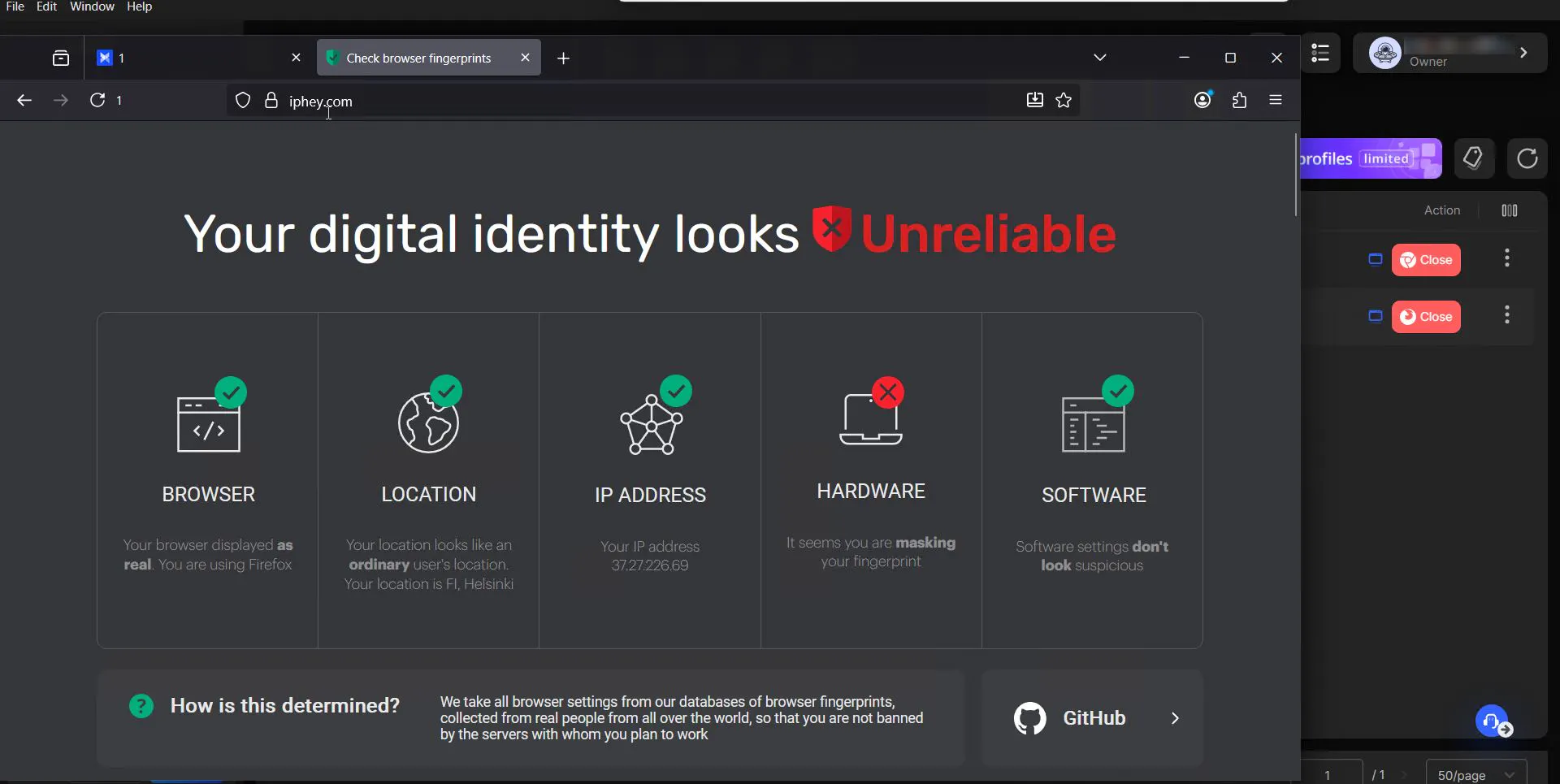
With AdsPower profile settings, you should be careful: we didn’t find strong guardrails against risky configurations. For example, we were able to swap the User-Agent freely (using a SunBrowser UA on a FlowerBrowser profile), and the system didn’t treat it as a problem. The profile launched normally, and as a result it got flagged immediately on the first check.
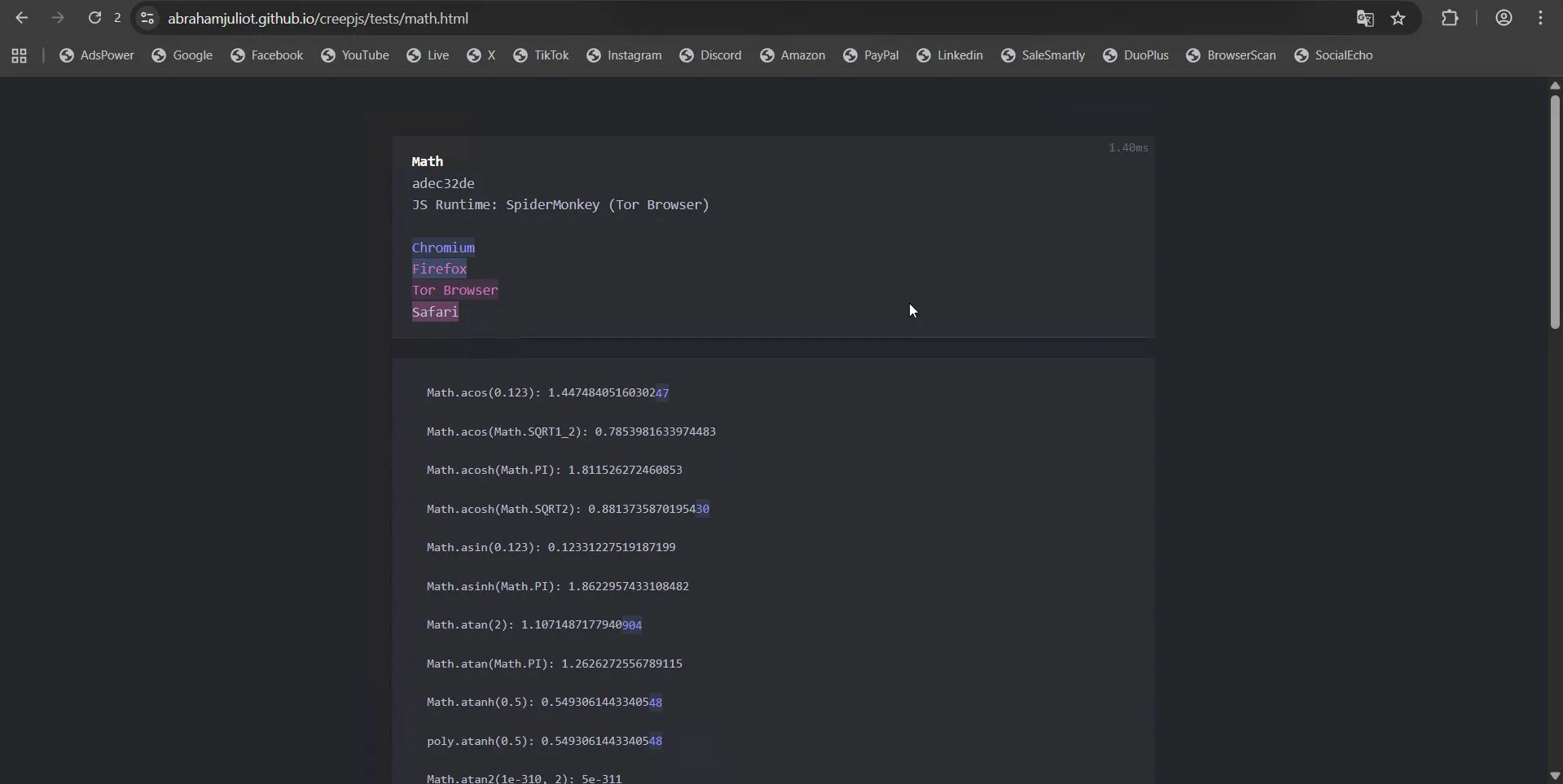
When checking profiles via CreepJS, AdsPower looks okay at first glance. But once you look closely, issues appear that can compromise the user. For example, in mathematical fingerprinting, CreepJS identified that our browser - which claims to be Chrome - is mathematically identified as Tor Browser. To be fair, no other product passed this test either.
Automating to Mask Automation - AdsPower’s Distinctive Angle
AdsPower has its own “thing”: it stands out with built-in RPA automation tools. We mentioned behavioral patterns that many anti-fraud systems watch - AdsPower’s answer is RPA automation for routine actions.
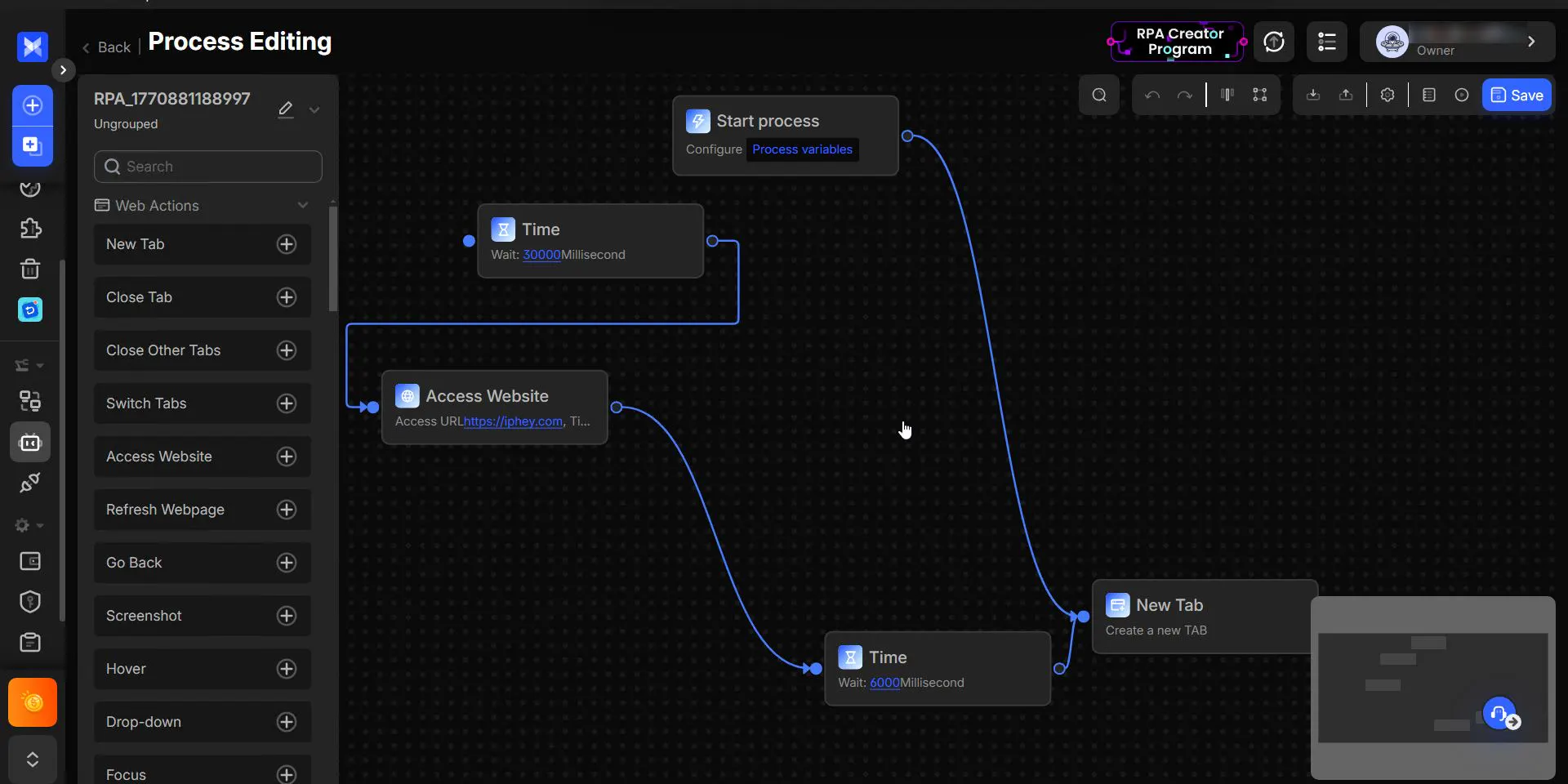
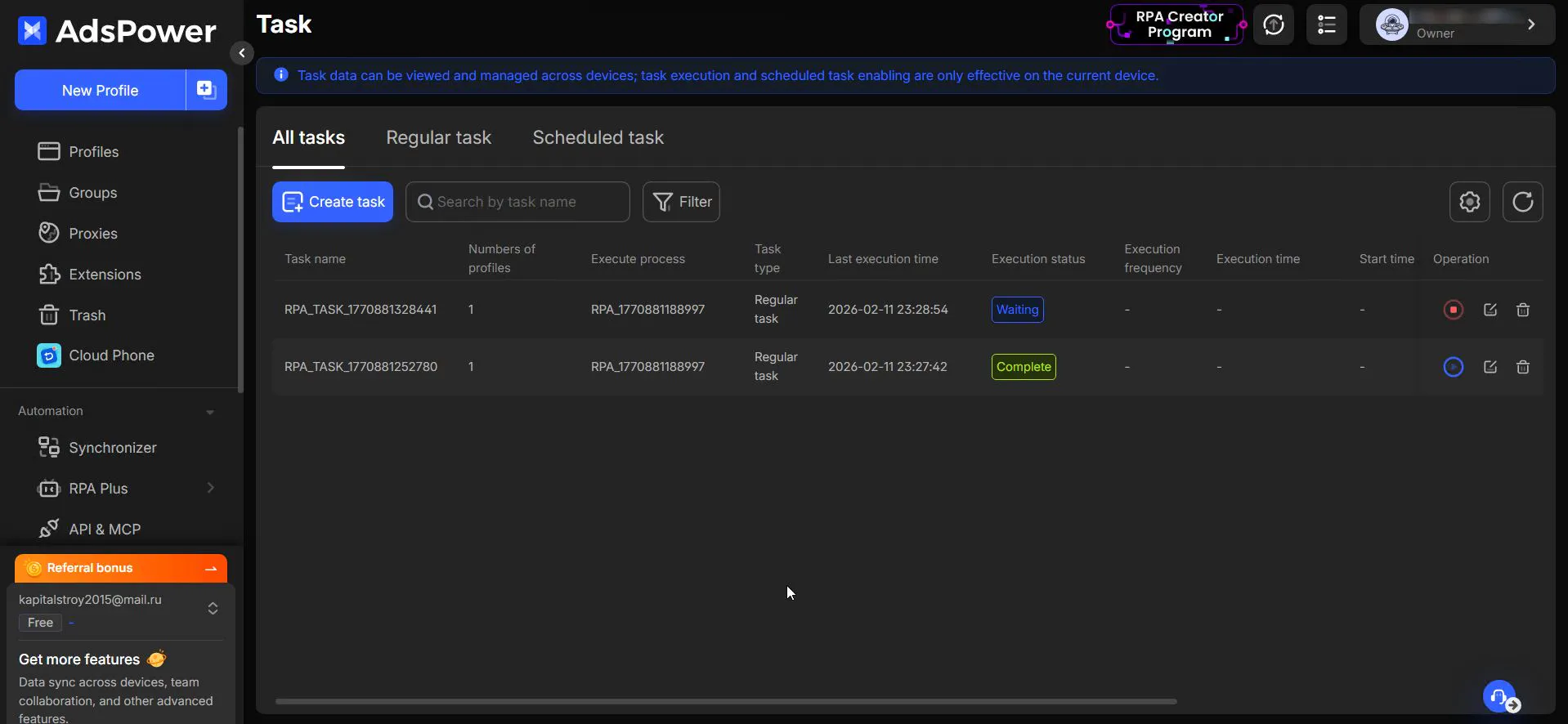
It offers action recording and a synchronizer - a mechanism that mirrors the same actions across multiple profiles simultaneously. This simplifies mass administration of many accounts: you set an action sequence, delays, mouse jitter, etc. (to make it more human-like), and run it. This can be useful for cookie warm-up, but it requires careful tuning - lots of nuances.
The plus is a user-friendly UI. Typically, to build such automation you’d write code; in AdsPower it’s implemented as draggable blocks, which is convenient for beginners and specialists without coding skills.
Advanced AdsPower Settings - As a Feature
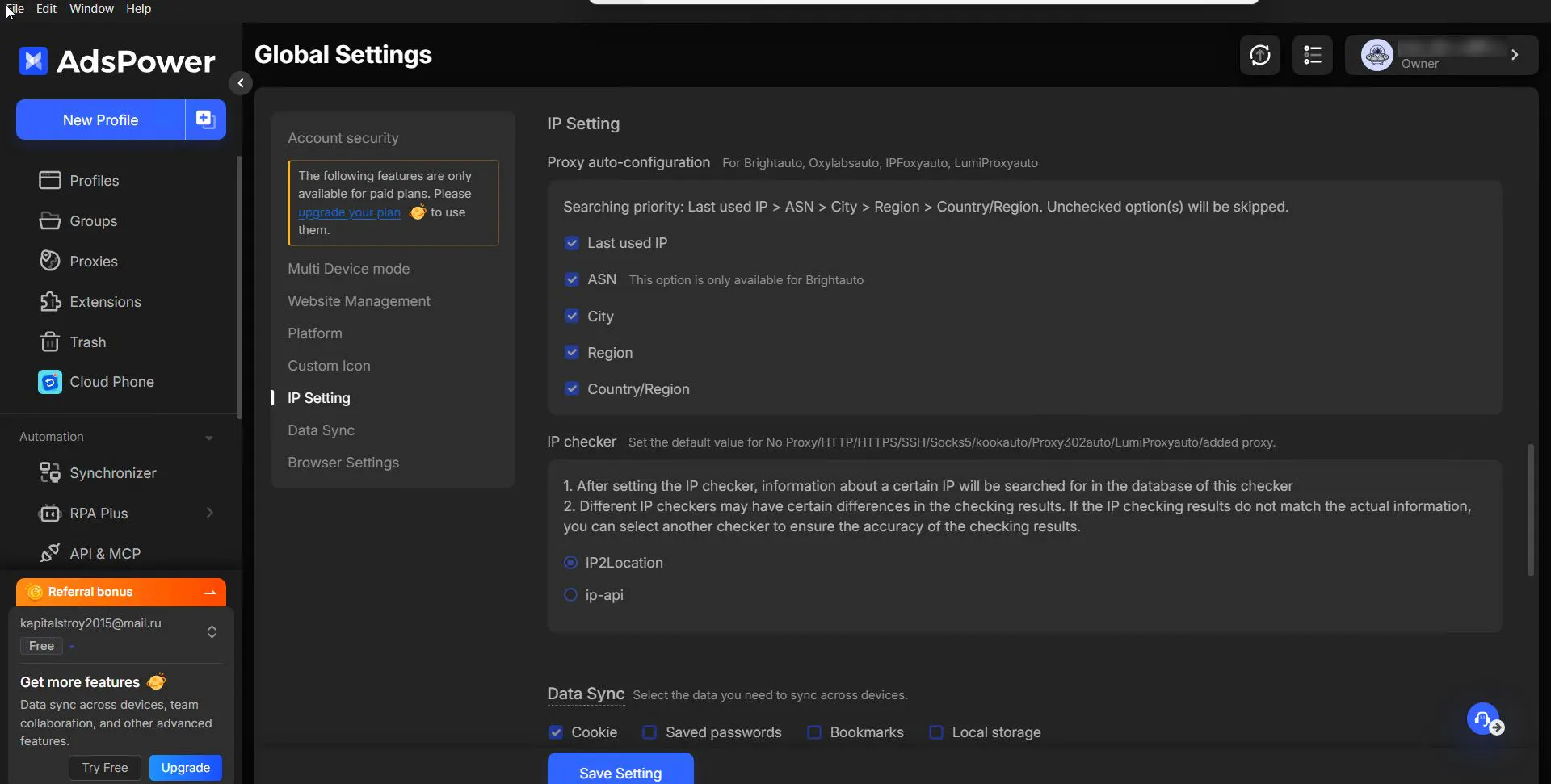
Another interesting detail is the global settings. Semantically, they really are “global.” Take fine-grained proxy usage control as an example - it’s basically an orchestrator for proxy pool usage.
For a standard multithreaded scraper, you’d write rules for proxy checking, rotation, etc. In AdsPower, it’s exposed at the settings level: where to test the proxy pool, which IPs to prefer, which to filter. A genuinely interesting feature, though it may be overkill for newcomers.
Pricing
A pay-as-you-go model (paying by number of profiles) makes AdsPower accessible for getting started (from $7.5/month), but expensive when scaling to thousands of accounts. A free plan for 2 profiles lets you try the core features with no spend.
3. Octo Browser - The Performance Leader
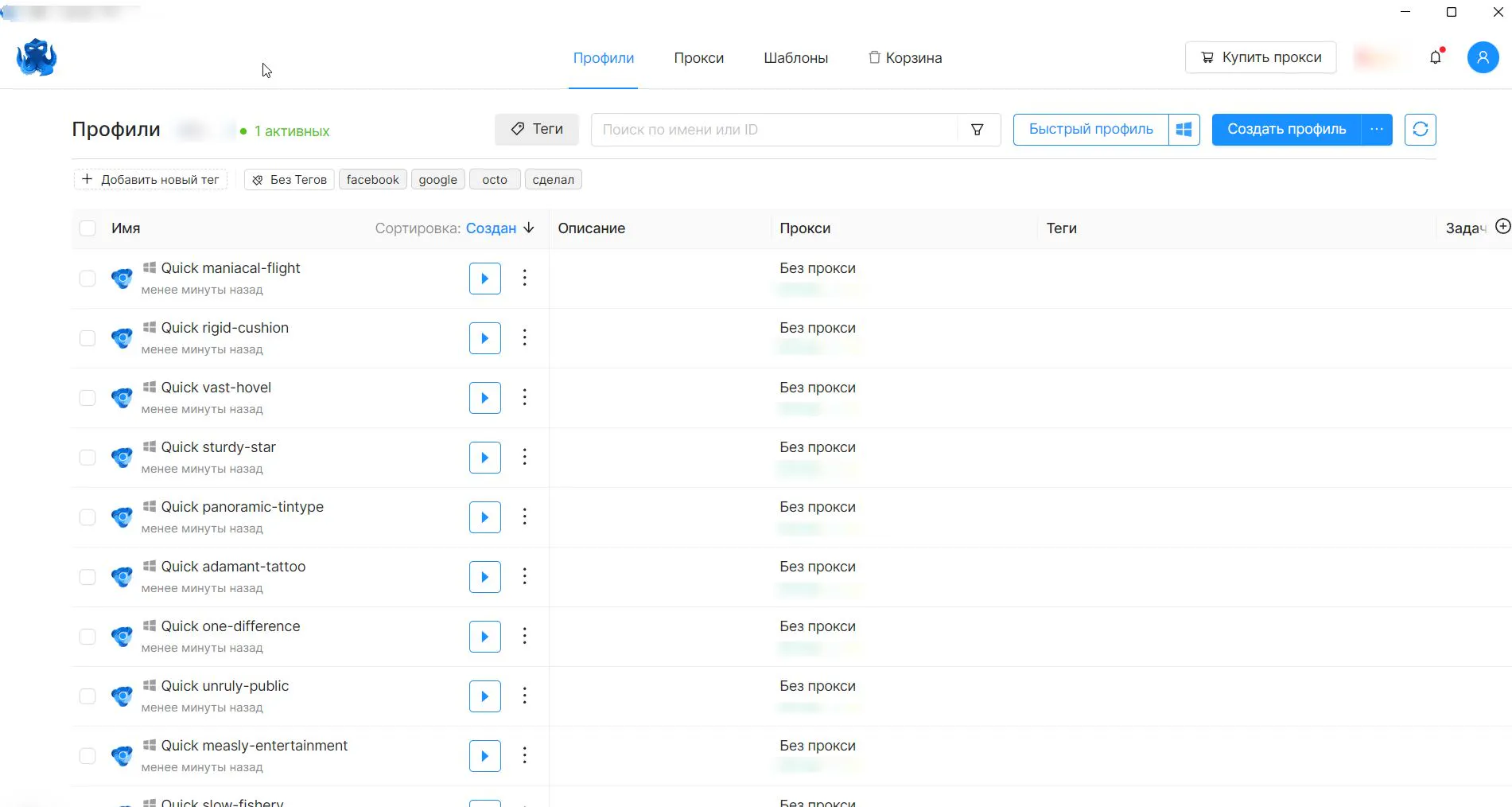
Octo Browser positions itself as a fast, reliable anti-detect browser under heavy load. It uses an “Octium” core that’s very close to Chromium. Its main feature is that even with hundreds of browser windows open simultaneously, it doesn’t “crash” - profiles run smoothly without freezes. That’s rare: many competitors lag or hang with fewer accounts, while Octo maintains stable performance.
Octo Under Real Load
In our testing, this claim held up. When running 30 profiles, they didn’t crash and worked smoothly - though naturally, it loads the system. On the test machine, one profile consumed roughly 1.5–1.8% memory, so reaching 100 profiles wasn’t physically possible. But even at 30 profiles, everything looked highly workable.
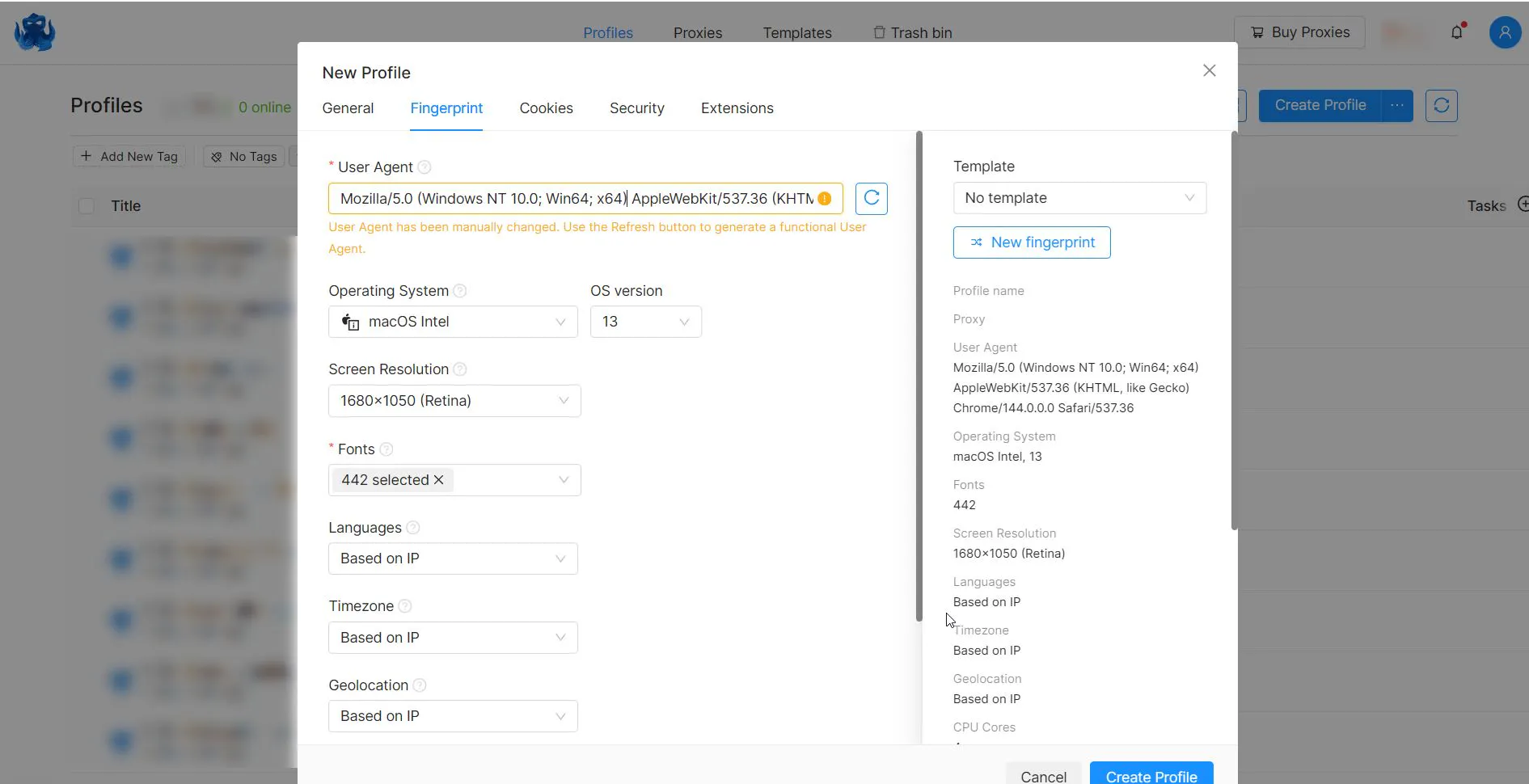
Fingerprint Quality: This is handled quite carefully as well. The Octo team tries to keep the browser updated to bypass outdated signatures. A key point is fingerprint integrity thanks to so-called “idiot-proofing” (built-in checks) that prevents unrealistic parameter combinations.
Core Spoofing - Octo’s Unique Feature
In Octo, spoofing is not done via JavaScript injections (which websites can detect easily), but at the C++ level of the browser itself. When a website requests system data, the browser returns spoofed values as if they were native properties. This helps pass integrity checks because there are no traces of JS-level interference.
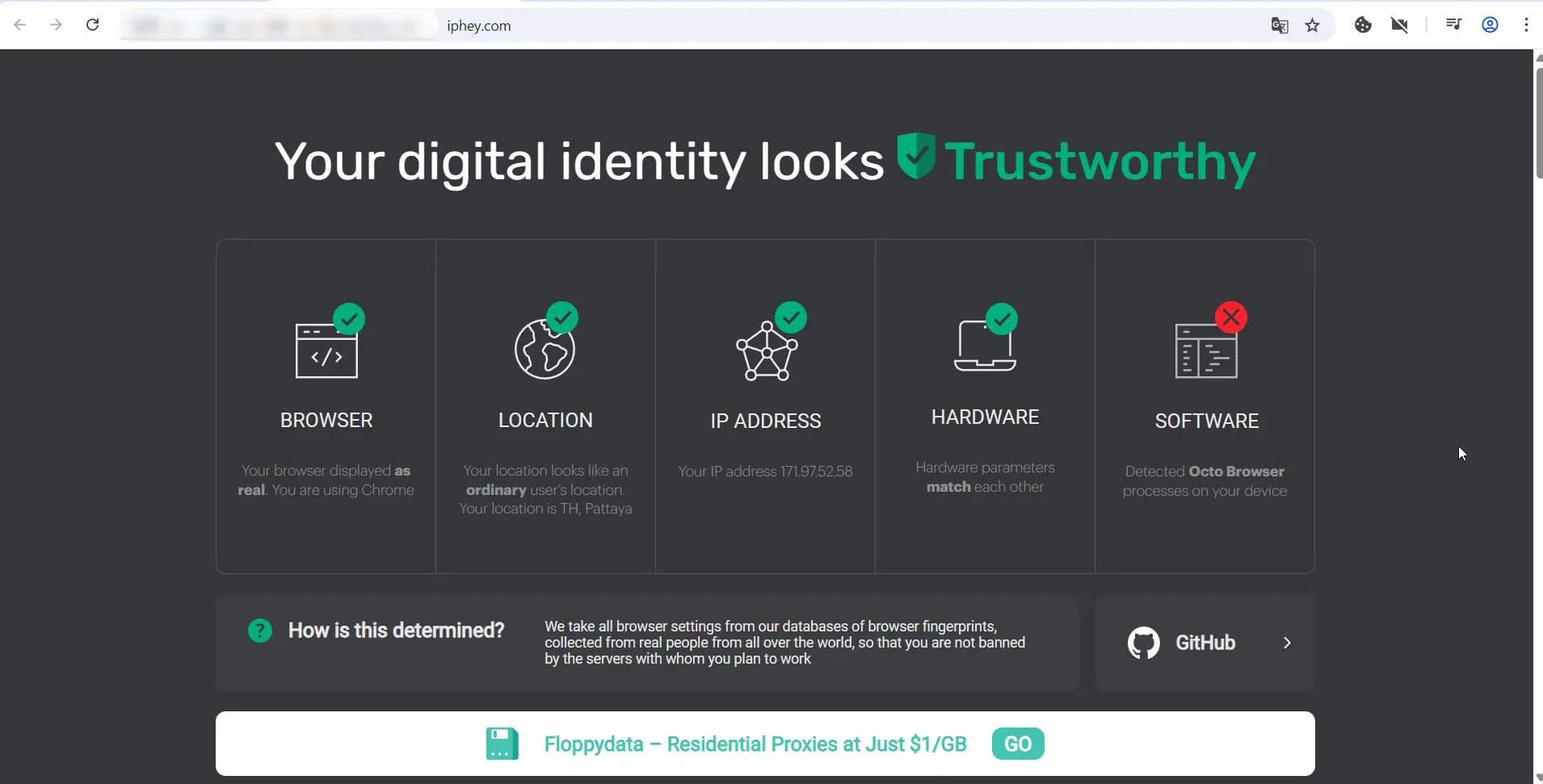
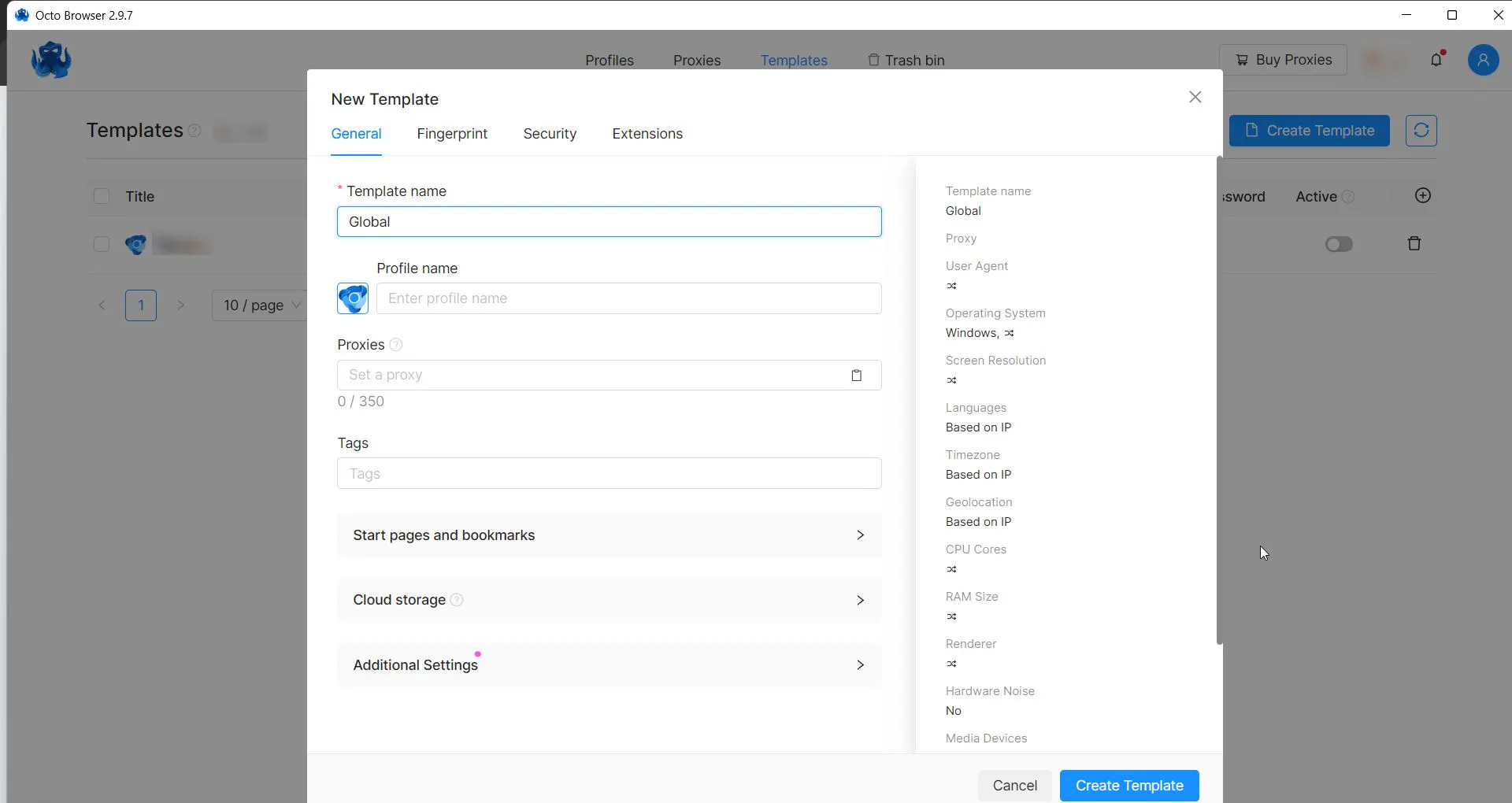
Still, there were drawbacks. During Iphey checks, we observed a pattern: on the first launch, profiles looked consistent; starting from the second launch, it occasionally “leaked” that an anti-detect browser was being used. For serious anti-fraud systems, that’s a warning sign.
Mobile Profiles - Trend or Necessity?
Like Gologin, Octo offers mobile profiles. The results weren’t great: the same services showed inconsistencies which, upon closer inspection, can collapse the entire user “technical legend.”
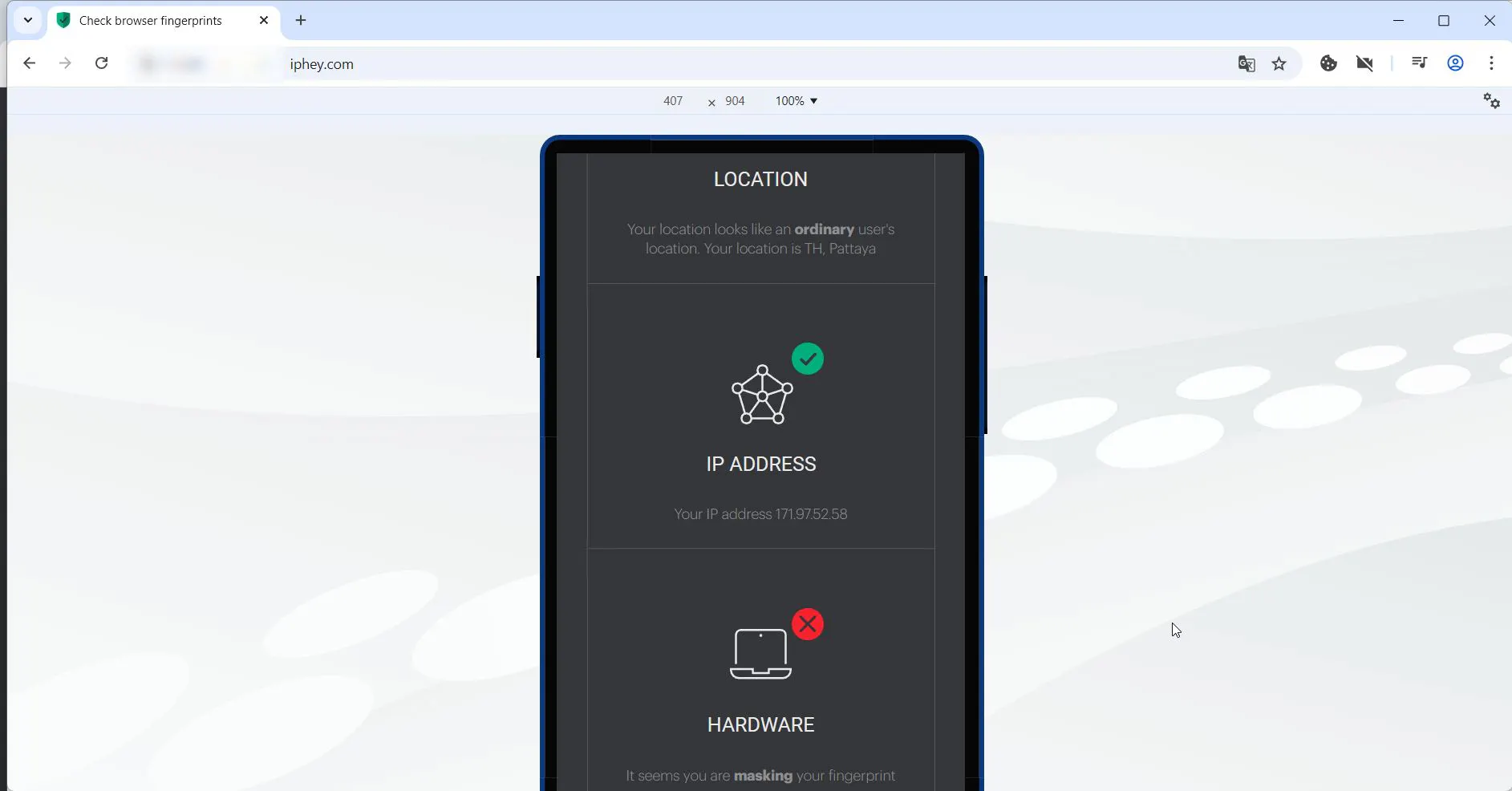
Admin Panel: In terms of admin panel usability, everything is neat and in place; no major drawbacks were found. There’s even an interesting feature: profile templates.
An admin can create a “global template” with standard settings (UA, resolution, plugins, etc.), and all new profiles automatically inherit them. This saves time when creating accounts at scale.
Pricing
No free tier (only a starter pack from €7) and expensive top tiers (€400+) limit the audience, filtering out beginners and solo users at the start.
4. Dolphin Anty - The Media Buyer’s Choice
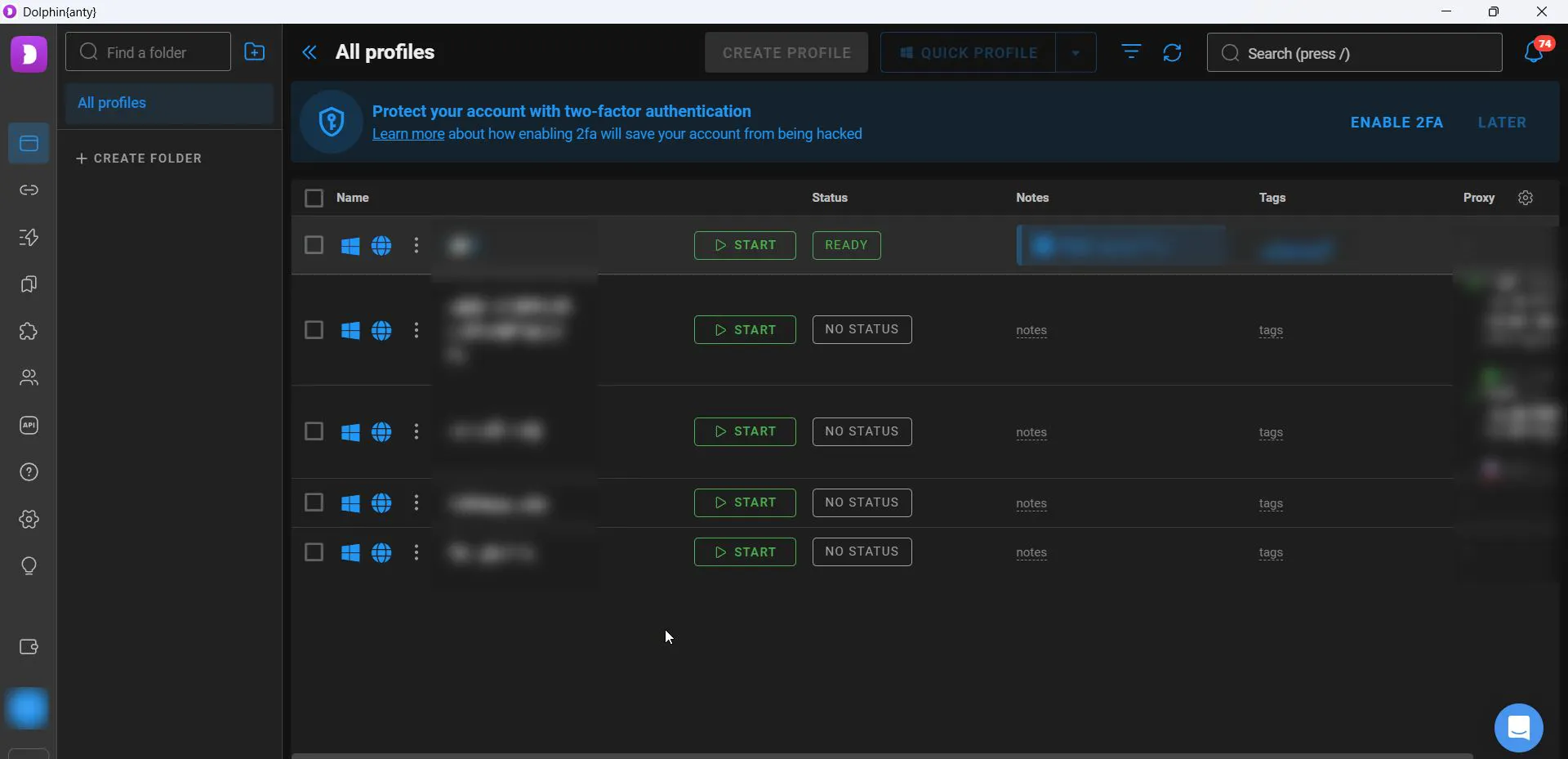
Dolphin Anty is oriented toward managing thousands of accounts. It started as a browser “by media buyers for media buyers.” The developers understand the workflow and built around those needs first.
The interface is quite “heavy” and resembles a CRM: “Status,” “Tags,” “Notes.” Tags and notes help navigate huge lists. But usability doesn’t guarantee passing anti-fraud checks - and Dolphin has historically had issues there.
Team Collaboration Tools
A notable Dolphin Anty feature is pulling data from Facebook Ads Manager (spend, account status, ban reason) directly into the profile list. This saves hours of manual monitoring when you have many profiles.
Dolphin also has a built-in scenario builder (similar to AdsPower RPA) that automates account warm-up and other routine actions. It’s simpler than full RPA, but covers ~90% of a media buyer’s tasks: feed scrolling, likes, adding friends. It’s available only on paid plans.
Not Exactly Safe, But Convenient
Stability is a sign of mastery - but not in anti-detect browsers. Dolphin positions itself as a tool for social networks (Meta, TikTok, etc.). And this is where questions arise.
In CreepJS checks, Dolphin shows a decent result (though worse than Gologin).
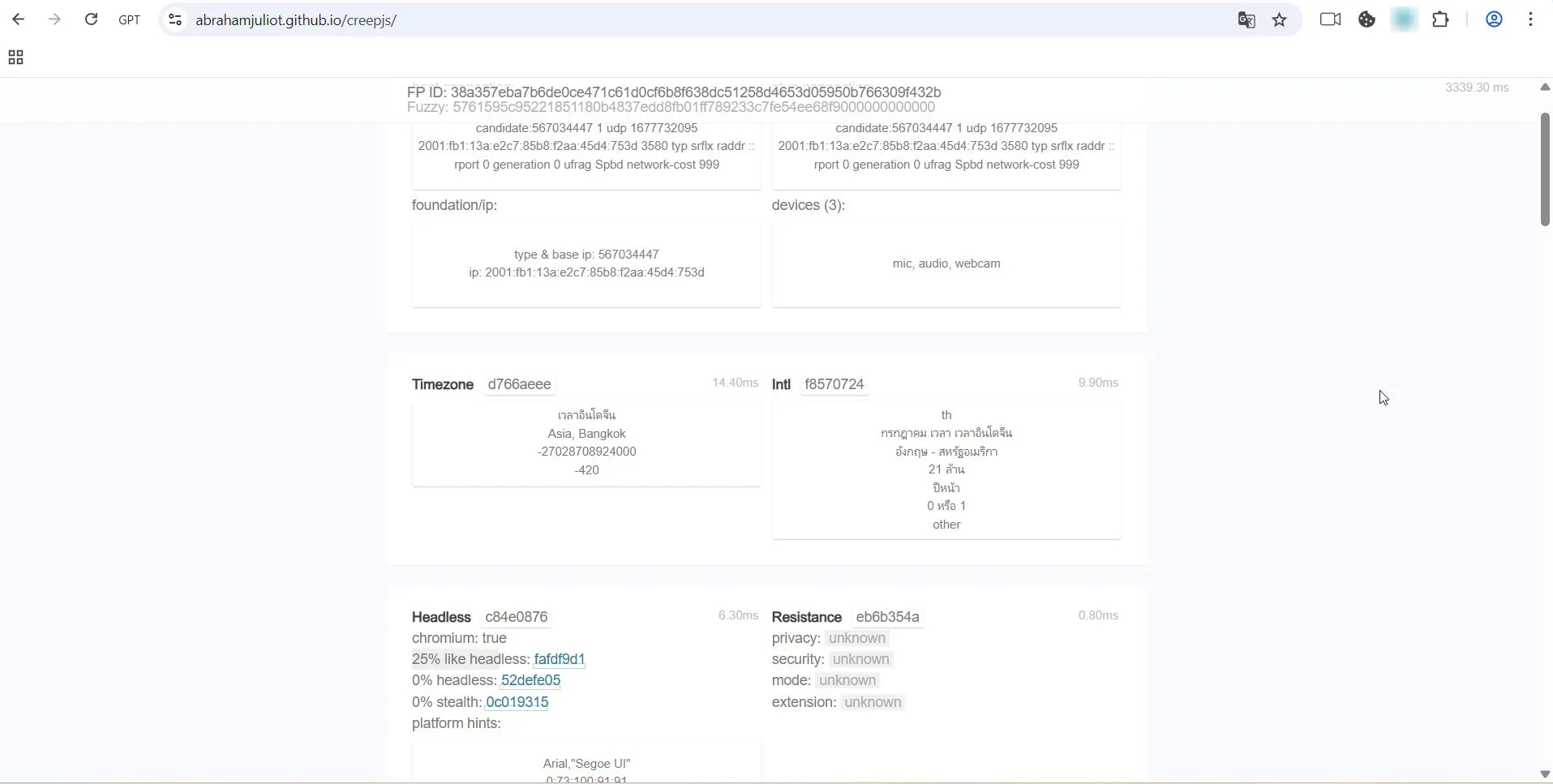
But it fails Iphey: the service determined Dolphin overdid the masking.
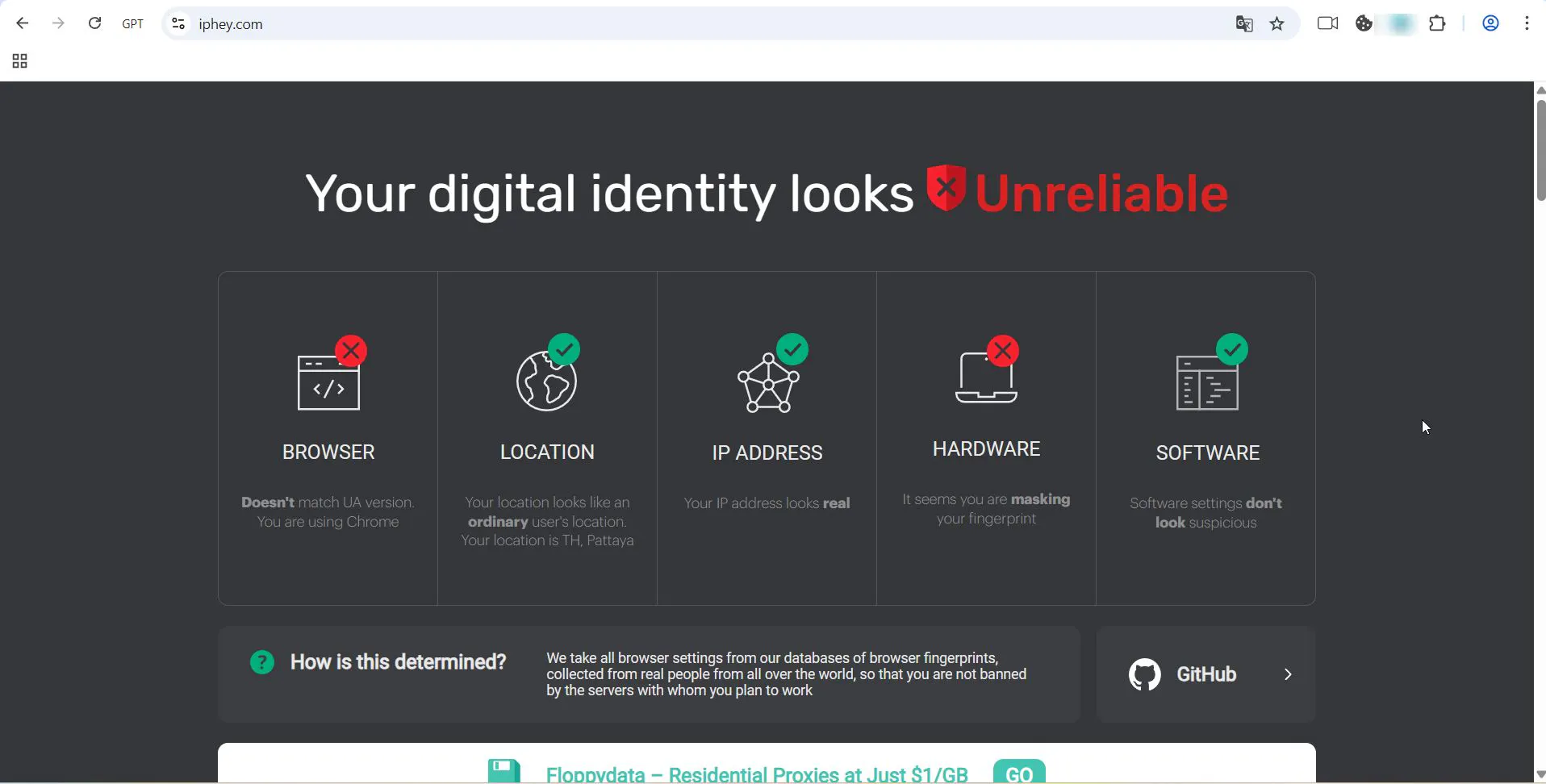
Sometimes you get failures like the screenshot below.
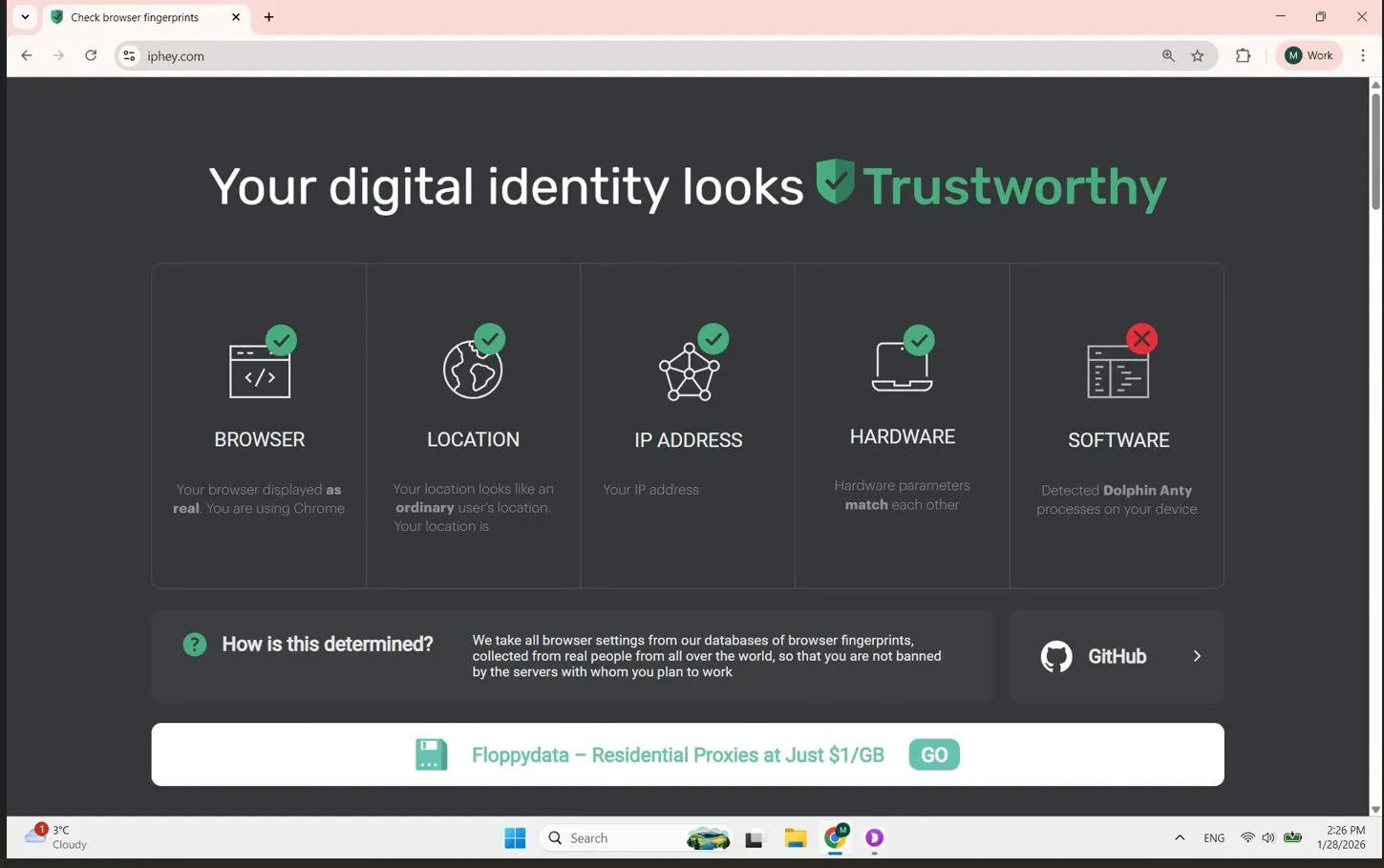
And that’s not good at all for sites like Amazon or Google - it can lead to consequences.
There are also stability concerns: long sessions can lead to browser “crashes,” and it happens from time to time.
Usability Despite Issues
From a user experience perspective, Dolphin is convenient - it was built for the creators’ own needs rather than as a purely commercial product.
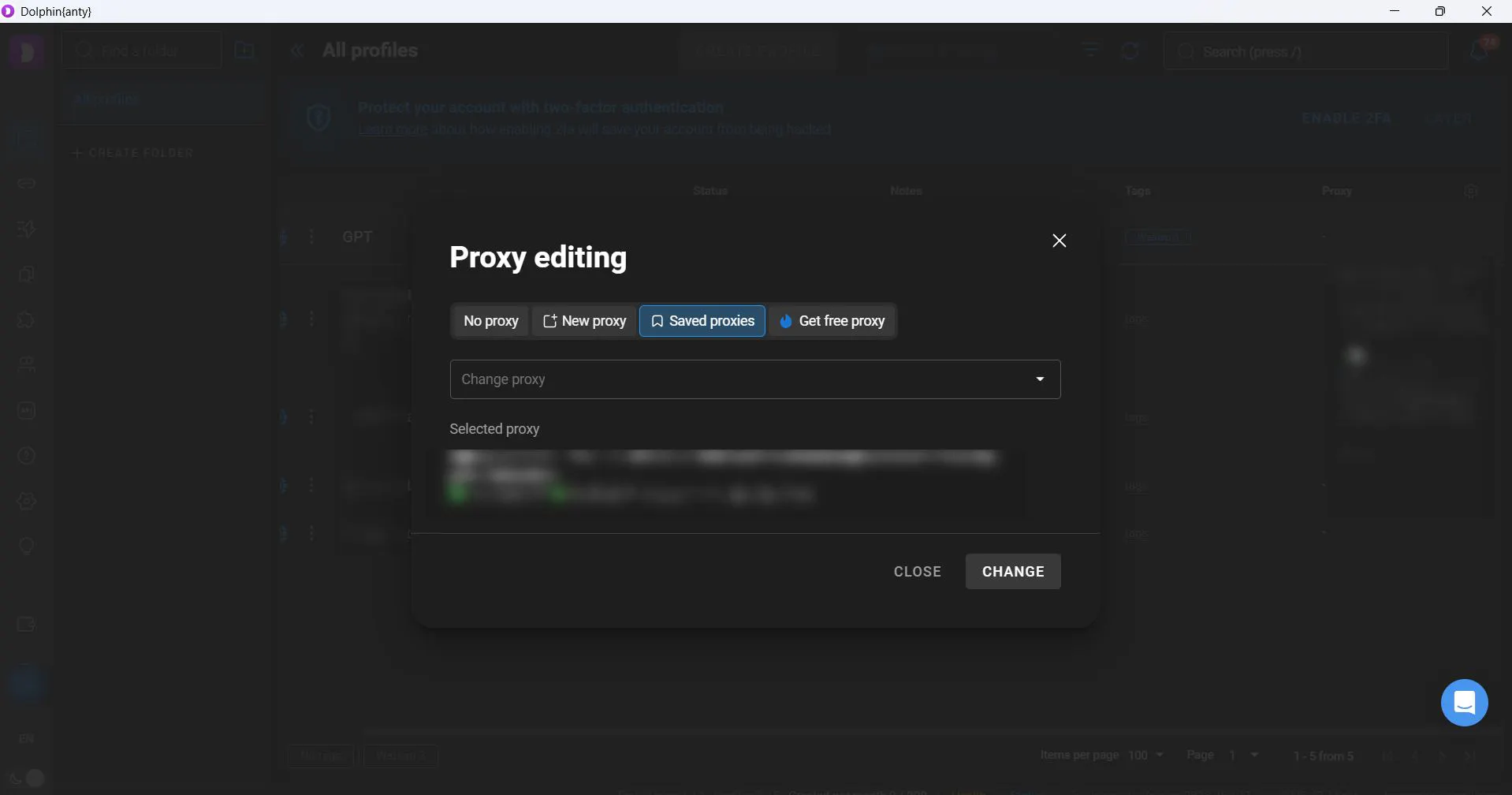
Everything is customizable; proxies can be changed in a couple of clicks. The panel lets you trigger actions across multiple profiles quickly.
Pricing
A free plan for 5 profiles makes Dolphin{anty} the most accessible tool for beginners. Paid plans start at $6, but the minimum tier is unlikely to be enough for full usage. Overall, pricing is in line with the market.
5. Multilogin - The Industry Standard
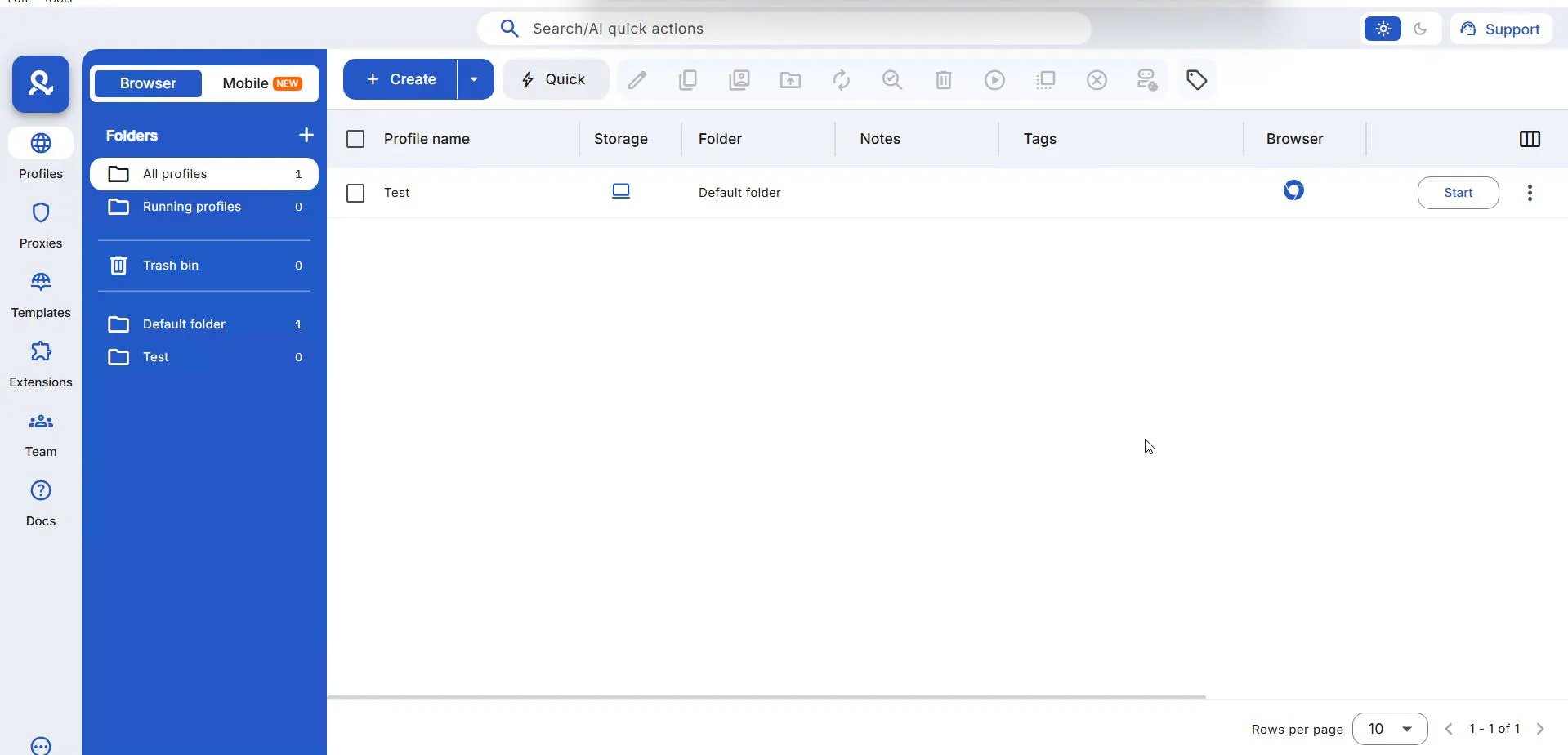
Multilogin positions itself as a corporate solution. The developers moved away from “boxed” Chromium and built their own browsers: Mimic (Chromium) and Stealthfox (Firefox).
- Mimic: a modified Chromium version where fingerprint collection mechanisms are disabled or modified at the source-code level. This helps handle checks based on specific Google APIs without breaking page rendering.
- Stealthfox: a unique Firefox-based solution. When most botnets are built on Chrome, having a strong Gecko profile helps “diversify” traffic and increase trust from anti-fraud systems.
UI: Light-Theme Minimalism
Despite the enterprise focus, the interface is quite simple: everything you need is close at hand, no extras. No RPA, no scheduler. Just a work environment. That said, it doesn’t feel particularly user-friendly - it can resemble visiting a low-budget public office. That’s roughly the vibe.
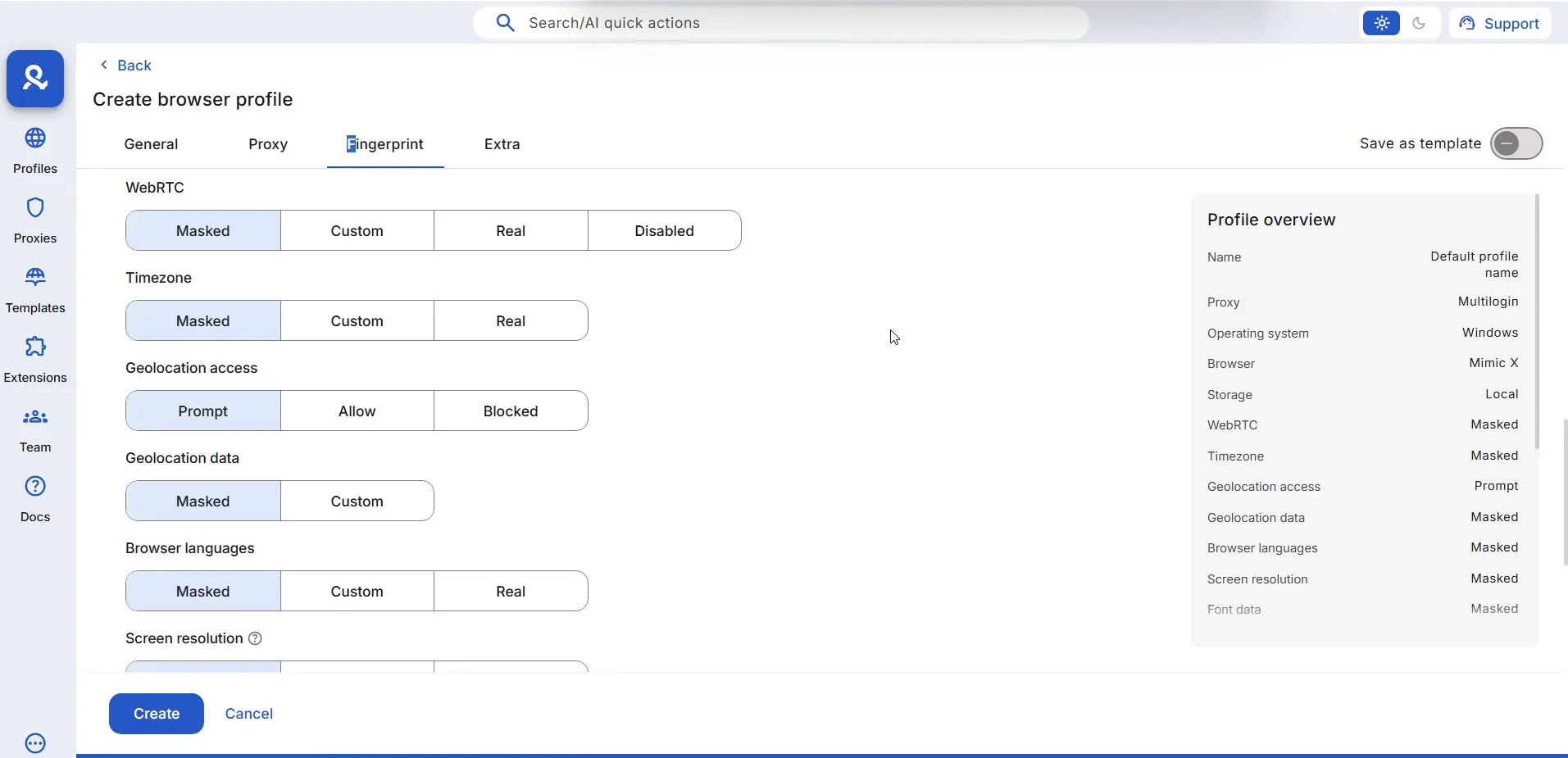
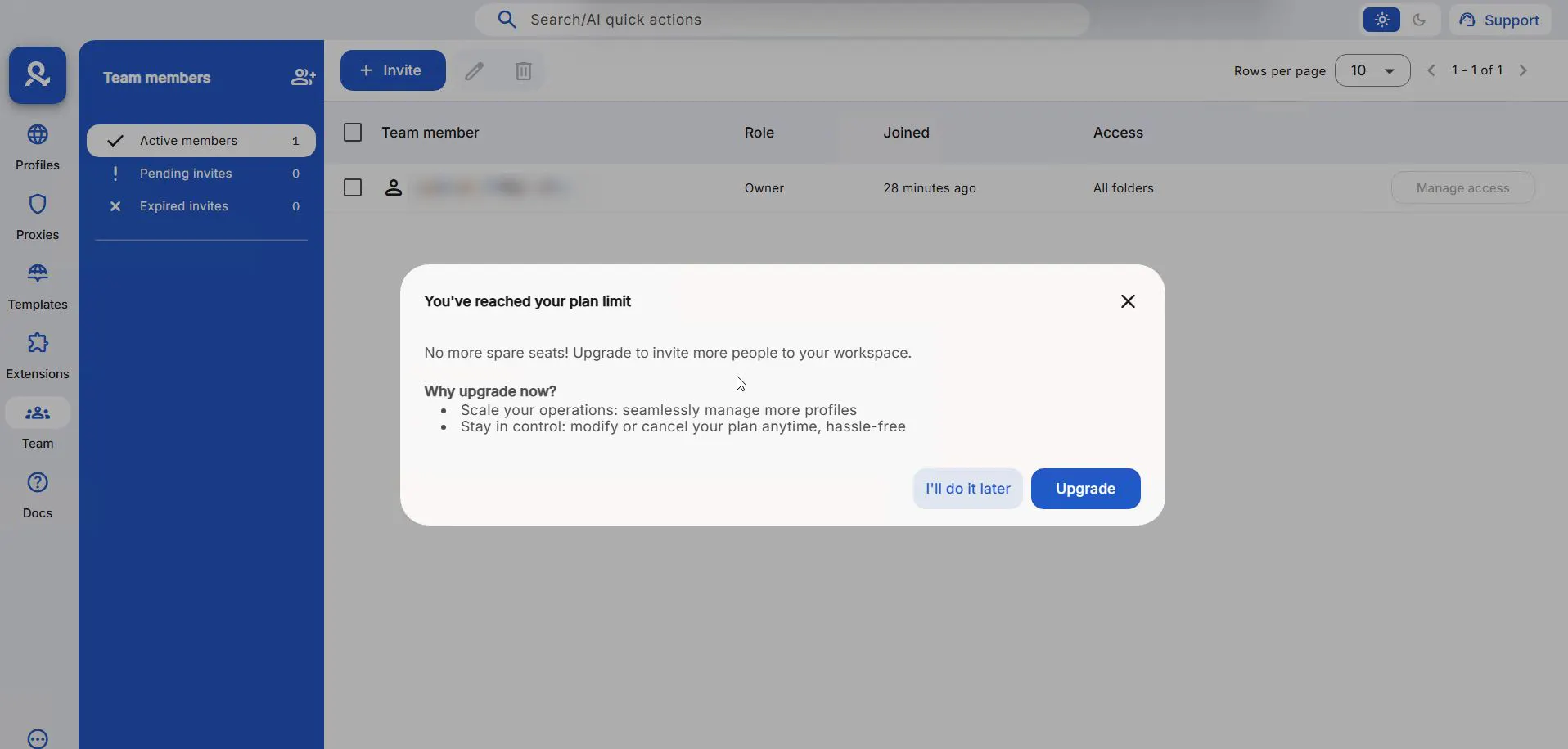
But Multilogin’s real strength is team management. A role system lets you share profiles with colleagues without changing the browser fingerprint. An admin creates a “profile group” and invites managers: staff can run profiles but can’t change settings.
Multilogin offers fine-grained control over who can view vs edit vs create profiles. For large teams where scalability and control matter, it’s a solid option.
To the Tests
Minimal UI doesn’t make Multilogin interactions easier. Starting profiles feels like launching a heavy app on a weak computer - slow and tedious compared to other tools here.
Although the developers carefully emulate “real devices” (matching fingerprints to real smartphone/PC models - down to GPU count and sensors), the services show contradictory data.
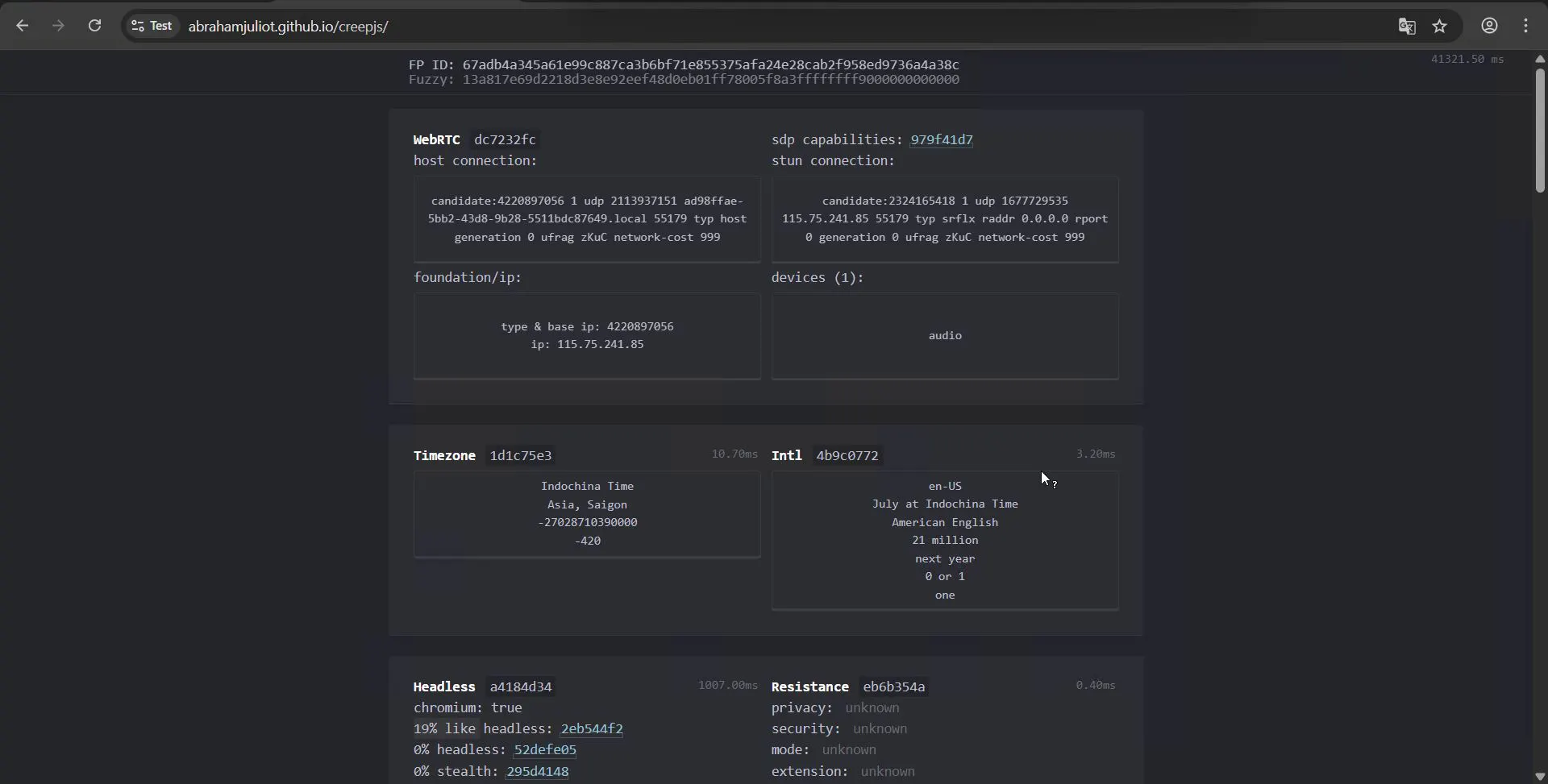
CreepJS looks good: 19% - comparable to the review leader.
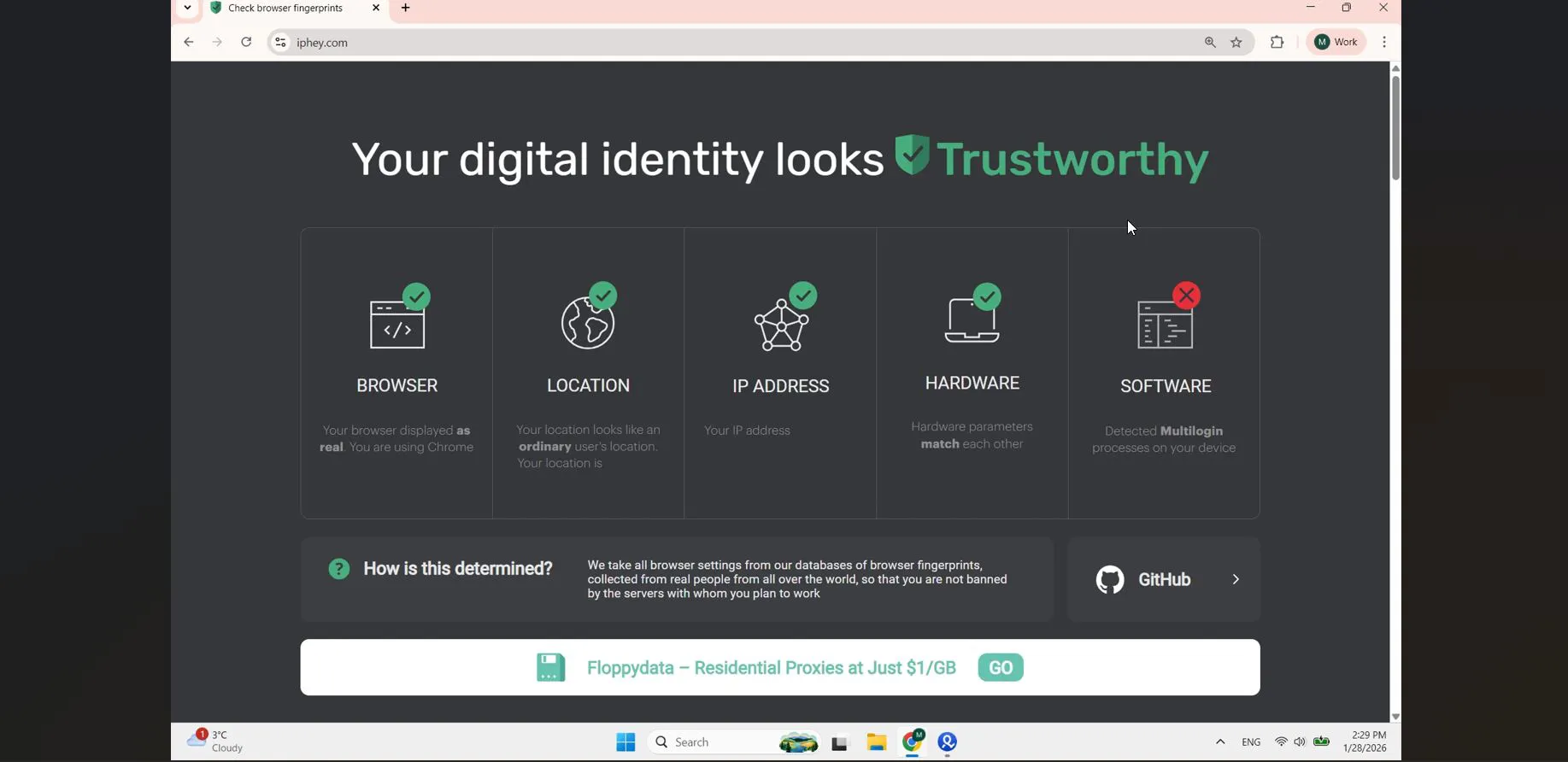
But the issue appeared in Iphey: similar to other tools that failed this stage, Multilogin gets exposed by the fact that it’s an anti-detect browser.
Pricing
Subscriptions start at €10/month, but you can’t run a team on that tier. Team plans start at €50. There is a trial, but it’s paid too - $5 for three days.
6. Incogniton - For Scaling Teams
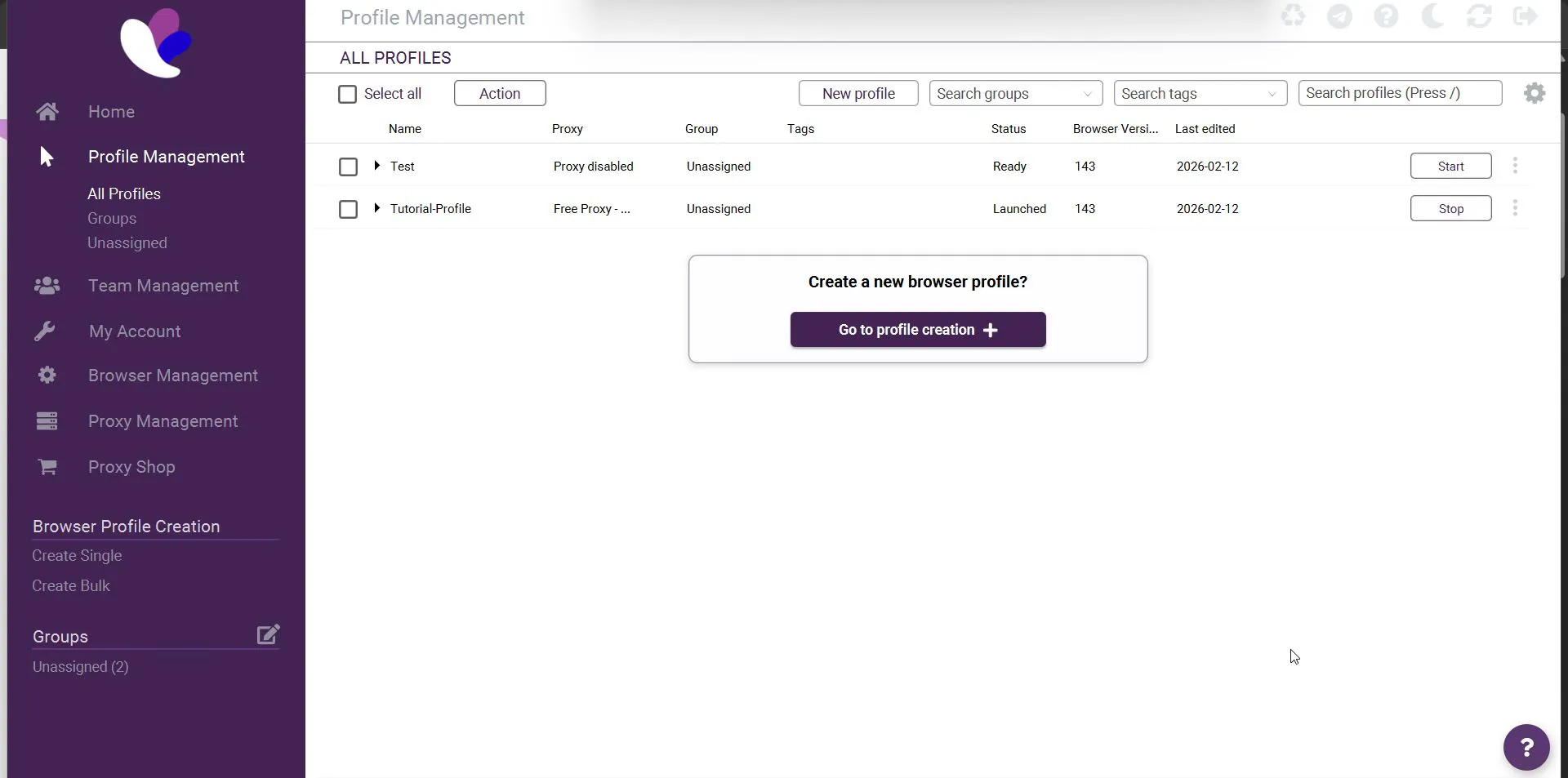
Incogniton focuses on teamwork. It has a unique feature: an action synchronizer that lets you perform the same operations across all open profiles. The set of synchronized actions is limited - likely because the feature isn’t widely demanded.
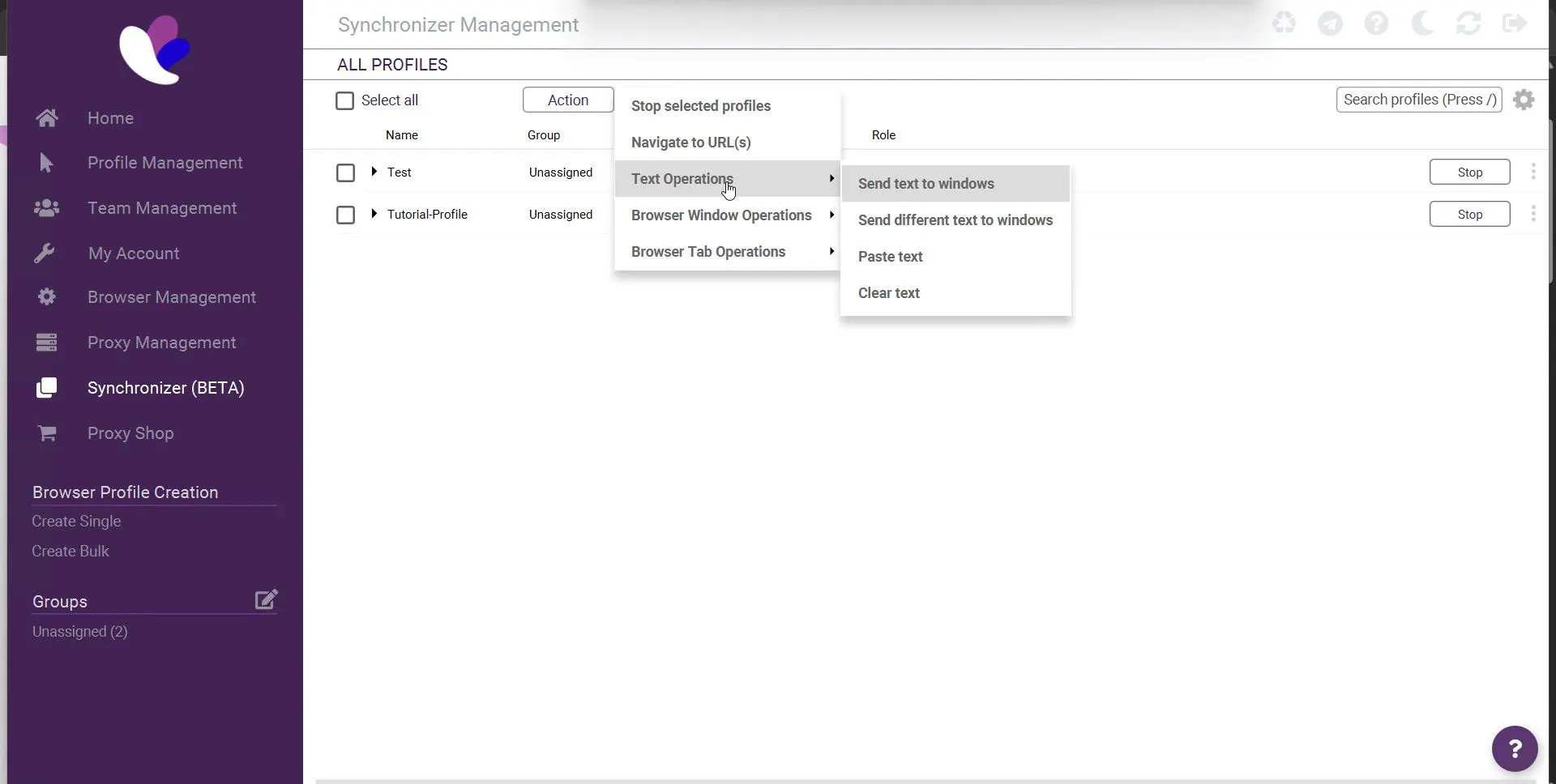
You can launch the same tabs across dozens of profiles in one click.
Another feature is “Paste as Human Typing”: automatic input that emulates real typing as if a person is entering text. Similar features exist in some other anti-detect browsers too.
User Convenience
It’s hard not to notice that Incogniton’s local launcher design is not modern. But all sections are easy to find, and after a few minutes nothing feels difficult.
However, the new user registration flow is a separate pain. For some reason, checking whether a username is taken happens only after the user solves a captcha and enters a verification code sent by email. If the nickname is taken - repeat again. The same is true for the captcha: you only learn it was wrong after entering the email code.
Technical Characteristics
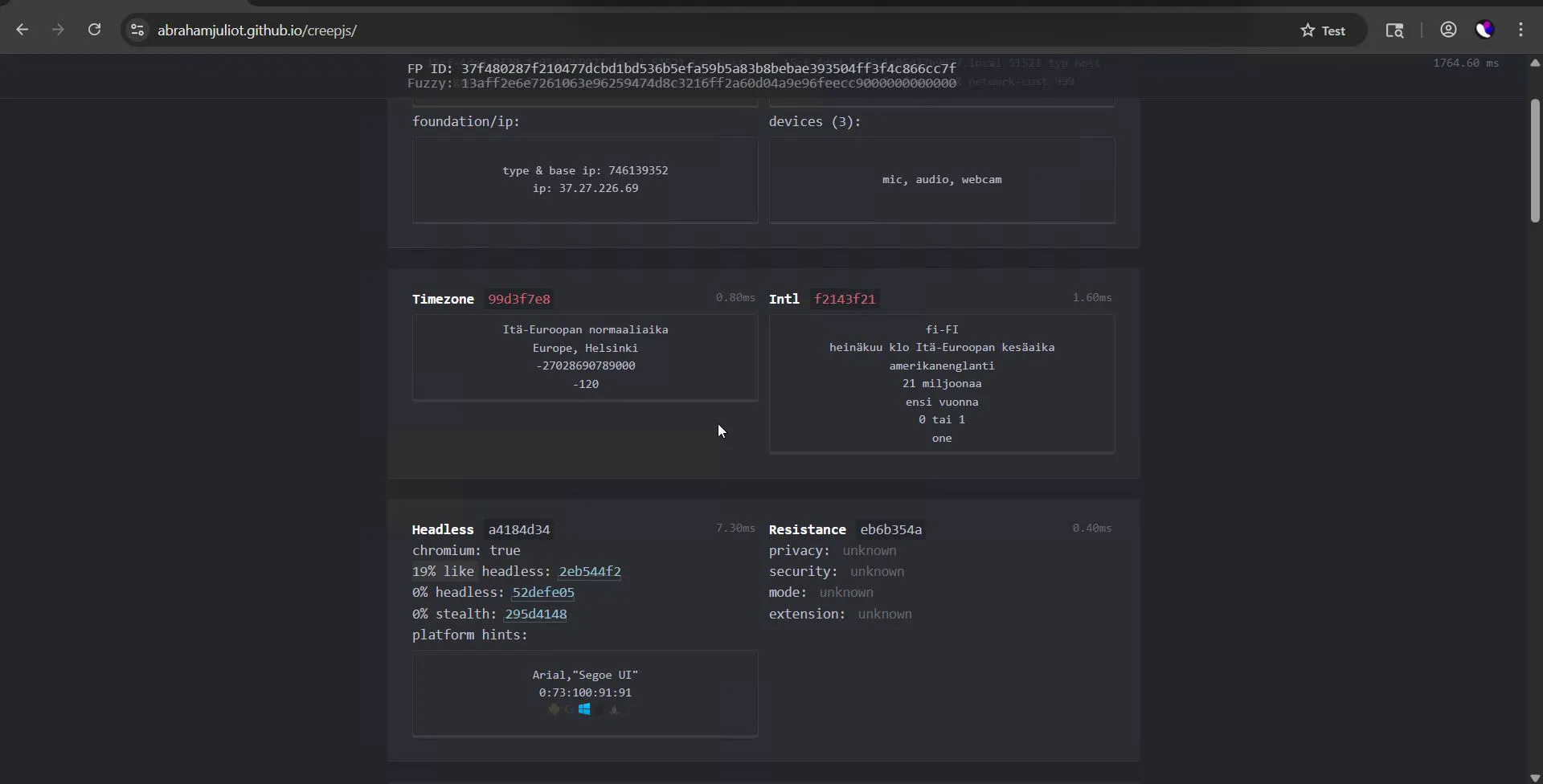
The platform allows deep fingerprint tuning and advertises cloud profiles with Android/iOS. By default, Incogniton’s fingerprint is fairly “clean,” and CreepJS confirms it - the browser doesn’t get exposed there.
But Incogniton couldn’t pass Iphey. It failed two out of five metrics, which is a serious warning sign for masking quality.
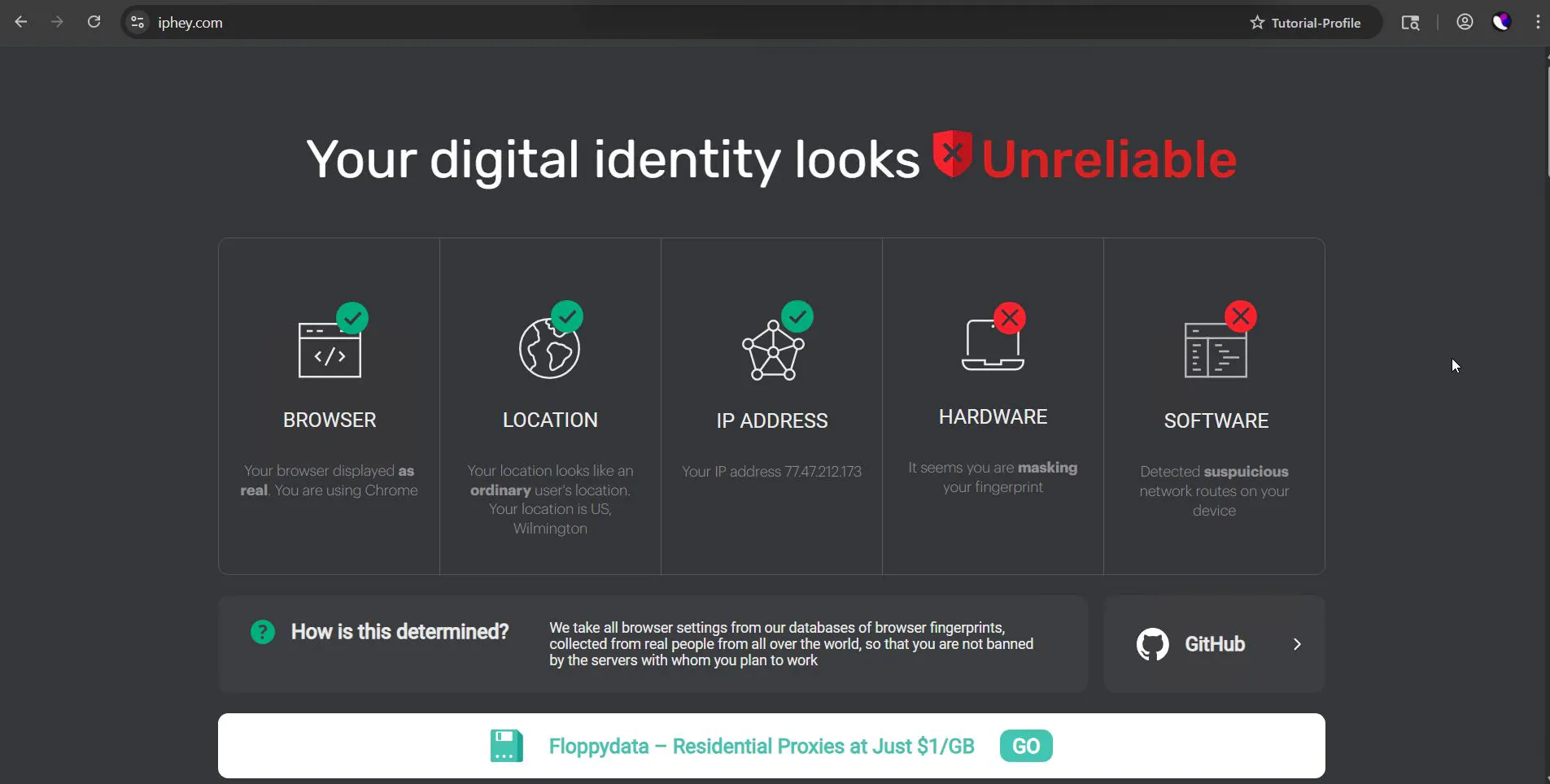
Clearly, against deep checks this anti-detect browser is on the weaker side.
Pricing
On the bright side, there’s a generous free plan (10 profiles), and paid plans start at $14. Still, subjectively, it’s better to choose Dolphin if you’re looking for a free solution.
7. Browser.Vision - An Innovator in Real Fingerprints
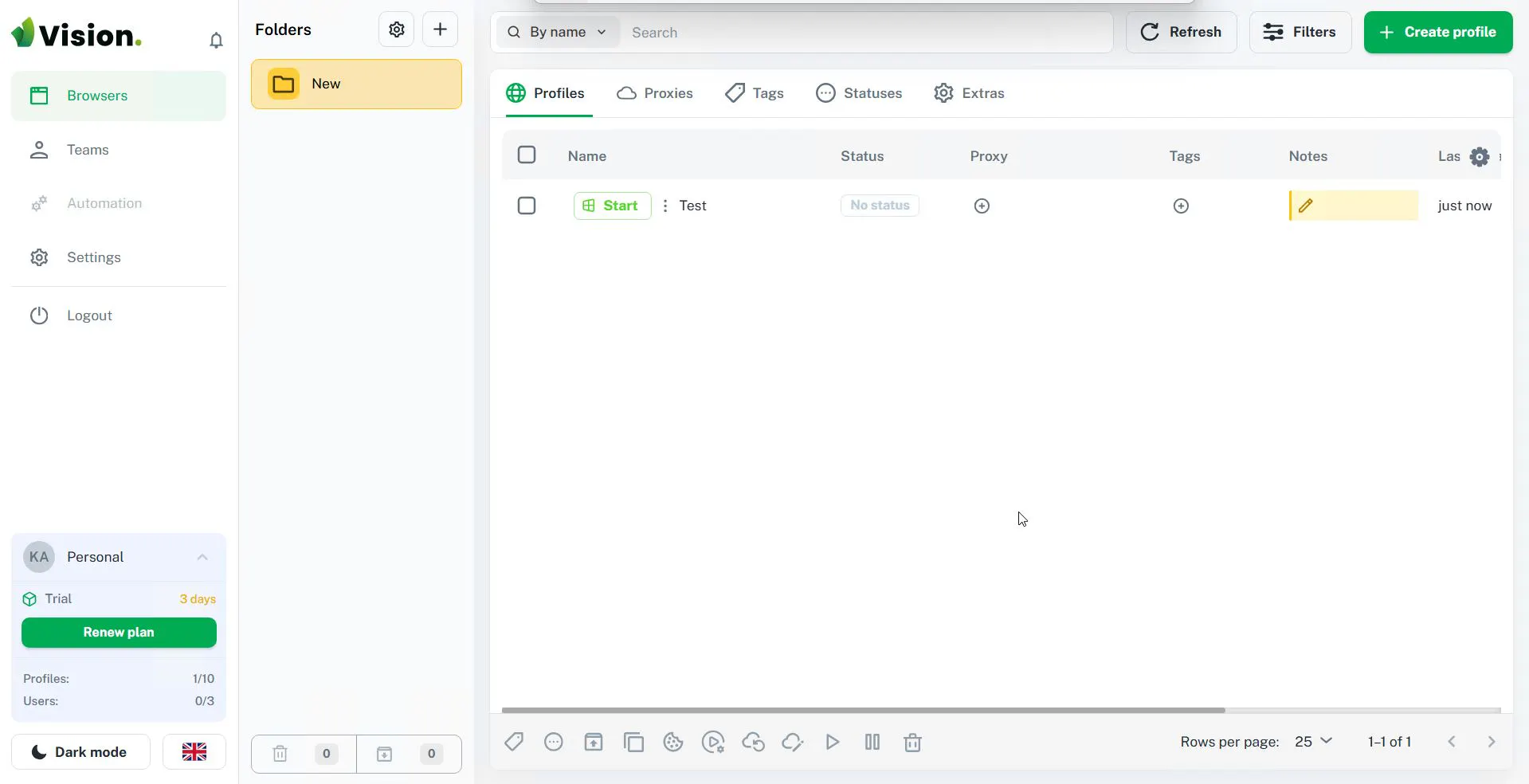
Vision Browser takes an unusual approach: it uses not artificially generated fingerprints, but real fingerprints collected from live devices in its base. This means WebGL and Canvas parameters in profiles are set as they are on real devices.
How to Bring Order?
Browser.Vision tries to bring order to the multi-accounting chaos. The core philosophy is a strict data hierarchy.
Vision has a developed “smart folders” system. Before creating profiles, you need to organize at least one root folder, then create nested ones (for example, “Crypto,” “iGaming,” “Work,” etc.). Folders can be colored and assigned icons for convenience.
You invite a colleague by email: specify the email, display name, and job title, then set the required permissions on the “Permissions” tab.
There’s also a bulk proxy check feature: the anti-detect browser can run a series of validity tests across your proxy pool.
Overall, Vision has a pleasant structure and a clear interface - user-friendly, as they say. A comfortable color palette helps you stay focused on work.
Testing
A very important point is Vision’s fast Chromium core synchronization. The developers release Chromium updates almost simultaneously with Google, which is critical for bypassing bans in Google Ads and similar systems.
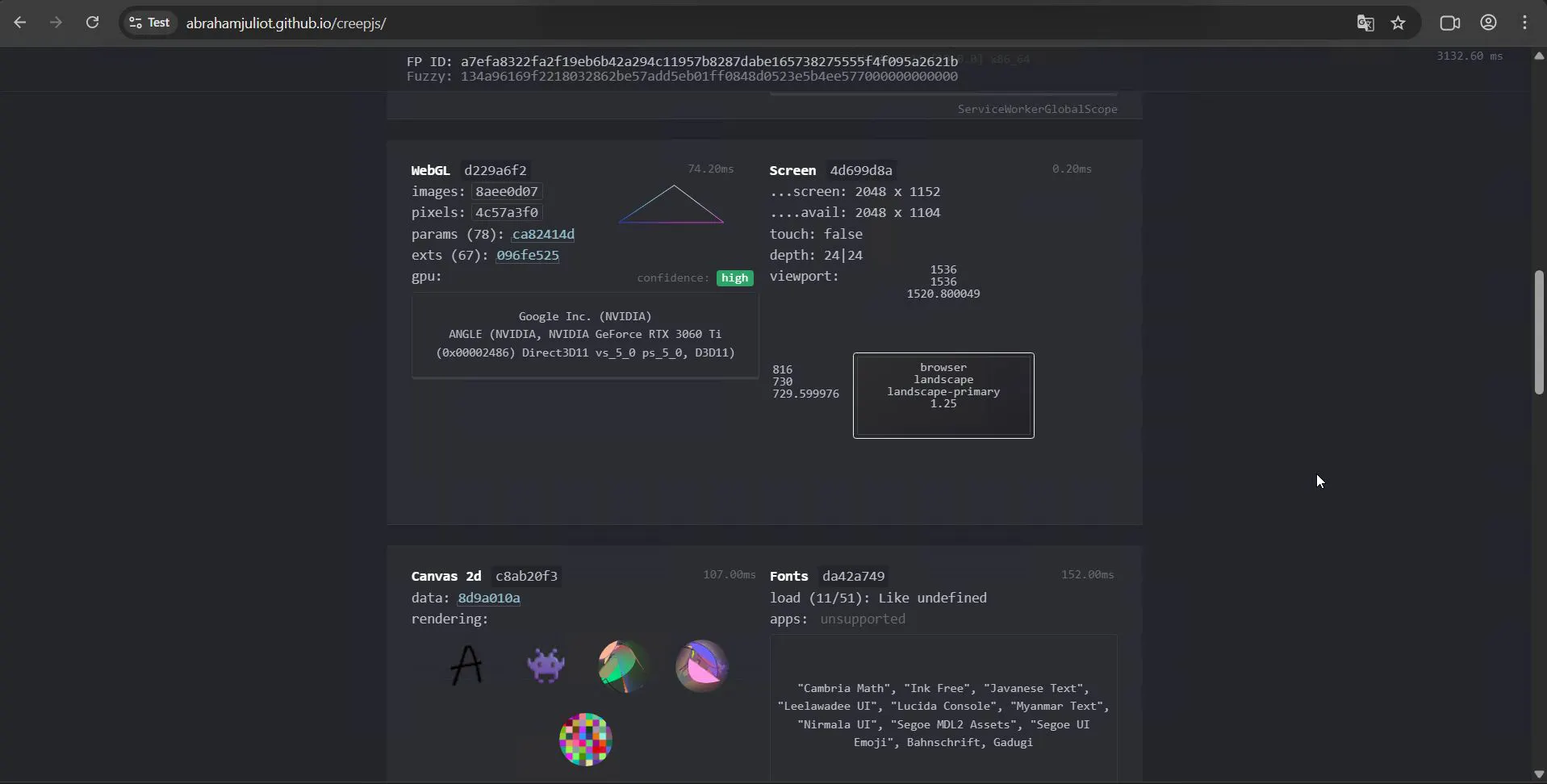
In tests, however, things were mixed. In CreepJS runs, results were excellent: minimal “noise” in WebGL and Canvas (exactly what we discussed earlier - real device fingerprints).
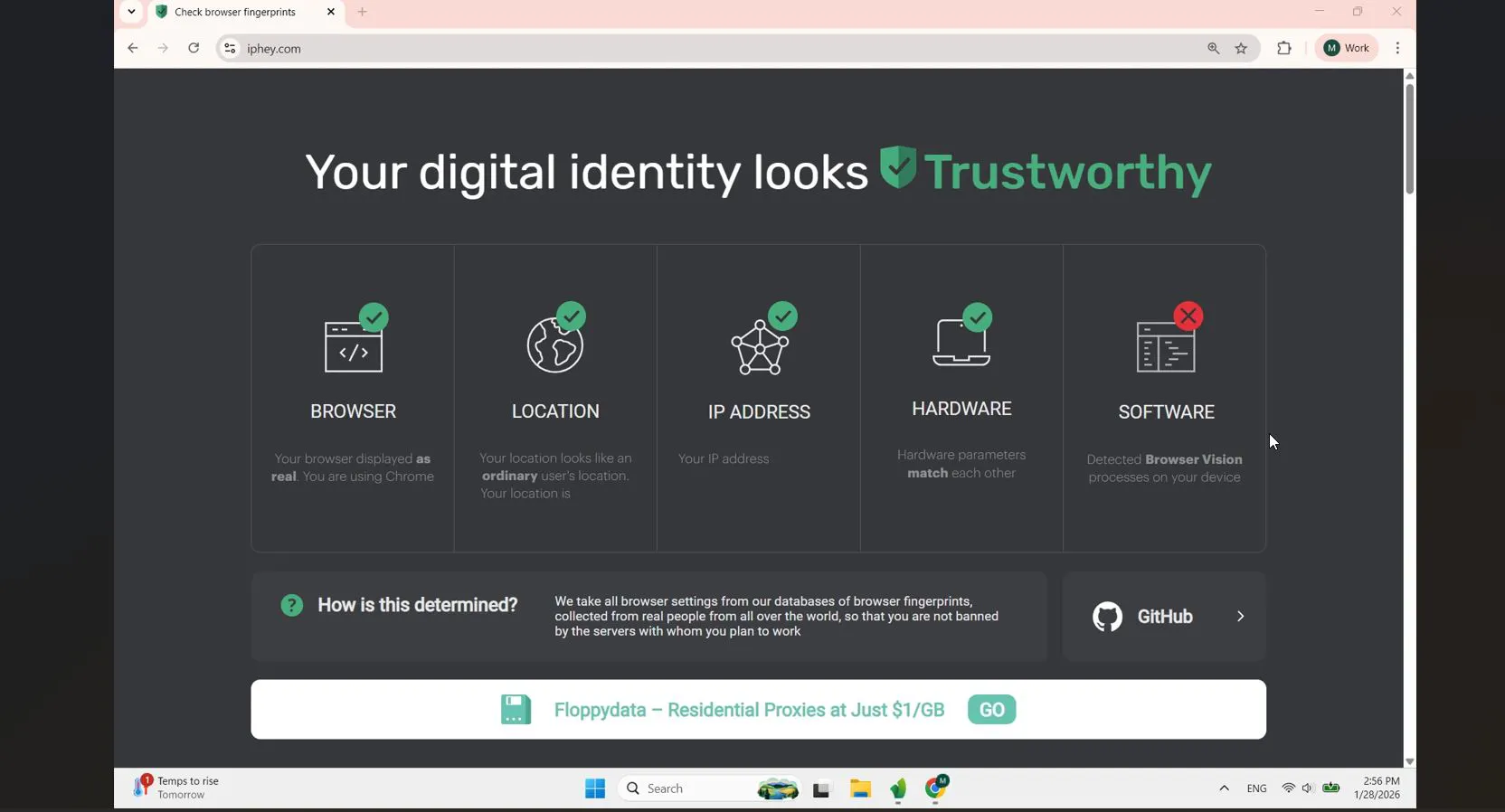
But Iphey failed again. The service determined the browser was launched from Browser Vision, which means deeper analysis will likely bring problems.
Pricing
Paid plans start at $20 (with an annual purchase). There’s a free 4-day trial to test the browser and features. Overall, it sits in the mid-price segment.
Comparative Table
Browser | Key Feature | Starting Price (2026) | Test Result (Trust Score) |
Gologin | Simple UI, Orbita core, reliability | from $4/mo | Very High |
AdsPower | Built-in RPA recorder and synchronizer | from $7.5/mo | High |
Dolphin | Powerful dashboard with tags and proxy manager | from $6/mo | Medium |
Multilogin | Two engines (Mimic/Stealthfox) | from €10/mo | Medium |
Octo | Scalability: hundreds of profiles without lag | from €7/mo | High |
Incogniton | Action synchronizer, “Paste as Human” | from $14/mo | Low |
Vision | Real fingerprints, smart folders | from $20/mo | High |
What to Choose
Let’s summarize what to choose and who each of these anti-detect browsers fits.
For solo users (media buyers, crypto hunters), price and convenience usually matter most. Here, Gologin, Octo, or AdsPower come first: they’re easy to set up and optimal for a small team.
Gologin also fits those who can’t set up a powerful server to run profiles, thanks to cloud profiles.
For teams and agencies, Multilogin, Vision, or Incogniton look more promising. Multilogin is a classic: reliability, the Mimic and Stealthfox browsers, and a fine-grained role system.
Vision is valuable for project separation (smart folders) and fast Chromium updates under changing requirements - although it is still detected by IPHey.
Trends and Forecasts
By 2026, TLS fingerprints can’t be ignored. Simple User-Agent spoofing no longer works. Browsers that don’t modify the network stack at the core level become ineffective against serious protection. If you use Incogniton for scraping, there’s a good chance you’ll face a captcha on every request because your JA4 hash will correspond to an automation library rather than a real user.
The paradigm shifted from “Be unique” to “Be like everyone else.” Anti-fraud systems hunt for anomalies. A perfectly unique Canvas hash that exists nowhere else in the world is a 100% bot signal. In 2026, the browser’s job is to land inside the “normal user” cluster. That’s why the spoofing technologies used in Gologin and Multilogin are tuned to fit the statistical distribution of real devices.
In 2026, a good browser is only 50% of success. The other 50% is high-quality proxies and proper account warm-up. No browser will save you if you use a spammed IP address or behave like a robot.