

Top 7 AmIUnique Alternatives I Actually Tested in 2026 (Free Fingerprint Checkers, Ranked)
Discover why AmIUnique alone isn't enough to validate your session, what key fingerprint checks actually matter, and which 7 tools give you the complete picture with IP reputation, geolocation, bot detection, and blacklist status included.

A while back, I was prepping a profile to manage a batch of accounts, and had no surefire way to tell whether my setup was trustworthy enough not to get blocked. So I did the obvious thing and ran it through AmIUnique.
It told me my fingerprint was unique among more than five million fingerprints in its dataset, but that wasn’t quite the question I was asking.
The thing is, it says nothing about your IP reputation or geolocation, so I couldn't tell how risky my session actually was, or whether my IP might get flagged or blacklisted. So I tested other Amiunique alternatives to see which tools gave me a clearer answer.
TL;DR: Quick comparison of the best AmIUnique alternatives
Tool | Key checks | Main drawback | Signup required? | Best for |
Iphey | Trust score, IP & ISP risk, location, VPN/proxy, bot, WebRTC | No extra tools like speed tests or port scanners | No | Quick session checks with a clean, simple interface |
BrowserLeaks | IP, WebRTC, DNS, TLS, Canvas, WebGL, fonts, headers | Dense interface | No | Deep technical leak testing |
CreepJS | Fingerprint ID, Canvas, WebGL, fonts, speech voices, network details | Can feel too technical for casual users | No | Seeing what makes your browser identifiable |
Pixelscan | Consistency, proxy/VPN, DNS, WebRTC, bot check | Can return false positives | No | Fingerprint consistency checks |
BrowserScan | Authenticity score, bot test, speed test, port scanner, 2FA | Ads, some locked features | Partly | Extra privacy and utility tools |
Whoer | IP, DNS, WebRTC, proxy/blacklist, anonymity score | Limited fingerprint depth, ads on page | No | Quick IP checks |
Device Info | Device info, headers, WebRTC, TLS, media devices, fonts, battery, spoofing signals | Lots of data, but little guidance | No | Raw device and browser diagnostics |
Brief overview of AmIUnique
AmIUnique is one of the older and more respected browser fingerprinting tools. Academic researchers built it to show how trackable a browser is, and you can feel that in the way the results are presented.
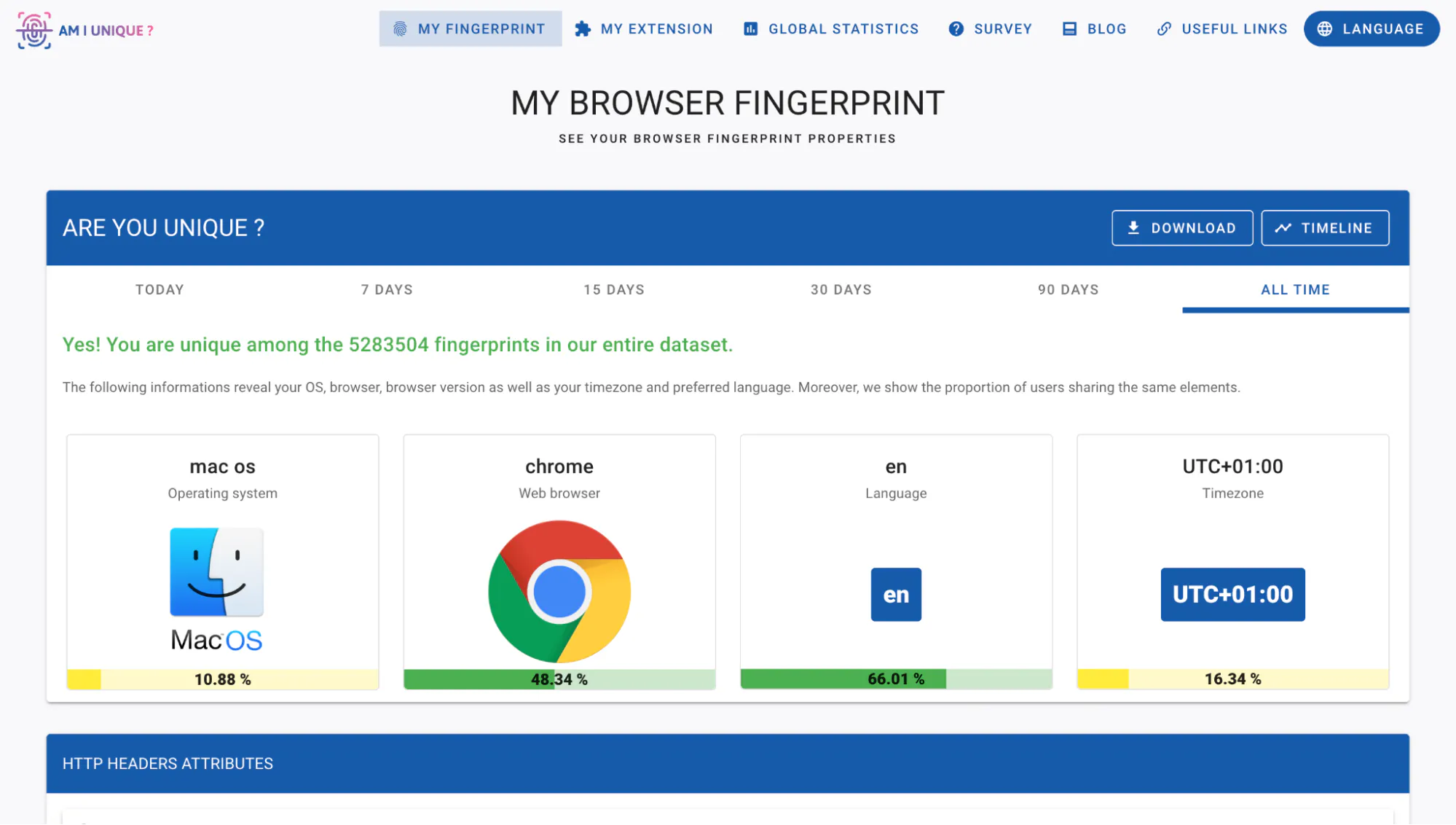
AmIUnique helps you check whether your browser fingerprint is unique. That means it looks at a combination of signals your browser exposes and compares that against the other fingerprints in its dataset. That can include your browser, operating system, fonts, plugins, screen size, timezone, language, and more.
I liked that the results go deep into browser details. When I tested my browser, it told me my user agent was shared by just 0.04% of users, my WebGL renderer by 0.14%, and my canvas by 0.46%, so it's easier to see what parts of your setup stand out.
However, where it falls short is that there was no clear IP reputation check, blacklist check, proxy leak check, or risk score to help me judge whether the session looked suspicious.
Also, you might want to note that AmIUnique compares you against its own collected fingerprints dataset. So the result can be helpful, but it’s not a perfect mirror of normal web traffic.
Pros
- Strong browser fingerprint breakdown
- Shows how rare each attribute is
- Large dataset for comparison
- Browser extension
- Good for research
Cons
- No clear IP reputation check
- No proper geolocation breakdown
- No blacklist or ISP risk score
- The dataset may not reflect everyday web users
Top 7 AmIUnique alternatives
I wanted this comparison to be fair, so I tested every tool under the same conditions (same browser, same device, same IP).
For each test, I was looking for a few things:
- What does my browser reveal?
- Does the result explain what actually matters?
- Is it free to run without an account?
- How easy is the verdict to read?
I also looked at how each tool handles common fingerprinting signals, including IP address, user agent, browser version, operating system, timezone, WebGL, WebRTC, DNS leaks, fonts, headers, and VPN or proxy detection.
For me, the best AmIUnique alternatives were the ones that made the result easy to read and practical enough to act on. Here are 7 AmIUnique competitors I checked out:
1. IPHEY: the best all-round Amiunique alternative
Iphey is my top pick because it gives the most balanced result. You can run the browser fingerprint test straight from the homepage, and you do not need to create an account just to see what your browser is exposing.
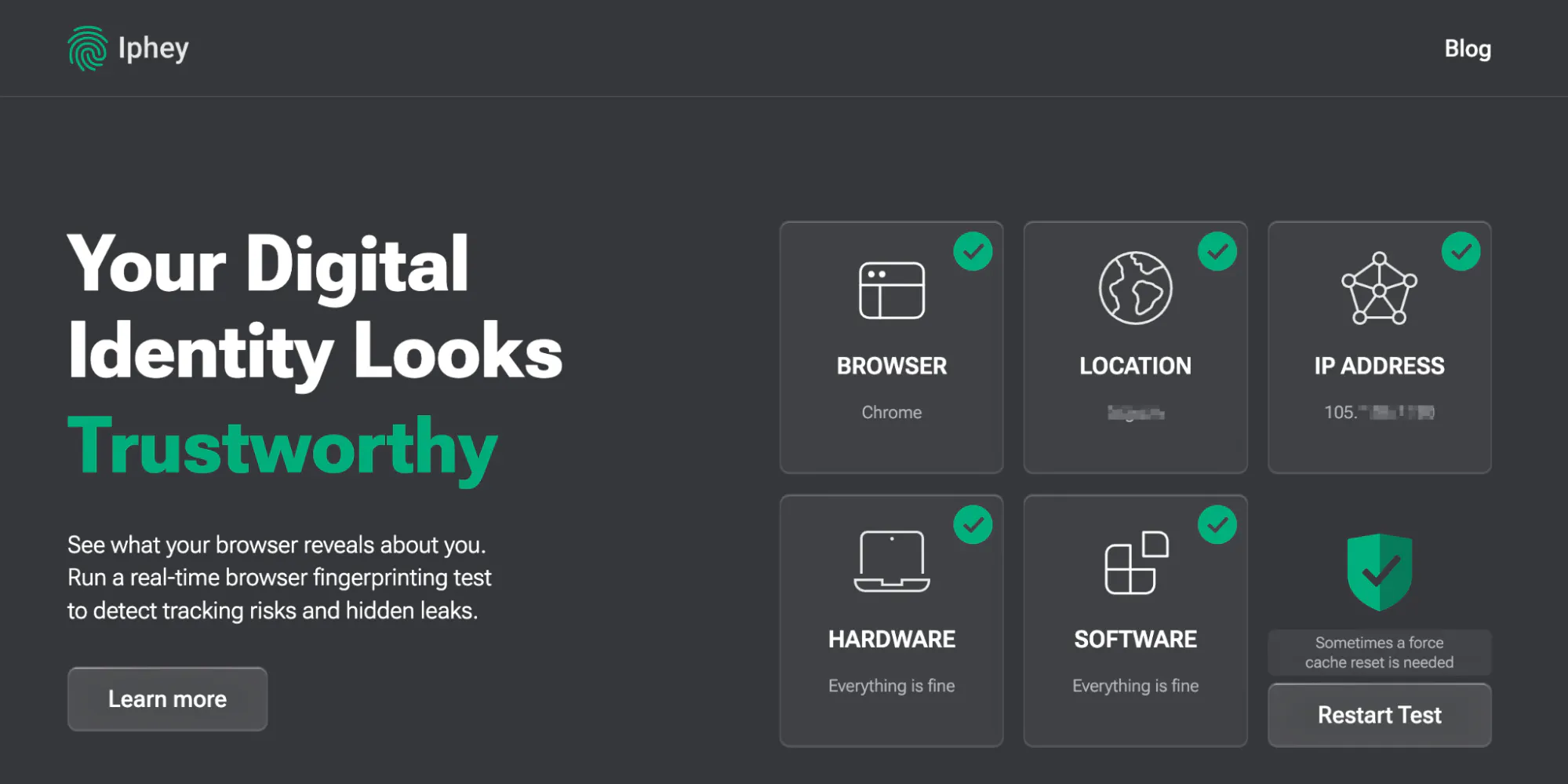
Immediately, you can see the difference in how the information is presented after you run the test. AmIUnique told me my browser was unique, while Iphey gave me a fuller picture of whether the session looked trustworthy enough to use. It showed the usual browser signals, like Chrome, macOS, timezone, language, hardware, canvas, WebGL, fonts, plugins, and WebRTC. But it also went further into the parts AmIUnique left out.
In my test, Iphey showed a proper location breakdown, including country, state, city, timezone, and coordinates. However, AmIUnique only showed my timezone, which was not enough to judge whether the session matched my actual network location.
Iphey also checked the IP side of the session. It estimates IP risk, ISP risk, datacenter status, VPN status, and blacklist status. It also checked automation signals like hasCDP, hasWebdriver, hasUserAgent, and hasNavigator, so I can know if my session looks automated.
That was one of the biggest differences for me, as AmIUnique does not really help with that.
What Iphey gives you that AmIUnique does not:
- IP reputation and risk scoring
- ISP risk score
- Country, state, city, and coordinate breakdown
- VPN, proxy, and datacenter checks
- Blacklist status
- Bot and automation detection
- WebRTC IP leak check
Pros
- Best all-round browser fingerprint checker I tested
- Beginner-friendly interface
- No signup needed for the basic test
- Checks browser, IP, location, software, hardware, network, and bot signals
- Easier to understand
- Useful for checking VPN, proxy, and browser profile consistency
Cons
- It does not show attribute rarity as deeply as AmIUnique
- Advanced users may still want a second tool for deeper technical debugging
2. BrowserLeaks
BrowserLeaks has been around since 2011, and it’s my go-to tool when I want to go deeper or debug my sessions. It breaks the session into separate tests, so you can inspect the session details more in-depth
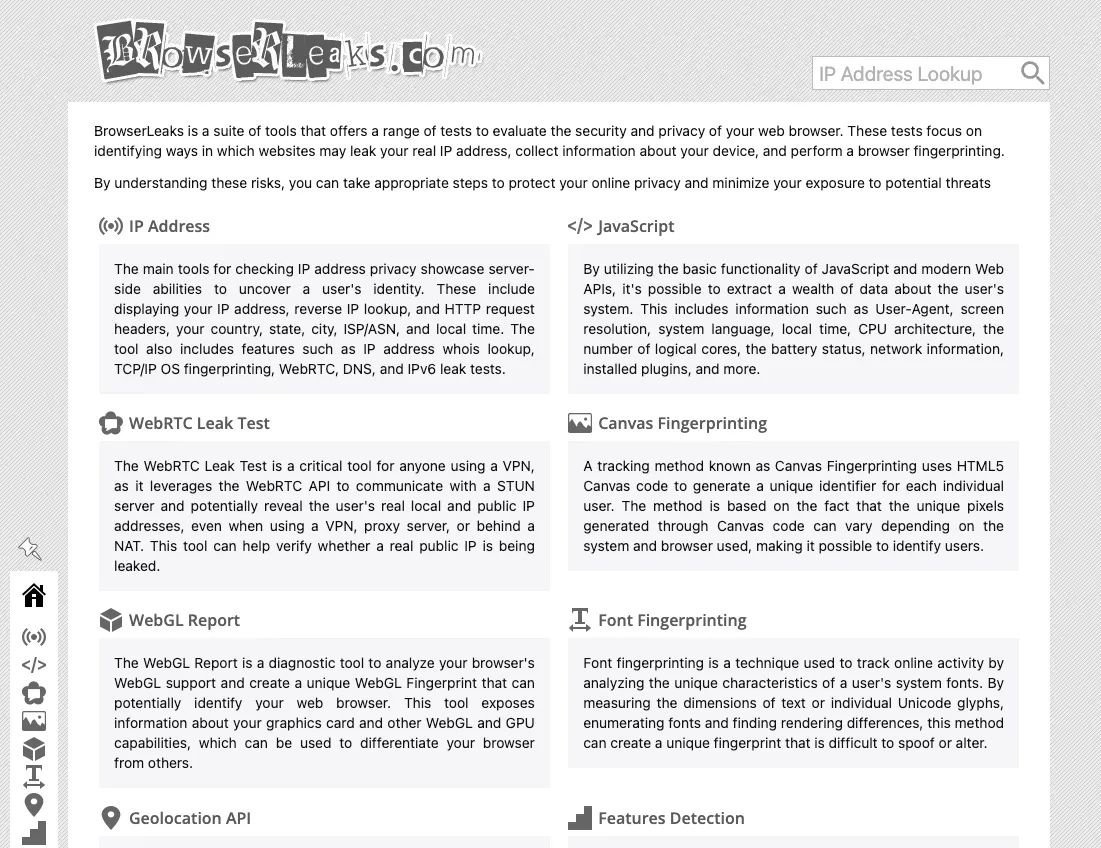
Now, BrowserLeaks may not be the most beginner-friendly tool, but that depth is the whole point. In my session, the IP page gave me a full network breakdown, including country, state, city, ISP, ASN, usage type, local time, and coordinates. This is already more network context than AmIUnique, which only showed my timezone. The WebRTC test was also useful. It showed my public IP and confirmed there was no WebRTC leak in that session. For anyone using a VPN or proxy, this is the kind of check I would not skip. That said, even as a technical user, navigating BrowserLeaks was still quite the hustle. I often had to keep multiple tabs open just to review all the different tests, which can get time-consuming if you are checking multiple sessions or configurations. I see it more as a diagnostic tool instead.
Pros
- Very detailed browser and network testing
- Strong WebRTC, DNS, TLS, Canvas, WebGL, and font checks
- Great IP and geolocation breakdown
- Useful for finding leaks
- Great for developers and technical users
Cons
- Dense and technical (not beginner-friendly)
- No risk scores or ratings
- You need to interpret the results yourself
3. CreepJS
CreepJS was originally built to demonstrate just how inconsistent digital fingerprints can be. To me, it felt more like a deep inspection tool, and it even broke the results into individual categories like Canvas, WebGL, fonts, screen, timezone, etc.
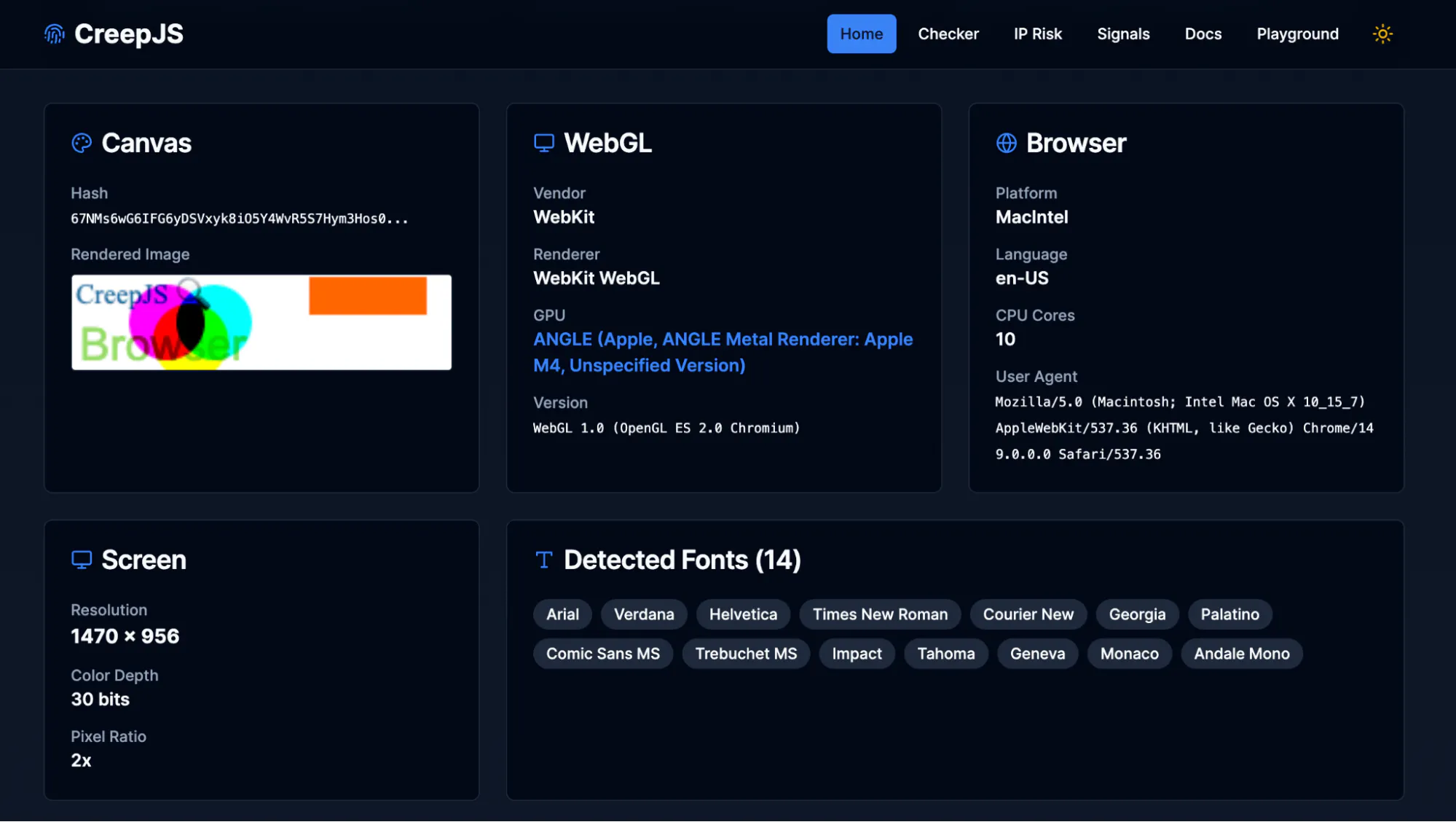
One thing I liked was the way it handled Canvas. It did not just give me a hash. It also showed the rendered canvas image, which made the result feel less abstract. It also showed a network section with my IP, location, region, coordinates, timezone, ISP, and ASN. Compared to AmIUnique, CreepJS gives you a more modern view of the fingerprint itself. It also notably collected all available fingerprinting signals from my browser, including emoji rendering and speech voices, which translates to 100% coverage in the tests. The downside, however, is that it can get technical quickly, and it expects you to interpret the results yourself. But it is very useful when I want to understand what my browser is exposing in detail.
Pros
- Shows a live fingerprint ID
- Breaks down many individual fingerprint signals
- Renders a canvas image
- Great session coverage
Cons
- Can feel technical for casual users
- IP geolocation can differ from other tools
4. Pixelscan
Pixelscan is one of the more beginner-friendly AmIUnique alternatives on this list. It tries to establish whether your setup is consistent first, rather than checking for uniqueness.
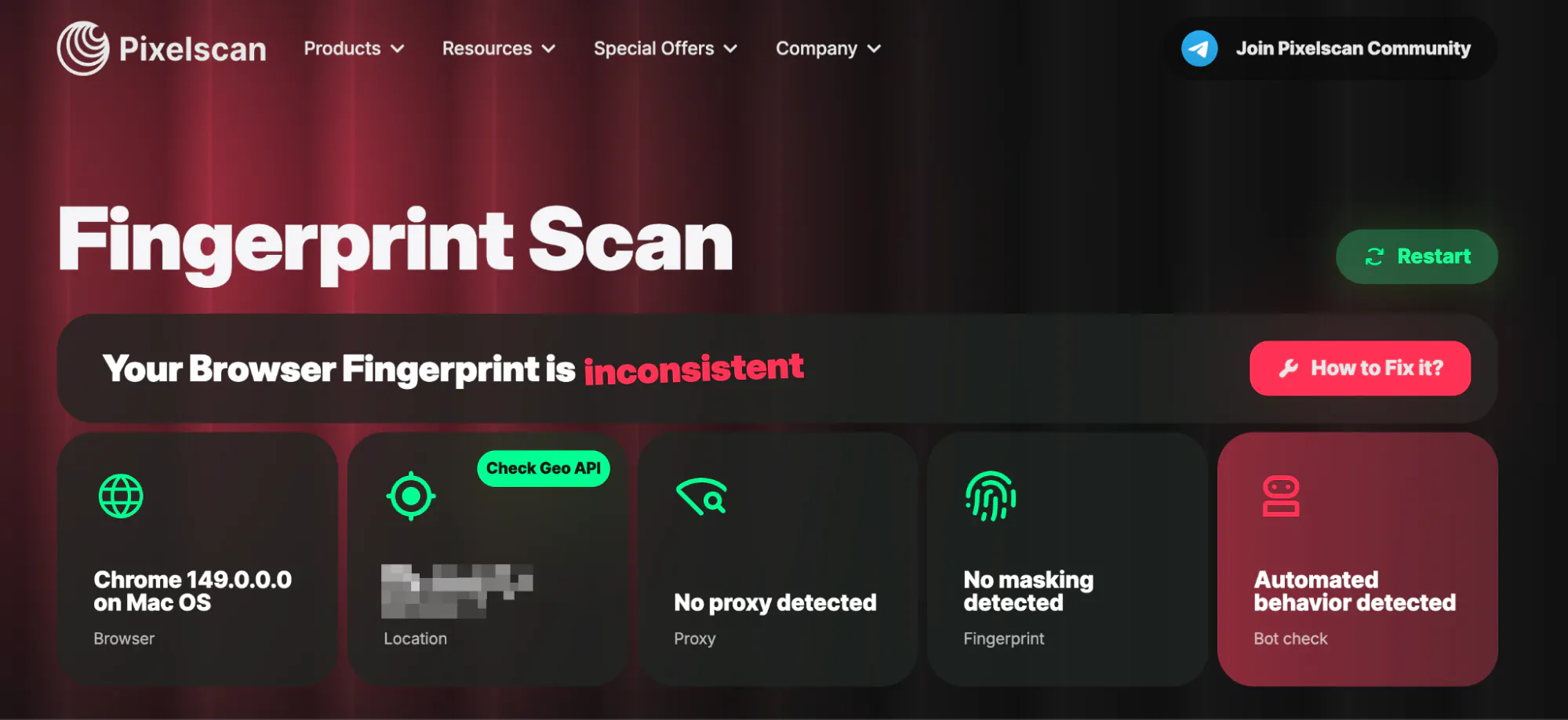
The verdict is refreshingly direct. It rolls everything into five checks: browser, location, proxy, fingerprint masking, and bot behavior, and gives you a single "consistent" or "inconsistent" result, with a "How to fix it?" link right next to it. Under the hood, it still covers the serious details like proxy and VPN detection, DNS and WebRTC leak tests, a bot checker that compares your canvas against a database of real devices, and a location cross-check. Now, there’s something that must be addressed. On my plain, unmodified Chrome session, Pixelscan flagged me as inconsistent and reported automated behavior, even though nothing about my setup was automated. So, you might want to look out for false positives like these, since these warnings are not always accurate.
Pros
- Beginner-friendly interface
- Clear “consistent” or “inconsistent” result
- Includes a “How to fix it?” guide
Cons
- Prone to false positives
- Bot warnings may need manual review
- Doesn’t explain uniqueness very deeply
5. BrowserScan
BrowserScan gave me one of the busiest dashboards in this list, but it’s definitely one of the more feature-rich ones. It checked the usual fingerprinting signals, but also added tools I did not see everywhere else, like an internet speed test, port scanner, 2FA code tool, user agent parser, etc.
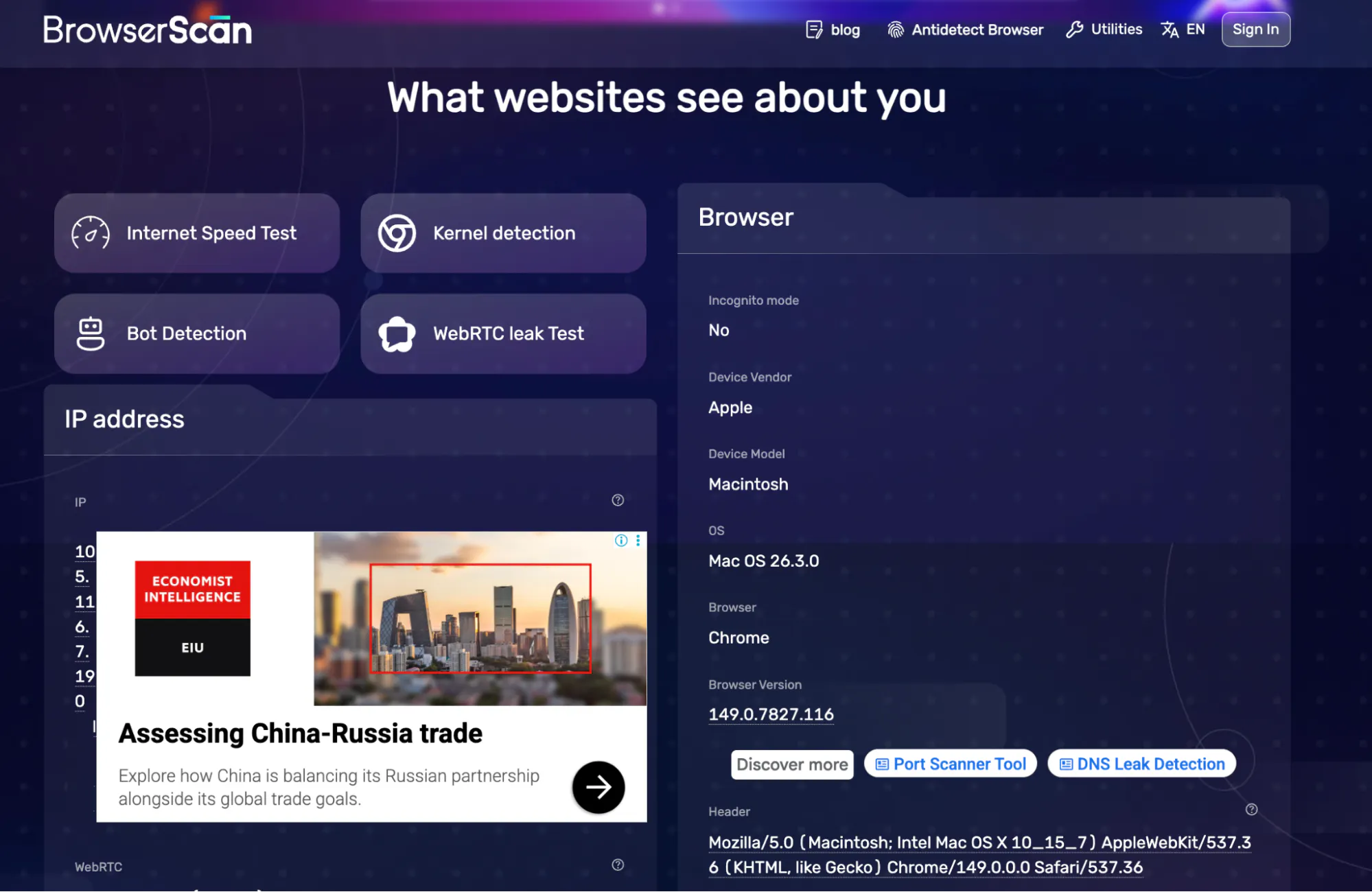
The main result was easy enough to read. It showed my IP, location, browser, platform, IP timezone, language, ISP, proxy status, DNS leak result, bot detection, and browser fingerprint authenticity score. The fingerprint details were also fairly strong. However, my experience was not perfect. BrowserScan displayed a lot of ads in the results. Though this is not a dealbreaker, it’s a little jarring for a privacy tool. Also, a few checks were locked behind sign-in, e.g., anonymous status and blacklist checks were not available in my session without signing in.
Pros
- Very feature-rich
- Shows browser fingerprint authenticity score
- Includes useful extras like speed test, port scanner, and 2FA tool
- Good hardware, browser, software, and location breakdown
Cons
- Ads and sponsored placements baked into the results
- Some checks are locked behind a sign-in
6. Whoer
Whoer is much lighter than most other tools we’ve discussed so far, but it’s one of the quickest ways to see what your IP and browser are exposing.
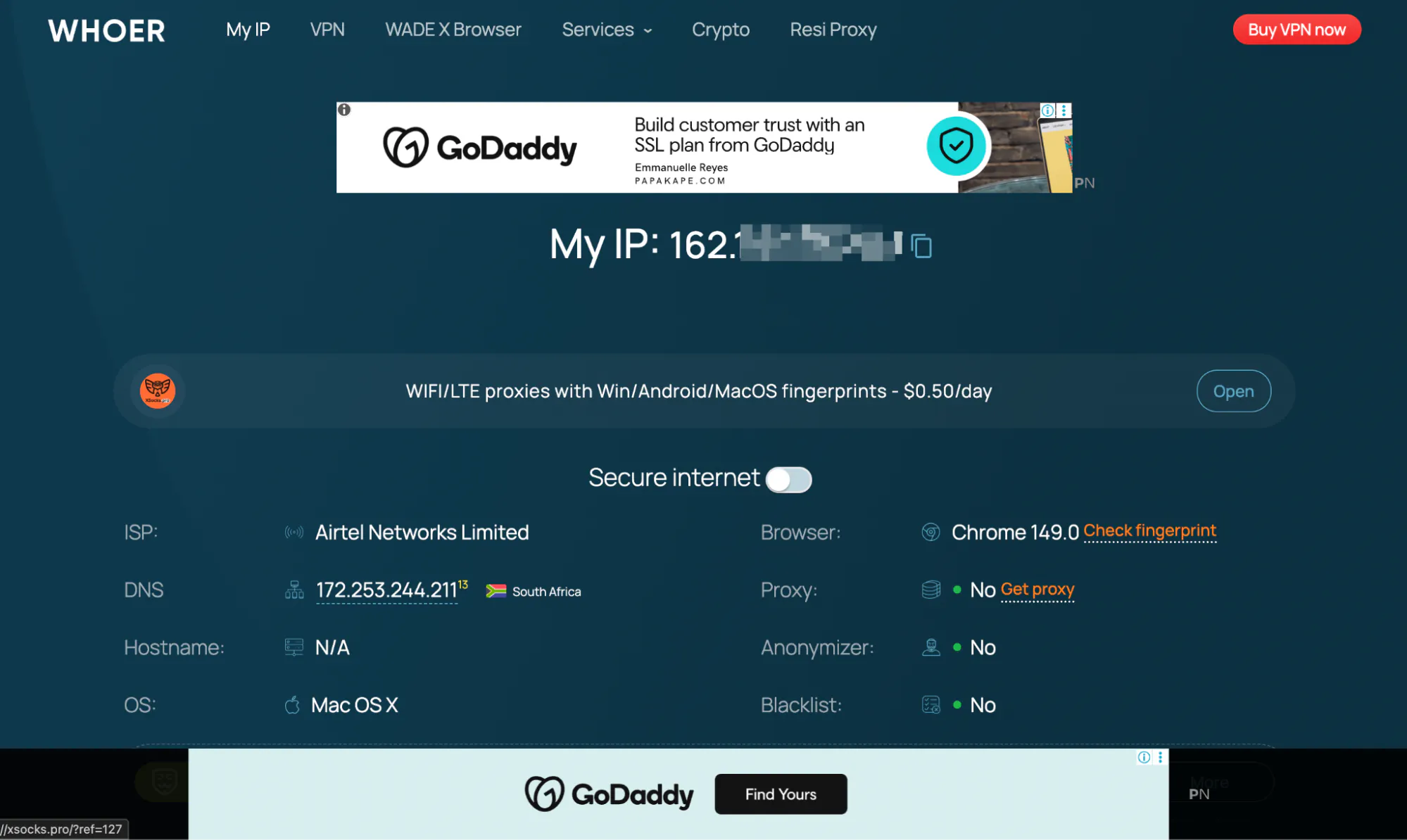
Right away, it shows you the basics like IP address, location, ISP, DNS, OS, browser, proxy status, blacklist status, and an anonymity score. In my test, it rated my setup at 70%, which it calls moderate. You also get WebRTC, cookies, timezone, language, and a few other system details. Compared to AmIUnique, this is more about quick checks than deep analysis. If you just want to know what your IP is revealing, Whoer is the easier place to start. However, my experience was not perfect. There were lots of ads on the page, including proxy and multi-account browser promotions, which made it feel a bit cluttered compared to other tools on this list.
Pros
- Fast IP and location check
- Includes proxy, anonymizer, and blacklist status
- Simple anonymity score that's easy to act on
Cons
- Ads and paid-VPN promotions on the page
- Not as detailed
7. Device Info
Last but not least, we have Device Info. It throws a lot of information at you right away, covering everything from your device and browser setup to network details and performance.
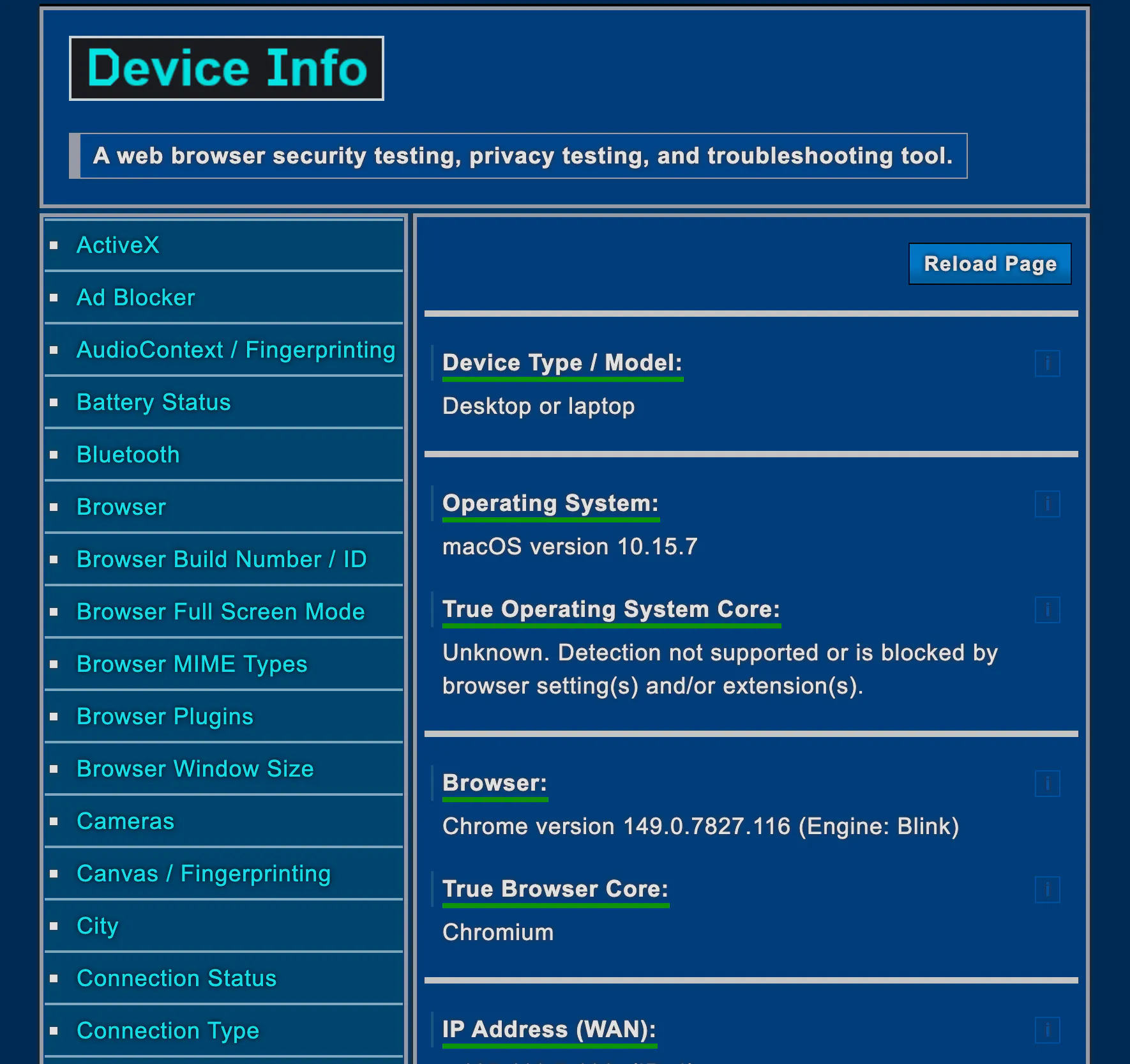
In my test, it picked up the basics like my speakers, microphone, camera, and graphics setup, along with things like battery level, RAM, and CPU. It also gave a clear indication that some fingerprinting signals, like Canvas, were being spoofed, which is helpful if you are trying to confirm whether your setup is actually masking anything. On the network side, it covers the essentials like IP, location, and whether a VPN or proxy is detected. It is not as clean or focused as a dedicated IP checker, but it is good enough if you just want a quick sanity check. The main downside is that it can feel a bit overwhelming. You get a lot of raw data, but not much guidance on what it all means. If you already know what to look for, it is useful. If not, it might take a bit of time to make sense of everything.
Pros
- Very detailed device and browser info
- Covers IP, VPN, proxy, Tor, WebRTC, and TLS
- Flags Canvas and AudioContext fingerprinting
- Shows hardware like speakers, mic, camera, battery, and more
- Good for spotting leaks and troubleshooting
- Includes page performance data
Cons
- No simple overall trust score
- Can feel cluttered
- Not very beginner-friendly
- Some values may be missing or need extra checks
Conclusion
If you want an Amiunique alternative, start with Iphey. AmIUnique is still great if you care about how rare your fingerprint is, but it’s more of a research-style tool. For everyday checks, I prefer something that shows whether everything lines up and looks normal. That’s where Iphey stands out, it gives a clear, beginner-friendly interface so you can know what’s happening at a glance. For deeper testing, tools like BrowserLeaks, CreepJS, Pixelscan, BrowserScan, Whoer, and Device Info are still worth using, but if I had to pick one to run first, it would be Iphey.