

IP and Email Blacklist Check: How to Check If Your IP Address is Blacklisted?
IP blacklisting damages email deliverability. Learn the common causes and how to check if your IP is listed in spam or security databases.
Blacklisting is one of the most common and most damaging things that can happen to your sender reputation, your deliverability, and your overall online presence. However, blacklisting is not the only thing that leads to IP blocking. In this article, we’ll go over common reasons for IP blacklisting and find out how to run thorough digital ID test on top of an email blacklist check to gain full IP reputation intelligence.
What Is an IP Blacklist and Email Blacklist?
An IP blacklist is a real-time database that flags IP addresses associated with spam, malware distribution, botnets, or other malicious activity. An email blacklist is similar but can also target specific sending domains and URLs found within email content.
Some of the most influential blacklists that can affect your deliverability and IP reputation include:
- Spamhaus
- SpamCop
- SORBS
- Barracuda
- URIBL
- Proofpoint
- SURBL
- Invaluement
- Domain Name System Blacklist (DNSBL)
- MXToolbox
- Passive Spam Block List (PSBL)
- Mail Abuse Prevention Systems
Each website you’re visiting, as well as email servers, ISPs, and spam filters constantly check these blacklisting databases, blocking the connection if your IP is listed in any of them.
“Your IP Has Been Temporarily Blocked” – Common Reasons
While each individual database has its own list of criteria for deeming certain accounts as suspicious, there are several universal factors that affect your IP reputation and significantly drop your email deliverability. So if this message seems to have appeared completely out of the blue – here are some common reasons for resources to blacklist IP addresses:
- Failed login attempts
Too many failed logins from the same IP might raise suspicion of a brute-force attack and trigger a security system like Fail2Ban to suspend your activity.
- Rate limiting
Sending an unusually high number of requests to a site in a short window triggers rate limits as this behaviour is consistent with automated tools, botnets, and scraping. Without much consideration, the website might flag you to protect itself.
- Shared IP with a bad actor
Using a shared network can be a reason for an imposed ban, when one user’s malicious activity triggers the block – the whole network suffers the consequences. Although you personally did nothing wrong your IP might be affected, that is why it’s extremely important to exercise caution when using public Wi-Fi, shared networks in a workplace/university setting, or shared IPs from VPN and proxy providers. The same notion applies for previously flagged addresses – if the IP you’re currently using has been engaging in harmful activity, it may have gotten on a blacklist before you connected to it.
- Unusual browsing patterns
Triggering too many CAPTCHAs, accessing restricted pages, or behaving differently from a “normal” user session can flag you as suspicious to a Web Application Firewall (WAF).
- Spam activity
Spam filters and blacklist operators are watching sending patterns closely. If your online activity is tied to high volume or bulk mailing to unrelated accounts, there is a great likelihood of your IP getting blacklisted. Common spam triggers are sudden increase in sending volumes, exceeding sending limits, links to suspicious content in emails, high complaint rates from email recipients.
- Poor list hygiene
A big concern for users dealing with unverified (often scraped or purchased) email databases. When your IP regularly messages inactive accounts, it may trigger filters to flag you for spam-like activity. Besides old, invalid email addresses, your IP reputation drops significantly if most recipients do not open your messages, or your emails are frequently bounced from intended addresses. Another common reason for being blacklisted is hitting a spam trap – email addresses (either old recycled or freshly set up by anti-spam organizations) used specifically to catch senders with bad list practices.
- Compromised infrastructure
Your server or email account could be sending spam without your knowledge if it's been hacked or infected with malware. Malicious malware installed on your device without your knowledge may be used to send harmful Denial of Service (DoS) attacks or scan websites for open ports. In that case, your IP gets blacklisted even if you did nothing wrong.
- Broken authentication records
If your DNS isn't configured with valid SPF, DKIM, and DMARC records, spam filters treat your emails as unverifiable, which are by default more likely to be banned.
- Untrustworthy connection
Besides checking the blacklists, online platforms constantly examine your connection for signs of automated activity and malicious behaviour themselves. Mismatches in your browser fingerprint data, geo-location and timezone, or signs of VPN/proxy signals greatly affect your IP reputation and trust score, as they are common signifiers you’re not a “normal” user.
How to Check If My IP is Blacklisted?
If you’re suspecting that your IP might have been blocked, it’s worth running an IP blacklist check. Thankfully, today’s market offers a variety of tools that can help, services like Iphey.com allow you to perform extensive yet fast examination of your digital ID and fingerprint completely free of charge.
To check email blacklist status, Iphey cross-references your IP address against spam, threat, or security databases and intelligence feeds to instantly surface any reputation issues. Using the service is as easy as can be.
First, go to Iphey.com, the platform detects and analyzes your digital ID in real-time with no manual entry required, just wait a couple seconds for the results. After the test has been concluded, you’ll get something like this:
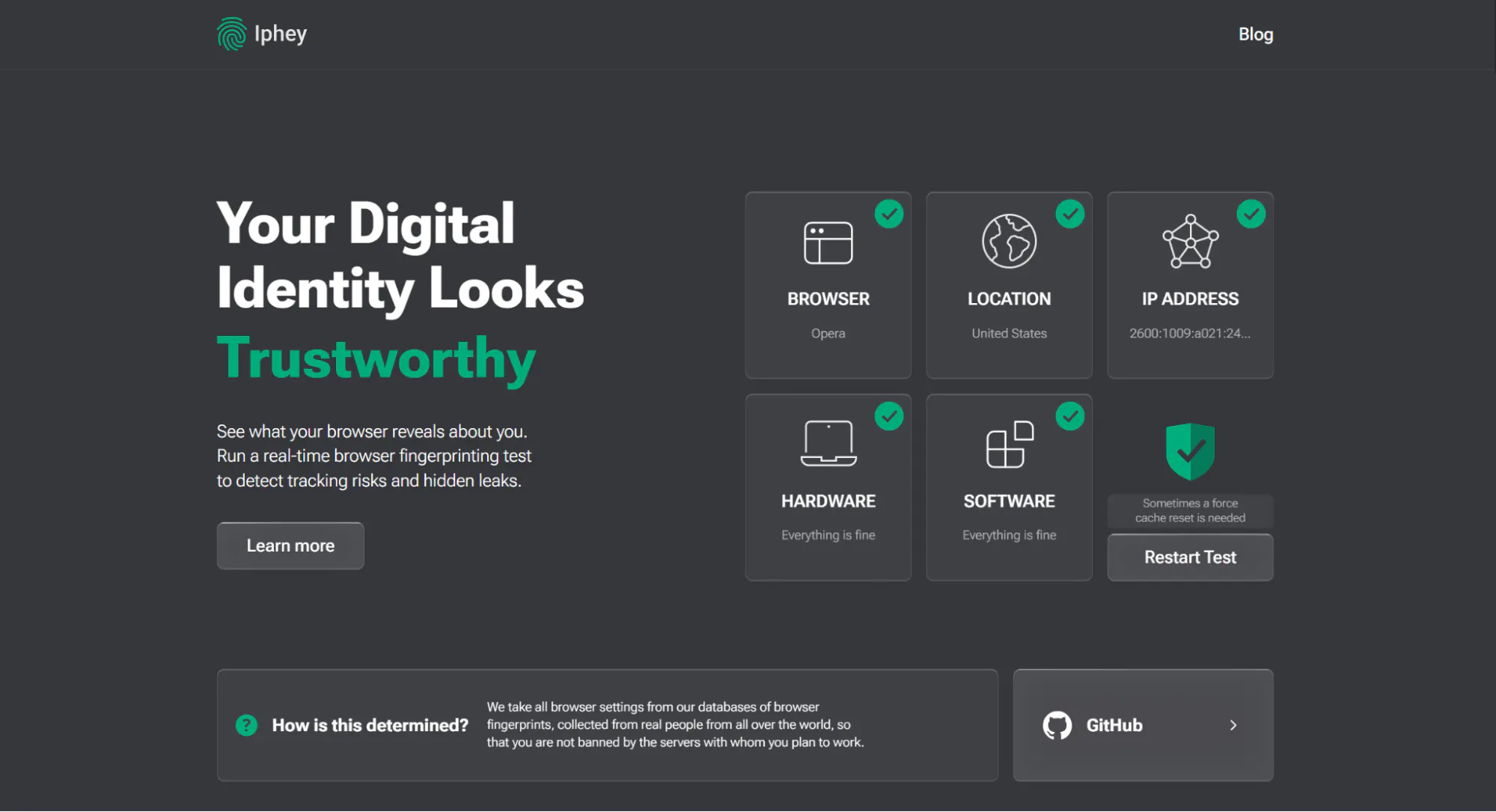
From the first glance, you can see if any detail looks off to the detector. For example, if you’re using an unreliable proxy or trying to hide your location, the results may look like this:
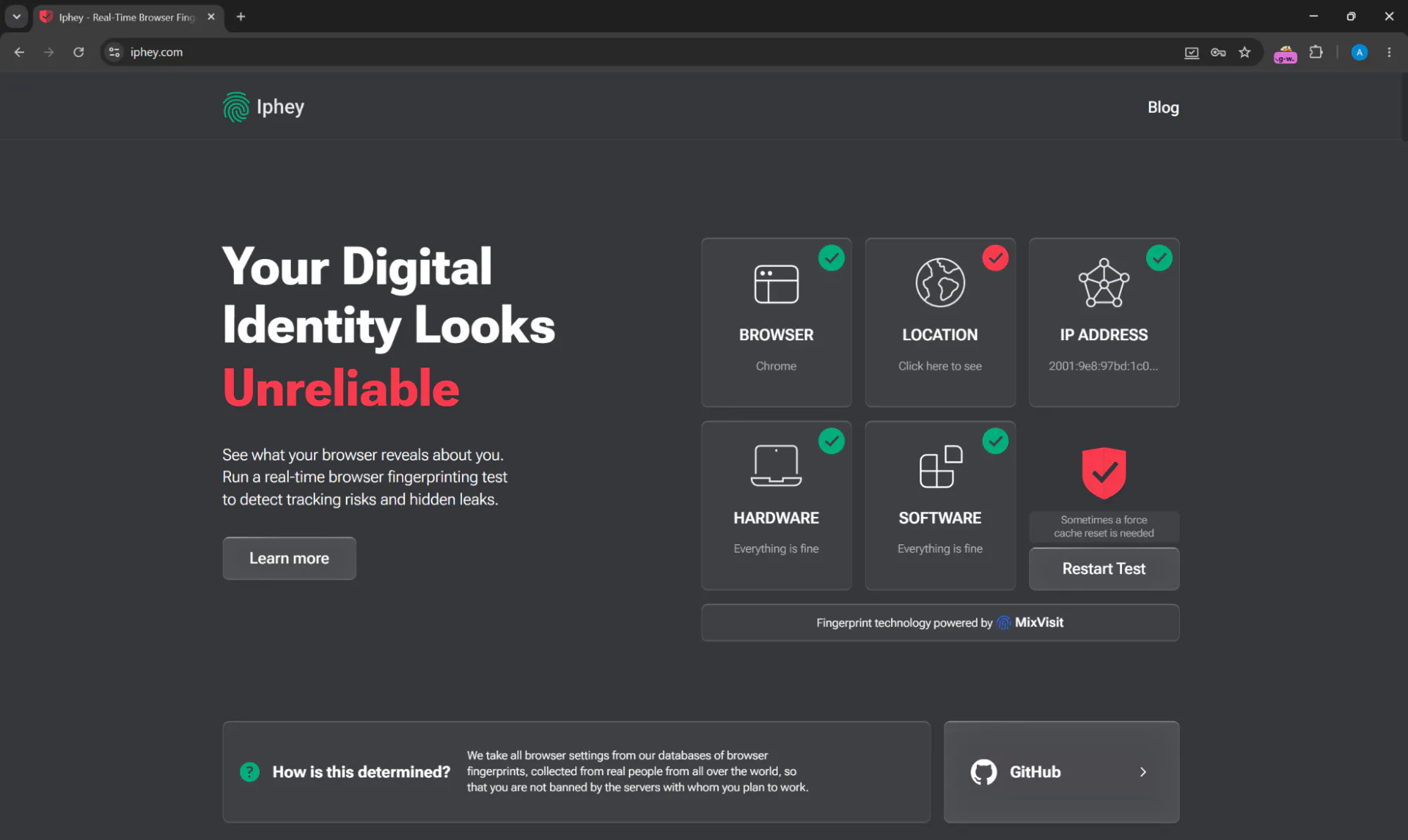
This can already signify a blacklisted IP, but let’s dig further. Click on “Learn more” to find the entire list of test results and scroll down to the “Location” tab. There, you’ll find a detailed analysis of your geolocation with the country, state, and city of your connection, timezone, as well as the numerical IP itself.
The bottom of this list is where our interest lies – Iphey checks the overall reputation of your IP and provides a simple risk score. Additionally, it showcases the detection status for VPN, datacenter and ISP ranges, which can greatly affect the trust score of your connection. If you change your IP addresses regularly via circumvention tools, I’d strongly advise you to run an Iphey test for every new IP to mitigate possible risks and bans.
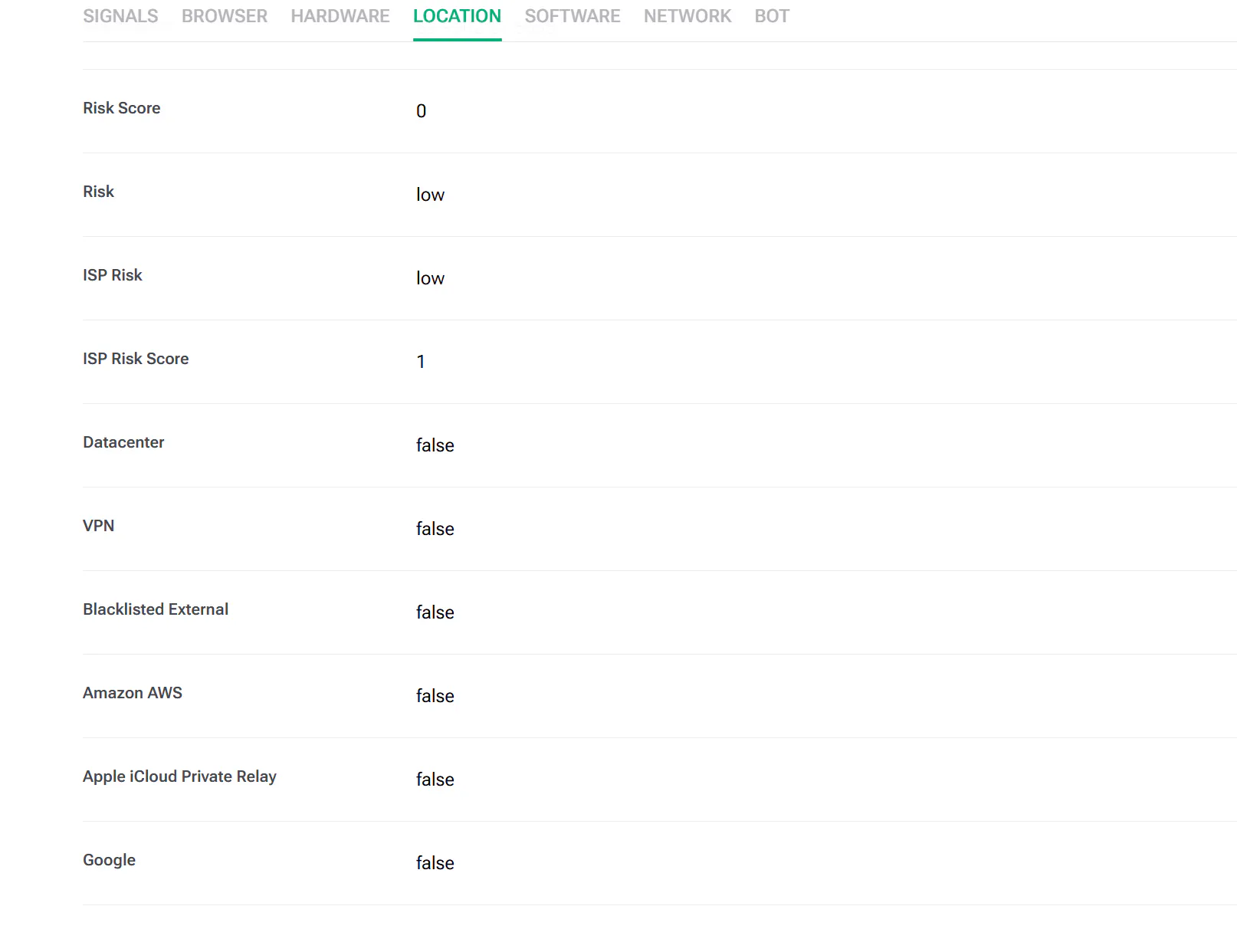
Regarding our topic, the most important line here that directly correlates with email deliverability is “Blacklisted External” which reveals if your IP is listed in any blacklists or threat intelligence feeds. On top of that, the test will show if your IP is registered to Amazon or Google infrastructures which are often associated with automated traffic, bots, and bulk sendings.
Conclusion
The issue of IP blocking is a complex one. While blacklists might be at fault, the broader context matters way more. That is why it’s important to frequently run thorough tests of your connection to save yourself from trouble and, if the problem has already occurred, to identify the exact cause of it. Reputable digital ID inspectors like Iphey.com are able to go beyond the spam blacklist check, providing intelligence that's directly relevant to your IP's reputation: your ISP and network details, geolocation data, VPN/proxy detection status, and WebRTC leak information.