

Canvas Fingerprinting: What it is and How it Works?
Canvas fingerprinting tracks your device by hashing how it renders a hidden image. Learn how it works, why it differs between devices, and how antidetect browsers can spoof it reliably.
What Is Canvas Fingerprinting?
Canvas fingerprinting is a digital identity tracking technique that uses HTML5 canvas elements to draw hidden images, read its pixels and convert output to a hash value.
This hash value serves as a unique identifier to check user identity, track cross-site user activity, or store it as a part of complete browser fingerprint.
HTML5 canvas is a legitimate feature for drawing or rendering charts, images, animations and other supported content. In the case of canvas fingerprinting, the website draws on a canvas itself (sometimes hidden, sometimes not) and uses the pixel values, GPU, device and browser version, and driver information, to compute a unique hash which is called canvas fingerprint.
Even a tiny difference in resolution, pixel placement, driver versions, etc. can affect the final hash value which is mostly unique.
How Does Canvas Fingerprinting Work?
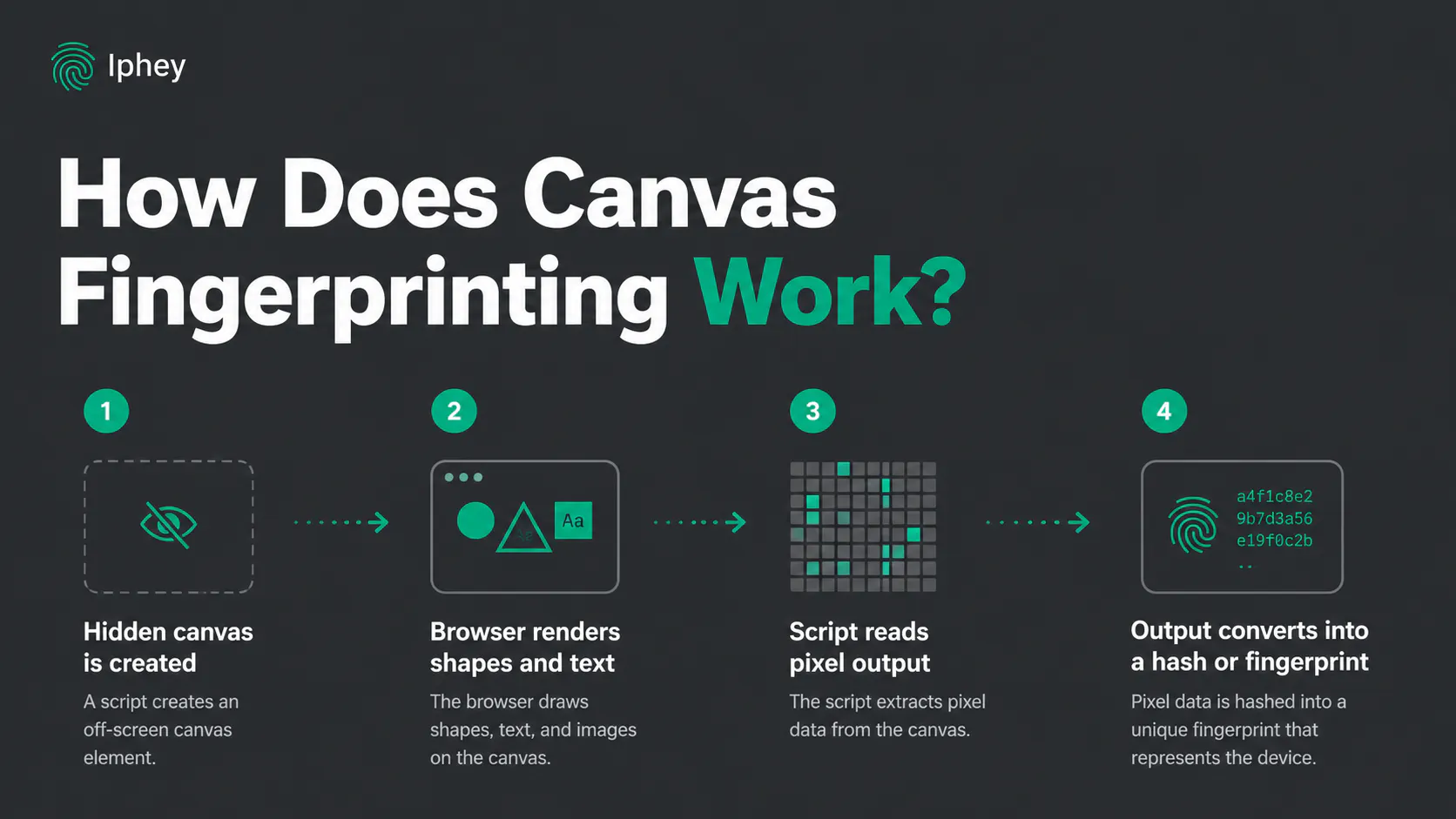
Here is a step-by-step process of how Canvas fingerprinting works to generate a hash value.
- The website creates a hidden canvas
A script runs when a webpage loads which requests rendering context. The element can remain off-screen.
- The browser receives fixed drawing instructions
Every visitor renders the same context which includes text, fonts, overlapping text, rectangles and other shapes, and multilingual characters.
- The script reads the output
The script reads what the visitor's browser creates. Two methods toDataURL() and getImageData() are used to export canvas as an encoded image which is processed by the browser.
- The output is converted into a hash
The output image is hard to compare so a hashing algorithm converts it into a fixed length hash which can vary significantly even with a small change in resolution, aspect ratio, software versions, etc.
This hash is what we call a canvas fingerprint which is used to identify devices when combined with other signals like webGL, agent, timezone, etc.
Why Does a Canvas Fingerprint Differ Between Devices?
The same canvas context can produce a completely unique hash on two devices because canvas output depends on several software and hardware factors. Your GPU, browser version, OS, and other drivers help create canvas fingerprints.
- Font and text rendering: One device may use the font defined in context while an older device might use a fallback font. Devices might even have different font versions or browsers. Anti-aliasing can also alter pixels around the text.
- Browser, OS, and GPU: Not all users are using the same version of Windows or macOS, or Android. Some are even using different browsers. Moreover, GPU and driver specs can also affect the way canvas is drawn and rendered. A slight difference in any of these can change the hash value.
Even on the same device, canvas hash can change over time with OS or browser updates that update to the latest versions of fonts and canvas rendering. That is how canvas fingerprints can change so much between two similar looking devices.
Canvas Fingerprinting vs Cookies
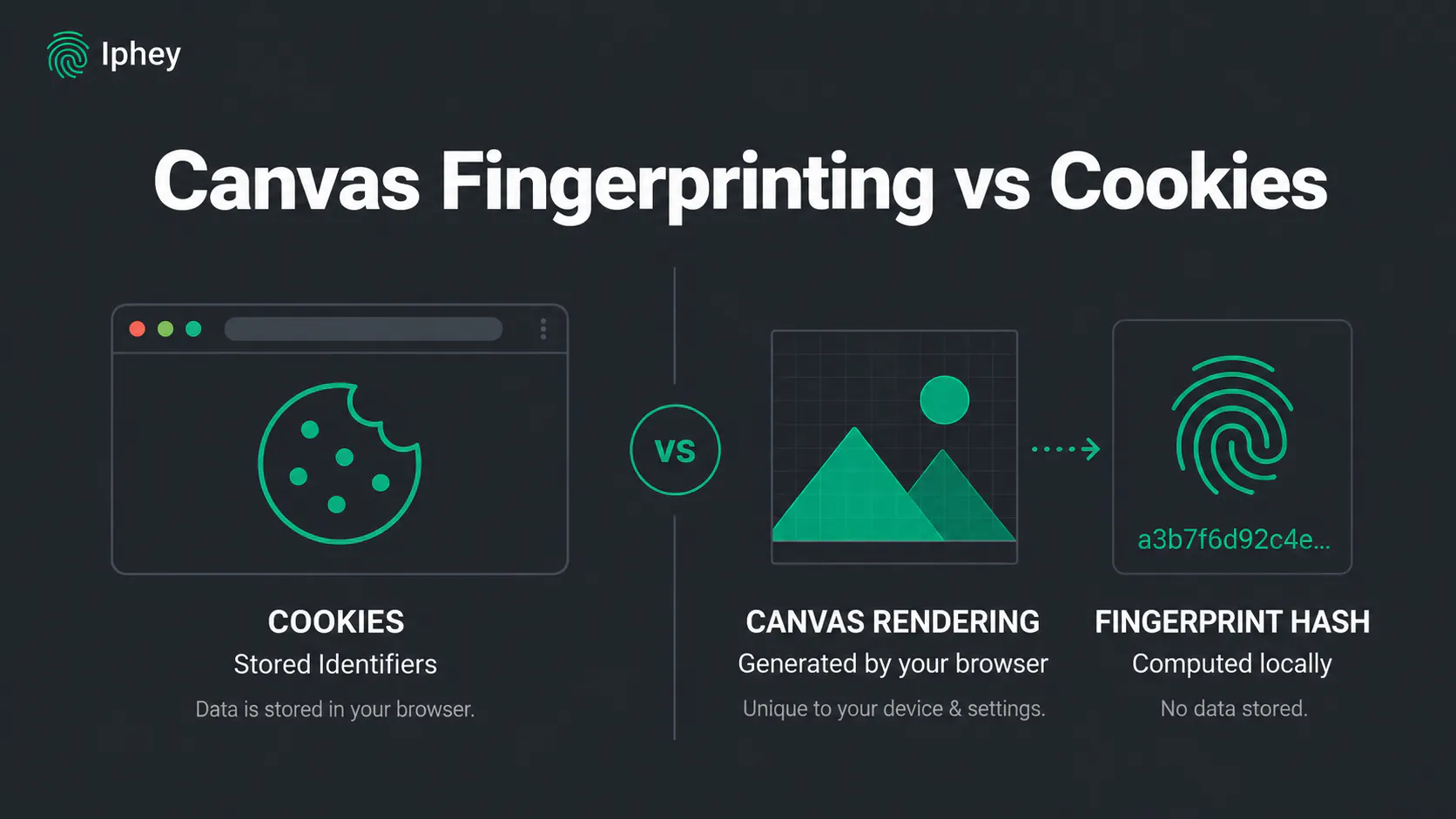
Cookies and canvas fingerprints can both be used to recognize returning users. Both methods track a user’s activity, like usage limit on free tools, and other identifiers.
Cookies store specific values inside a browser (local storage) and are used for logins, shopping cart save, preferences, and analytics. Users can remove their cookies and get rid of the identifiers so that they can pretend to be a new user again.
Canvas fingerprinting does not store anything on the device. Instead, the hash is stored on server side so that it can be compared again to check if it's the same device requesting again. This is a more advanced approach and it is usually mixed with cookies and other browser fingerprints for complete end-to-end device tracking.
How to Generate a Canvas Fingerprint
To create a canvas fingerprint, we must ask the browser to draw a small image in the background. This image may be text, shapes, transparency, gradients etc. Once the browser finishes drawing, the website reads the resulting pixels and converts that data into a hash or canvas signature.
Here is an example code snippet that triggers canvas rendering:
<canvas id="fingerprintCanvas" width="300" height="60"></canvas>

<script>

  const canvas = document.getElementById("fingerprintCanvas");

  const ctx = canvas.getContext("2d");

  // Draw fixed text and shapes

  ctx.font = "16px Arial";

  ctx.fillStyle = "#f60";

  ctx.fillRect(10, 10, 100, 30);

  ctx.fillStyle = "#069";

  ctx.fillText("Canvas fingerprint", 20, 30);

  // Read the rendered output

  const canvasData = canvas.toDataURL();

  console.log(canvasData);

</script>
The important line is const canvasData = canvas.toDataURL(); which converts data to image format which then gets computed into a hash. The full image does not always need to be stored. A website can hash the output and compare the resulting value with fingerprints collected during previous visits.
Can You Spoof a Canvas Fingerprint Manually?
Spoofing a canvas fingerprint means replacing the real value with a fake one to avoid getting your real fingerprint registered with the web platform. Although it is possible in theory to manually spoof a canvas fingerprint, it isn’t reliable against advanced platforms like Meta, Google etc.
Changing a single canvas value like a driver version or GPU type isn’t enough. Most platforms track canvas fingerprints as an identifier for a broader browser fingerprint. If your canvas fingerprint isn’t consistent with webGL, fonts, render, graphics driver, etc, advanced detection systems can immediately catch it.
Canvas Blockers and Antidetect Browsers
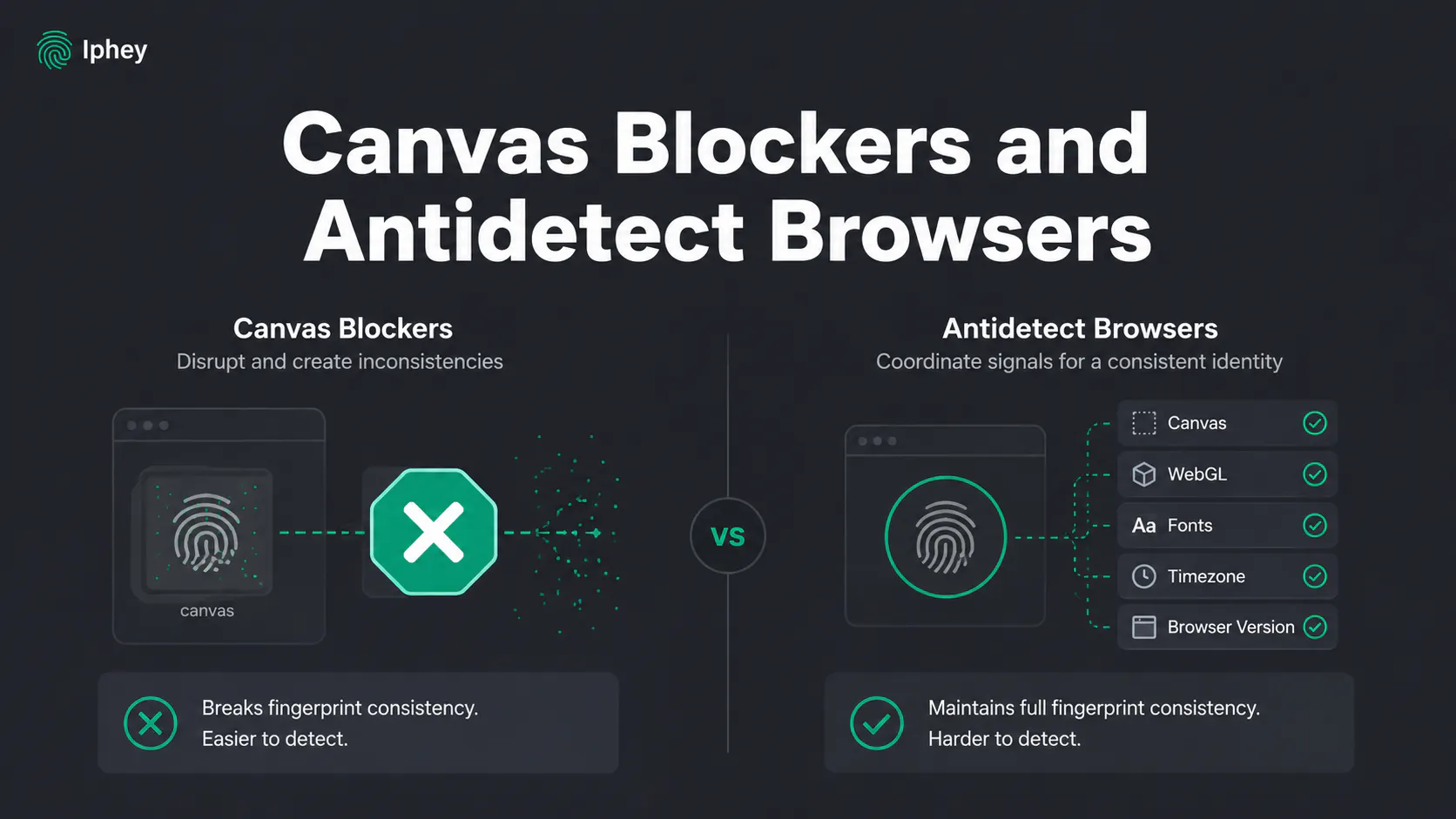
Canvas blocker extensions can help you deny web requests to draw and render canvas in the background. Moreover, some blockers can even add noise to the returning hash to alter it, so that your real device hash doesn’t get stored.
However, blocking a canvas or adding noise to it can make your device stand out as fishy and spammy. Good websites like Meta’s platforms and Google services will instantly force you into submitting CAPTCHAs for verification, or drop your connection to their site.
For web scrapers, and browser automation experts, a better approach is to align the altered canvas hash with webGL, fonts, timezone, browser version, etc. so that the whole browser fingerprint looks authentic. The best way to achieve that is through antidetect browsers like Gologin and 1Browser.
An antidetect browser manages all browser fingerprint identifiers together. Instead of adding noise to hash values of canvas or webGL, it alters the browser headers and replaces its own GPU, OS version, browser version, drivers, etc. so the altered image also looks equally real. The generated hashes are unique, real looking, and very hard to detect. This makes antidetect browsers an excellent method to spoof canvas fingerprints.
How to Check Canvas Fingerprinting in Your Browser
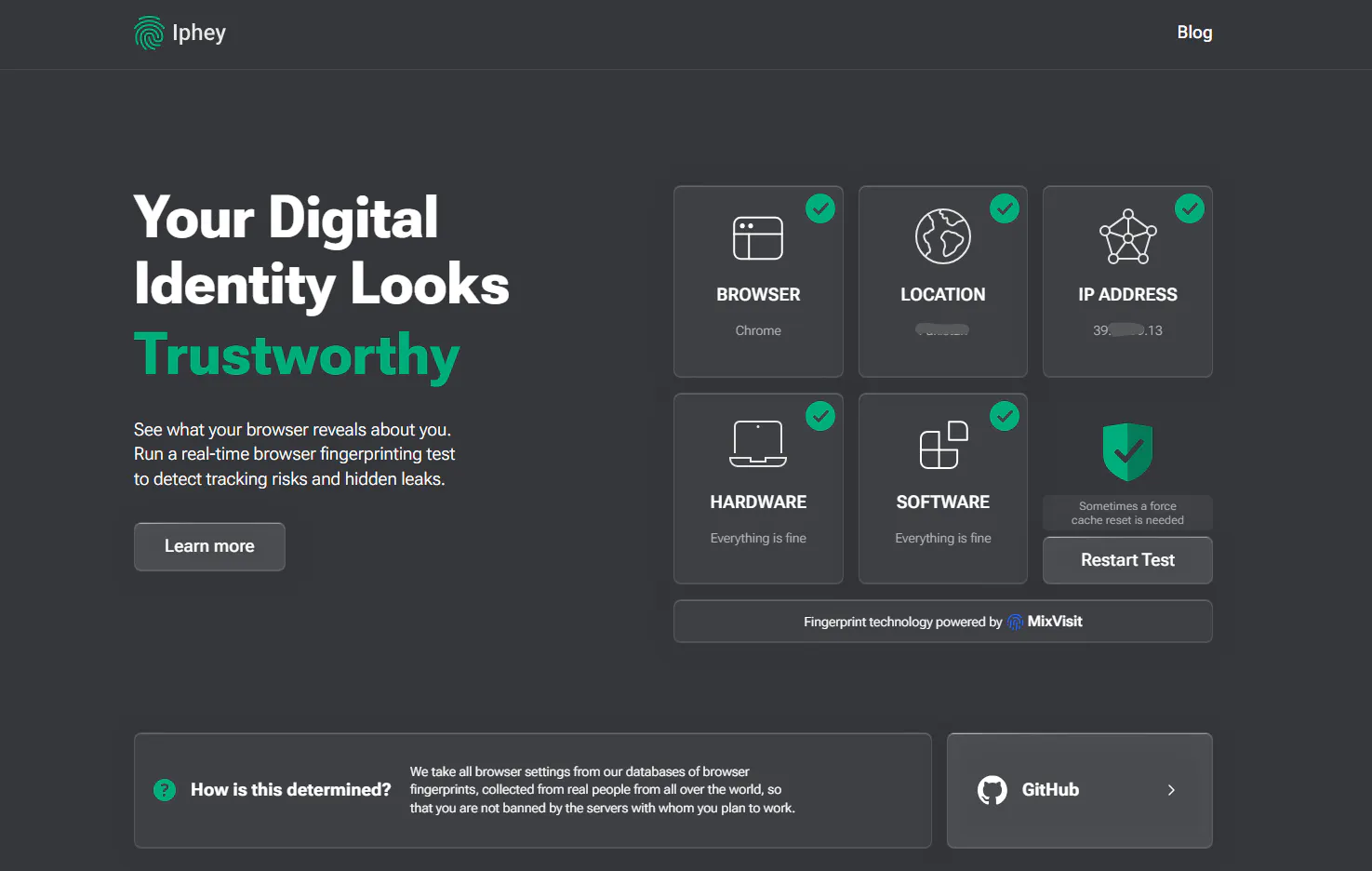
Use Iphey to check the canvas fingerprint hash of your browser. Iphey scans your browser for a complete fingerprint including fonts, resolution, canvas, webGL, hardware specs, and other network, software and signal stats.
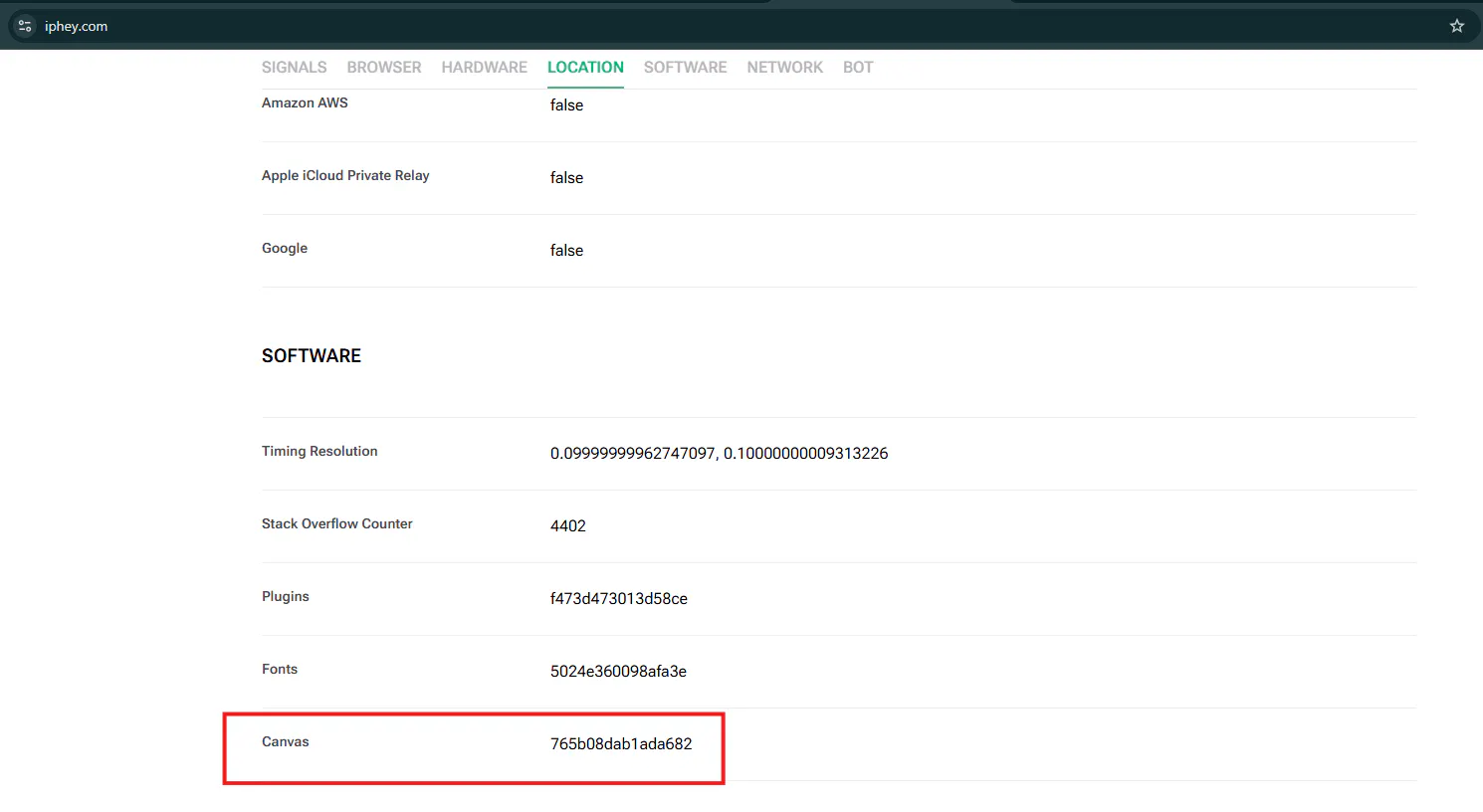
Iphey also draws a hidden canvas to get your canvas hash value like other websites. If you open Iphey on your normal browser, and a simultaneous window in an antidetect browser, both scans will have different canvas hash and other browser fingerprints because the antidetect browser completely masks your device fingerprint.
Antidetect browsers help you protect your account against bans, run browser automations, scraping operations, or manage multiple accounts simultaneously on the same device. Iphey helps you analyze how good your antidetect browser identity is so you can browse worry free.
Final Thoughts
Canvas fingerprint is a smart approach by web platforms to track device identity and protect their platform against aggressive scraping, or bot requests. However, for genuine use cases like multi-accounting, you need to bypass canvas fingerprinting. Antidetect browsers help you do that with ease. However, you must always verify your browser profile’s authenticity by running a quick Iphey scan and checking your canvas hash.