

Can Changing IP Hide Browser Fingerprint?
Changing your IP address hides nothing. While proxies and VPNs mask your location, your browser fingerprint stays the same, revealing your exact device configuration to trackers. Use anti-detect browsers or privacy tools to actually protect your identity.

Most people think of circumvention tools, such as VPN services or proxies, as an epitome of online safety, believing that hiding their IP address is enough to make them undetectable on the internet. However, it cannot be further from the truth. While VPNs and proxies are great tools for basic online hygiene, they are not a cure-all. Beside your numerical IP, browsers also keep track of your device.
Browser fingerprinting is a term coined in 2010, which is used to describe a tracking method that collects the combination of signals, settings, and details of your device and is capable of identifying users by their unique configuration alone. When it comes to this particular tracker, the main question is: “Can changing IP hide browser fingerprint?” The short answer is NO but don’t just take my word for it – let’s run a quick test as proof.
Test Your Browser Fingerprint
For this experiment I’ll be using Iphey.com – an audit tool that runs an extensive browser fingerprint check for you – and my own computer. First, let’s see what Iphey reveals about my device with no circumvention tools in place:
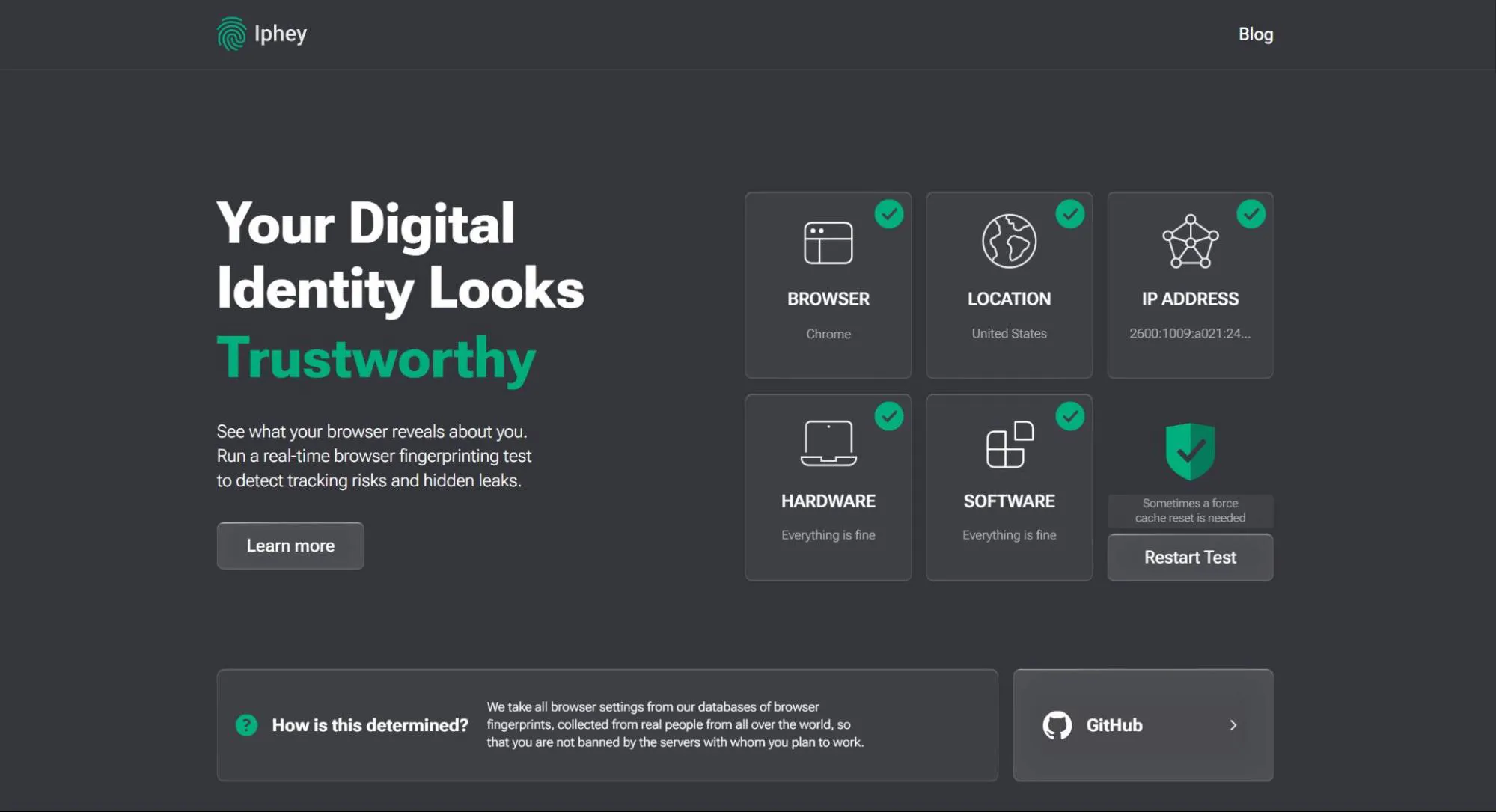
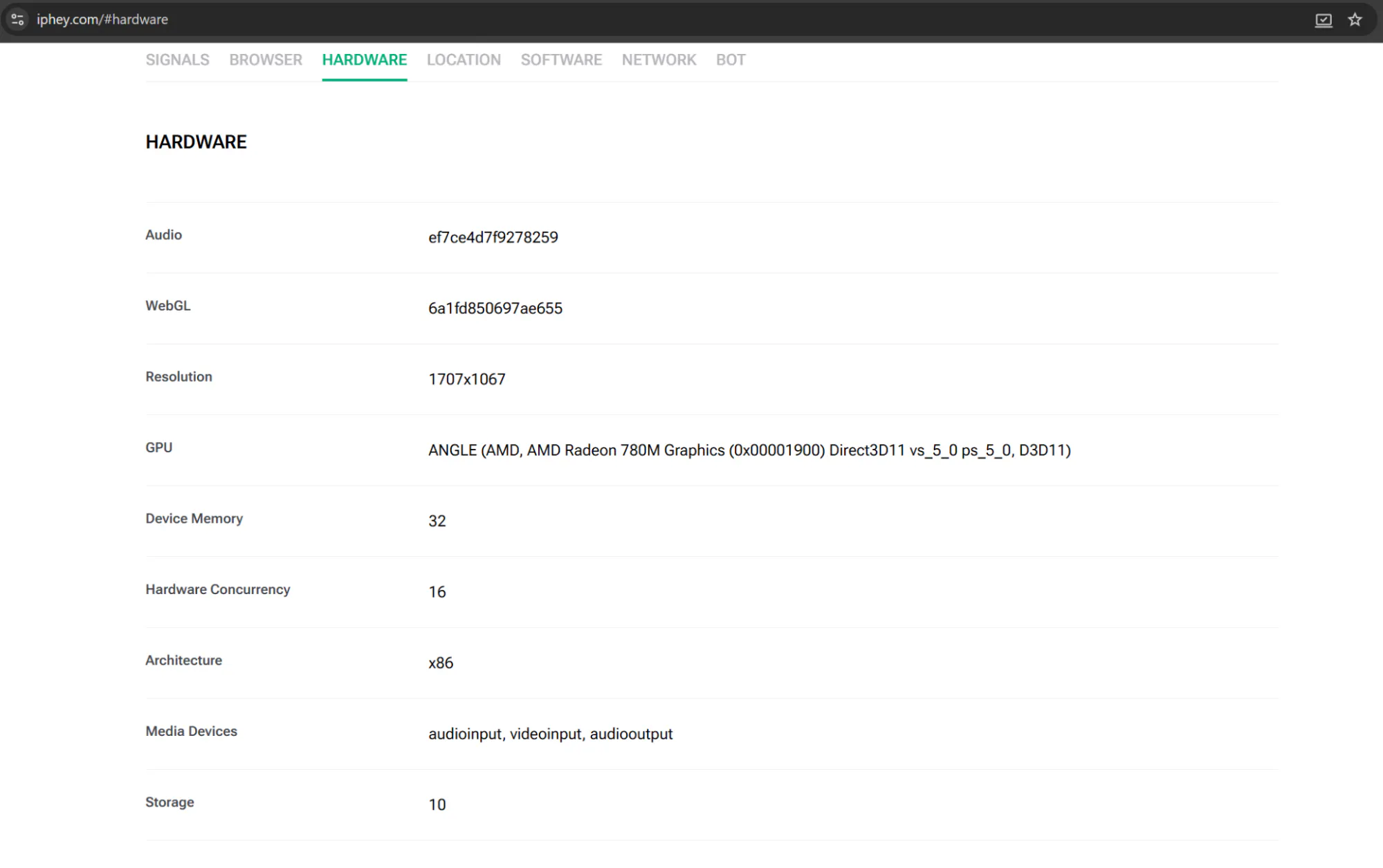
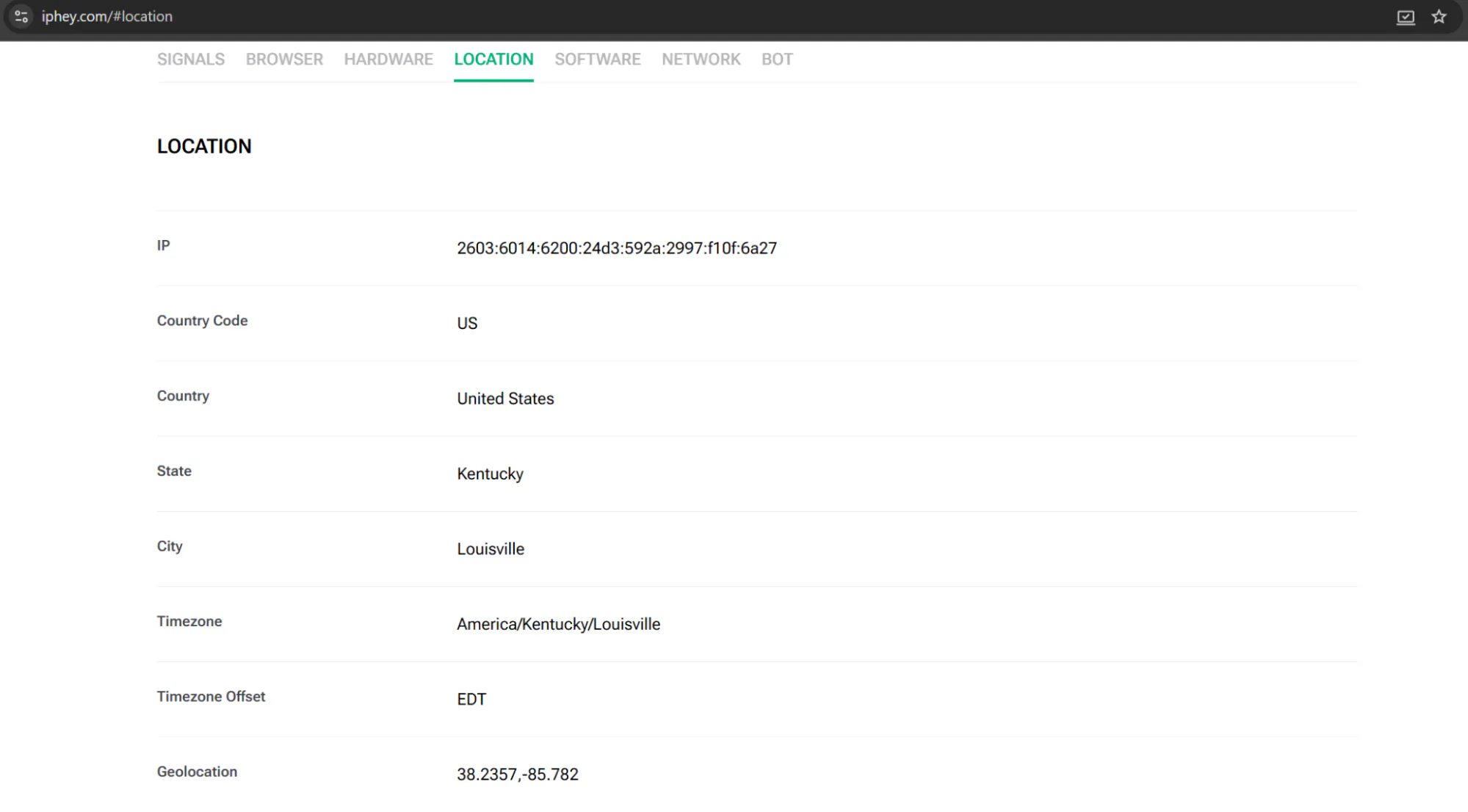
When you click on “Learn more” or scroll down, you’ll get a complete overview of the details Iphey was able to find. For example, here are my hardware and location specs:
With that in mind, let’s run the check again, this time connected to a proxy.
As you can see, my IP and location did in fact change, but the hardware/device information (the core of browser fingerprint) stayed the same.
Now, let’s review how your IP address actually differs from the browser fingerprint and how to successfully hide from it.
What’s the Difference Between IP And Browser Fingerprint?
While your IP address is also being logged by trackers, it is collected separately and used as an independent singular data point that carries your network location, whereas browser fingerprint is a collection of signals and details specifically about your device.
IP Address | Browser Fingerprint | |
What it represents | Network/location-level identifier | Device/browser-level identifier |
Data collected | General location, ISP | Device specs, browser, OS, hardware, fonts, etc. |
Main use case | Routing web traffic to the correct physical location | Tracking user behavior and catching automated bots |
How it's collected | Automatically logged by every server | Via browser APIs (JS-based) |
How distinctive it is | Shared (e.g. whole household or VPN server) | Highly unique to individual devices |
Tracking accuracy | Low (multiple people can share the same public IP) | High (your exact setup combination is almost unique) |
Hidden by VPN | Yes | No |
Hidden by proxies | Yes | No |
How easy to change | Easy (VPN, proxy, network switch) | Extremely difficult (requires specific anti-detect tools or changing settings, hardware) |
Clearly, browser fingerprint and IP address are two vastly different things that are used in tandem to better identify you – when you change your IP, the browser can still see the unique configuration of your entire device and deduce that the connection comes from you, only with the help of circumvention tools. That is also why regular VPNs and proxies, meant for changing only your numerical IP cannot protect your online identity fully, as they are unable to change your browser fingerprint.
How to Prevent Browser Fingerprinting?
To successfully bypass browser fingerprinting, try these tools:
- Anti-detect browsers
Anti-detect browsers like Gologin camouflage your real fingerprint by switching its details with different made up specs, as well as letting you customize specific settings yourself, ultimately creating a new online persona for your device.
- Privacy-focused browsers
Browsers like Tor and Brave have a built-in fingerprint randomization feature, so every time you visit a site through one of these options, the browser generates a random combination of settings and hides your real fingerprint. Firefox might also be a good fit as the browser provides a ‘resistFingerprinting’ mode, which you can turn on at your own discretion.
- Anti-fingerprinting extensions
In the case of browser fingerprinting, which uses extensions as one of the data points to identify you, employing them to hide the fingerprint seems counterintuitive. However, for basic online hygiene Chrome extensions like Canvas Blocker, Privacy Badger or Fingerprint Defender, are viable options – they take seconds to set up and are pretty easy to manage.
Conclusion
As we’ve established, changing your IP does not hide your browser fingerprint, so to prevent fingerprinting and keep your internet connection safe and sound, use special anti-detect software.