

Battle for Mobile Traffic 2026: A Big Review of the Top 6 Anti-Detect Solutions for Traffic Arbitrage
The era of simple User-Agent spoofing and residential proxies is over. 2026 marks the shift to hardware verification, where only complete session validation actually works.

The Transformation of Emulators and the New Reality of Arbitrage
2026 is shaping up to become, arguably, the most pivotal year in the history of affiliate marketing and media buying over the last decade. The era when you could simply spoof a User-Agent, plug in a residential proxy, and successfully “run” traffic from a regular desktop emulator while pretending it was an iPhone or Android is officially over. We’ve entered the hardware verification phase. Of course, the prerequisites have been there for a long time; it’s just that this phase gradually reached critical mass - and it won’t be like it used to. In this new landscape, relying on a standard setup is obsolete; you now genuinely need a specialized mobile antidetect browser or a robust antidetect browser for android to bypass these advanced checks effectively.
Platforms like Meta, TikTok, and Google have stopped relying on passive fingerprinting. They no longer trust what the browser claims about itself; they validate what the device actually is.
The rollout and aggressive enforcement of the Google Play Integrity API with mandatory hardware-backed verdicts has flipped the market upside down. It’s no longer enough to hide Canvas or WebGL. The device must cryptographically prove that it is a real, non-rooted Android smartphone with a locked bootloader. x86-based emulators, which served farmers faithfully for years, started failing integrity checks and getting shadow-banned even before the first ad campaign went live.
Under these conditions, the multi-accounting tools market has split into two ideological camps:
- Supporters of “Deep Emulation”: developers who try to perfect software-based fingerprint spoofing by emulating sensor behavior, microphone noise, and gyroscope jitter.
- Followers of anti-detect browsers with mobile profiles: anti-detect browsers adapt to the market and start offering the ability to create mobile profiles. A caveat is needed here: not a full-fledged mobile app, but mobile browsers - as if the user is using mobile Chrome or Safari to log in.
In this article, we’ll break down the Top 6 solutions of 2026 that offer real tools for bypassing mobile fraud. Let’s look “under the hood” of each tool and evaluate their capabilities for automating mobile traffic.
How We Chose: Testing Methodology or Why a Mobile Antidetect Browser Is Better Than Standard Emulation
The market is flooded with solutions and it’s not easy to sort them out. We eliminated 80% of candidates that simply change the User-Agent and don’t try to emulate real mobile hardware, only imitate it. The Top 6 includes only those that passed our checklist across the following criteria:
- Sensor spoofing quality: how the browser outputs gyroscope, accelerometer, and battery data. If a checker site sees that the phone is constantly “lying flat” and stays at 100% charge 24/7, the tool was eliminated.
- A mobile usage scenario: launching a profile on a real phone or in a cloud phone.
- Network hygiene: testing for DNS and WebRTC leaks when using mobile proxies.
- Checks via services: the ability to pass (or competently bypass) PixelScan and Iphey checks at a trust level of at least 90%.
As a result, the Top 6 anti-detect browsers with mobile profiles look like this:
- Gologin
- GeeLark
- AdsPower
- MoreLogin
- Kameleo
- Dolphin{anty}
Technical Context – Why the Old Emulation Methods Transformed into a Mobile Antidetect Browser
Before we move on to the tools, it’s important to understand what we’re up against. Why is standard desktop emulation no longer as effective?
Play Integrity API and the Renaissance of the Mobile Web
Google replaced SafetyNet with a hardline Play Integrity API, where keys are signed at the hardware level. TikTok and Facebook apps now require MEETS_STRONG_INTEGRITY - proof of a physical device. This has made working through apps on emulators unjustifiably expensive and difficult.
And this is where modern mobile antidetect browsers, and even Android antidetects enter the scene. While the “cloud phone” market tries to imitate hardware for huge money, anti-detect developers found a different solution: perfect emulation of the mobile web environment. Modern anti-detects have learned to generate digital fingerprints so clean (including Touch API, gyroscopes, and battery) that ad networks can’t distinguish them from real Safari users on iPhone or Chrome users on Android.
That’s the market’s “smart” answer: don’t try to counterfeit a cryptographic key - build a flawless profile where these checks don’t apply, i.e., in the mobile browser.
This is where the tools that prioritize UI convenience and team collaboration are positioned.
The Evolution of Mobile Profiles in Anti-Detects (Smart Web Emulation)
Of course, abandoning emulation altogether would be an “expensive” decision, and the market doesn’t like higher costs - it prefers balance. So it didn’t abandon emulation; it made it smarter.
A quick clarification: there are so-called cloud phones - you rent access to real devices or ARM-based emulators hosted on remote servers. From a fraud detection perspective, this is the highest level of protection, but also the most expensive way to operate. And a project’s economics still have to make sense, right?
But if you work with mobile platforms and their ad accounts via web versions (m.facebook, m.tiktok), using heavy “cloud phones” is overkill. Modern anti-detect browsers have learned to generate passable mobile fingerprints that cost many times less than renting real hardware. Now, to the players.
Gologin: “On-the-Go” Arbitrage and Web Spoofing
GoLogin occupies a unique niche by offering a hybrid approach.
Iphey and Browserleaks
Their custom Orbita engine does an excellent job passing tests like Iphey or Browserleaks by spoofing more than 50 system parameters. For TikTok’s or Facebook’s web versions, bthat’s more than enough.
For example, the simplest check: using the Browserleaks service to verify active Touch Support (Max Touch Points should be 5 or 10). In our case, the system returned 5, which is within acceptable values.
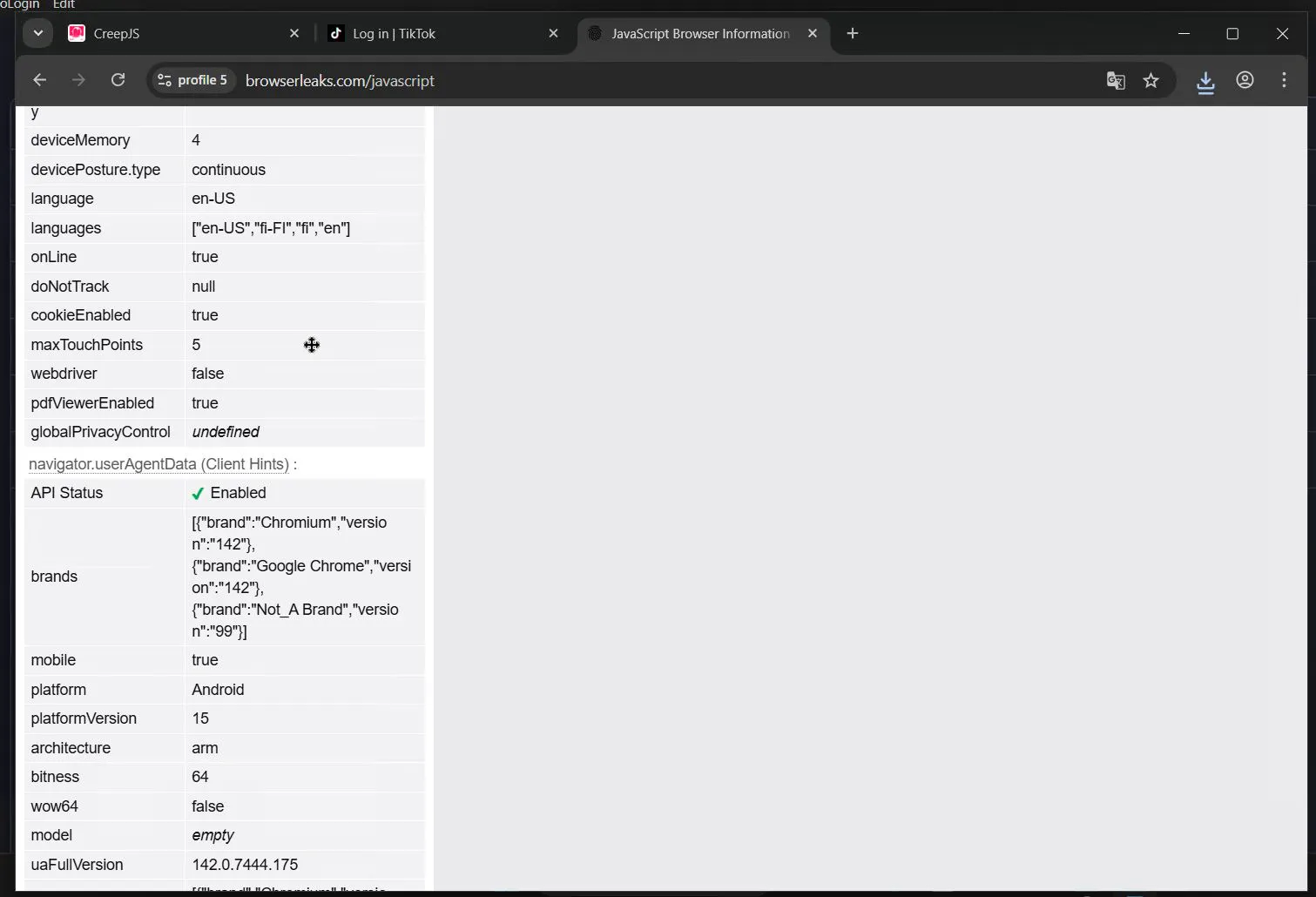
In the screenshot above, the screen resolution didn’t make it into the frame; in this case it’s 384×857, and that’s another pattern you can “get burned” on - if the system inserts a desktop resolution (1920×1080, etc.), it’s a red flag for an anti-fraud system (in our case, there’s no issue).
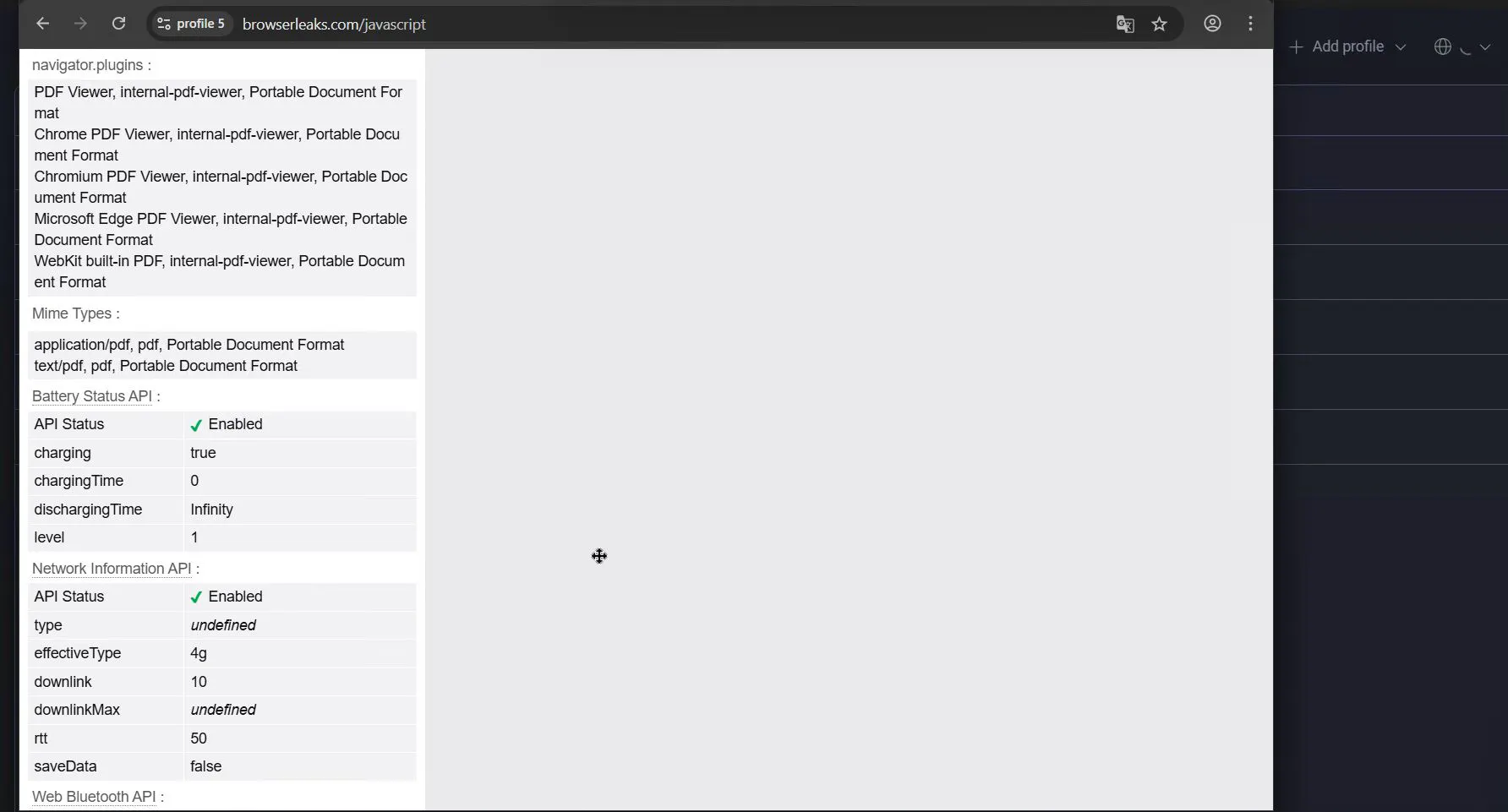
Real mobile devices report battery level and charging status. In the GoLogin[c] profile, we see the device is charging and reports that it is charged. If needed, you can adjust values in the profile settings.
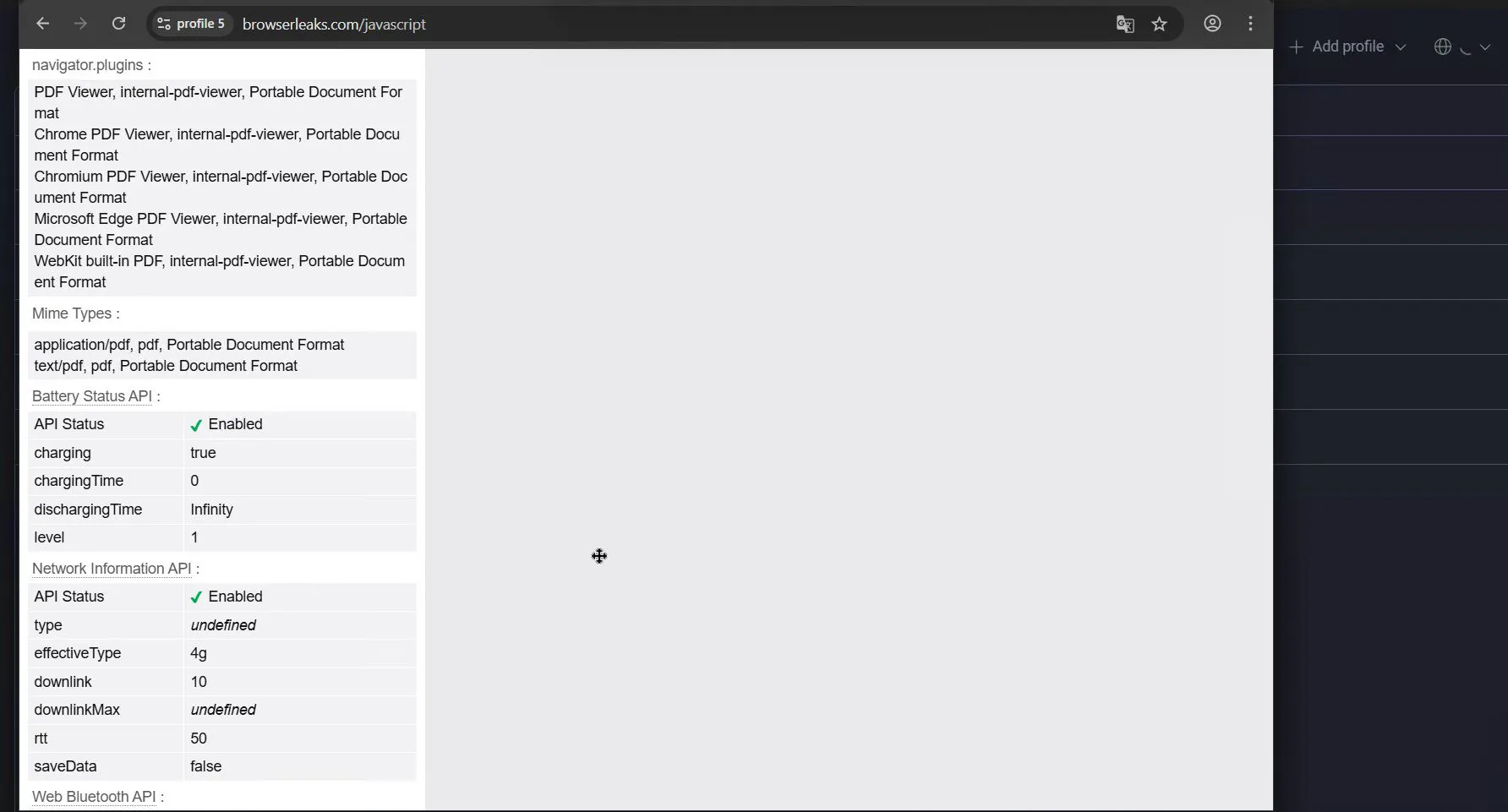
And the classic one: mobile OSes have a limited set of fonts. If a “mobile” profile shows Windows fonts (Arial, Verdana), that’s very suspicious.
GoLogin’s Unique Offer - Real Antidetect Browser for Android
With GoLogin, in addition to standard local profiles you can run on a computer, you can launch a profile with a unique digital fingerprint directly on your physical smartphone via their app. In other words, you transfer all functions of the local app from your local device to mobile.
Didn’t finish something - finish it on your phone, or check a hypothesis.
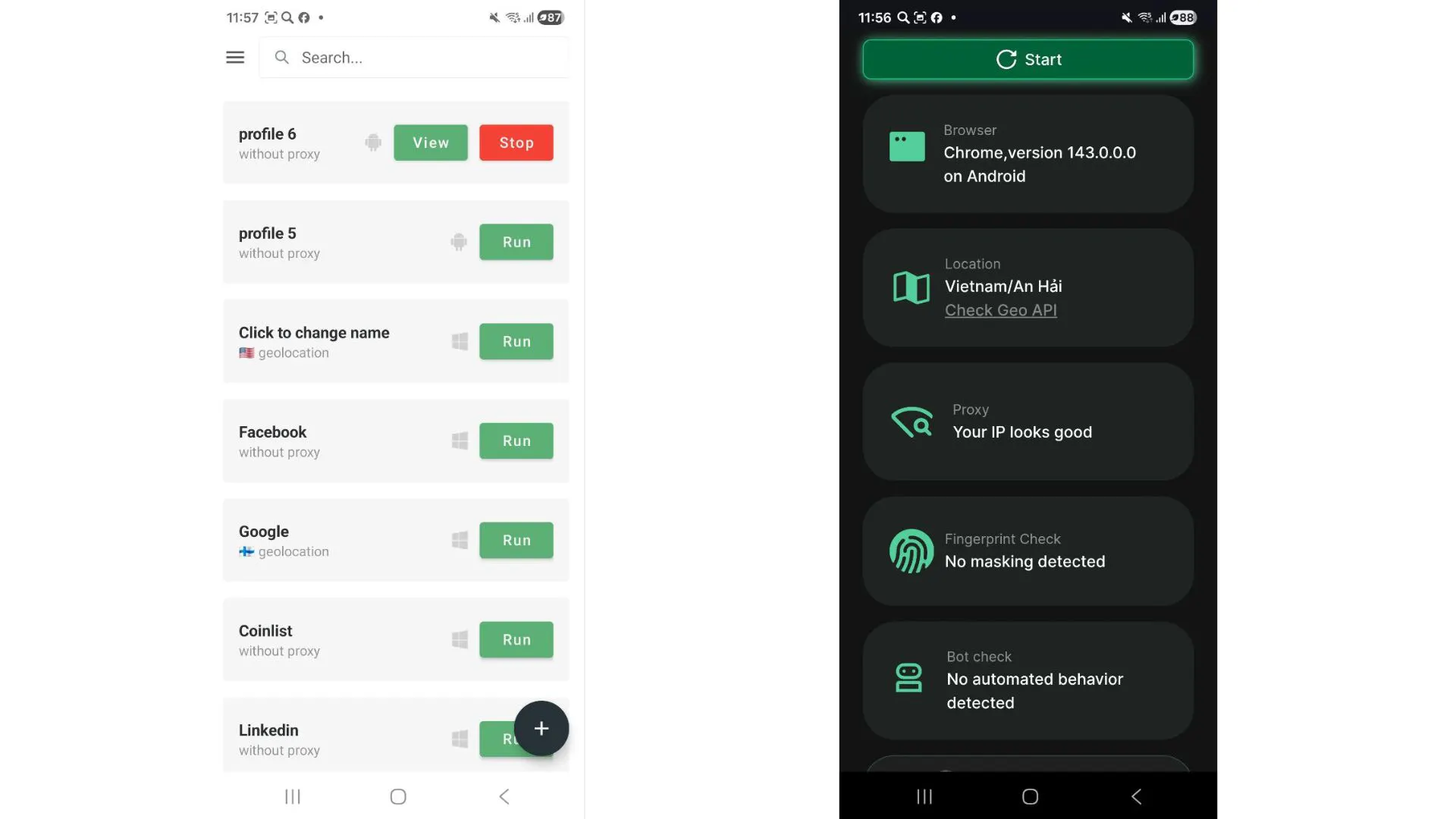
The GoLogin mobile app gives you an ideal combination: real hardware, a unique fingerprint, and a mobile carrier IP address. After you install the app on your smartphone, the system prompts you to also install their Orbita browser to launch profiles. So you install two mobile apps on the phone.
An important note: when using your smartphone over the mobile network, you get real device signals from the phone and a mobile IP address, but when connected via Wi-Fi, this advantage may not be there.
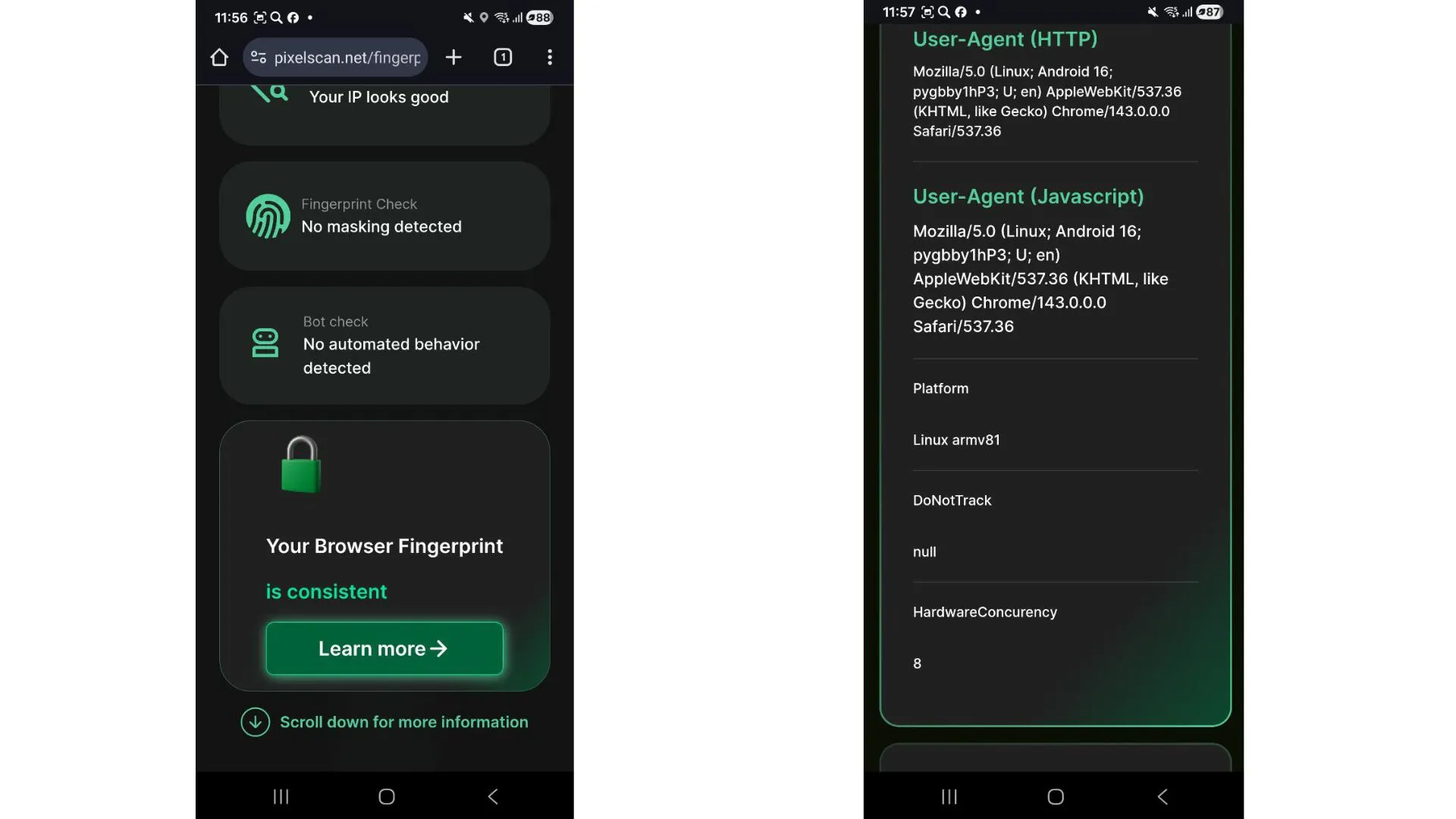
By the way, GoLogin mobile antidetect profiles pass consistency and device truthfulness checks both on desktop and on the native smartphone.
The only downside is automatic opening - for example, TikTok - in the mobile app. That’s a function many services have: if, while opening in the browser, the service detects its mobile app is installed, it opens there. And here you need to be careful not to ruin your profiles.
Economics of Use
GoLogin can be considered an affordable tool, as pricing starts at $4/month, and as a plus, they offer a free trial period (7 days). All else being equal, subscription cost matters when choosing a working tool, and in GoLogin’s case it’s also pleasantly low.
GeeLark: Heavy Artillery and Antidetect Browser for Android
GeeLark is no longer a standard anti-detect browser, but a highly specialized solution tailored for video platforms - first and foremost TikTok, which is known for its paranoid checks of “hardware” and network fingerprints.
Architecture and “Hardware”
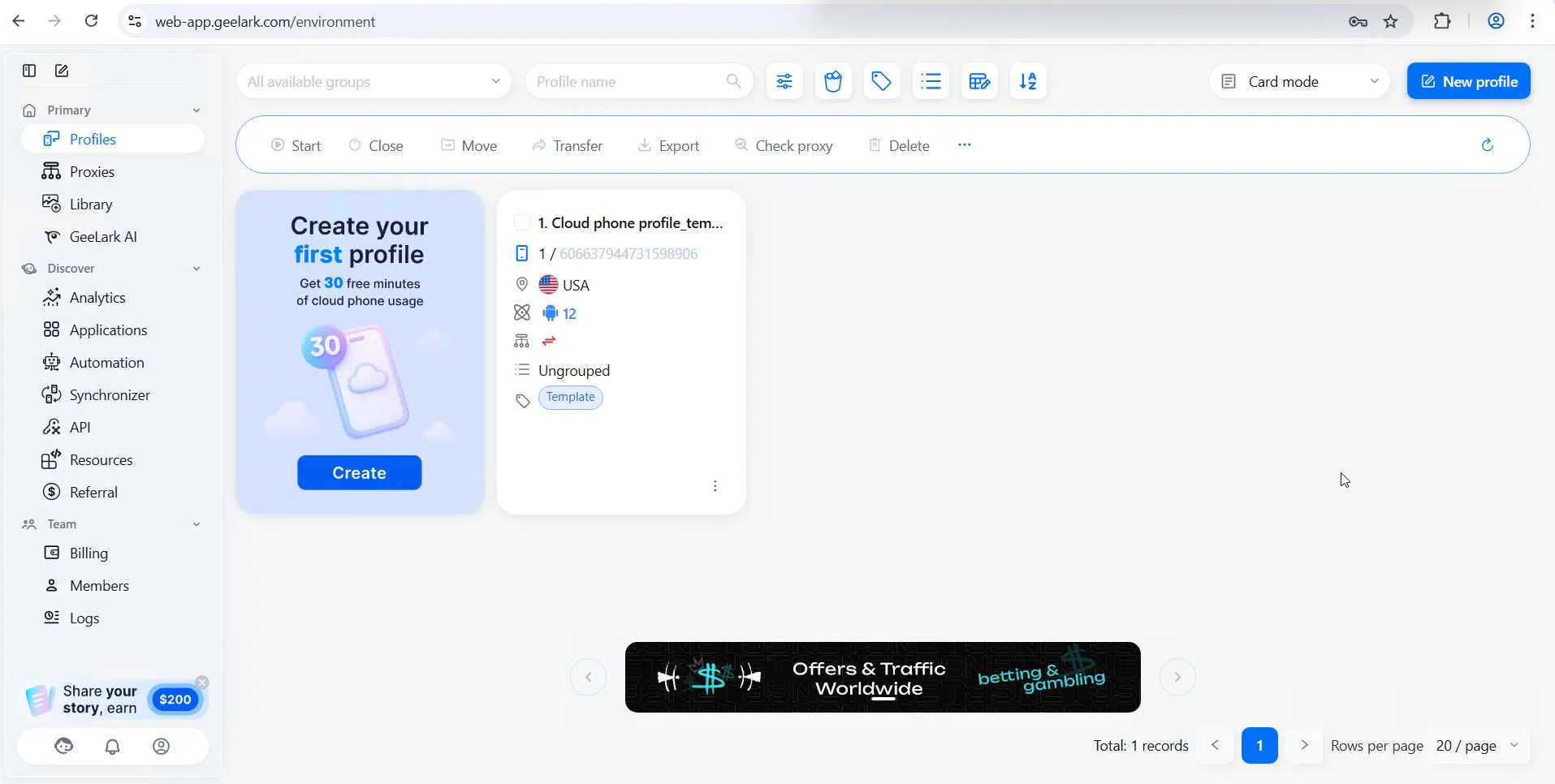
GeeLark is built around the cloud phone concept. The user gets access to a remote device running on an ARM architecture. In theory, this should look like a fully “alive” device. To be fair, visually it does look that way.
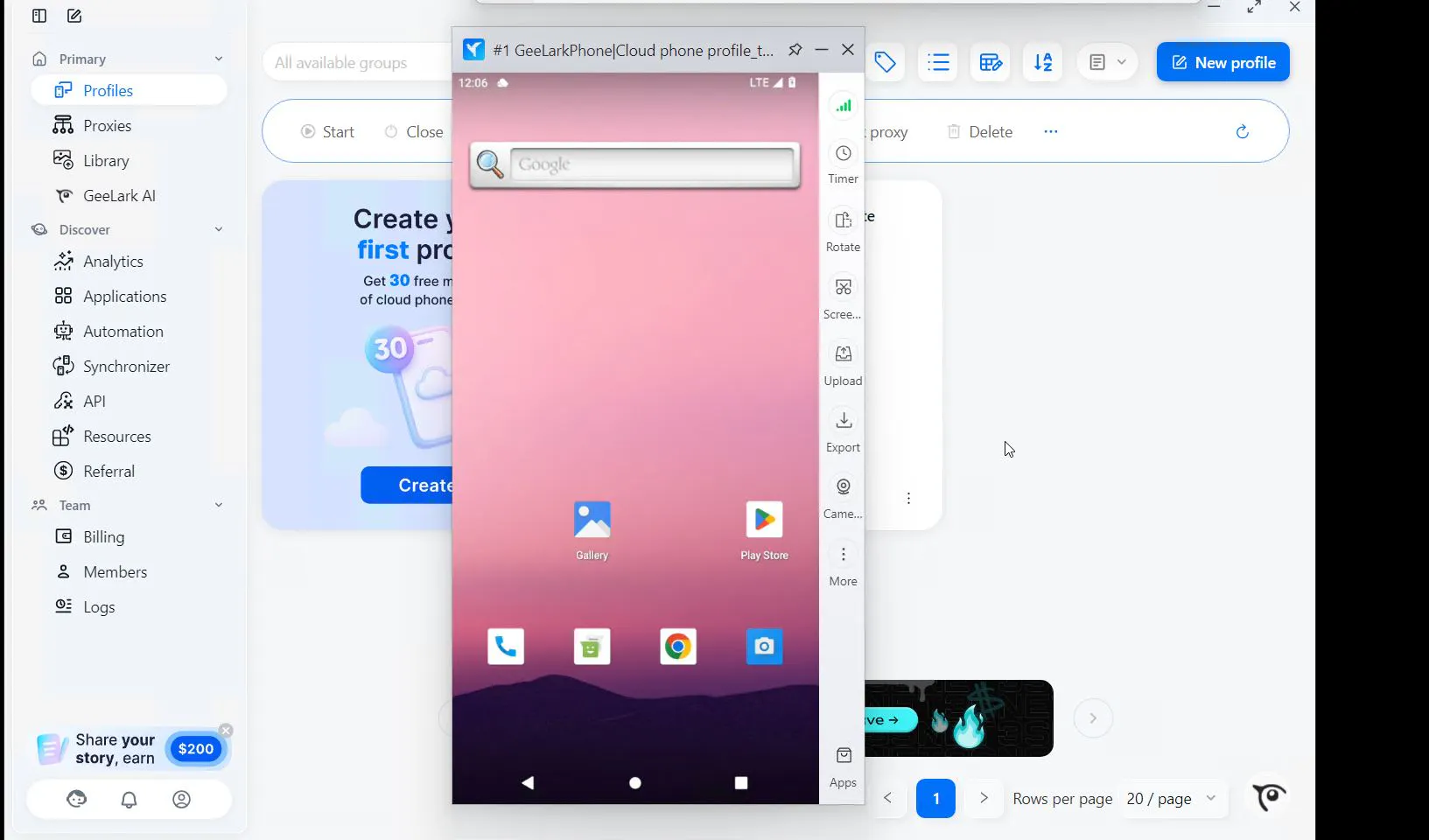
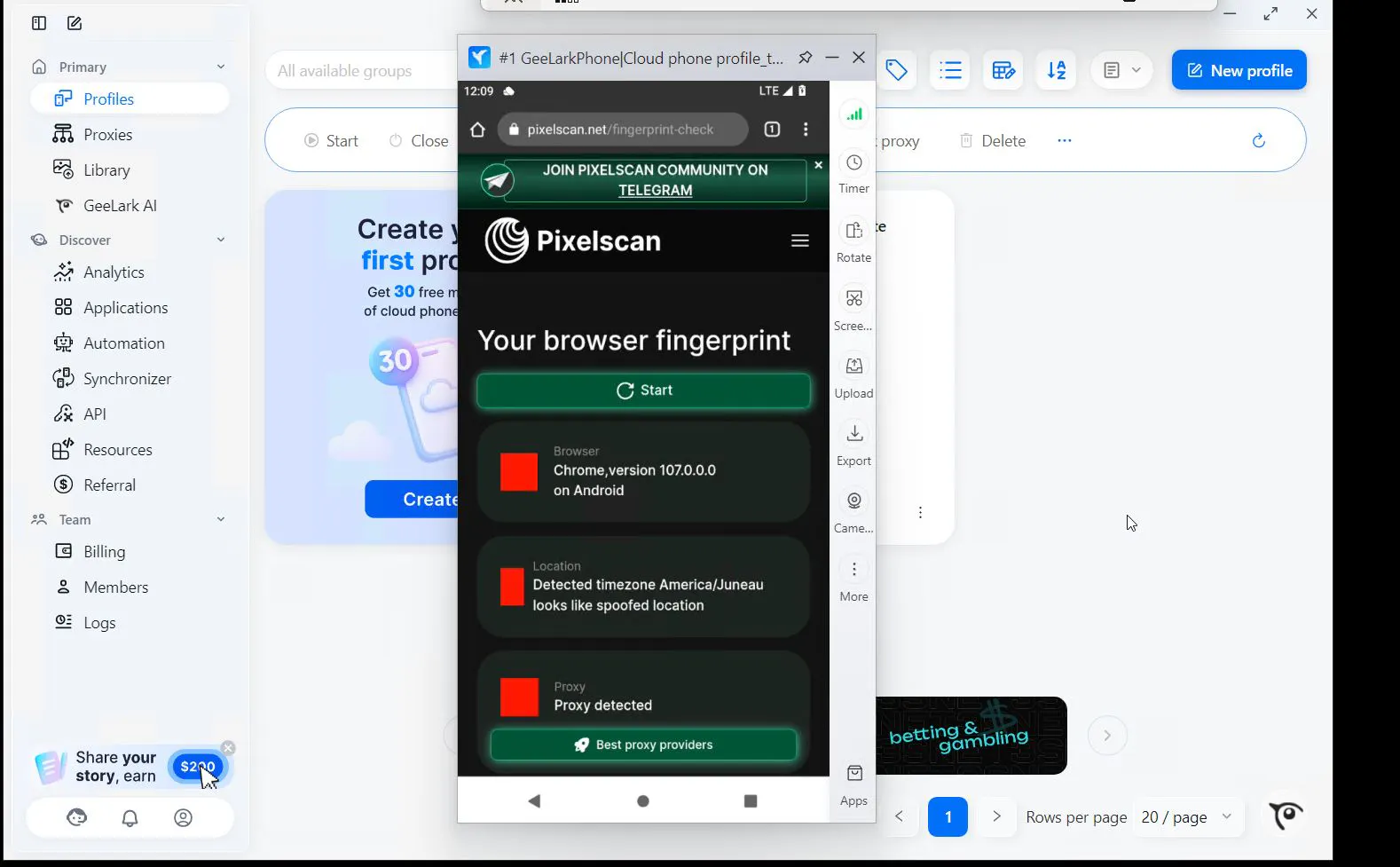
Problems start later when you look closer at the profile “internals.” A standard profile (created by the system for testing) on the system’s native IP address failed checks in both Iphey and PixelScan. In Iphey’s case, the system decided we were spoofing our location.
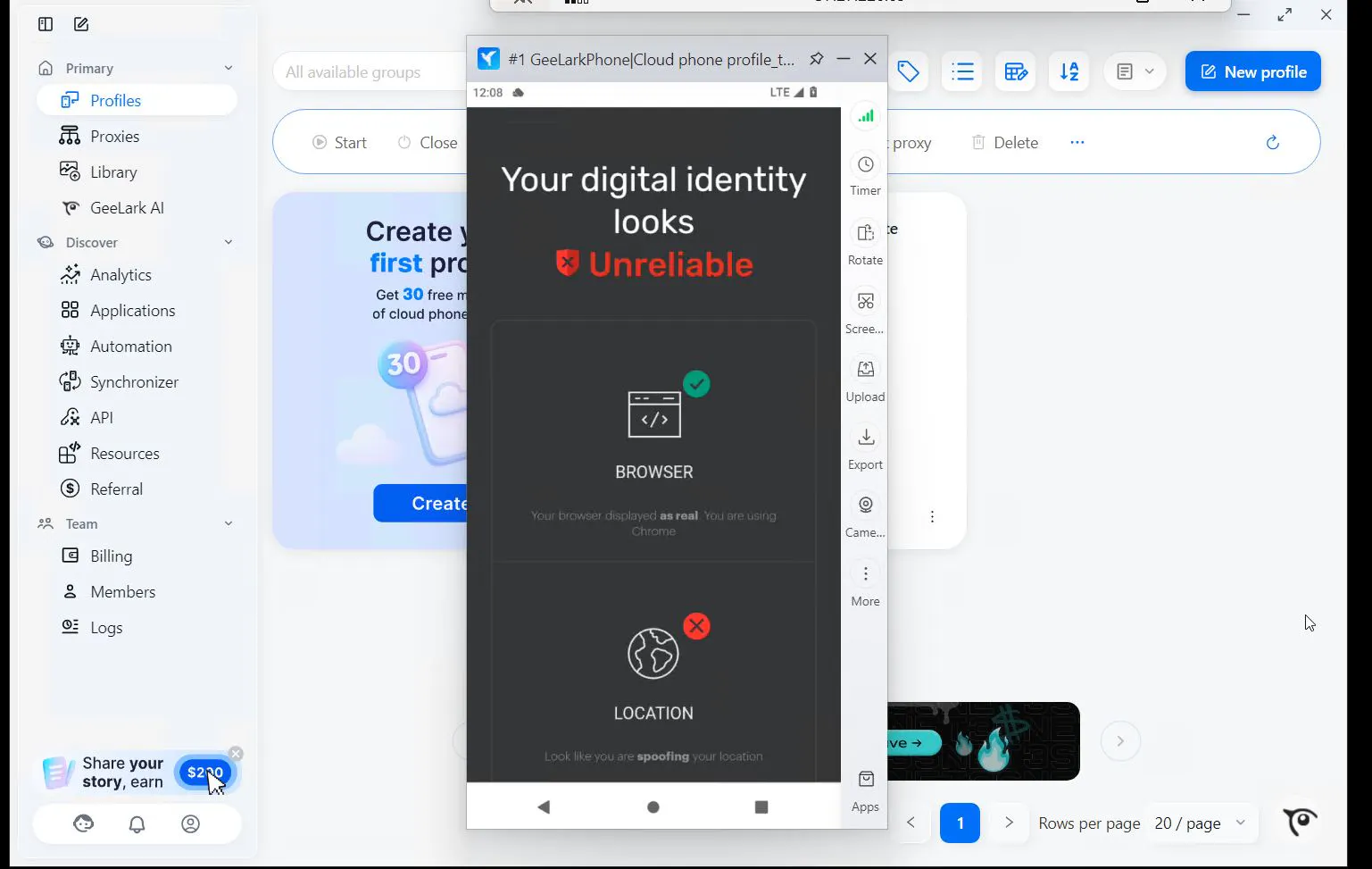
When we ran profiles through PixelScan, proxies were detected even though a native IP address was used. Most likely, the fact that the device is located in the cloud triggered a conflict.
Identifier Spoofing
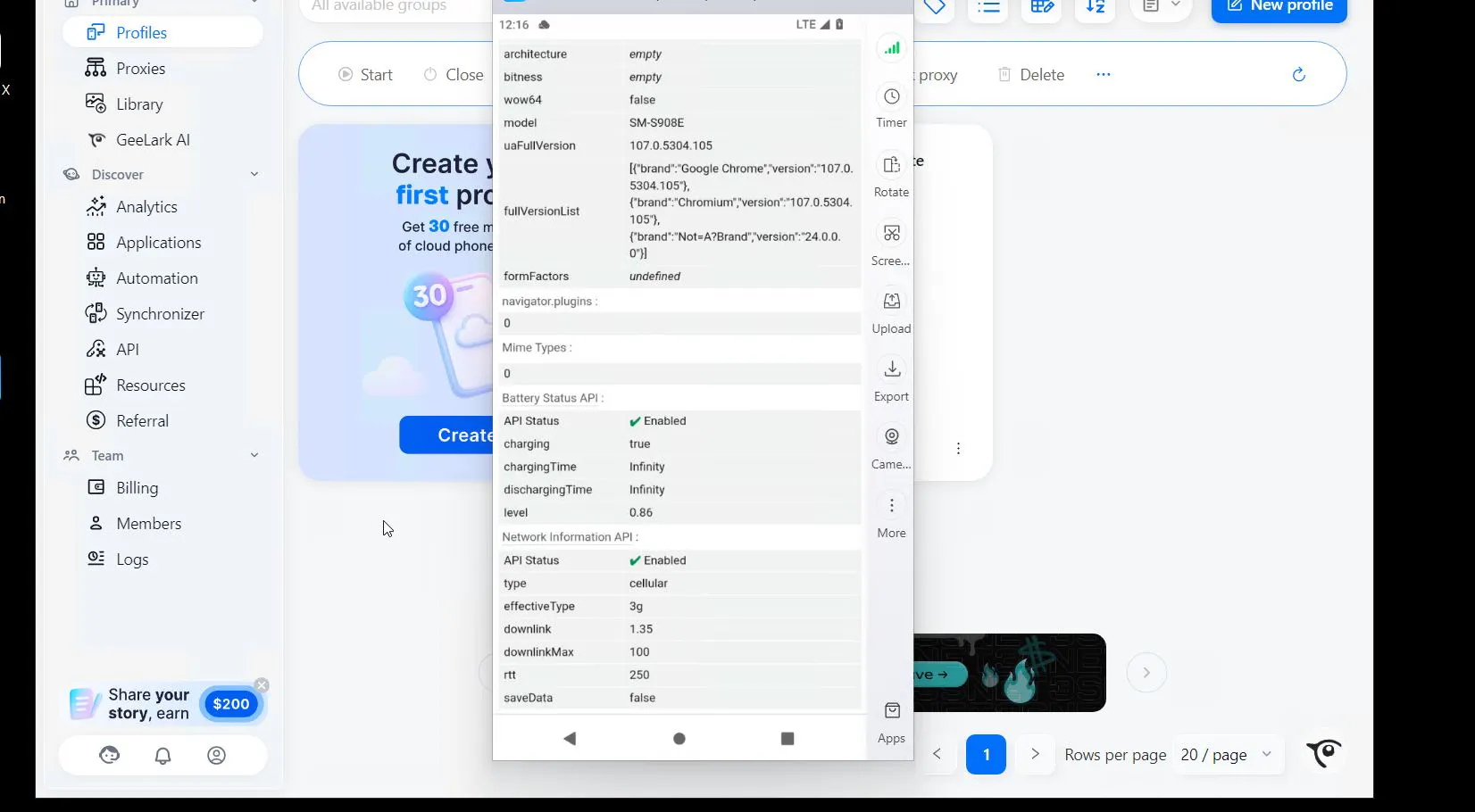
Even though the hardware is real, GeeLark can spoof IMEI, Android ID, MAC addresses, and serial numbers. This lets you use one physical slot to generate multiple unique “phones.” However, there are configuration inconsistencies that can raise questions for an anti-fraud system. The main one is a mismatch between the declared device model and the maximum number of touch points on the screen (MaxTouchPoints).
For example, the profile claims the device model is SM-S908E (Samsung S22).
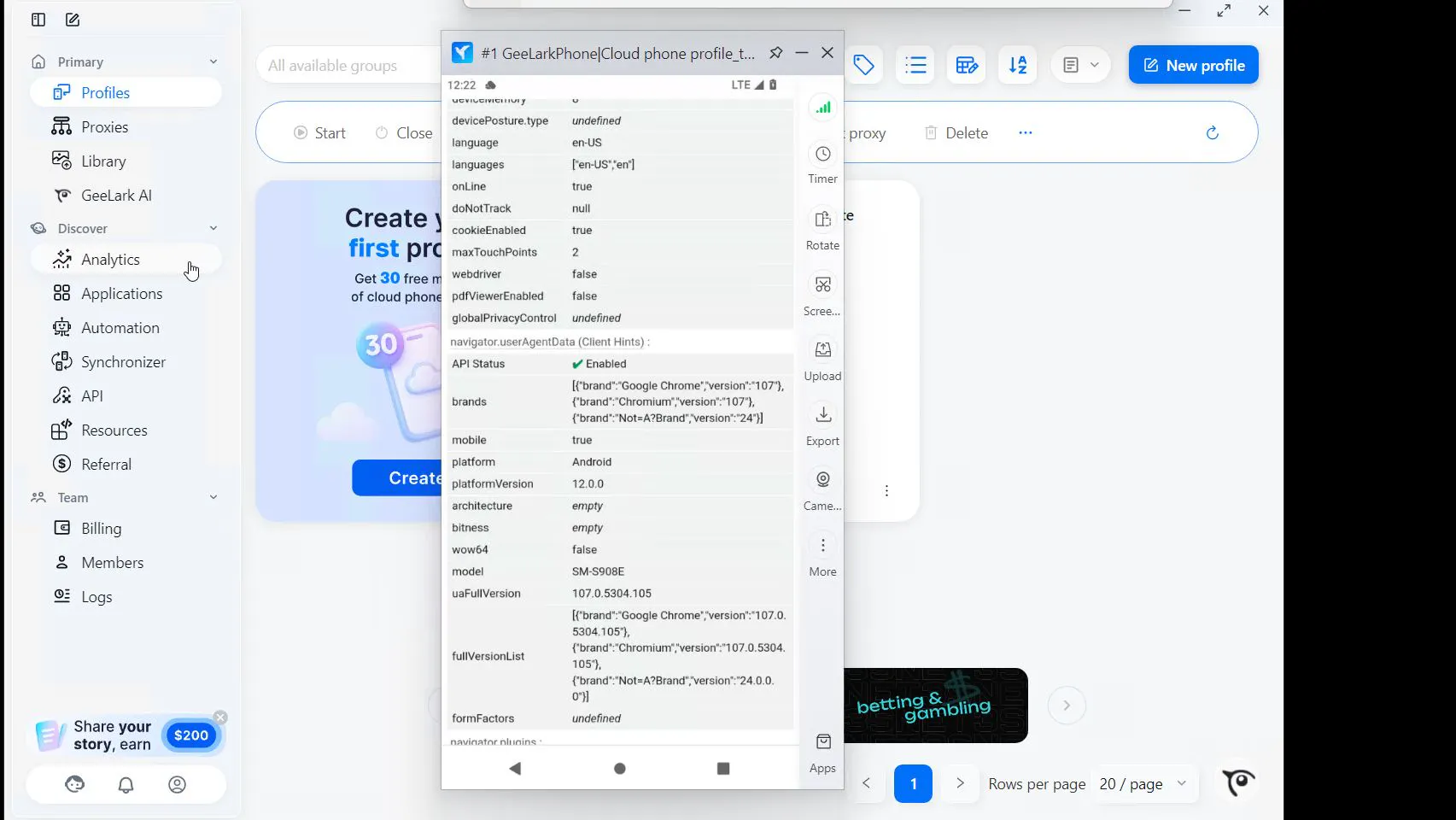
But MaxTouchPoints is set to 2, which is fundamentally impossible.
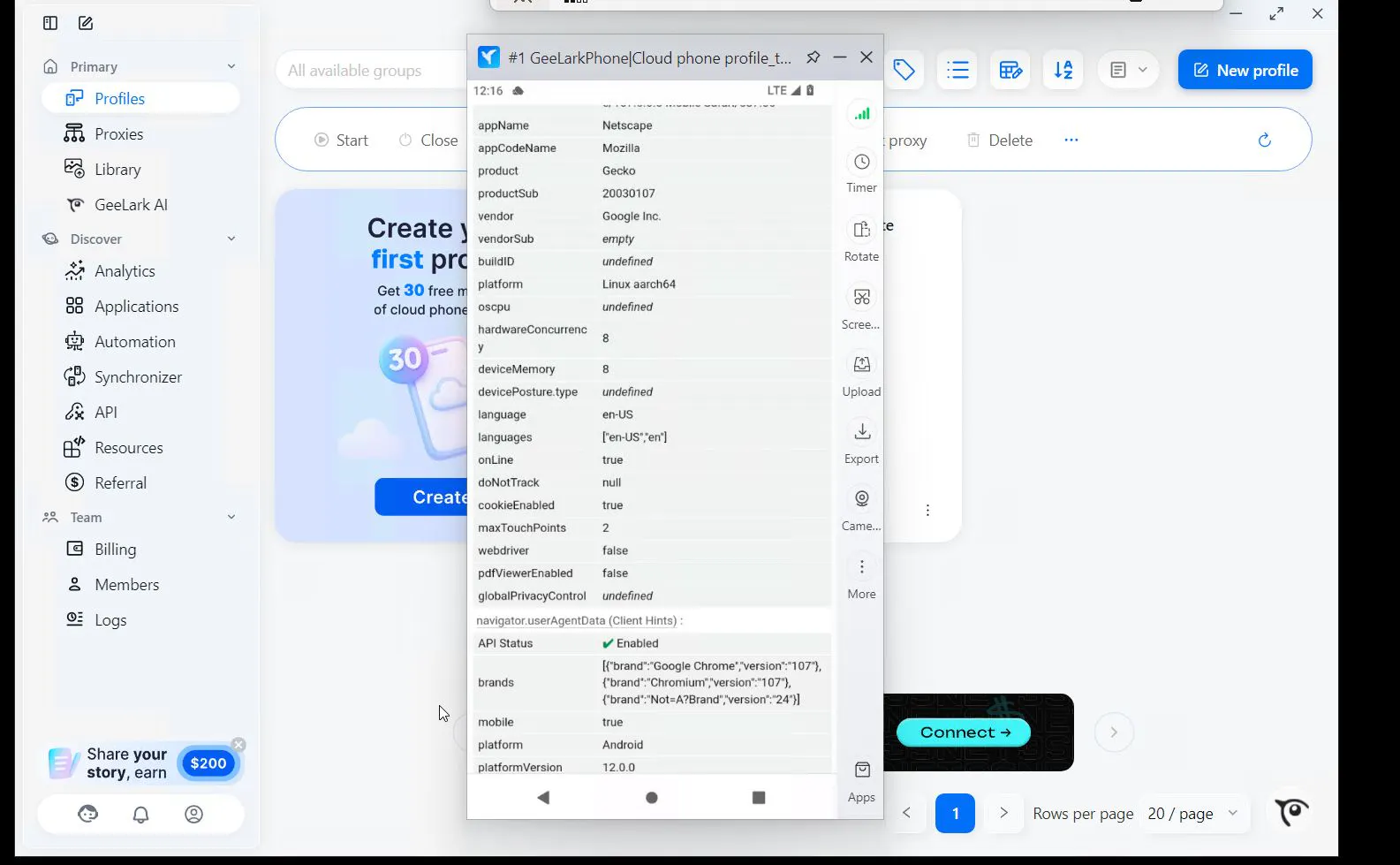
Otherwise, we didn’t find major discrepancies; screen size matches a phone format.
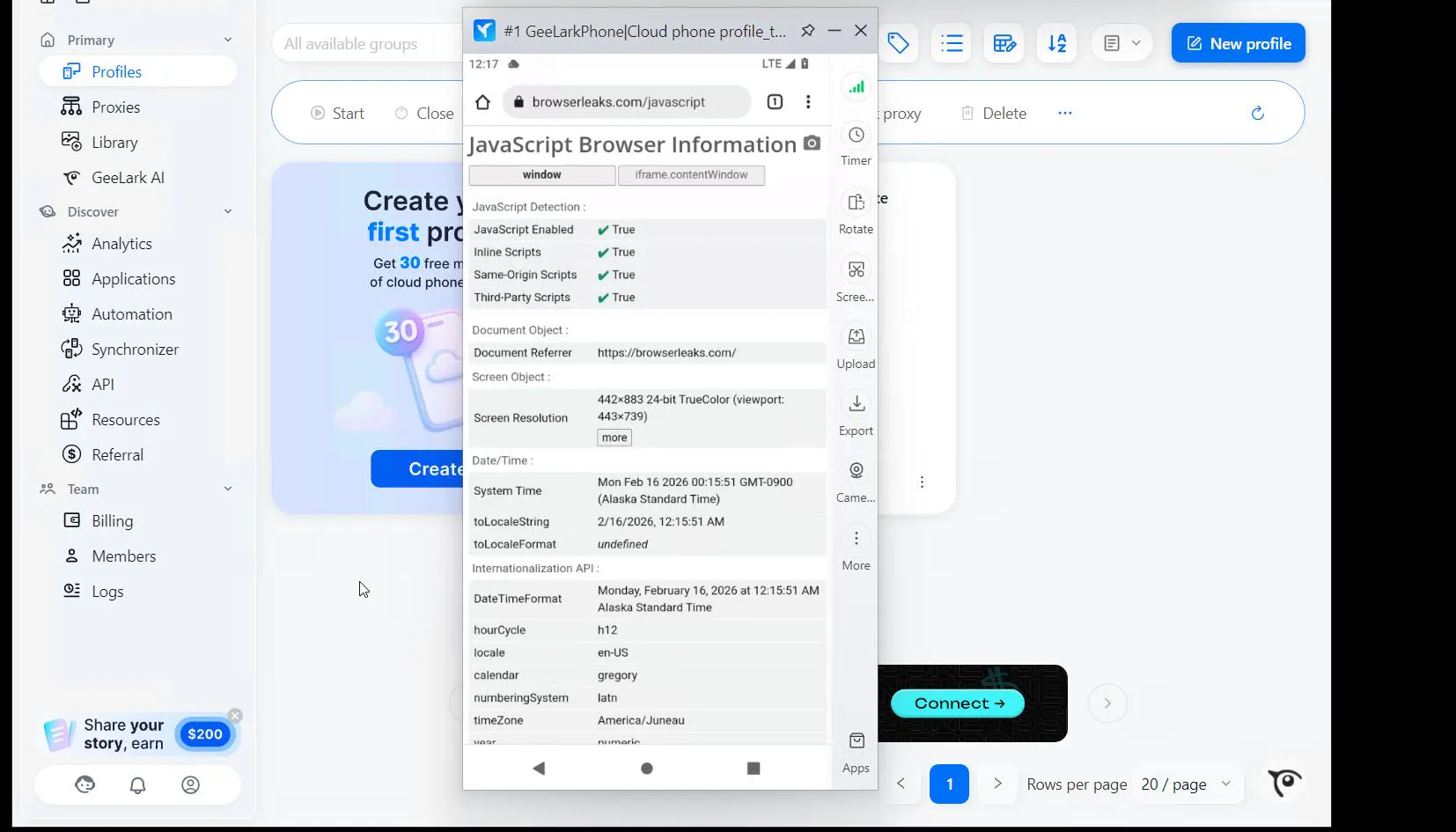
Battery-wise, it’s not showing a 100% charge, which is a plus for anti-fraud systems, but obviously the earlier issues outweigh this battery “plus.”
Automation: TikTok on Autopilot
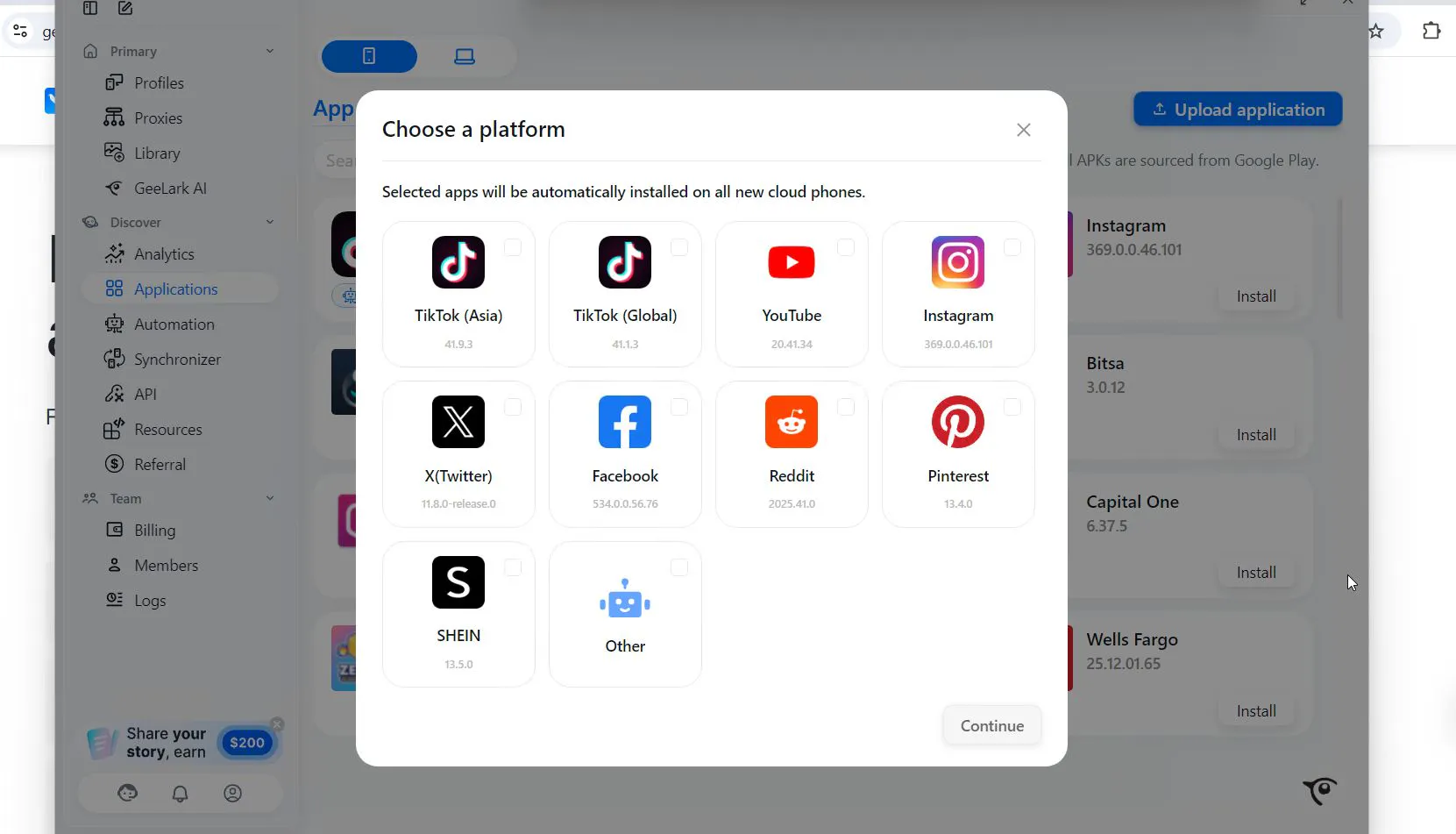
In 2026, manual farming of TikTok accounts has become economically unprofitable. GeeLark offers a powerful automation toolkit:
- Synchronizer: the operator controls one “main phone,” and the system duplicates swipes, clicks, and text input in real time across dozens of other cloud devices. This fits well for warming up an account grid - you scroll the feed on one screen while 50 accounts watch videos.
- AI content generation: there’s a built-in chat that not only helps you “unique-ify” videos (apply filters, change metadata), but also generate descriptions and comments without using third-party neural networks.
- Automation: ready-made “warm-up” scenarios. You can set up routine actions - for example, like 4 accounts, comment on 4 posts in each of those accounts, and so on. This reduces the chance of bans for “robotic” behavior, since scenarios include randomized delays and can be customized.
Economics of Use
The pricing model is hybrid: a subscription for platform access plus a fee for the time spent using cloud phones. For a solo arbitrageur, this can be expensive, but for teams it’s manageable. There’s essentially no free trial, because to test cloud device behavior you need to buy usage time.
But de facto there is a free plan for 2 profiles (you can’t launch mobile profiles on it without balance funds).
MoreLogin: Scalable Antidetect Browser for Android
If GeeLark is more about video, MoreLogin is a mass-scale story for E-commerce applications (Facebook Marketplace, Shopee, Lazada).
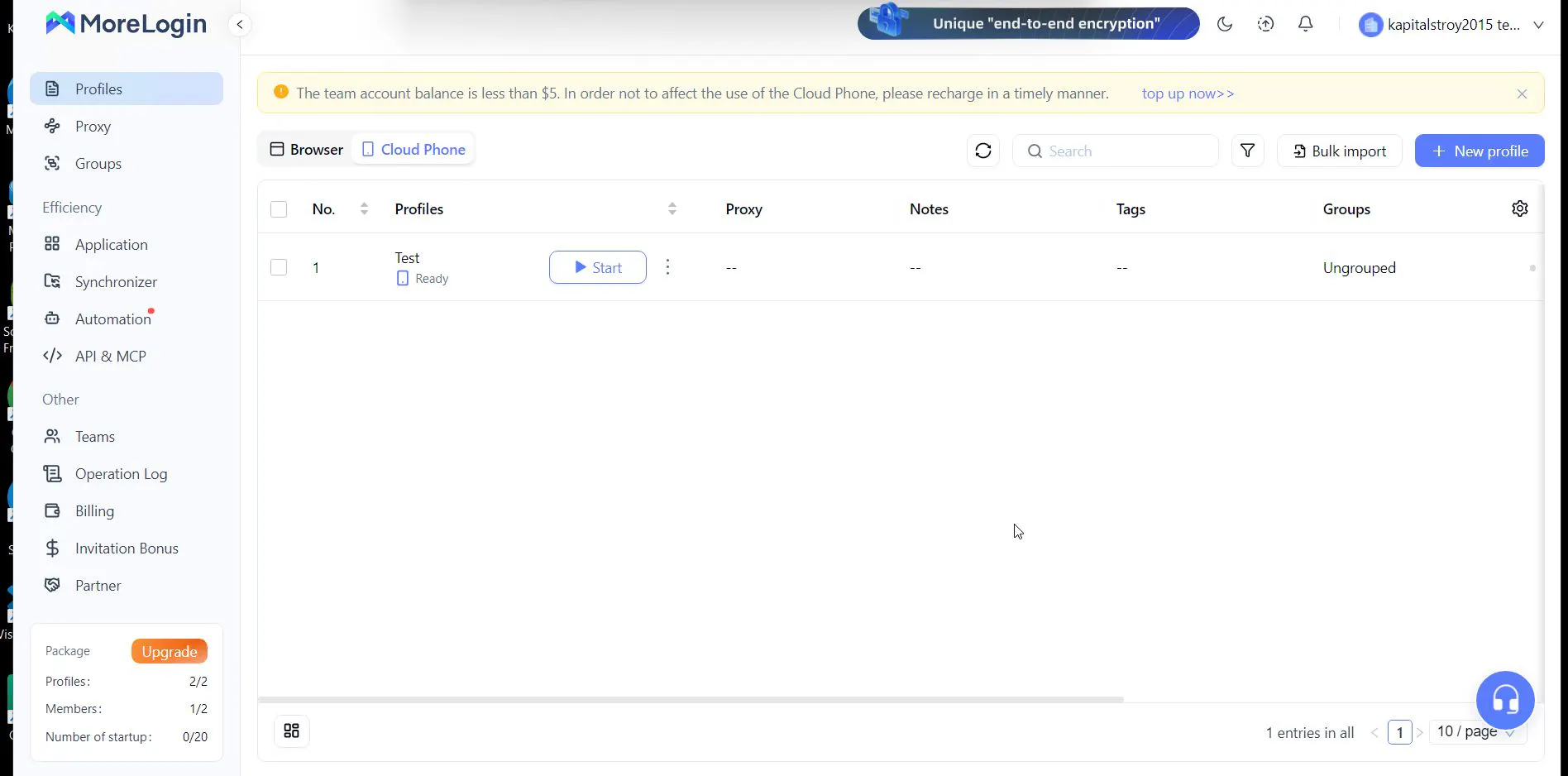
Technology Stack: ARM in the Cloud
MoreLogin also bets on ARM devices, just like GeeLark. The difference is in scalability. Under ideal conditions, the platform can spin up and shut down hundreds of cloud profiles in a short time.
Because this is an anti-detect browser, each cloud mobile device runs in a fully isolated container. App data, cache, and cookies persist between sessions, which is critical for long-lived Facebook accounts. If one account gets banned for some reason, it won’t affect other accounts in the grid.
And just like GeeLark, the same issues show up here. At first glance, it looks like a regular phone running via the cloud - the profile looks similar.
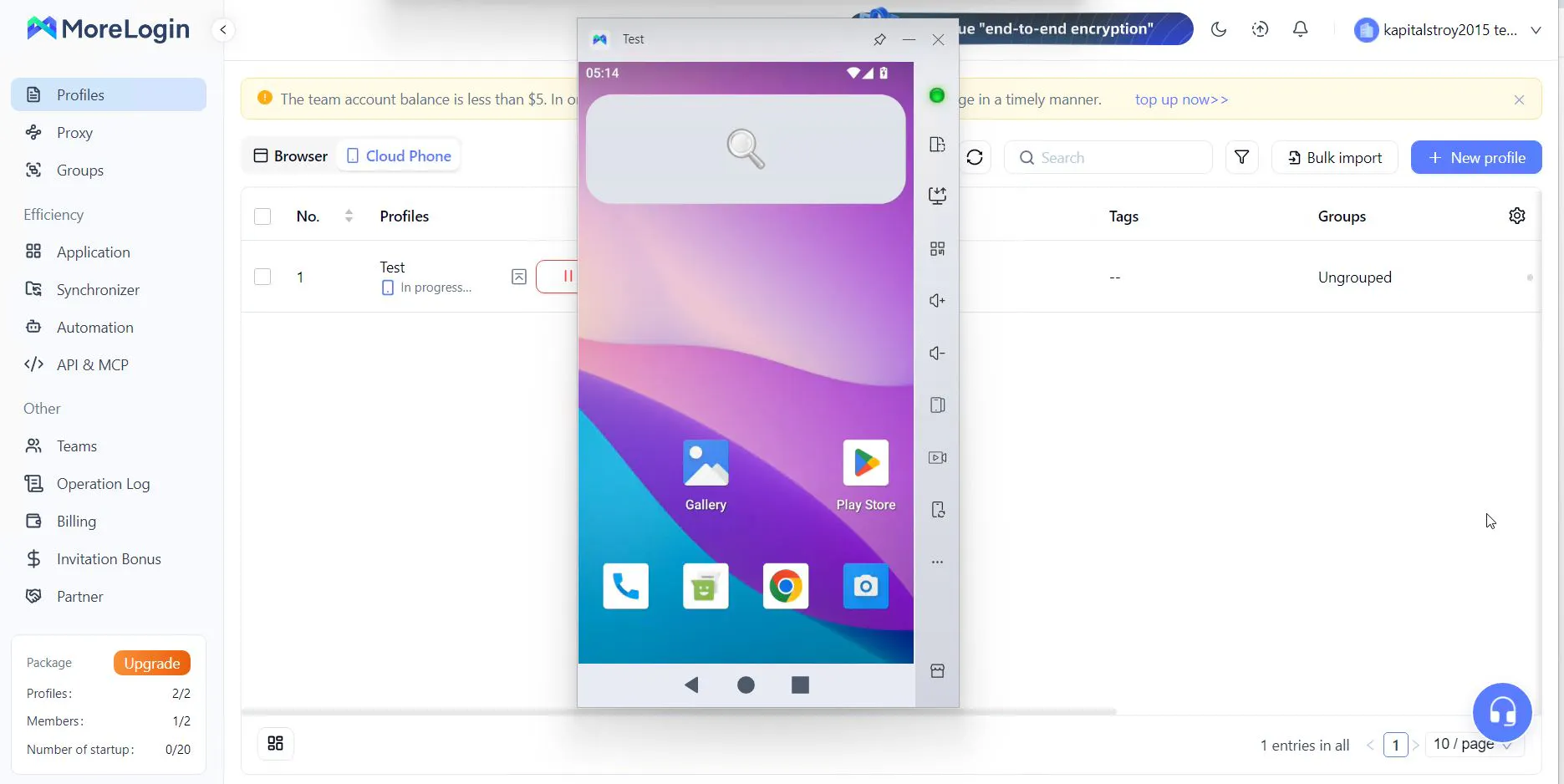
And unlike the previous participant, MoreLogin passed the Iphey check: the system found nothing suspicious.
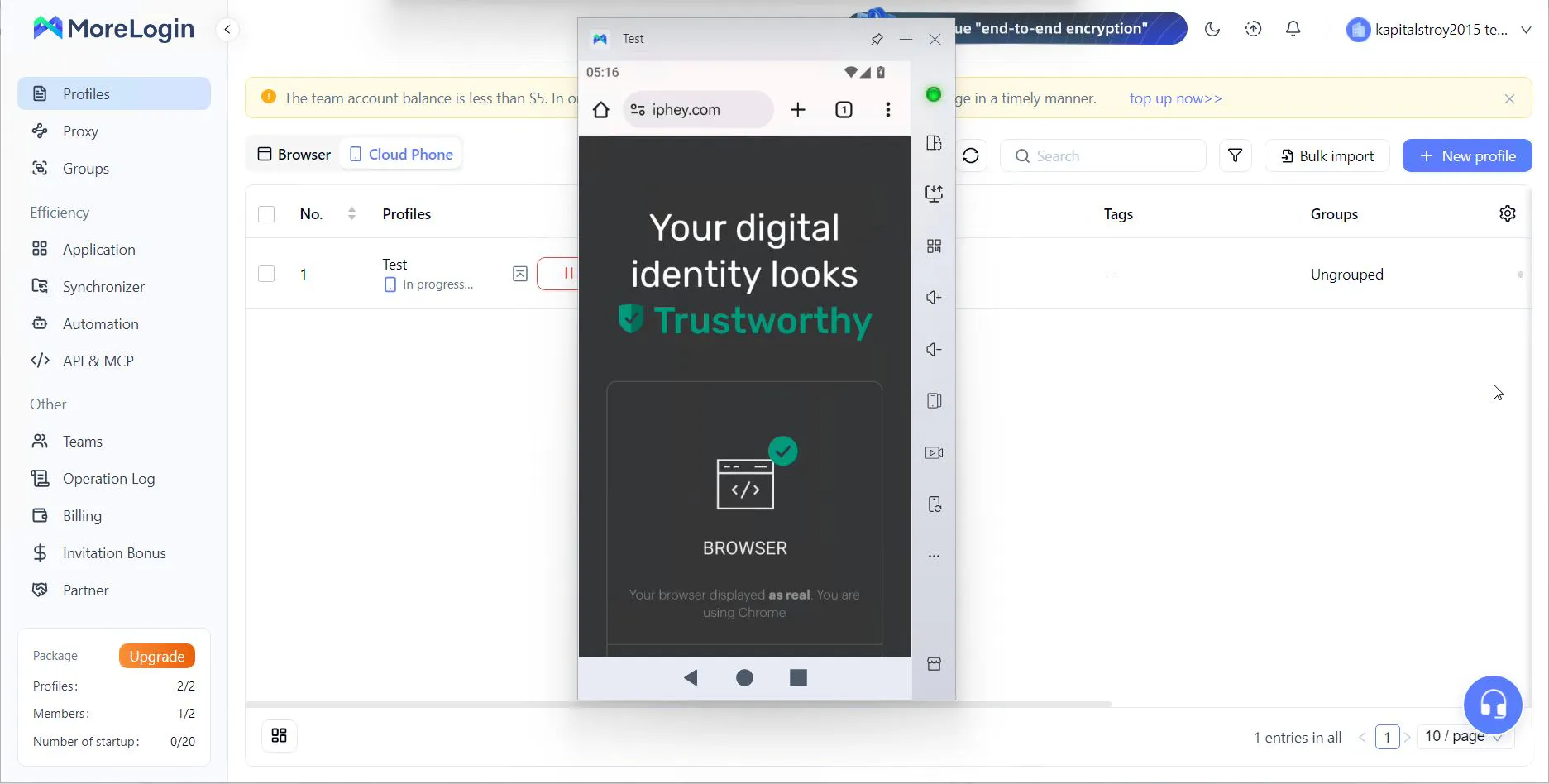
But once you go through PixelScan, inconsistencies start to appear in the fingerprints.
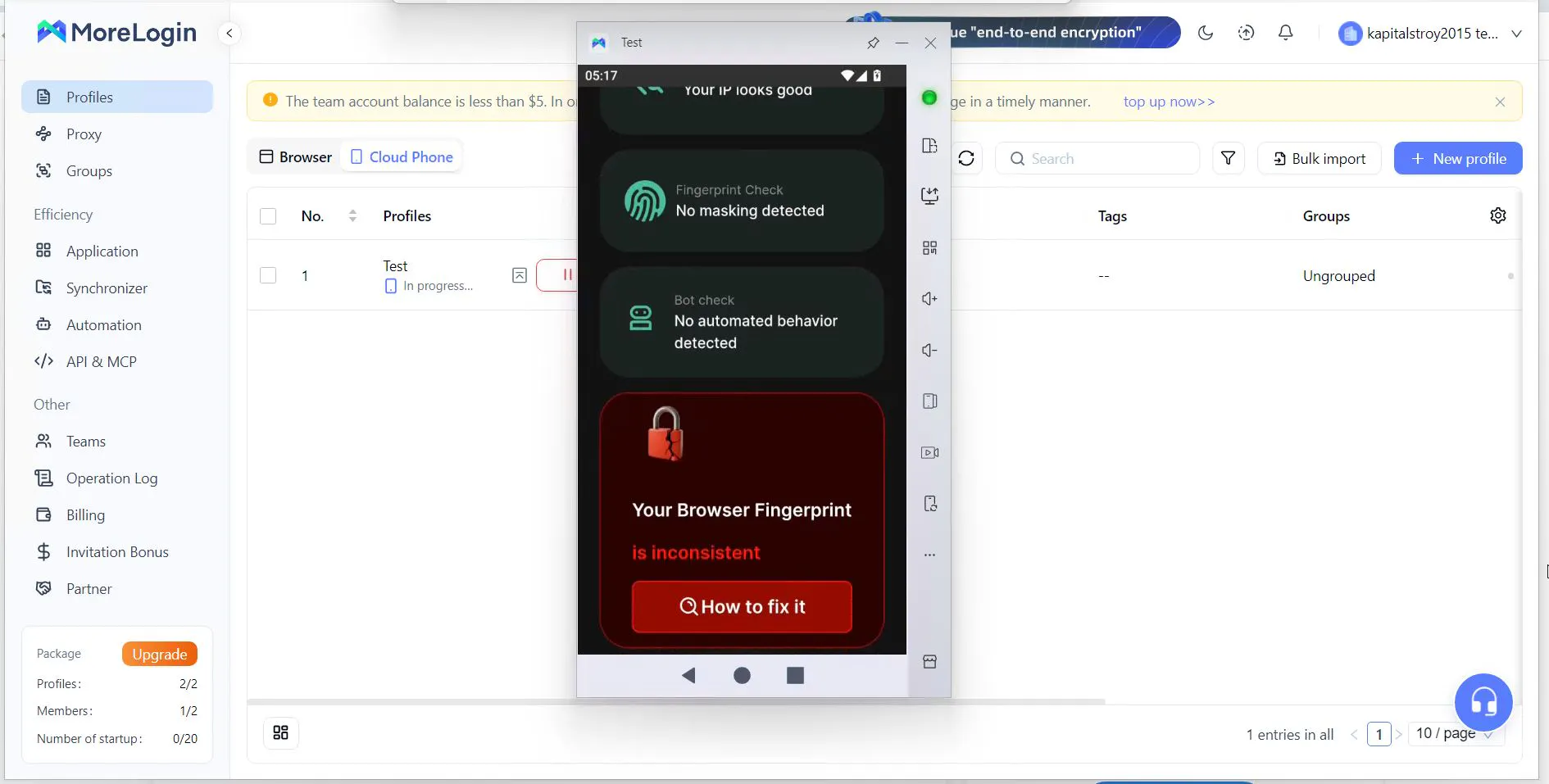
On closer inspection, we again see the same problem: the profile is running on a modern phone model SM-S938B (Samsung recognizes this model as S-25).
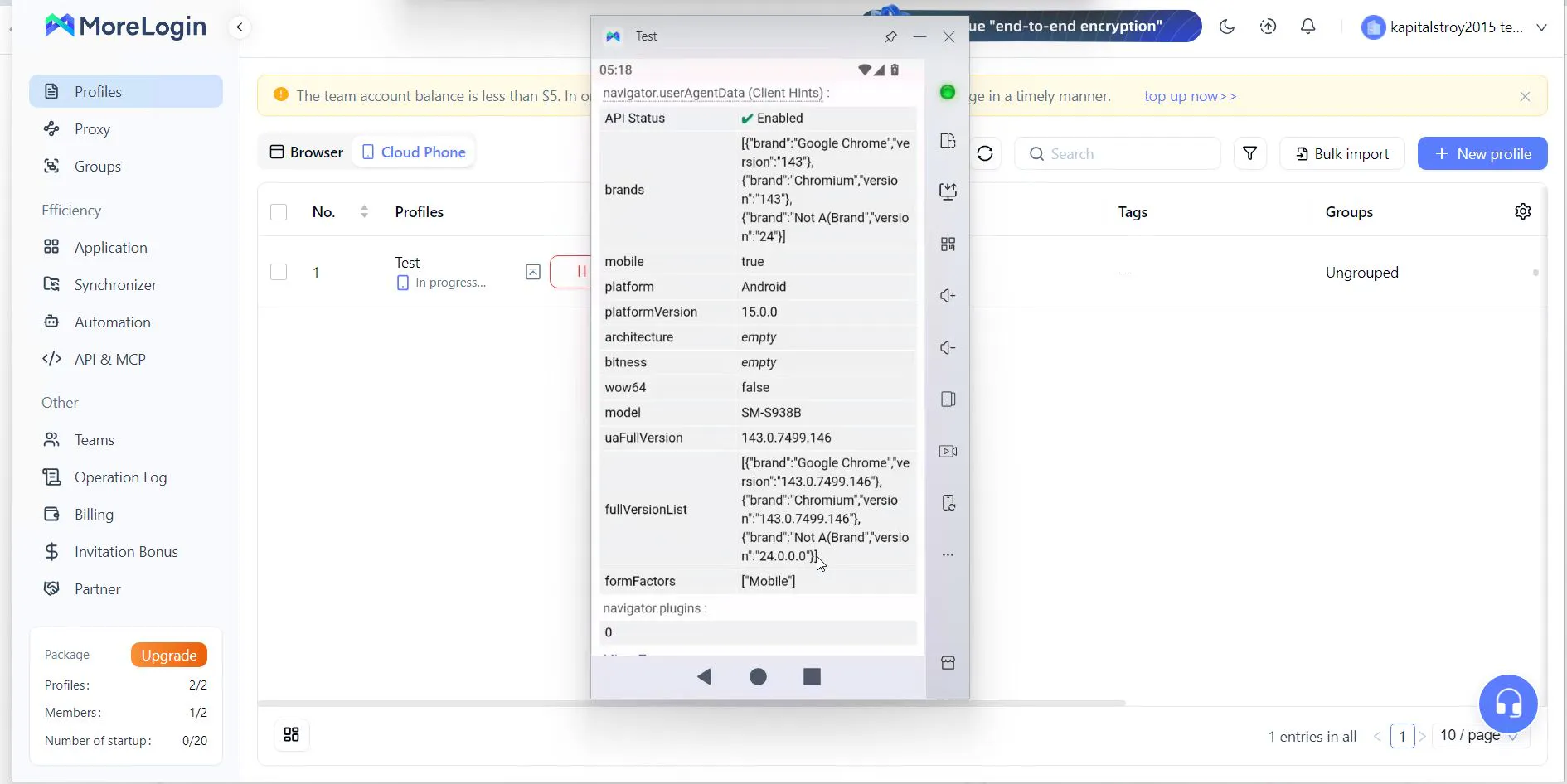
And TouchPoint is again just two.
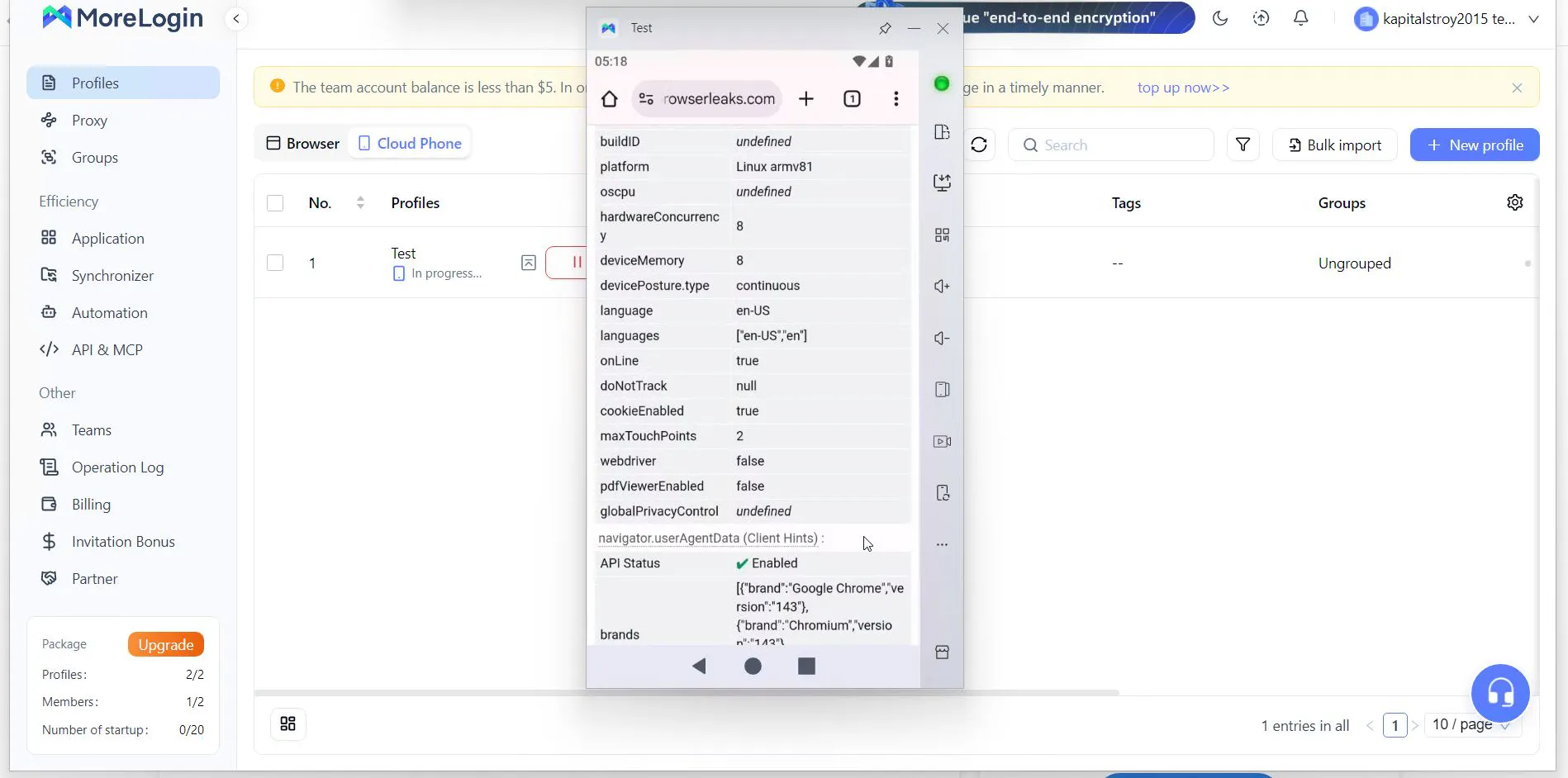
You could blame this on poor profile setup before launch, but here’s the issue: during setup, there’s no way to specify a value for this parameter. Gologin has no such problem - you can enter it manually. And even by default, the system sets 5.
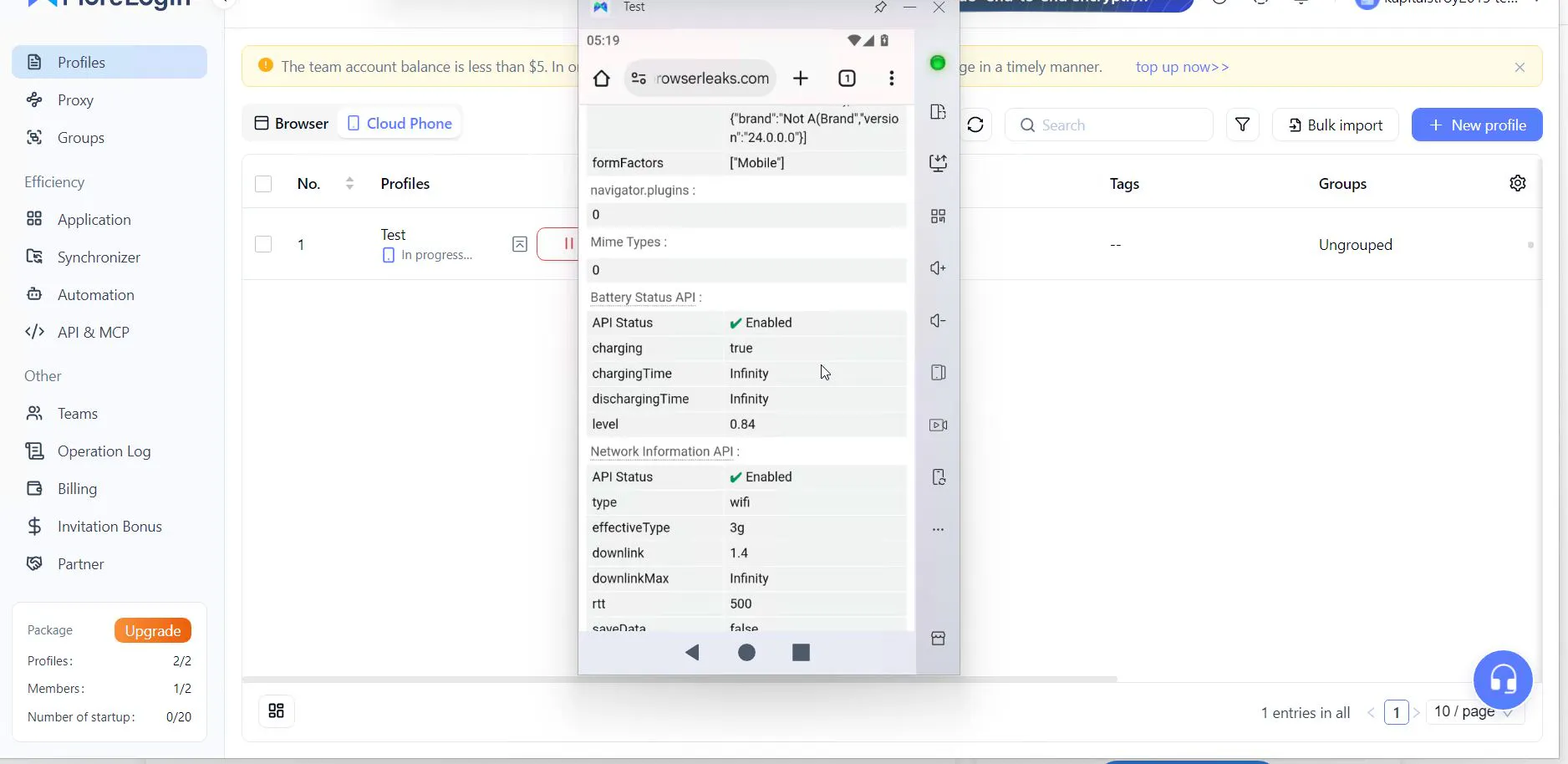
The battery is not static: it shows discharge occurring, which can be counted as a plus.
Additional Bonuses
Besides automation - something similar exists in GeeLark - for technically advanced teams, MoreLogin provides access to a Cloud Phone API, and here you can work via Android Debug Bridge (ADB). This opens the door to using third-party automation scripts (Python, Appium) that can control cloud phones as if they were connected to a local PC.
Interface and Ease of Use
MoreLogin offsets imperfect technical masking with mass-action convenience. For example, it has a “bulk input” feature. Say you need to log into 100 Facebook accounts. Manually typing passwords is unrealistic. MoreLogin lets you copy data from an Excel table and paste it into 100 open cloud-phone windows at once. Each row of the table goes into the corresponding window.
There is also a Synchronizer that helps simplify routine actions during farming.
Economics of Use
MoreLogin offers plans with per-minute billing, which attracts small teams and farmers who need phones episodically - for example, to check ad campaign status. They are often used specifically for mass farming of Facebook accounts. Here, besides per-minute billing, you also pay for a subscription (from $5.4). In general, the cloud-profile story is not about saving money in the first place.
AdsPower: The King of Consistency
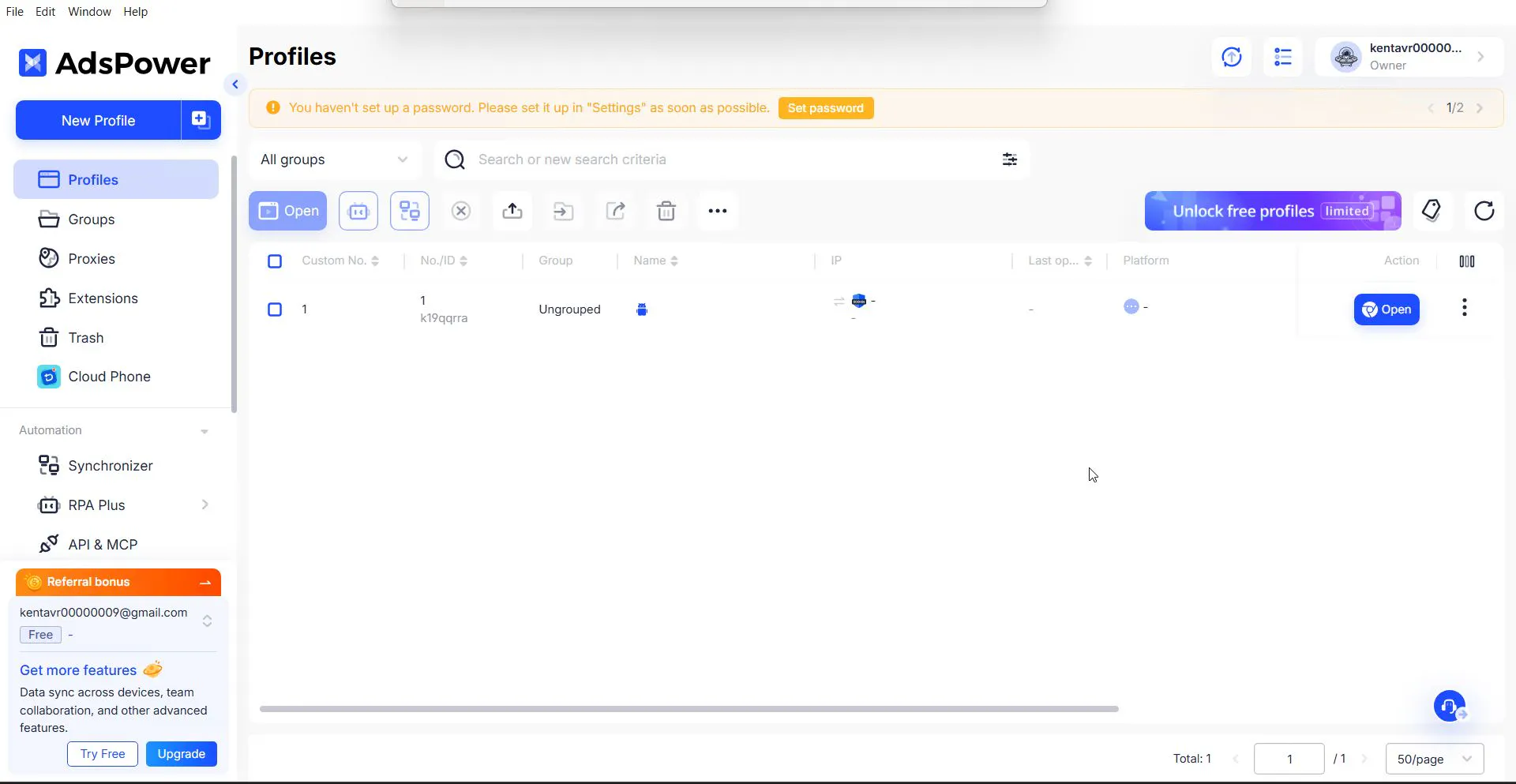
AdsPower, like GoLogin, bets not on cloud devices but on mobile browsers (working with a mobile device from a mobile browser). Their philosophy is not just to “hide” data, but to make it perfectly non-contradictory. For regular desktop profiles, this is done at a solid “C,” but let’s see how things look with mobile profiles.
SunBrowser and FlowerBrowser Engines
If GoLogin uses its Orbita browser, AdsPower offers two engines at once:
- SunBrowser (Chromium-based) - the standard choice for most tasks.
- FlowerBrowser (Firefox-based) - for mobile emulation, its Gecko engine is architecturally more flexible for spoofing low-level parameters than Chrome.
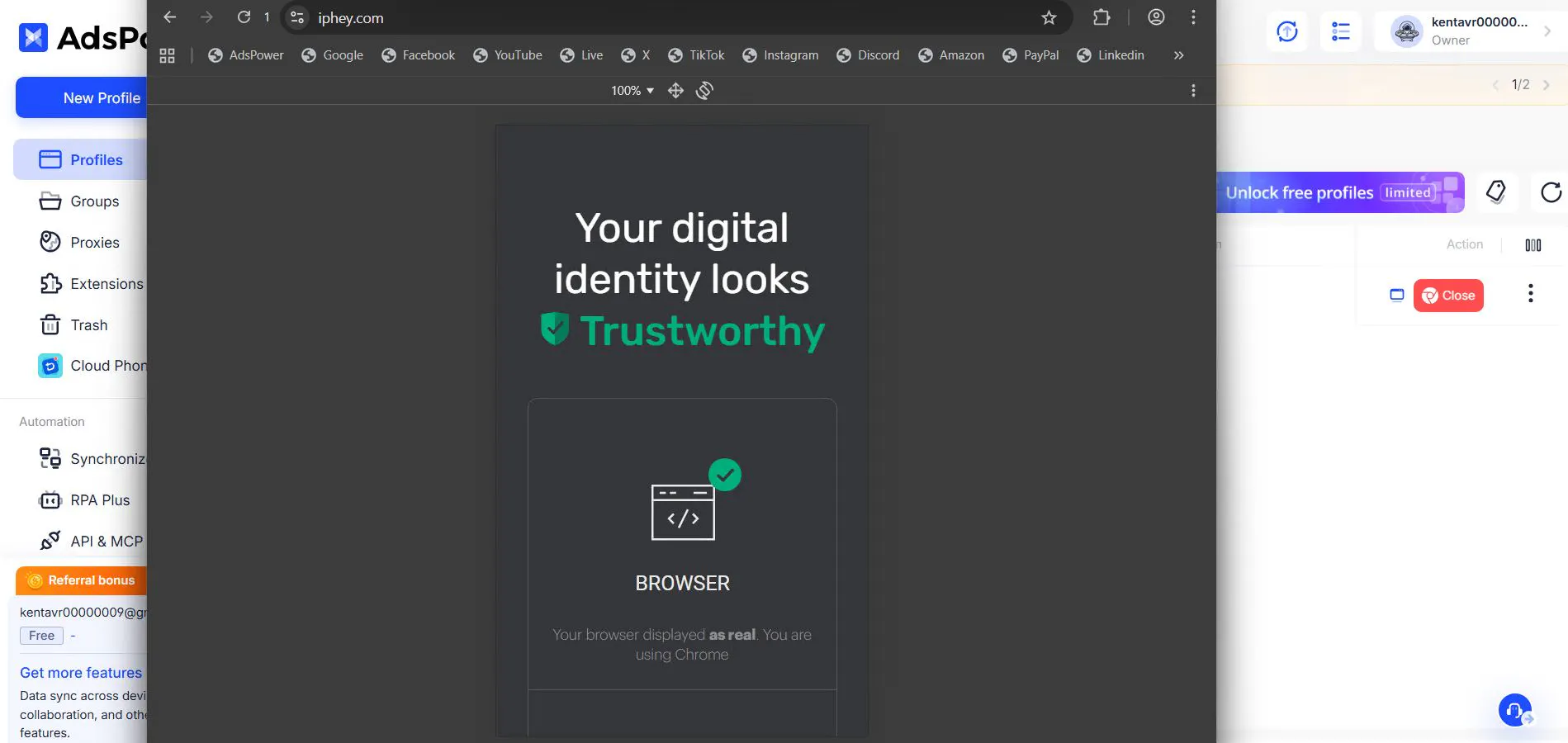
Overall, AdsPower passes checks more confidently. There are no issues from Iphey or PixelScan - everything is “in the green,” with nothing to nitpick.
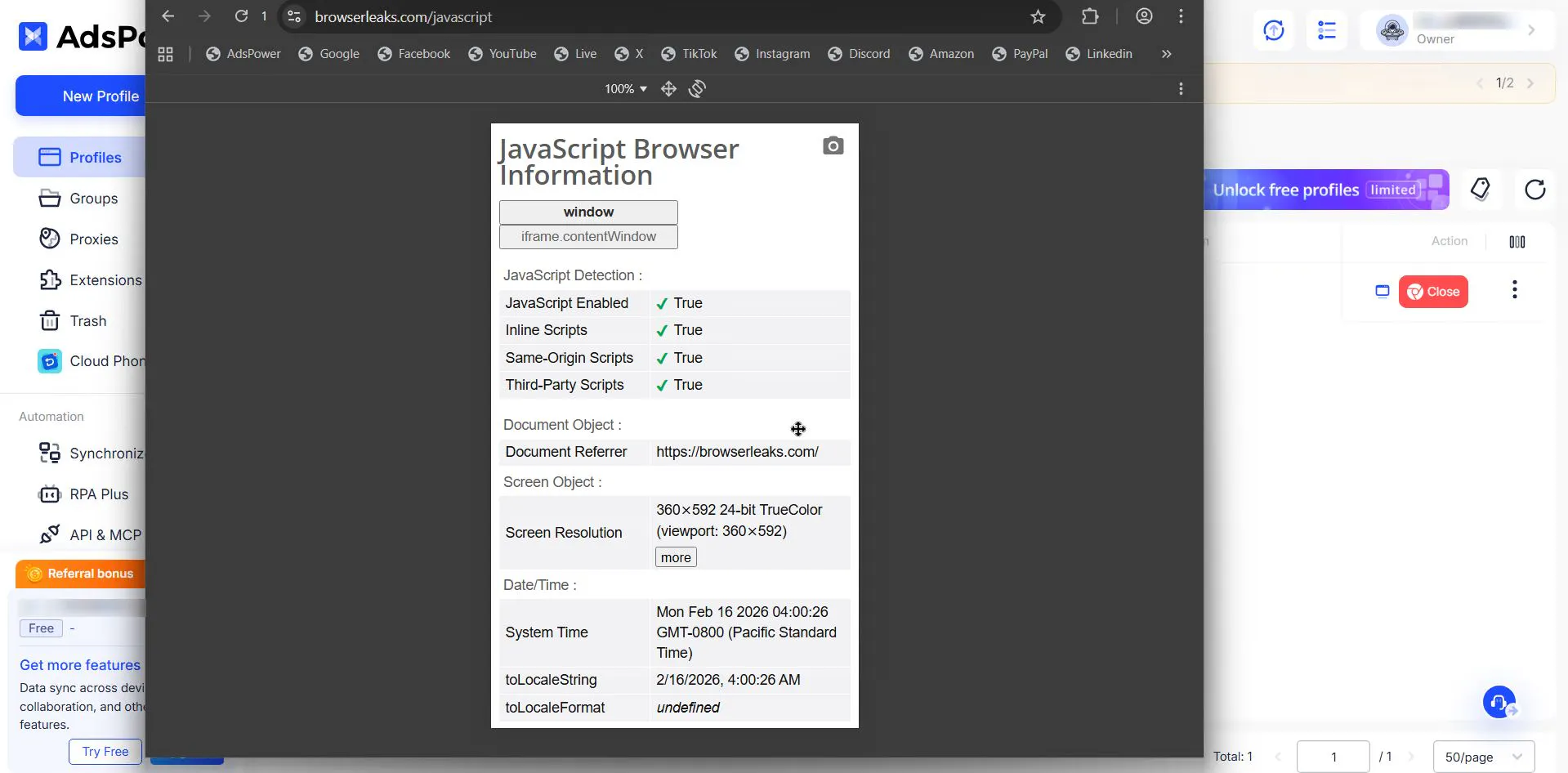
Moreover, AdsPower showed the same excellent result as GoLogin in a detailed BrowserLeaks check - no issues there. Neat dimensions that clearly match mobile device parameters.
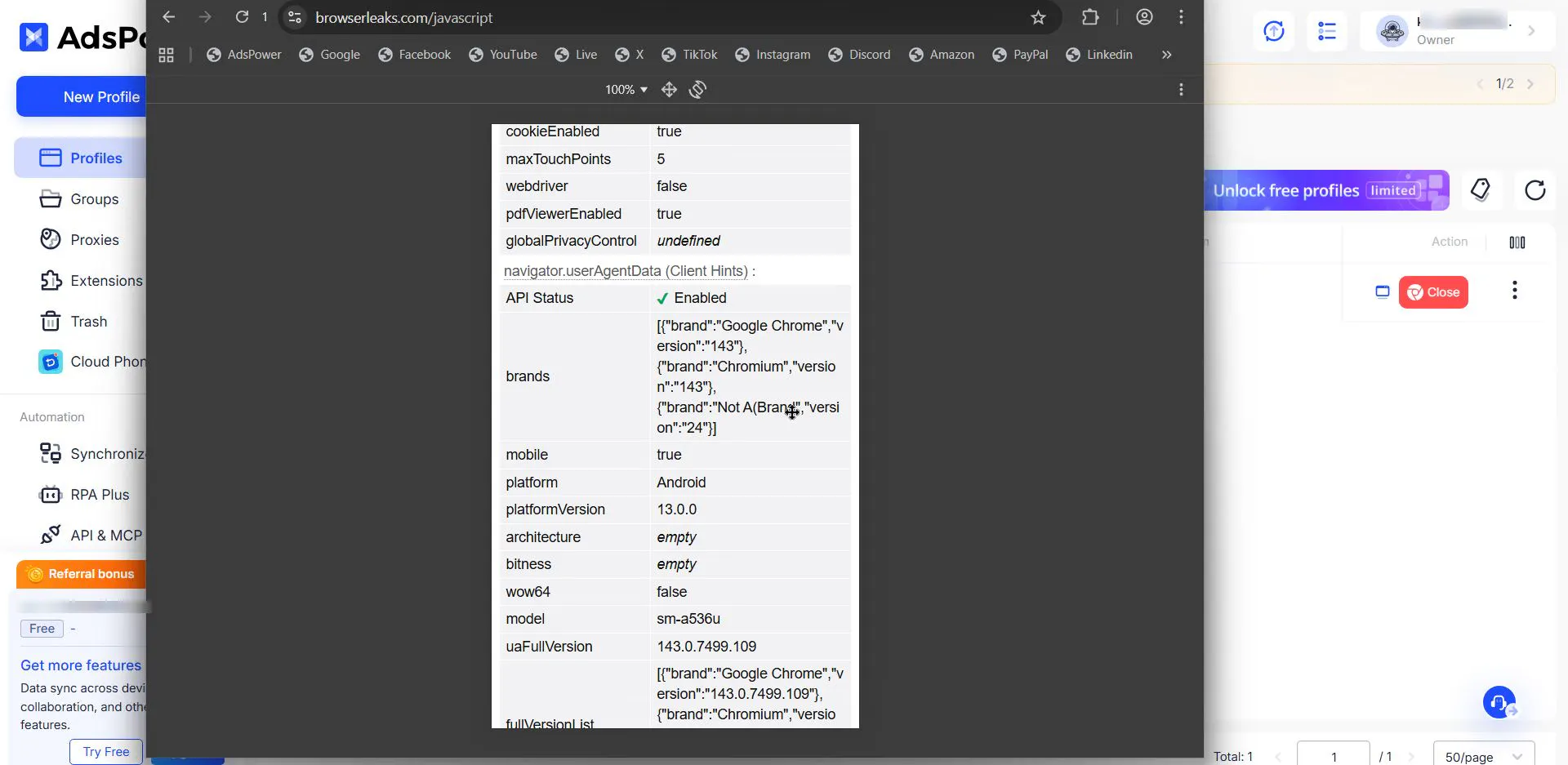
It didn’t fail MaxTouchPoint either - just like GoLogin, it returned 5.
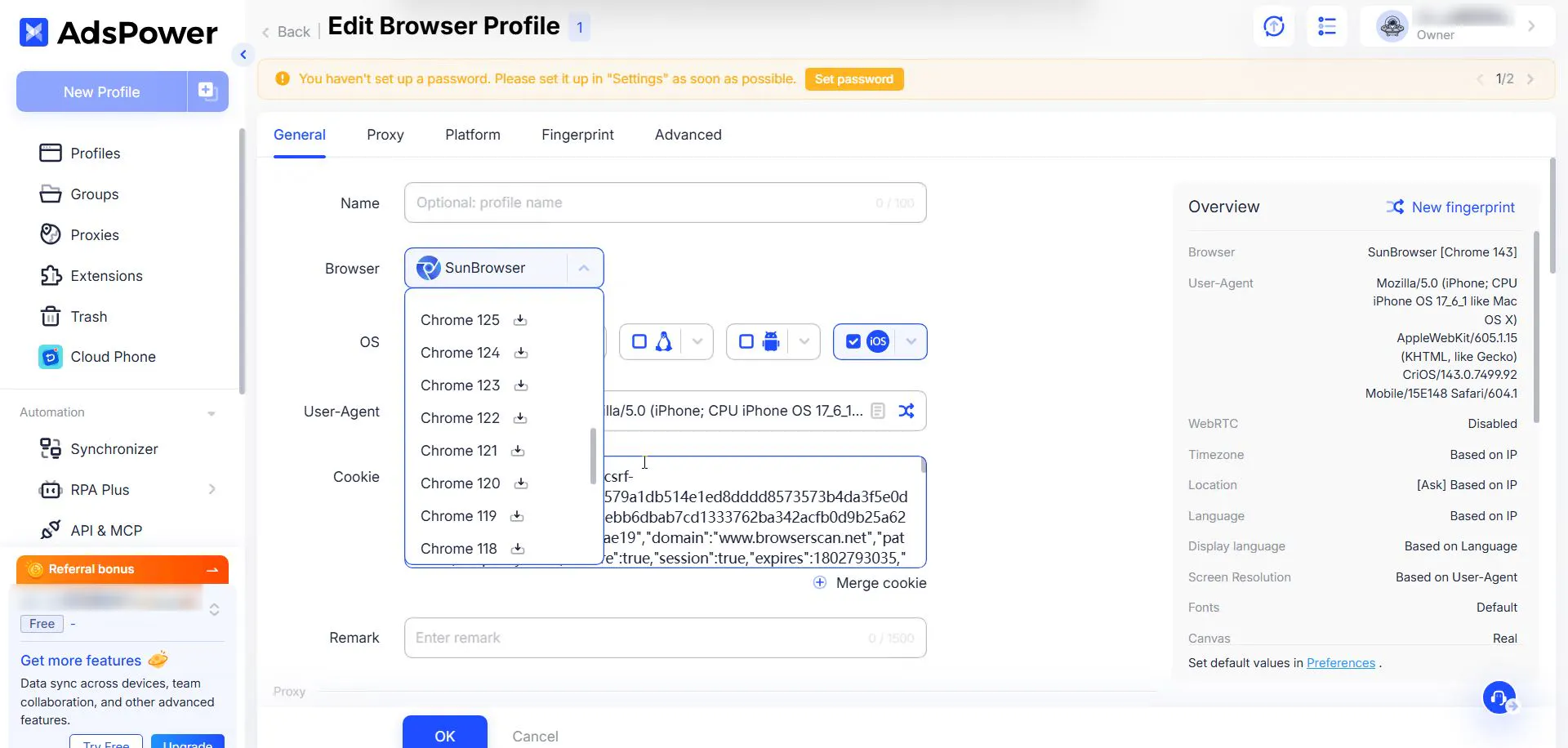
AdsPower’s main feature is the ability to choose a specific browser core version (Chrome 120, 124, 128, etc.). Why does this matter? Because the profile’s User-Agent must perfectly match the real capabilities of the engine. If you emulate a new Android, you need a fresh core; likewise, an older Android requires an older version.
Advanced Mobile Emulation
When you create a mobile profile, AdsPower enables deep engine settings, just like GoLogin or another anti-detect browser using a similar approach:
- Touch API: full emulation of touch events (touchstart, touchmove), not just mouse clicks.
- Device Pixel Ratio: correct spoofing of pixel density typical for Retina displays and modern Android panels.
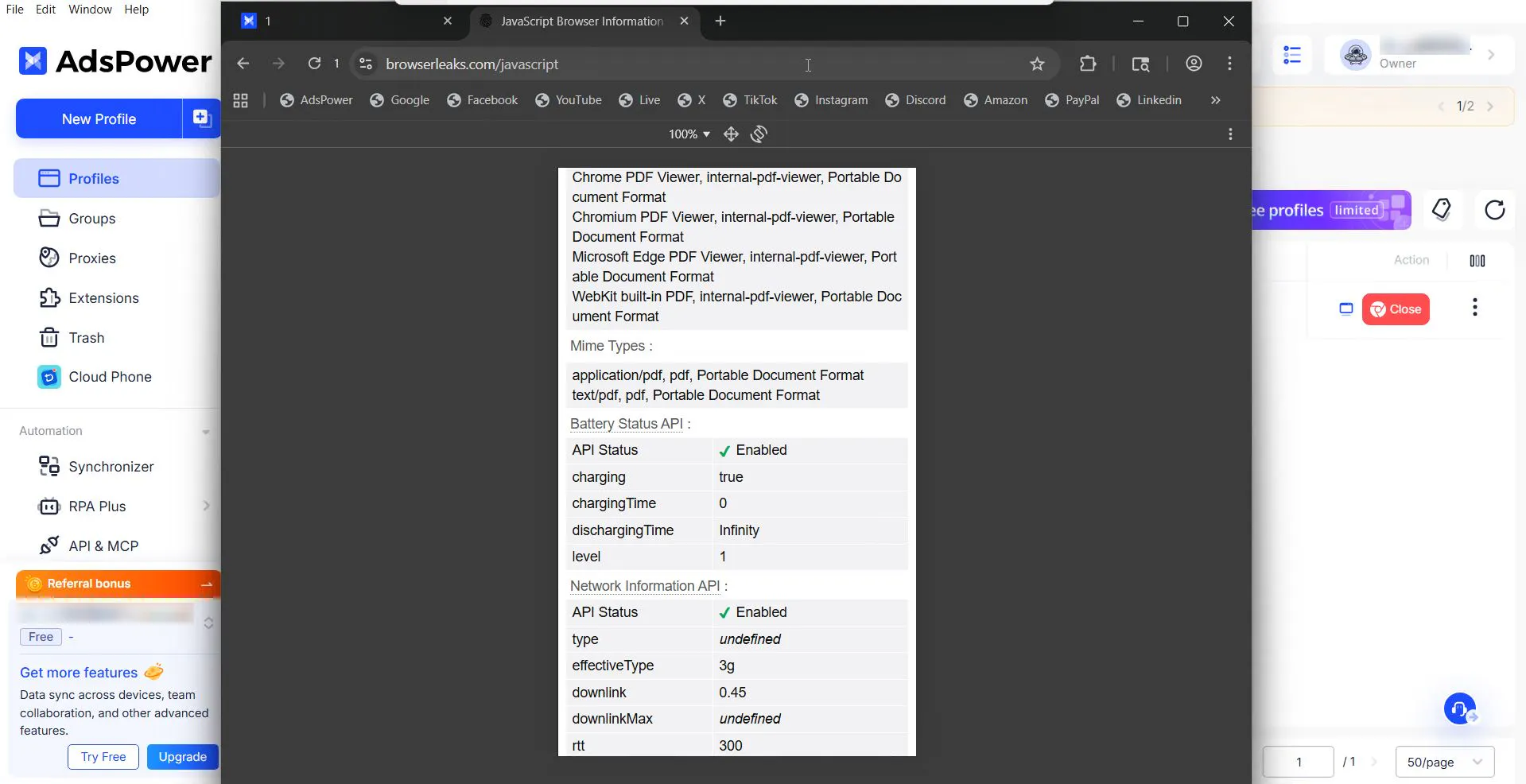
- Battery & Vibration API: ideally, AdsPower should output “battery” state and support vibration API, which is mandatory for mobile devices. But in all checks, the battery was in a charging state and at 100% charge; this may be a secondary factor, but in combination with other inconsistencies it affects risk.
Automation: RPA Plus
AdsPower has its own feature: automation (RPA Plus) directly in the profile interface. It’s positioned as “no need to be a programmer anymore,” but let’s be honest: to design automated activity, you need to understand how the web works - and that’s already a developer skill, not merely the ability to write code. So it’s more accurate to say: you don’t need to know how to code to create your own automation scenarios.
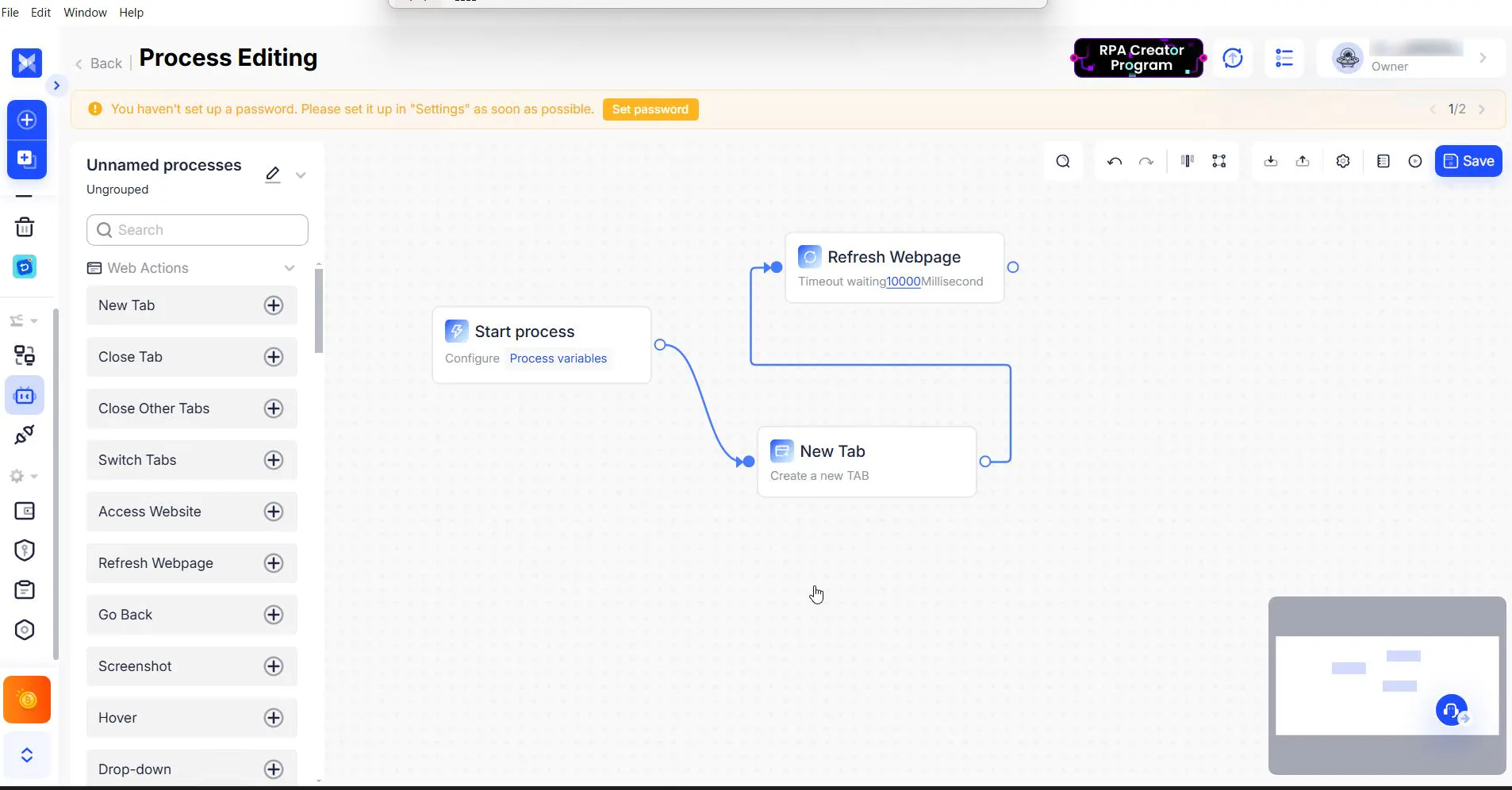
A visual builder lets you assemble a warm-up bot: “Go to Amazon -> Search for a product -> Scroll 30 seconds -> Add to cart,” and more complex flows - the key is understanding what you’re doing. There’s also a marketplace of ready-made scripts where developers can sell their templates.
Economics of Use
As with any anti-detect browser, using mobile profiles requires a subscription. Prices start at $7.2 per month and scale proportionally with the resources you need. AdsPower also has a separate service - cloud phones (described above), which you can buy for an additional fee ($2 for 30 minutes of using that cloud profile).
Kameleo: The Mobile Antidetect Browser for Sensor Spoofing
Kameleo is a tool for those who understand how the browser works at the code level, and for more advanced users (since this anti-detect browser works deeply with APIs). Right at the start, the app even emphasizes which tools you plan to work with (Selenium, Puppeteer, or Playwright).
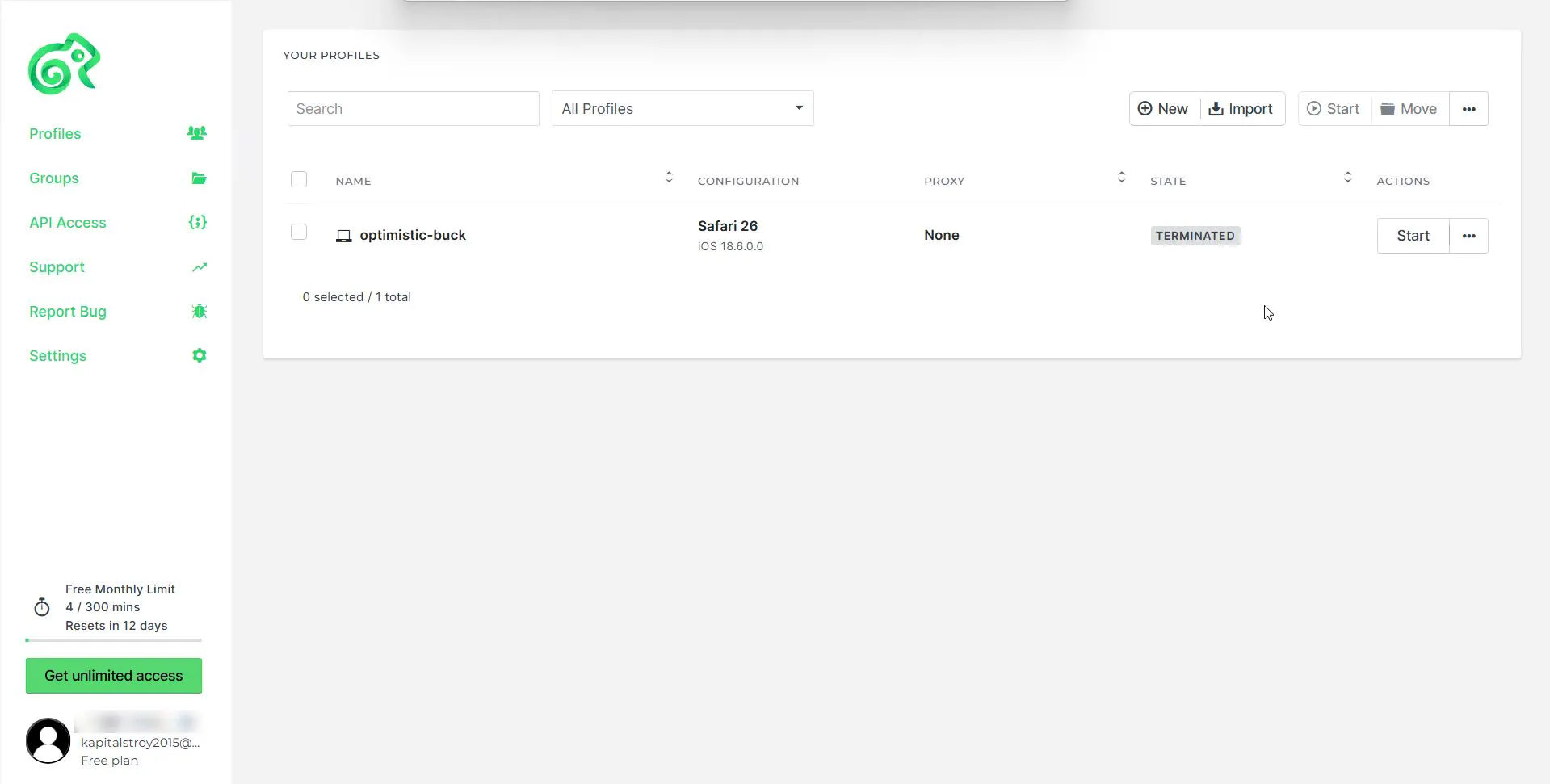
Sensor Spoofing and Mobile Profiles
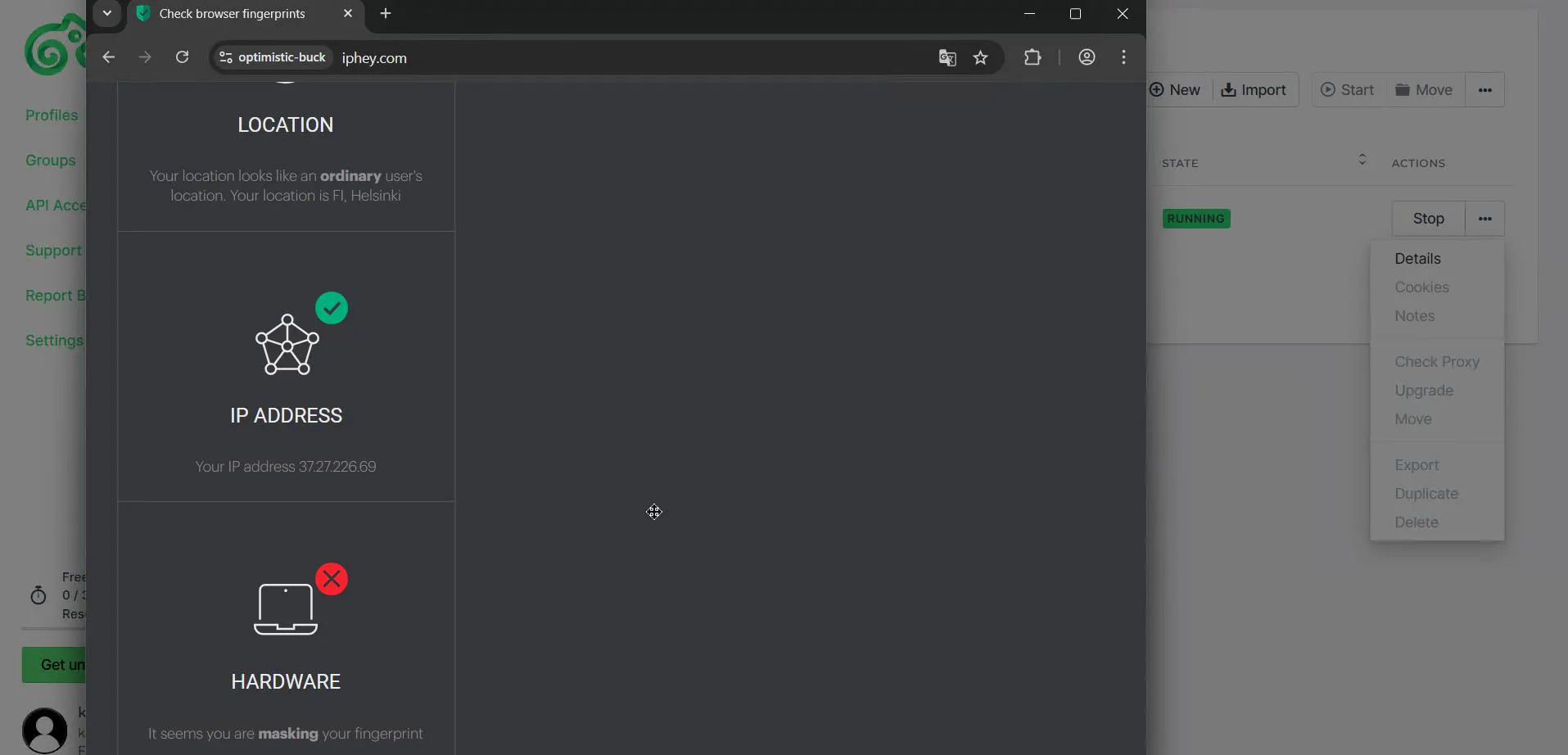
Kameleo focuses on emulating physical sensors on desktop, but unfortunately it doesn’t work very well. From our Top list, this is currently the only browser that performed worse than others on Browserleaks. Standard mobile screen size and TouchPoint are correct.
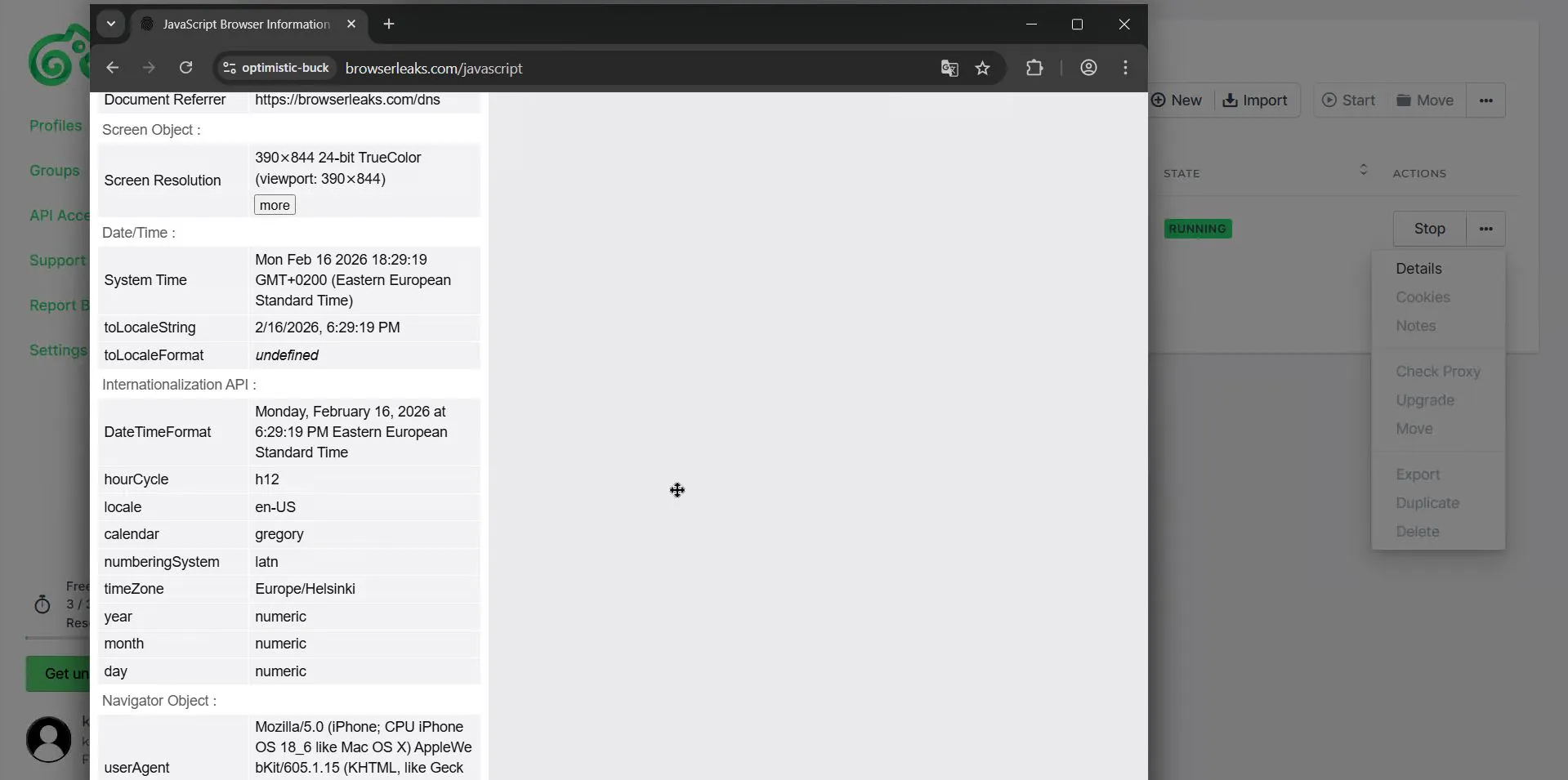
But other parameters, like battery status, are not presented at all - the service simply highlights that the Battery API is not supported. And that’s even worse than always showing 100% battery.
It would seem developers focused on proper emulation of mobile profiles on desktop and even dropped support for their mobile app for that purpose, but in practice it still didn’t work out.
PixelScan checks are also in the red zone.
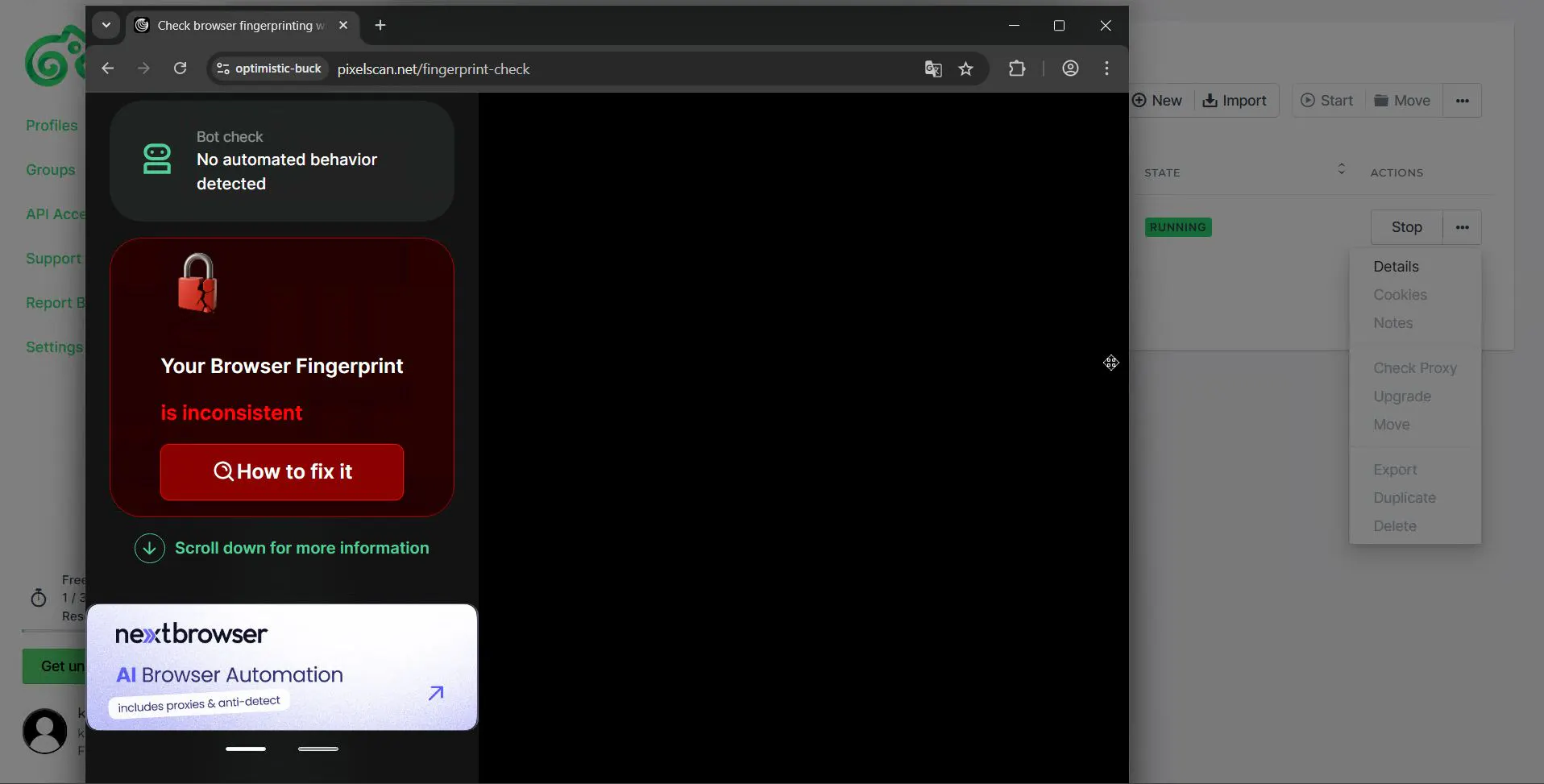
Same on Iphey.
Local Operation and API
Kameleo does have positives: it works locally, running on your own hardware. It stores profiles locally on your disk. This gives a 100% guarantee that data will not leak.
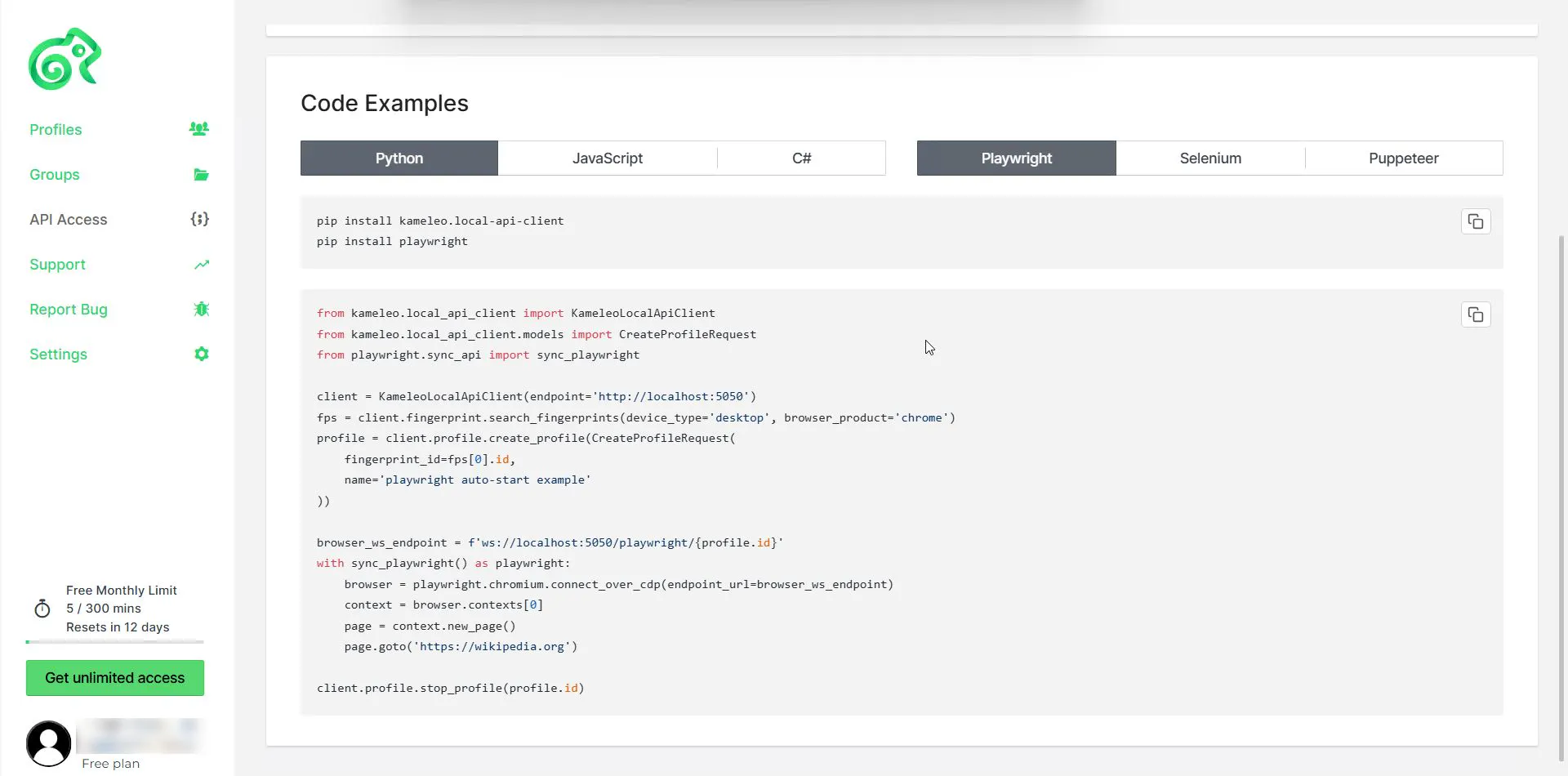
And the powerful Local API makes it a standard for developers who build automation in Python or C#. The browser also supports using specific cores per profile. Need an old Chrome 120? Kameleo will download that exact binary so the V8 JS engine fingerprints match - just like AdsPower.
What truly sets Kameleo apart is that it has one of the best Local APIs on the market. It integrates with Selenium, Puppeteer, and Playwright and allows you to build very complex bot farms controlled by code, while being protected by Kameleo’s spoofing.
Economics of Use
Pricing here is less straightforward: the entry plan is $45 per month with annual billing, and $59 with monthly billing, which automatically puts the anti-detect browser into a high-price segment. Yet in terms of quality based on test results, the browser doesn’t match competitors with more affordable plans. But the “secret sauce” is deep integration - for developers, that’s valuable.
Dolphin{anty}: The Gold Standard for Facebook Teams
Dolphin{anty} remains the most popular tool among Facebook adherents across the CIS and beyond. No negative signals can make them turn away from this tool. The only people who believe in their product more are probably Oriflame managers.
UX for People and Arbitrageurs
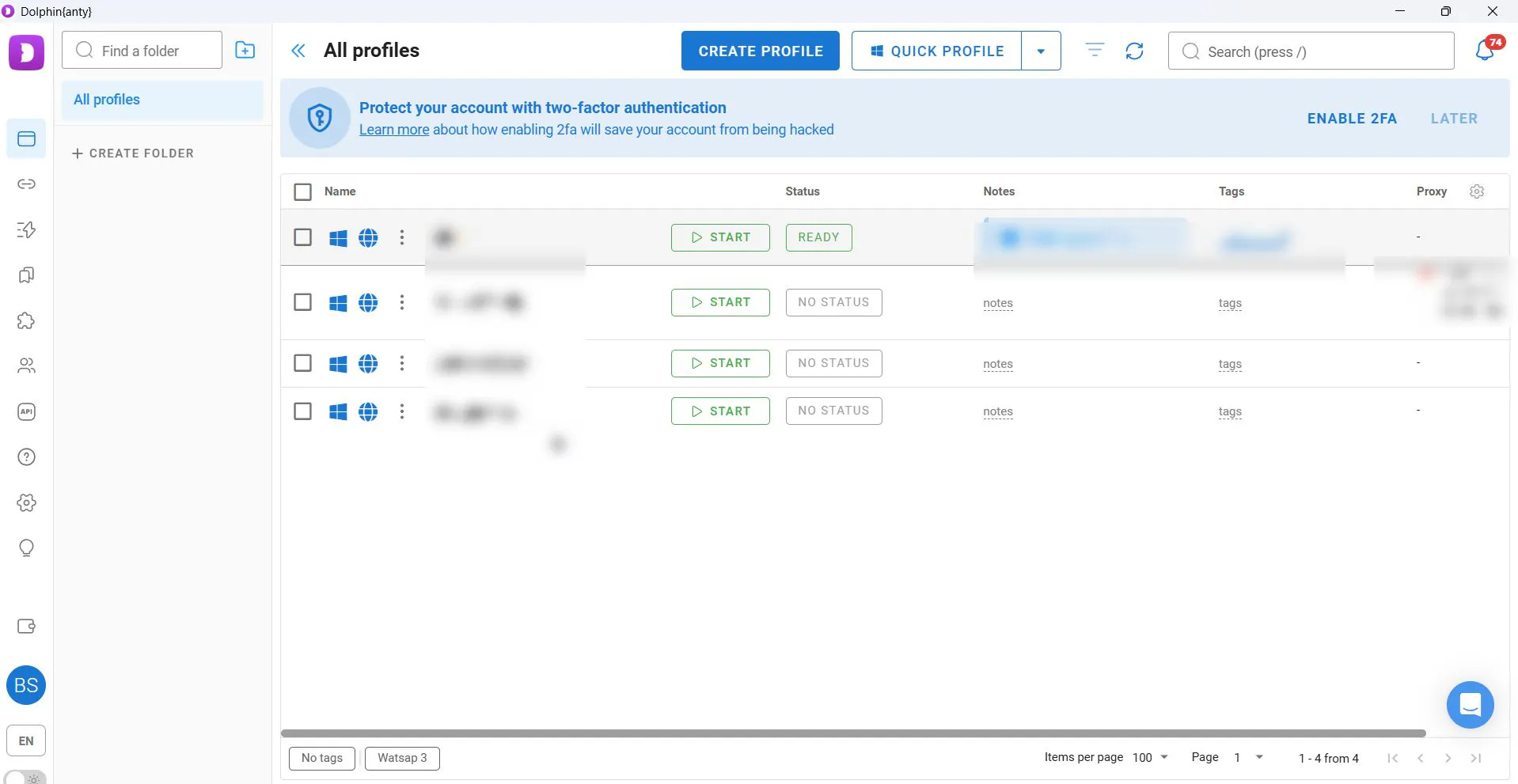
Dolphin’s main advantage is an interface built by arbitrageurs for arbitrageurs. Originally, this anti-detect browser was built for internal use, and it’s even odd that mobile profiles still haven’t been implemented. But judging by the updates in the dashboard, this will be fixed soon - badges have already appeared indicating that mobile profiles are coming.
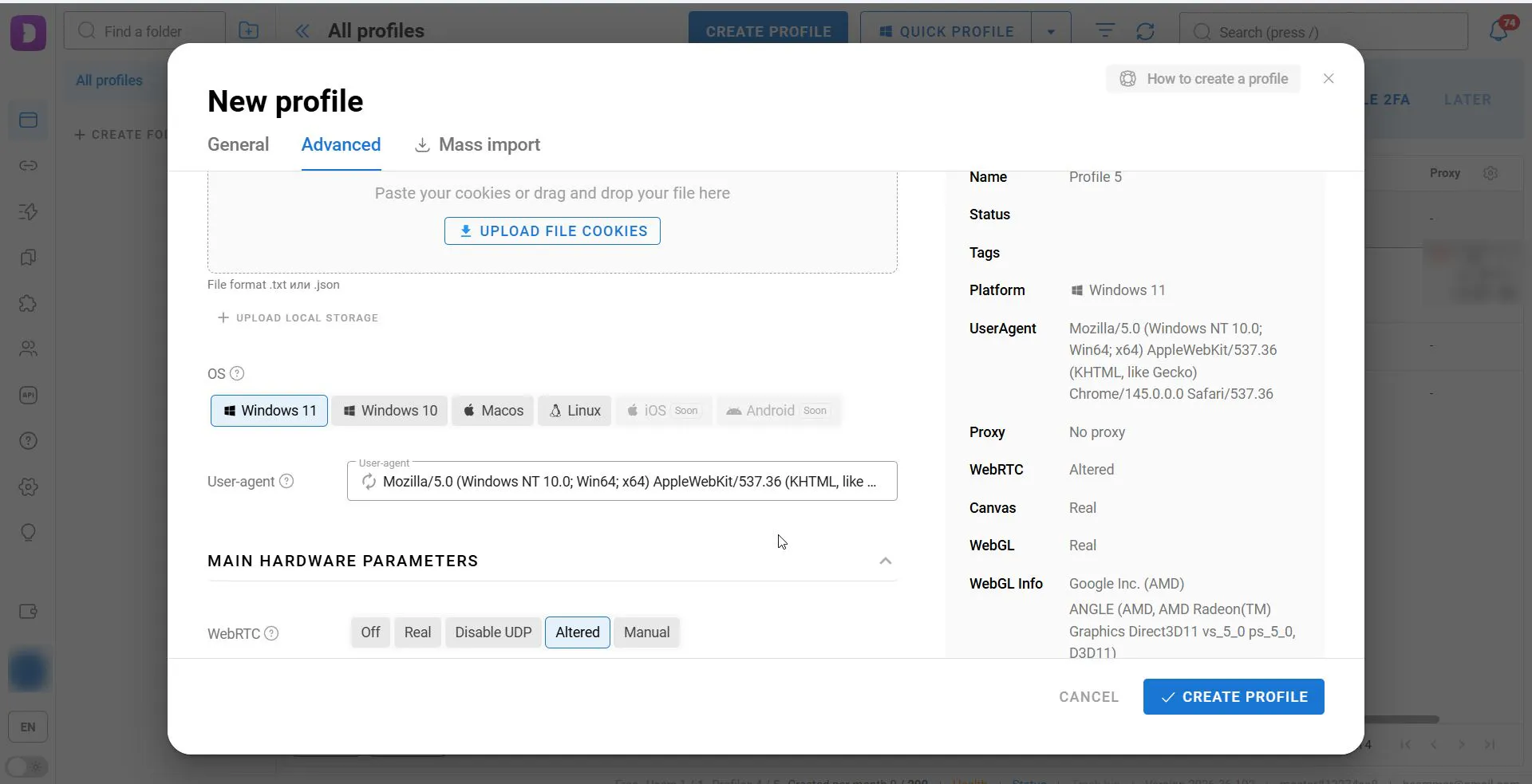
That’s why we added Dolphin to our Top list, so to speak, in advance. We include the service in the Top, but it’s basically “for New Year.”
The service was among the first to implement a system of tags and statuses for desktop profiles, which means all of this will be implemented for mobile profiles as well.
There’s also standard profile transfer - moving profiles between team members. Along with the profile, cookies, proxies, tags, and notes are transferred. This is very convenient for agencies where buyers often rotate or hand accounts off to farmers.
Dolphin has many strengths, but also many shortcomings that we hope will be fixed with the addition of mobile profiles. In particular, the service does not pass Iphey and PixelScan checks - it outright “gives itself away” there that the profile is opened through Dolphin.
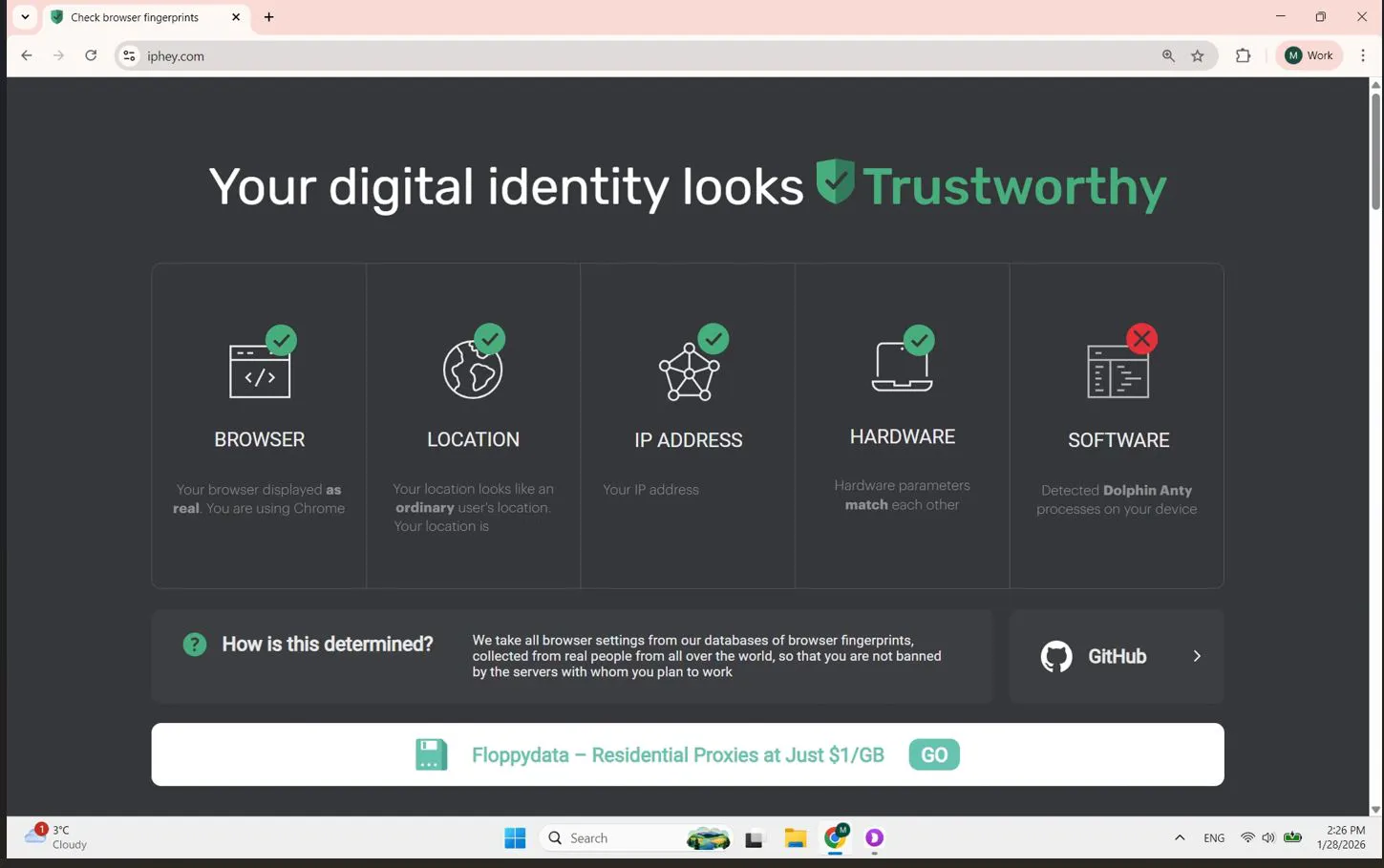
Also, previously it would regularly leak the real IP address, which is completely unacceptable for mobile profiles, because if on desktop your local IP “leaks,” that’s a direct road to a ban - FB won’t forgive that.
Economics of Use
Right now, Dolphin’s terms are: a free plan for 5 profiles, which makes it a fairly accessible tool for beginners. Paid plans start at $6; presumably the price will remain the same when they add mobile profiles - at least we’d like to believe so.
Comparative Analysis and Economics
Choosing a tool is a complex question: you have to consider many factors, from price to anti-detect properties. Let’s consolidate the data in a final table.
Comparison Table of Functionality
Characteristic | GoLogin | AdsPower | MoreLogin | GeeLark | Kameleo | Dolphin{anty} |
Technology | Hybrid (Orbita + mobile app) | Deep emulation (Chromium + Gecko) | Cloud phones (ARM) | Cloud phones (ARM) | Local emulation (Desktop only) | Chromium (Anty) |
Spoofing quality (Trust) | ⭐⭐⭐⭐⭐ (Iphey/PixelScan - OK, TouchPoint - 5) | ⭐⭐⭐⭐⭐ (Iphey/PixelScan - OK, TouchPoint - 5) | ⭐⭐⭐ (Iphey - OK, PixelScan - Fail, Touch - 2) | ⭐⭐ (Iphey/PixelScan - Fail, Touch - 2) | ⭐⭐ (Iphey/PixelScan - Fail, Battery API - disabled) | ⭐ (IP leak, no mobile profiles yet) |
Key feature | Run a profile on your physical phone | Core selection (Chrome 120-128) + RPA | Bulk profile filling (input from Excel) + ADB | AI content generation + Synchronizer | Deep Local API for coders | Convenient UI for arbitrage teams |
Automation | Basic (Web) + manual on phone | RPA Plus (no-code builder) | Cloud Phone API (ADB/Appium) | AI tools (video/text) | By code (Selenium, Playwright, Puppeteer) | Scenarios (desktop only for now) |
Niche | Web spoofing, “on-the-go” arbitrage | E-com, FB (universal) | E-com (Shopee, Lazada), mass farming | TikTok, Reels, video platforms | Developers, complex bot farms | FB teams |
Price | Low: from $4/mo + Free Trial (7 days) | Mid: from $7.2/mo + $ for cloud | Hybrid: from $5.4/mo + minutes | High: subscription + minutes (expensive for solo) | High: from $59/mo (expensive) | Low: from $6 + Free (5 profiles) |
Conclusion
The anti-detect solutions market has evolved from simple “User-Agent changers” into highly complex software-and-hardware systems. In 2026, you can no longer just buy “some” browser and hope for luck. The tests showed that even “real cloud hardware” can turn into a red rag for anti-fraud if it’s configured incorrectly.
Key takeaways from the tests:
- Benchmark anonymity and Trust Score: if you need “green checkmarks” across all checkers (Iphey, PixelScan, BrowserLeaks), your choice narrows to two players. GoLogin wins thanks to hybrid technology (connecting a real smartphone), while AdsPower wins with high-quality core emulation and proper Touch API configuration. These are the only mobile antidetect solutions that didn’t raise any questions from verification systems.
- Scale and automation (with caveats): GeeLark and MoreLogin cloud phones are powerful tools for TikTok and E-commerce, but they are not perfect. The MaxTouchPoints issue - 2 on “flagship” Samsung S22/S25 - is a serious marker for smart anti-fraud systems. Use them for mass actions and farming where automation matters, but keep the technical inconsistencies in mind.
- Specific tasks: Kameleo remains a tool for developers despite failing sensor tests. And Dolphin{anty} is still the best UI for Facebook team workflows, but technically it doesn’t have mobile profiles yet.
Bottomline on Mobile Antidetects
in 2026, it’s not enough to simply pay for a subscription. Before launching any campaign, run the profile through Iphey, and BrowserLeaks. Pay attention not only to IP, but also to the details: number of touch points, fonts, and battery status. These details are exactly where even expensive cloud solutions can “fall apart.” Choose a tool not by promises on a landing page, but by checker results.